manuals.online logo
Brands
  1. Home
  2. •
  3. Brands
  4. •
  5. WEIGL
  6. •
  7. Switch
  8. •
  9. WEIGL ProCommander LTC User manual

WEIGL ProCommander LTC User manual

Other manuals for ProCommander LTC

2

Other WEIGL Switch manuals

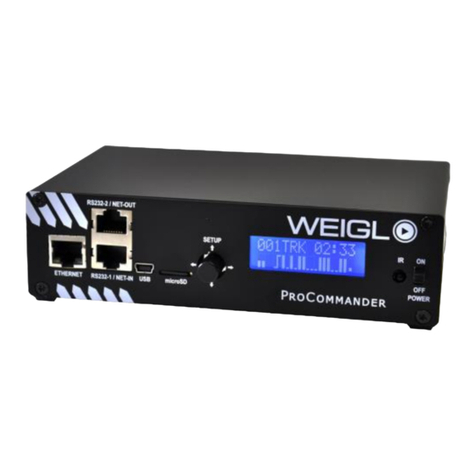
WEIGL ProCommander Quick start guide

WEIGL

WEIGL ProCommander Quick start guide

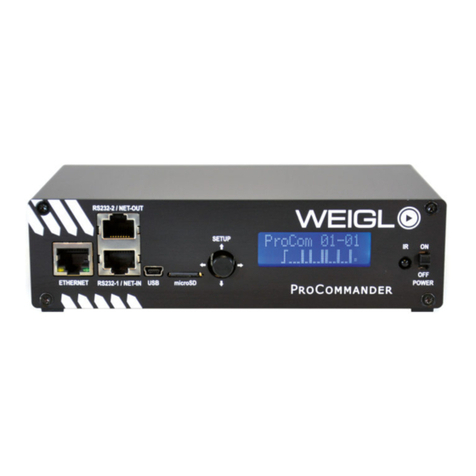
WEIGL ProCommander 2 Quick start guide

WEIGL

WEIGL ProCommander 2 Quick start guide

WEIGL ProCommander LX Quick start guide

WEIGL

WEIGL ProCommander LX Quick start guide

Popular Switch manuals by other brands

SMC Networks SMC6224M Technical specifications

SMC Networks

SMC Networks SMC6224M Technical specifications

Aeotec ZWA003-S operating manual

Aeotec

Aeotec ZWA003-S operating manual

TRENDnet TK-209i Quick installation guide

TRENDnet

TRENDnet TK-209i Quick installation guide

Planet FGSW-2022VHP user manual

Planet

Planet FGSW-2022VHP user manual

Avocent AutoView 2000  AV2000BC AV2000BC Installer/user guide

Avocent

Avocent AutoView 2000 AV2000BC AV2000BC Installer/user guide

Moxa Technologies PT-7728 Series user manual

Moxa Technologies

Moxa Technologies PT-7728 Series user manual

Intos Electronic inLine 35392I operating instructions

Intos Electronic

Intos Electronic inLine 35392I operating instructions

Cisco Catalyst 3560-X-24T Technical specifications

Cisco

Cisco Catalyst 3560-X-24T Technical specifications

Asante IntraCore IC3648 Specifications

Asante

Asante IntraCore IC3648 Specifications

Siemens SIRIUS 3SE7310-1AE Series Original operating instructions

Siemens

Siemens SIRIUS 3SE7310-1AE Series Original operating instructions

Edge-Core DCS520 quick start guide

Edge-Core

Edge-Core DCS520 quick start guide

RGBLE S00203 user manual

RGBLE

RGBLE S00203 user manual

Thrustmaster FLIGHT SIMULATOR X quick guide

Thrustmaster

Thrustmaster FLIGHT SIMULATOR X quick guide

Southwire SURGE GUARD 41390 RVC troubleshooting guide

Southwire

Southwire SURGE GUARD 41390 RVC troubleshooting guide

Buhler Nivotemp NT 61 Brief instructions

Buhler

Buhler Nivotemp NT 61 Brief instructions

Kramer VS-41HDCP user manual

Kramer

Kramer VS-41HDCP user manual

Techly IDATA AU-270 user manual

Techly

Techly IDATA AU-270 user manual

Belkin F1U109 user manual

Belkin

Belkin F1U109 user manual

manuals.online logo
manuals.online logoBrands
  • About & Mission
  • Contact us
  • Privacy Policy
  • Terms and Conditions

Copyright 2025 Manuals.Online. All Rights Reserved.

Main Setup
Configure
Audio
RealTimeClk
Info
0 - 31
Volume
Start Show?
Menu
ProCom
MENU ProCommander Series –LEVEL 1 & 2
Up = Back to the start
Left & Right = Volume/ Navigation
Enter = Press the button to select the displayed function or store value
LEVEL 1 LEVEL 2
All channels will store the same value
000.000.000.000
00000
SetFactory?
IP-Adrs
Port 1 –4 Value
Set IP-Adrs
Set Port
SetFactory
MainSetup
Menu
MENU ProCommander LTC –LEVEL 2 –MainSetup
LEVEL 3 LEVEL 4 LEVEL 5
Left = Back/ one level up
Enter = Press the button to select the displayed function or store value
IAI
Dynamixel
NanotcSCI47
None
0 - 250
0 - 250
OFF
ON
Set TimeOut
Set EaseIn
Set StPlyL
RS485-2 Drv
LTC-TimeOut
EaseIn Time
StrtPlaylst
RS485-2 Drv
Configure
Menu
MENU ProCommander LTC –LEVEL 2 –Configure
LEVEL 3 LEVEL 4 LEVEL 5
Left = Back/ one level up
Enter = Press the button to select the displayed function or store value
OFF
ON
IgnStartClr
Configure
Menu
MENU ProCommander LTC –LEVEL 2 –Configure
LEVEL 3 LEVEL 4 LEVEL 5
Left = Back/ one level up
Enter = Press the button to select the displayed function or store value
SetIgnStClr
0 - 31
0 - 15
-8 - +7
Set Volume:
Set Bass:
Set Treble:
Volume
Bass
Treble
Audio
Menu
MENU ProCommander LTC –LEVEL 2 - Audio
LEVEL 3 LEVEL 4 LEVEL 5
Left = Back/ one level up
Enter = Press the button to select the displayed function or store value
0 - 23
0 - 59
Monday/1-Sunday/7
1 - 31
1 - 12
2012 +
Set Hour
Set Minute
Set DayOfWk
Set Day
Set Month
Set Year
Hour
Minute
Day-Of-Week
Day
Month
Year
RealTimeClk
Menu
MENU ProCommander LTC –LEVEL 2 - RealTimeClk
LEVEL 3 LEVEL 4 LEVEL 5
Left = Back/ one level up
Enter = Press the button to select the displayed function or store value
Firmware Ver.
SerialNumber
MAC-Address
IP-Address
Port
Info
Menu
MENU ProCommander LTC –LEVEL 2 –Info
LEVEL 3 LEVEL 4
Left = Back/ one level up
Enter = Press the button to select the displayed function or store value
Firmware Version
Serial Number
MAC-Address
IP-Address
Port 1