TABLE OF CONTENTS
Making a Voice
Distress Call Inside Front Cover
Introduction 1
Features 1
Explanation of Terms 1
Getting Started 2
What’s included 1
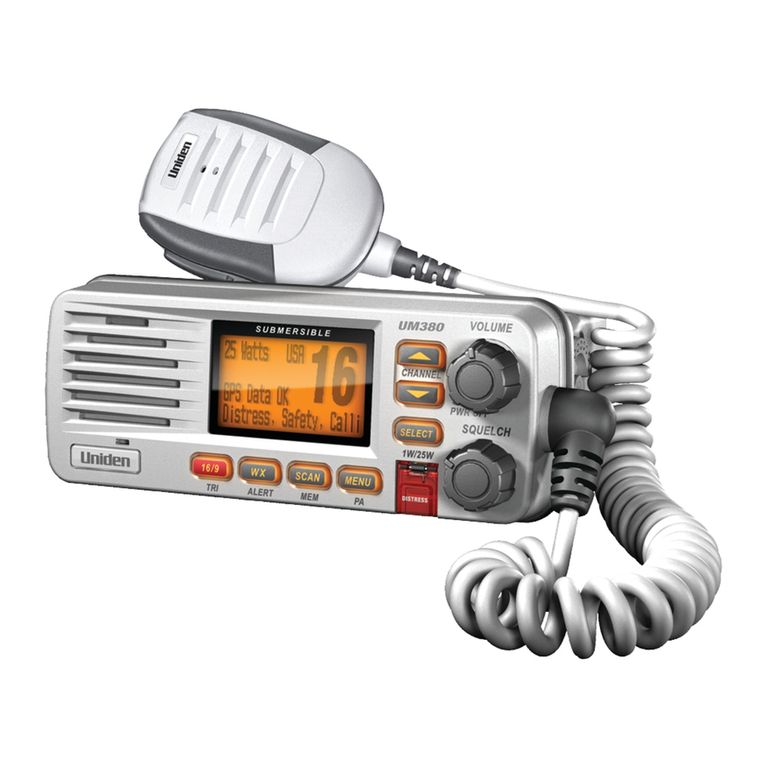
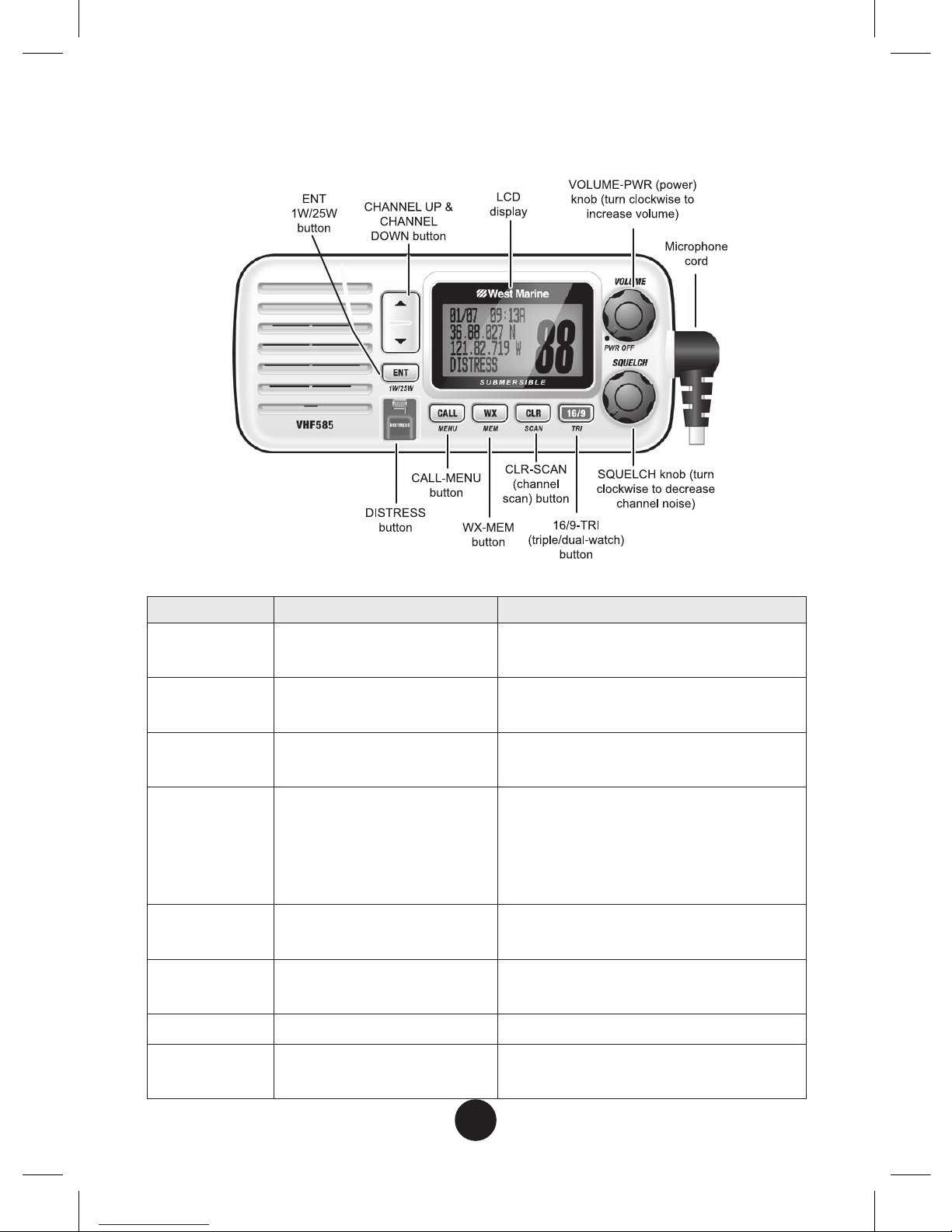
Parts of the Radio 3
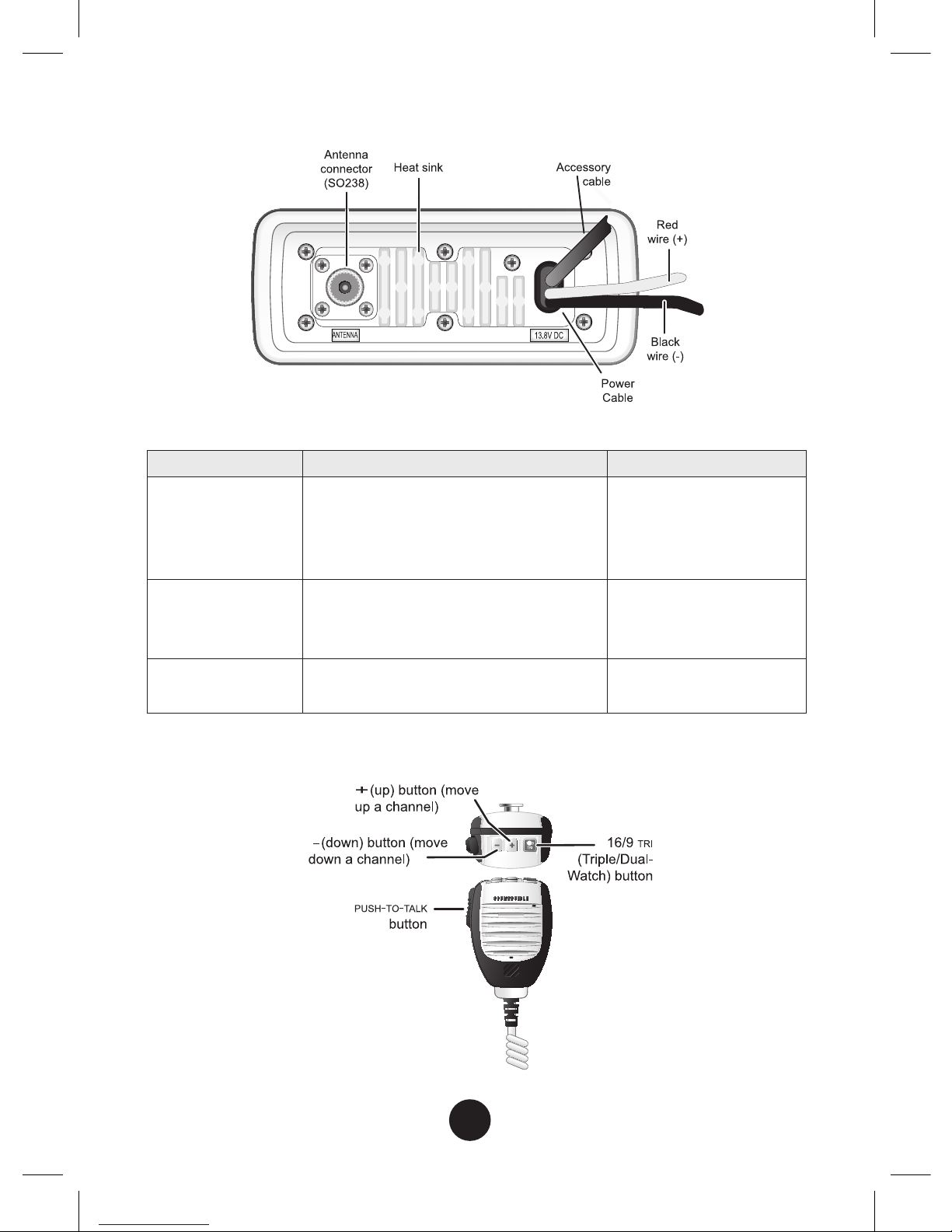
Parts of the Microphone 5
Turning on the Radio 5
Setting the UIC Channel Mode
(USA/CAN/INT) 5
How It Works 6
Normal mode operation 7
Scan mode 10
Weather mode 12
Using Your Radio 14
Using Your Radio 14
Making a voice MAYDAY call 15
Setting the volume 15
Setting the squelch level 15
Changing the channel 15
Making a transmission 16
Boosting the transmission power 16
Choosing Triple Watch or Dual Watch 17
Using FIPS codes for weather alerts 17
Changing display and sound options 19
Setting the GPS position manually 19
Using Digital Selective Calling (DSC)
Features 20
What is DSC? 20
Advanced DSC features 21
What is an MMSI number? 21
Entering MMSI numbers 22
Using the Directory 24
Making DSC Calls 25
Making an automatic distress call 28
Receiving a DSC call 29
Test Calls 31
Position Request and Reply 33
Putting the radio into standby 35
Disabling automatic channel switching 36
Renaming Channels 36
Installing the Hardware 38
Mounting the radio 38
Connecting the radio 39
Connecting the Accessory Cable 40
Connecting to a GPS receiver 41
Connecting to a Chartplotter 42
Connecting to an External Speaker 43
Maintenance and Troubleshooting 44
Engine Noise Suppression 45
Specications 47
Radio Specifications 47
Reference Tables 49
Channel descriptions and what
they mean 49
US Marine Channels and Frequencies 50
Canadian Marine Channels and Frequencies 52
International Marine Channels and
Frequencies 54
Weather Channels and Frequencies
(US, CAN, and INT) 56
Emergency Alert System (SAME) Information 56
NMEA Operation 60
NMEA Output 61
Regulations and Safety Warnings 62
Three Year Limited Warranty 64
Notes 67