BTW User’s Guide
WIDCOMMinc ii
Table of Contents
1Introduction .............................................................................................................. 1
1.1 Bluetooth Tray................................................................................................................. 1
1.2 Access My Bluetooth Places ........................................................................................... 1
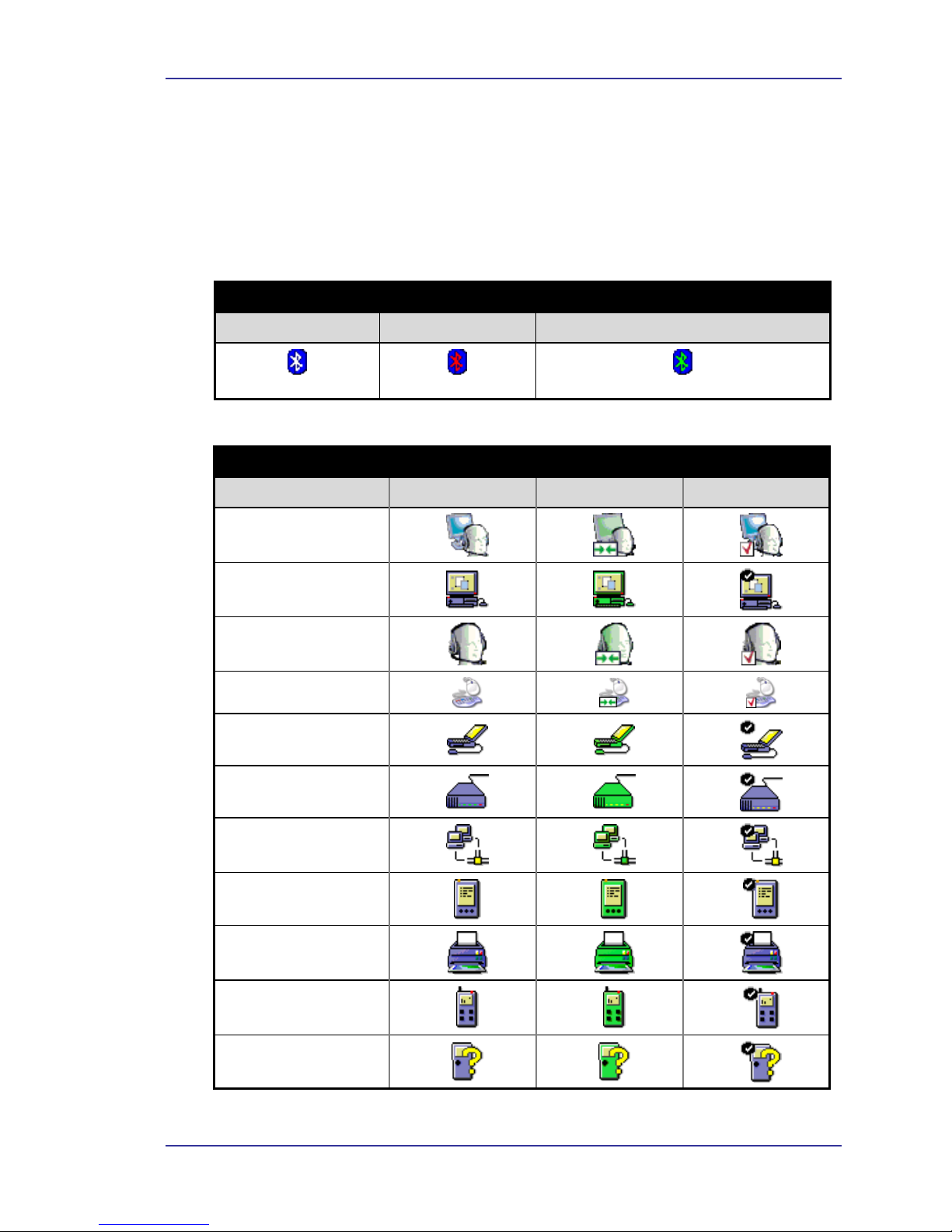
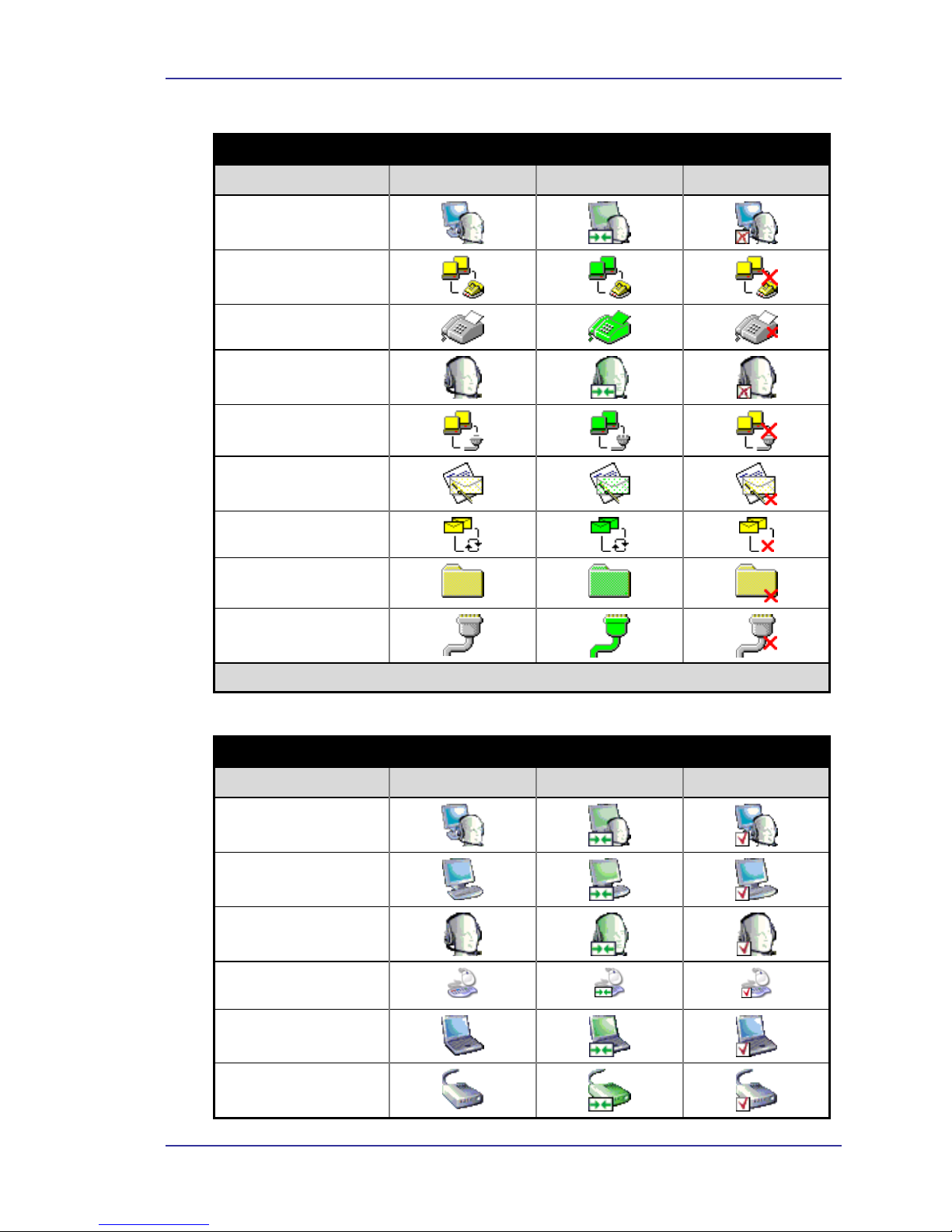
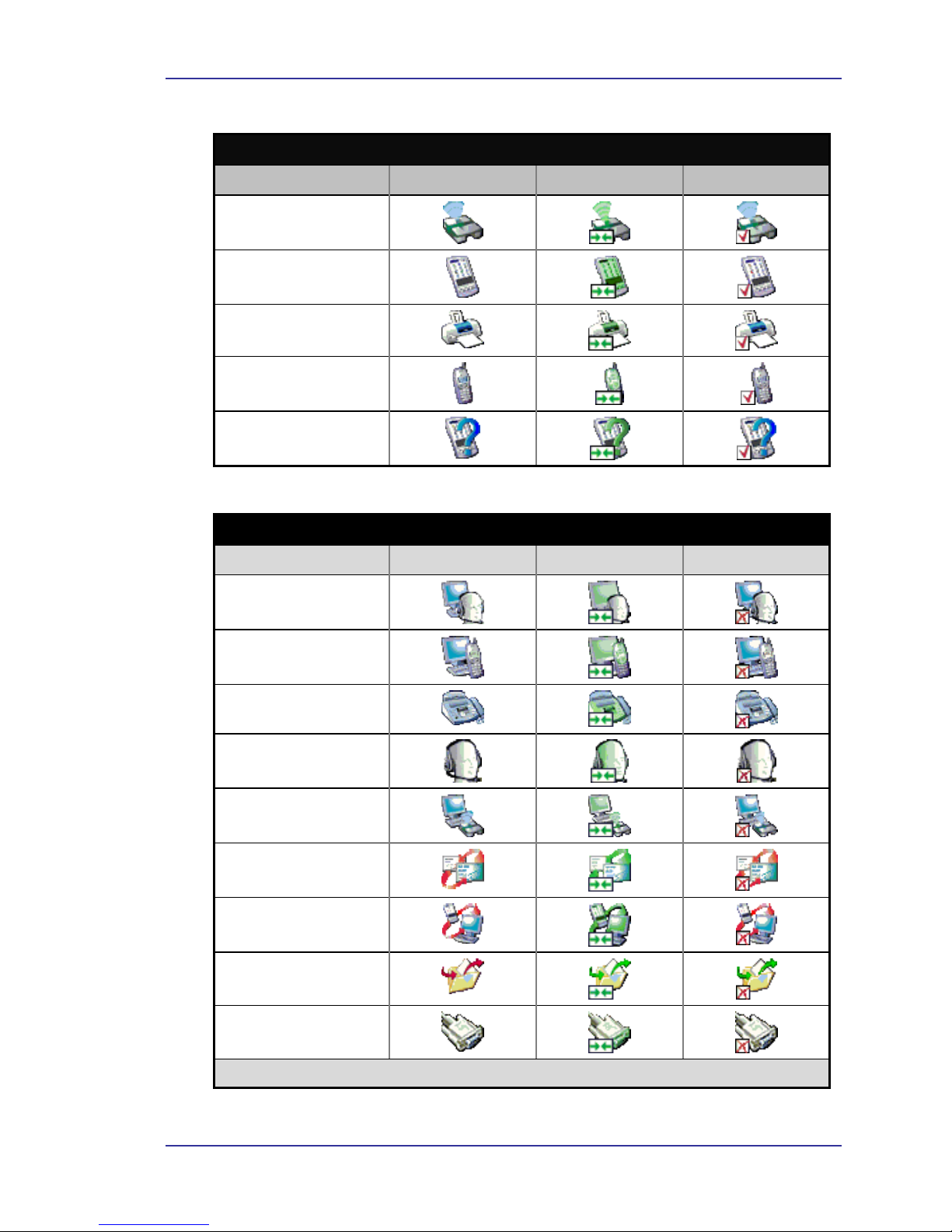
1.3 Icons Used for Bluetooth Devices and Services.............................................................. 2
2Basic Operations...................................................................................................... 5
2.1 Start or Stop Bluetooth .................................................................................................... 5
2.2 Create a Connection From the Bluetooth Icon in the System Tray ................................. 5
2.3 Create a Connection Using the Bluetooth Setup Wizard................................................. 5
2.4 Create a Connection From Entire Bluetooth Neighborhood ........................................... 5
2.5 Find Bluetooth Devices ................................................................................................... 6
2.5.1 Periodic Search for Devices ................................................................................. 6
2.6 Find a Service ..................................................................................................................6
2.7 Bluetooth Connection Status ........................................................................................... 7
2.8 Send to Bluetooth ............................................................................................................ 8
3Configure Bluetooth ................................................................................................ 9
3.1 Access the Bluetooth Configuration Panel...................................................................... 9
3.2 Bluetooth Services versus Bluetooth Applications.......................................................... 9
3.3 Bluetooth Exchange Folder ............................................................................................. 9
3.4 General Configuration Settings ..................................................................................... 10
3.5 Bluetooth Applications .................................................................................................. 10
3.5.1 Overview............................................................................................................ 10
3.5.2 General Configuration........................................................................................ 10
3.5.3 Human Interface Device .................................................................................... 11
3.5.4 Audio Gateway................................................................................................... 12
3.5.5 Bluetooth Serial Port .......................................................................................... 13
3.5.6 Dial-up Networking ........................................................................................... 14
3.5.7 Fax .............................................................................................................. 15
3.5.8 Headset .............................................................................................................. 15
3.5.9 File Transfer ....................................................................................................... 16
3.5.10 Network Access ................................................................................................. 17
3.5.11 PIM Synchronization ......................................................................................... 18
3.5.12 PIM Item Transfer.............................................................................................. 19
3.5.13 Printer .............................................................................................................. 20
3.6 Bluetooth Services......................................................................................................... 21
3.6.1 Notifications....................................................................................................... 21
3.6.2 Audio Gateway................................................................................................... 23
3.6.3 Bluetooth Serial Port .......................................................................................... 23
3.6.4 Dial-up Networking Service............................................................................... 24
3.6.5 Fax Service......................................................................................................... 24
3.6.6 File Transfer Service .......................................................................................... 24
3.6.7 Headset Service.................................................................................................. 25
3.6.8 Network Access ................................................................................................. 26
3.6.8.1 Setup for Windows 98SE & Windows Me .......................................... 26
3.6.8.2 Setup for Windows 2000 and Windows XP......................................... 26
3.6.8.3 Configuration for Group Ad Hoc Networking..................................... 27
3.6.9 PIM Item Transfer.............................................................................................. 27
3.6.10 PIM Synchronization ......................................................................................... 29