IAD100T User Guide
◆ For the LAN port, you can connect it to the PC
◆ Connect a phone cable between the PSTN and the PSTN port on the gateway as the lifeline.
◆ Use a RJ11 phone cable to connect between the phone and the PHONE port on the gateway.
◆ Insert the 12V/1A power adapter
2.3 Display and status indicators
WAN: WAN port indicator LED. When lit this LED indicates that the connection between the Gateway
and WAN has been satisfied.
LAN: LAN port indicator LED. When lit this LED indicates that the connection between the Gateway and
LAN has been satisfied.
PHONE: Phone status LED. The LED lit when the handset has been picked up or it turns off when the
handset has been hanged up.
REG: Register indicator LED. A continuously lit LED indicates the resister has been success. A flashing
LED warns the resistor has been failed.
POWER: Power supply indicator LED. This LED indicates that the Power for the gateway is available.
3.Configuration with Web
3.1 Get the gateway IPaddress
The gateway has two ports: WAN and LAN, both of them has been set to the default DHCP mode. User can
configure the gateway through the WAN IP and LAN IP according the network they using.
◆If your network supports the DHCP to distribute IP address automatically, after connecting the
gateway, you will see the indicator light of the WAN port is on and stop glittering, it means you get the IP
address already, you can be set up quickly according to the following operation: after connecting Ethernet
cable to WAN port, connect PSTN phone to FXS port, press #*111#, you could hear IP address of gateway
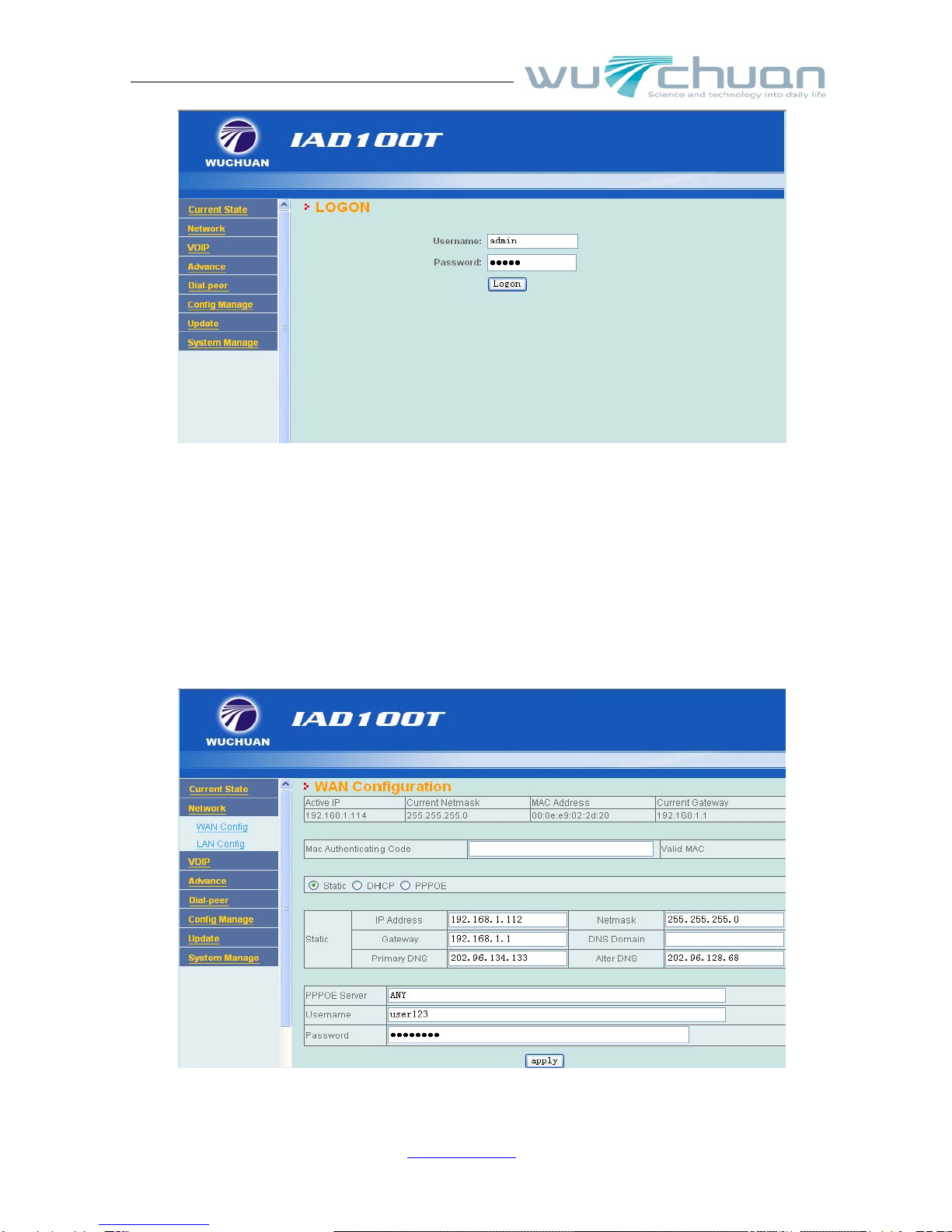
WAN port, input the WAN IP address on the browser, you can configure the gateway.( To know more details ,
please see the advanced manual)
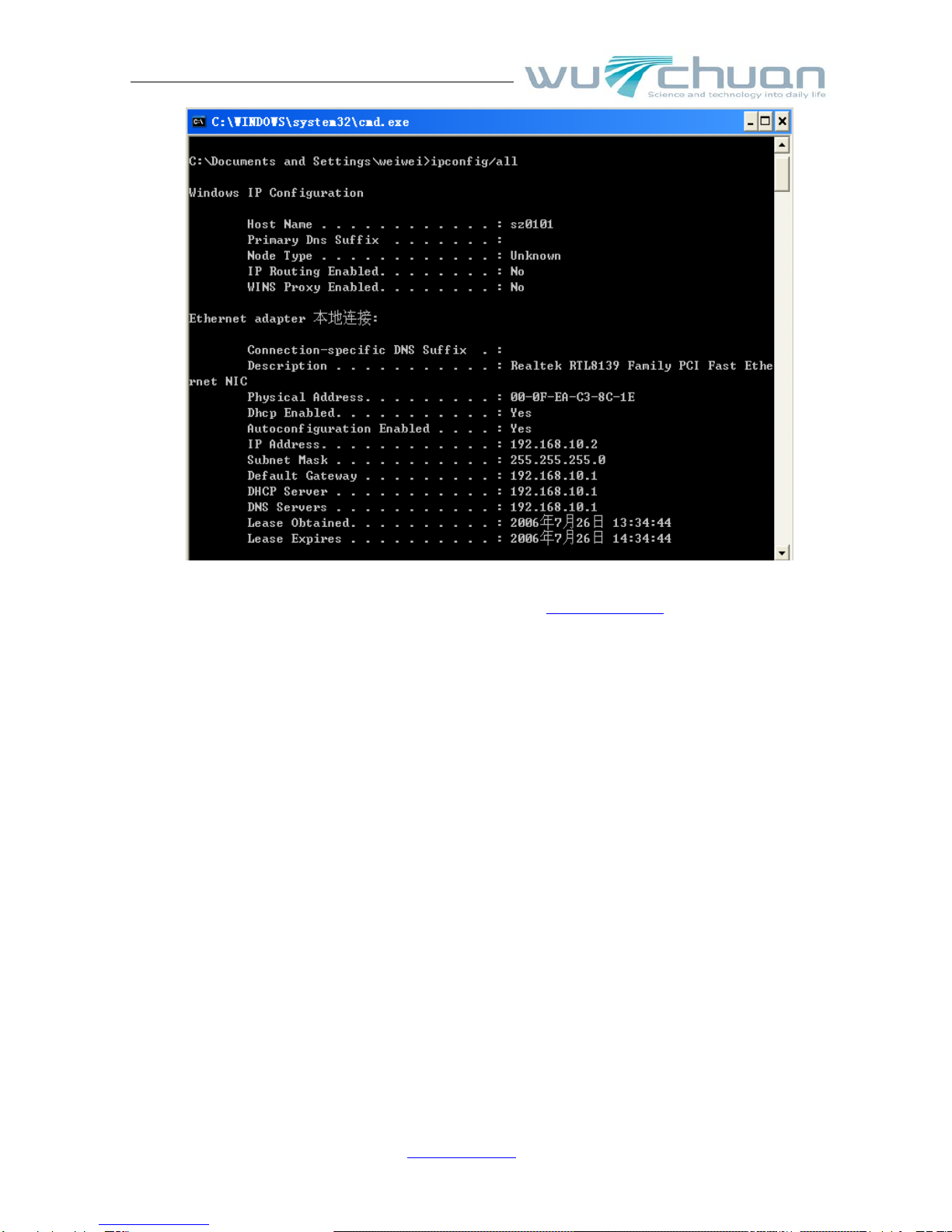
◆ If your network doesn’t support the DHCP to distribute IP address automatically, you should
configure the static IP in WAN port, the default IP address of gateway is 192.168.10.1, if it is not
default IP address, you can connect PC to LAN port, and set the IP mode to dynamic, then input
“inpconfig/all”in command line and see that the default IP address of gateway is the IP for LAN port.
The steps are the following:
Open PC to local internet --Choose Internet agreement (open TCP/IP ---choose to get IP address with
DNS server address automatically, after confirmed. The computer will get IP address automatically.
Then input “cmd” and press “enter”, under the window line input “ipcofig/all” can look over default
gateway, LAN IP for network.
Wuchuan Network Tech Co., Ltd
www.5111soft.com 7