XPRESSFILL Systems LLC | 6
265 Prado Road, Suite 1 • San Luis Obispo, CA 93401 • Tel: (805) 541-0100 • sales@xpressll.com
Flip the Fill Switch to the full up position.
e CanFoot Rest will immediately lift the can
into a sealing position against the stopper, purge
a few seconds with CO2, then pressurize the can.
14.
After the purge and can pressurization, the ll
light will come on and liquid begins to ow into
the can. See Adjusting Pressures in the following
section.
15.
Once the green fill light deactivates, put the Fill
Toggle Switch to the middle position (do not ip
to the full down position) and pull the Pressure
Release Knob.
18.
Hold the can with one hand and ip the Fill
Toggle Switch to the full down position to
release air in the pneumatic ram and remove the
can by pushing down on the foot rest.
19.
You are now ready to place a can on your
ller. While pressing down on the Can Foot
Rest, place a can on the can locator and lift the
foot so the can slides snuggly over the stopper
Make sure the Pressure Release Knob is pushed in.
Always keep your hands clear of the can and
foot rest during step 17.
16.
17.
Repeat steps 15 - 18
for the other spouts
Congratulations!
You have now lled your rst cans
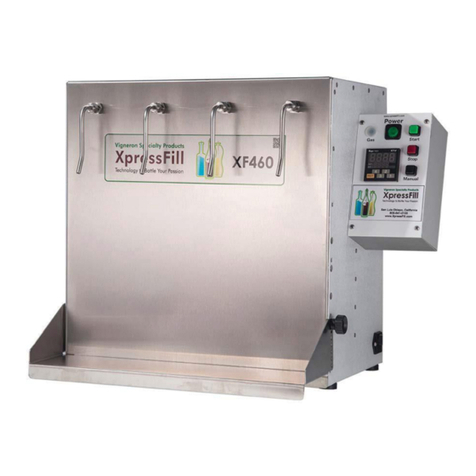
using the XF4500C Filling System.
Plug the hose from your liquid container
into the port marked “Inlet” on the left side
of the ller using one of the provided
3/8” barbed ttings.
See “Adjusting Pressure” on page 7.
Plug one end of the provided 4’ x 1/4” tube
into the port marked “Vent” on the left side
of the ller, and place the other end into
your catch basin.
Plug your air compressor into the port
marked “Air” on the left side of the ller
using one of the provided 1/4” barbed ttings.
See “Adjusting Pressures” on page 7.
Plug your CO2 tank into the port marked
“CO2” on the left side of the ller using
one of the provided 1/4” barbed ttings.
9.
Once you are sure that all components are
plugged in correctly, you can open the valves
on your tanks and turn on the air compressor.
10.
Turn on your ller by flipping the power
switch on the right side of your ller so
that is it lit up.
Note: A clear can is provided to help with the
initial setup, steps 17-20. Setup is done for each
spout individually.
11.
12.
13.
Vent CO2
Air
Inlet
Cleaning switches
20.
e valves on the tanks should
be o for steps 9-11.