Z-Wave
®
Panic Button
User’s
M
anu
al
I
ntrodu
c
t
i
on
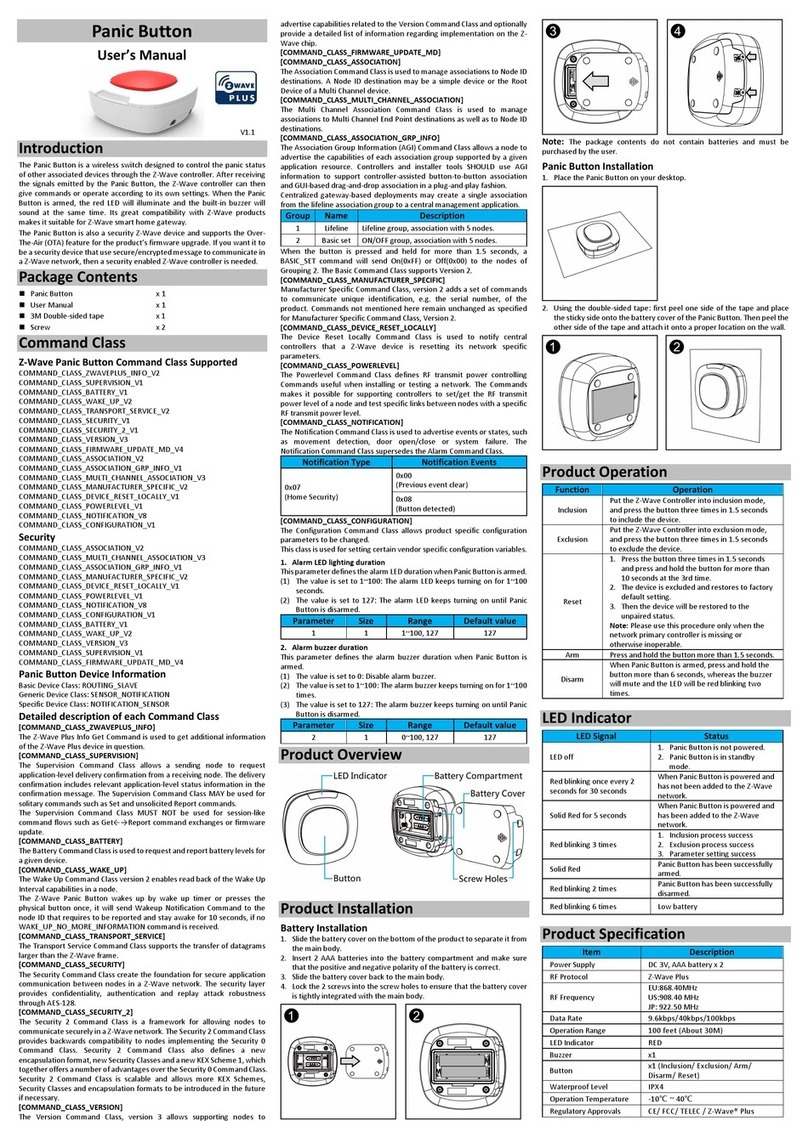
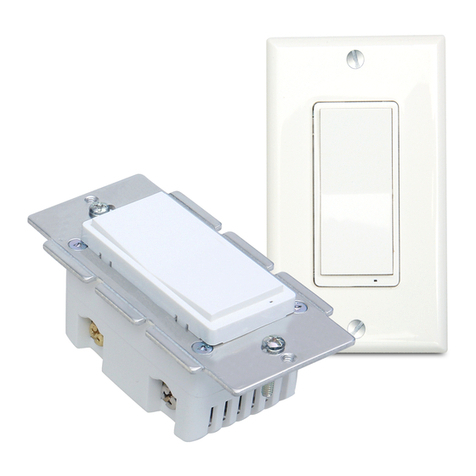
The Panic Button is a wireless switch designed to control the Panic or
Scene status of other associated devices through the Z-Wave controller.
After receiving the signals emitted by the Panic Button, the Z-Wave
controller can then give commands or operate according to its own
settings. Its great compatibility with Z-Wave products makes it suitable
for smart home cloud based gateway.
The Panic Button is also a security Z-Wave device and supports the Over
The Air (OTA) feature for the product’s firmware upgrade. If you want it
to be a security device that use secure/encrypted message to
communicate in a Z-Wave network, then a security enabled Z-Wave
controller is needed.
Pa
c
k
a
ge
C
ont
e
nts
Panic Button
x1
User Manual x1
Command Class
Z-Wave® Panic Button Command
Class Supported
COMMAND_CLASS_ZWAVEPLUS_INFO_V2,
COMMAND_CLASS_SUPERVISION_V1,
COMMAND_CLASS_BATTERY_V1,
COMMAND_CLASS_WAKE_UP_V2,
COMMAND_CLASS_TRANSPORT_SERVICE_V2,
COMMAND_CLASS_SECURITY_V1,
COMMAND_CLASS_SECURITY_2_V1,
COMMAND_CLASS_VERSION_V3,
COMMAND_CLASS_FIRMWARE_UPDATE_MD_V4
COMMAND_CLASS_ASSOCIATION_V2,
COMMAND_CLASS_ASSOCIATION_GRP_INFO_V1,
COMMAND_CLASS_MULTI_CHANNEL_ASSOCIATION_V3,
COMMAND_CLASS_MANUFACTURER_SPECIFIC_V2,
COMMAND_CLASS_DEVICE_RESET_LOCALLY_V1,
COMMAND_CLASS_POWERLEVEL_V1,
COMMAND_CLASS_NOTIFICATION_V8,
COMMAND_CLASS_CONFIGURATION_V1,
Security
COMMAND_CLASS_ASSOCIATION_V2,
COMMAND_CLASS_MULTI_CHANNEL_ASSOCIATION_V3,
COMMAND_CLASS_ASSOCIATION_GRP_INFO_V1,
COMMAND_CLASS_MANUFACTURER_SPECIFIC_V2,
COMMAND_CLASS_DEVICE_RESET_LOCALLY_V1,
COMMAND_CLASS_POWERLEVEL_V1,
COMMAND_CLASS_NOTIFICATION_V8,
COMMAND_CLASS_CONFIGURATION_V1,
COMMAND_CLASS_BATTERY_V1,
COMMAND_CLASS_WAKE_UP_V2,
COMMAND_CLASS_VERSION_V3,
COMMAND_CLASS_FIRMWARE_UPDATE_MD_V4
Panic Button Device Information
Basic Device Class: ROUTING_SLAVE
Generic Device Class: SENSOR_NOTIFICATION
Specific Device Class: NOTIFICATION_SENSOR
Detailed
description
of each
command
class
【COMMAND_CLASS_ZWAVEPLUS_INFO】
The Z-Wave Plus Info Get Command is used to get additional information of
the Z-Wave Plus device in question.
【COMMAND_CLASS_SUPERVISION】
The Supervision Command Class allows a sending node to request
application-level delivery confirmation from a receiving node. The delivery
confirmation includes relevant application-level status information in the
confirmation message. The Supervision Command Class MAY be used for
solitary commands such as Set and unsolicited Report commands.
The Supervision Command Class MUST NOT be used for session-like
command flows such as Get←→Report command exchanges or firmware
update.
【COMMAND_CLASS_BATTERY_V1】
The Battery Command Class is used to request and report battery levels for
a given device.
【COMMAND_CLASS_WAKE_UP_V2】
The Wake Up Command Class version 2 enables read back of the Wake Up
Interval capabilities in a node.
The Z-Wave Panic Button wakes up by wake up timer or presses the physical
button once, it will send Wakeup Notification Command to the node ID that
requires to be reported and stay awake for 10 seconds, if no
WAKE_UP_NO_MORE_INFORMATION command is received.
【COMMAND_CLASS_TRANSPORT_SERVICE_V2】
The Transport Service Command Class supports the transfer of datagrams
larger than the Z-Wave frame.
【COMMAND_CLASS_SECURITY_V1】
The Security Command Class create the foundation for secure application
communication between nodes in a Z-Wave network. The security layer
provides confidentiality, authentication and replay attack robustness
through AES-128.
【COMMAND_CLASS_SECURITY_2_V1】
The Security 2 Command Class is a framework for allowing nodes to
communicate securely in a Z-Wave network. The Security 2 Command Class
provides backwards compatibility to nodes implementing the Security 0
Command Class. Security 2 Command Class also defines a new
encapsulation format, new Security Classes and a new KEX Scheme 1, which
together offers a number of advantages over the Security 0 Command Class.
Security 2 Command Class is scalable and allows more KEX Schemes,
Security Classes and encapsulation formats to be introduced in the future if
necessary.
【COMMAND_CLASS_VERSION_V3】
The Version Command Class, version 3 allows supporting nodes to advertise
capabilities related to the Version Command Class and optionally provide a
detailed list of information regarding implementation on the Z-Wave chip.
【COMMAND_CLASS_FIRMWARE_UPDATE_MD_V4】
【
COMMAND_CLASS_ASSOCIATION_V2
】
The Association Command Class is used to manage associations to NodeID
destinations. A NodeID destination may be a simple device or the Root
Device of a Multi Channel device.
【
COMMAND_CLASS_MULTI_CHANNEL_ASSOCIATION_V3
】
The Multi Channel Association Command Class is used to manage
associations to Multi Channel End Point destinations as well as to NodeID
destinations.
【COMMAND_CLASS_ASSOCIATION_GRP_INFO_V1】
The Association Group Information (AGI) Command Class allows a node to
advertise the capabilities of each association group supported by a given
application resource. Controllers and installer tools SHOULD use AGI
information to support controller-assisted button-to-button association and
GUI-based drag-and-drop association in a plug-and-play fashion.
Centralized gateway-based deployments may create a single association
from the lifeline association group to a central management application.
When the key is press and hold the button more than 1.5 seconds, a
BASIC_SET command will sent On(0xFF) or Off(0x00) to the nodes of
Grouping 2.The Basic Command Class support Version 2.
【COMMAND_CLASS_MANUFACTURER_SPECIFIC_V2】
Manufacturer Specific Command Class, version 2 adds a set of commands to
communicate unique identification, e.g. the serial number, of the product.
Commands not mentioned here remains unchanged as specified for
Manufacturer Specific Command Class, Version 2.
【COMMAND_CLASS_DEVICE_RESET_LOCALLY_V1】
The Device Reset Locally Command Class is used to notify central controllers
that a Z-Wave device is resetting its network specific parameters.
【COMMAND_CLASS_POWERLEVEL_V1】
The Powerlevel Command Class defines RF transmit power controlling
Commands useful when installing or testing a network. The Commands
makes it possible for supporting controllers to set/get the RF transmit power
level of a node and test specific links between nodes with a specific RF
transmit power level.
【COMMAND_CLASS_NOTIFICATION_V8】
The Notification Command Class is used to advertise events or states, such
as movement detection, door open/close or system failure. The Notification
Command Class supersedes the Alarm Command Class.
Regulatory Compliance
CE Caution
Electromagnetic compatibility and Radio spectrum Matters (ERM); Short
Range Devices (SRD); Radio equipment to be used in the 25 MHz to 1,000
MHz frequency range with power levels ranging up to 500 mW; Part 2:
Harmonized EN covering essential requirements under article 3.2 of the
R&TTE Directive.
FCC Caution
This device complies with Part 15 of the FCC rules standard. Operation is
subject to the following two conditions:
1. This device may not cause harmful interference, and
2. This device must accept any interference received, including
interference that may cause undesired operation.
Any changes or modifications not expressly approved by the party
responsible for compliance could void the authority to operate equipment.
This device and its antenna must not be co-located or operating in
conjunction with any other antenna or transmitter. This equipment complies
with FCC radiation exposure limits set forth for an uncontrolled environment.
This equipment should be installed and operated with minimum distance
20cm between the radiator & your body. This equipment has been tested
and found to comply with the limits for a Class B digital device, pursuant to
part 15 of the FCC Rules. These limits are designed to provide reasonable
protection against harmful interference in a residential installation. This
equipment generates, uses and can radiate radio frequency energy and, if
not installed and used in accordance with the instructions, may cause
harmful interference to radio communications. However, there is no
guarantee that interference will not occur in a particular installation. If this
equipment does cause harmful interference to radio or television reception,
which can be determined by turning the equipment off and on, the user is
encouraged to try to correct the interference by one or more of the following
measures:
- Reorient or relocate the receiving antenna.
- Increase the separation between the equipment and receiver.
- Connect the equipment into an outlet on a circuit different from that to
which the receiver is connected.
- Consult the dealer or an experienced radio/TV technician for help.