Note: No Autoranging & 400mV AC Voltage Range
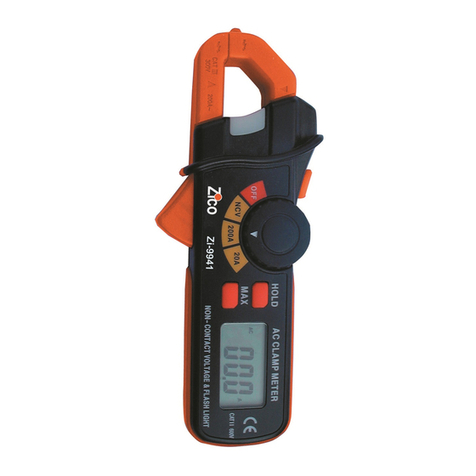
Clamp size Opening 1.2" (30mm) approx
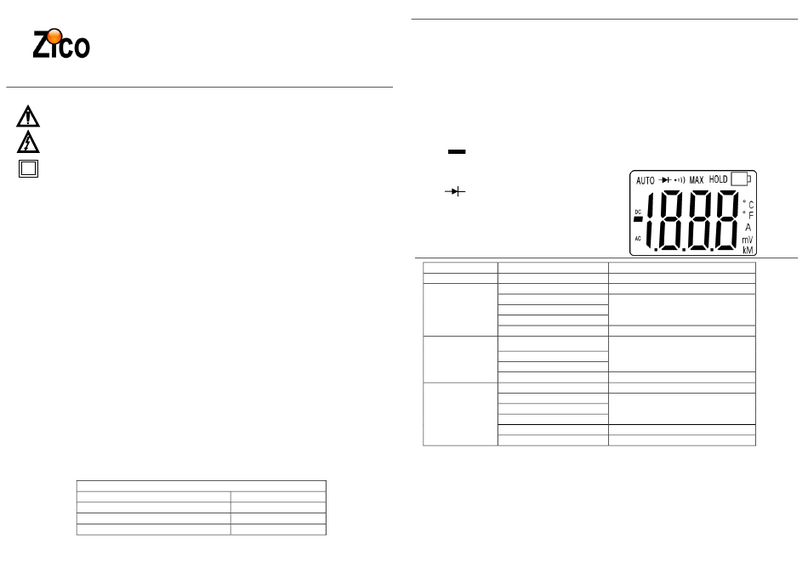
Diode Test Test current of 0.3mA typical;
Open circuit voltage 1.5V DC typical.
Continuity Check Threshold <100; Test current < 1mA
Low Battery Indication “ ” is displayed
Overrange Indication “OL” is displayed
Measurements Rate 2 per second, nominal
Input Impedance 7.8M(VDC and VAC)
Display 4000 counts LCD
AC Current 50/60Hz (AAC)
AC Voltage bandwidth 50/60Hz (VAC)
Operating Temperature 14 to 122oF (-10 to 50oC)
Storage Temperature -14 to 140oF (-30 to 60oC)
Relative Humidity 90%(0oC to 30oC); 75%(30oC to 40oC); 45%(40oC to 50oC)
Altitude Operating: 3000m; Storage 10,000m
Over voltage Category III 600V
Battery One “9V” Battery
Auto OFF approx. 30 minutes
Dimensions/Weight 229x80x49mm/303g
Safety For indoor use and in accordance with Overvoltage Category
II, Pollution Degree 2. Category II includes local level,
appliance, portable equipment, etc., with transient
overvoltages less than Overvoltage Cat. III
Operation
NOTICES: Read and understand all warning and precaution statements listed in the
safety section of this operation manual prior to using this meter. Set the function
select switch to the OFF position when the meter is not in use.
AC Current Measurements
WARNING: Ensure that the test leads are
disconnected from the meter
before making current clamp
measurements.
1. Set the Function switch to the 1000A
or400A or 40A range. If the range of the
measured is not known, select the
higher range first then move to the lower
range if necessary.
2. Press the trigger to open jaw. Fully
enclose one conductor to be measured.
3. The clamp meter LCD will display the reading.
DC/AC Voltage Measurements
1. Insert the black test lead into the negative COM terminal and the red test lead into the
positive Vterminal.
2. Set the function switch to the V position.
3. Select AC or DC with the MODE button.
4. Connect the test leads in parallel to the circuit under test.
5. Read the voltage measurement on the LCD display.
Resistance and Continuity Measurements
1. Insert the black test lead into the negative COM terminal and the red test lead into the
positive terminal.
2. Set the function switch to the •))) position.
3. Use the multifunction MODE button to select resistance.
4. Touch the test probe tips across the circuit or component under test. It is best to
disconnect one side of the device under test so the rest of the circuit will not interfere
with the resistance reading.
5. For Resistance tests, read the resistance on the LCD display.
6. For Continuity tests, if the resistance is < 100, a tone will sound.
Diode Measurements
1. Insert the black test lead banana plug into the negative COM jack and the red test lead
banana plug into the positive diode jack.
2. Turn the rotary switch to the •))) position.
3. Press the MODE button until “ “ appears in the display.
4. Touch the test probes to the diode under test. Forward voltage will indicate 0.4V to 0.7V.
Reverse voltage will indicate “OL”. Shorted devices will indicate near 0mV and an open
device will indicate “OL” in both polarities.
Capacitance Measurements
WARNING: To avoid electric shock, disconnect power to the unit under test and
discharge all capacitors before taking any capacitance measurements.
Remove the batteries and unplug the line cords.
1. Set the rotary function switch to the cap position.
2. Insert the black test lead banana plug into the negative (COM) jack.
Insert the red test lead banana plug into the positive (V) jack.
3. Touch the test leads to the capacitor to be tested.
Red Black Black Red
Probe Probe Probe Probe
Forward test Reverse test
! !
DC DC
AC AC
Ω Ω
CAP CAP
n
n
n
n
A A
+ +
. .
. .
No Yes