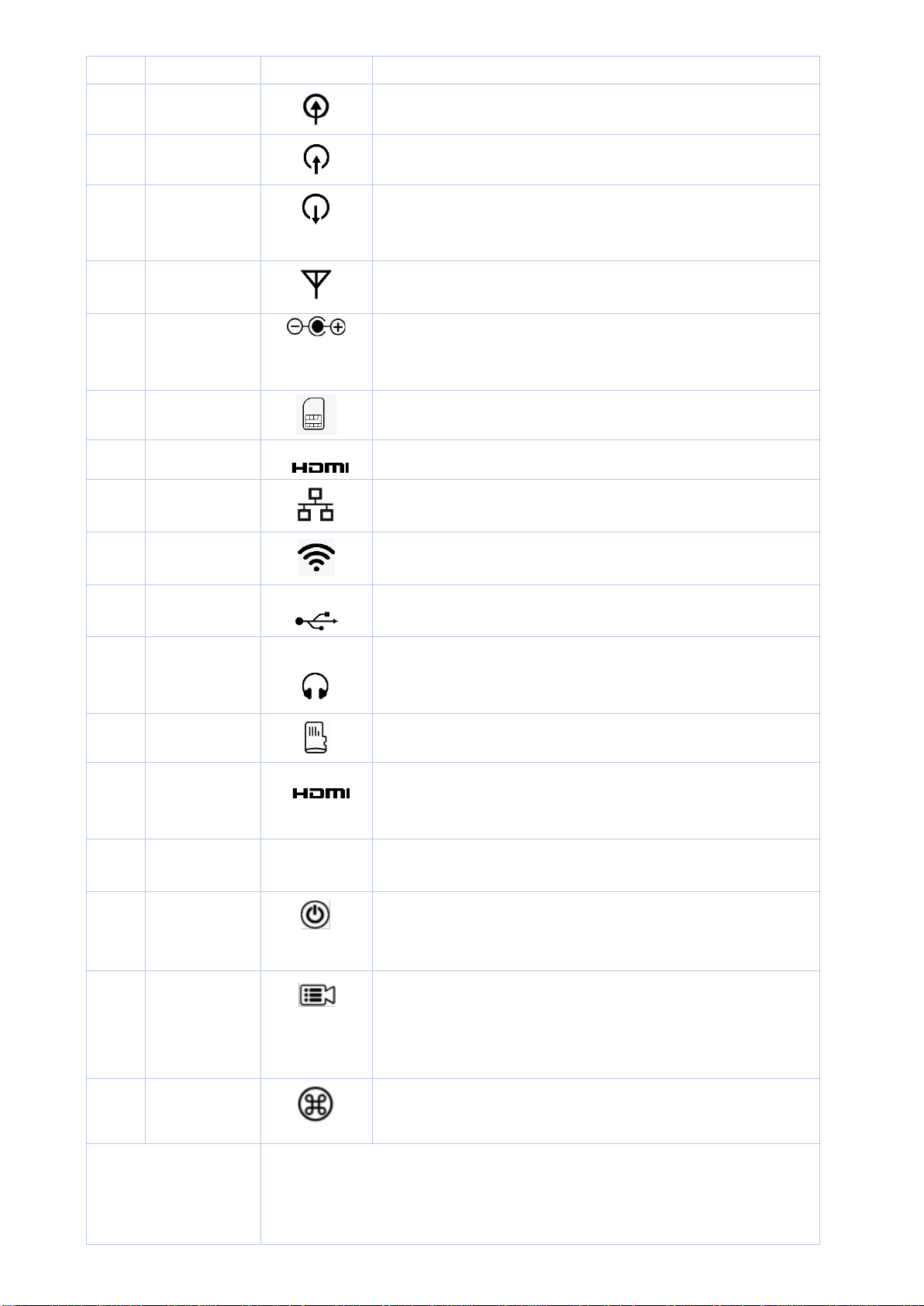
1 Line In
Stereo audio input.
2 SDI Input
Connect up to SDI signal.
3 SDI Loop Out
Connect a SDI cable from this connector to a monitor or
projector.
4 SMA
Connect to Internal 4G LTE antenna.
5 DC Power
Connector
Plug the power supply in here. The port requires a 15V DC
power source (center-positive).
6 SIM card slot
Built-in 4G, Plug the NANO SIM card in here.
7 HDMI Input
Connects HDMI and DVI signals (using an adapter).
8 RJ-45
Ethernet network port.
9 WIFI
Connect to WIFI antenna.
10 USB
Connect to USB WIFI Dongle.
11
Output
For audio confidence monitoring. Plays the audio for the
currently visible channel
12 TF Card Slot
Plug the TF card in here.
13 HDMI Loop
Out
Connect a HDMI cable from this connector to a monitor
or projector.
14 Hot Shoe
Mount LiveV200 to camera
a RED Power
Button Press to turn on encoder.
Press and hold more than 5 seconds to turn off.
b Stream LED
Button Press to start/stop a streaming.
Solid Red - Streaming is live and online.
Flashing red –
No network connection, try to go live. Light
Off - Streaming is offline
c QR
Button
Press to Display/Hide QR Code on LCD Screen
Note: LiveV200 has an internal rechargeable battery, so please keep it turning
off and charging until fully charged when users first use it. This is
required only for the first use. When battery is fully charged, Stream