Page | 10
General Information FAQ’s
How will I save energy by using the ZuniDigital Smart Green Surge Protector™?
Most of us turn off a television or a computer when we are done using it, but we then fail to turn off devices
such as printers, monitors, speakers, DVD players or game consoles, to name a few. These devices will continue
to draw power even when they are not in use. By using the ZuniDigital Smart Green Surge Protector™, you will
save energy on home and office peripherals that are now powered down once the master is turned off.
How does the ZuniDigital Smart Green Surge Protector™save energy?
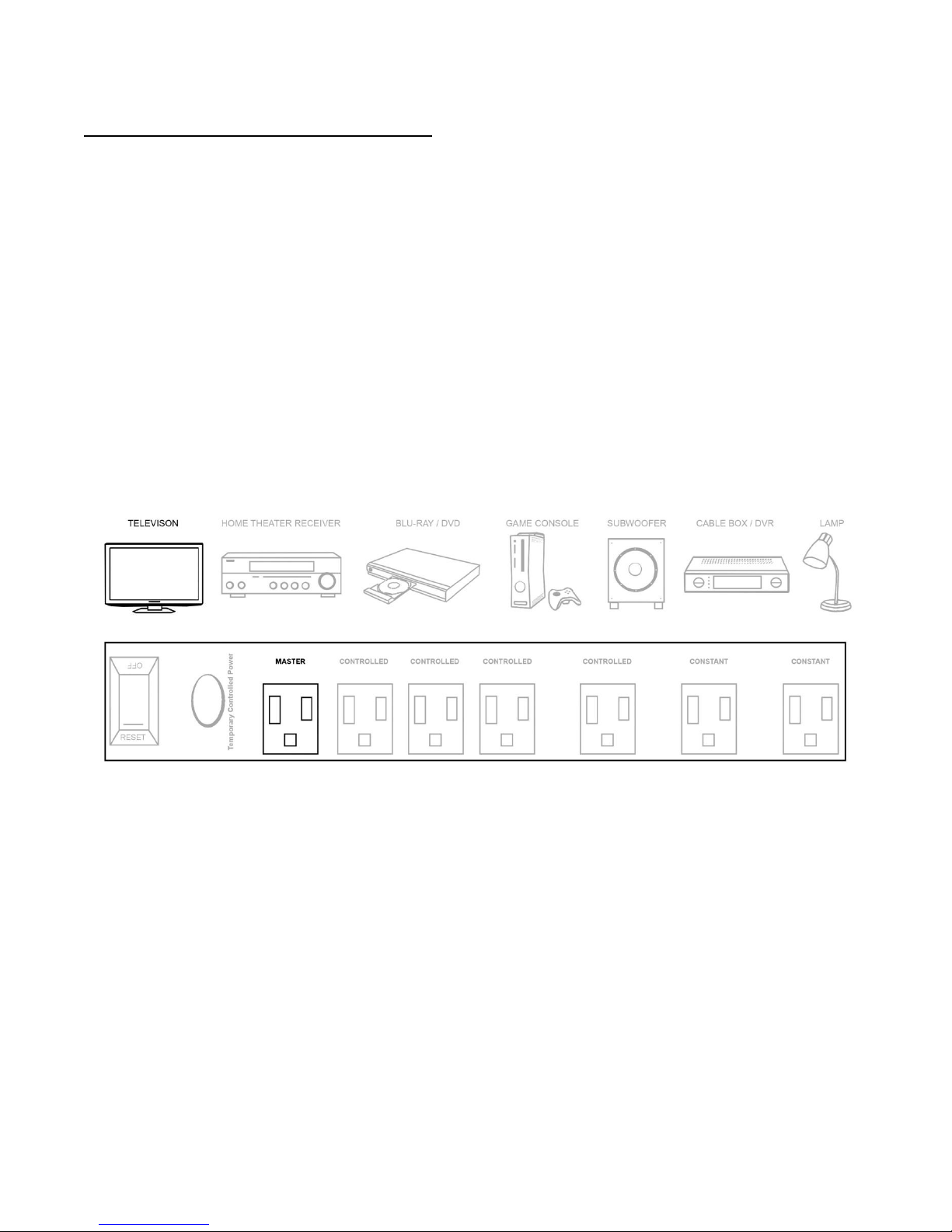
With our patented technology, we are able to digitally monitor an electronic device plugged into the master
outlet, and read power usage levels of the master device. When the master, such as a television, is powered off,
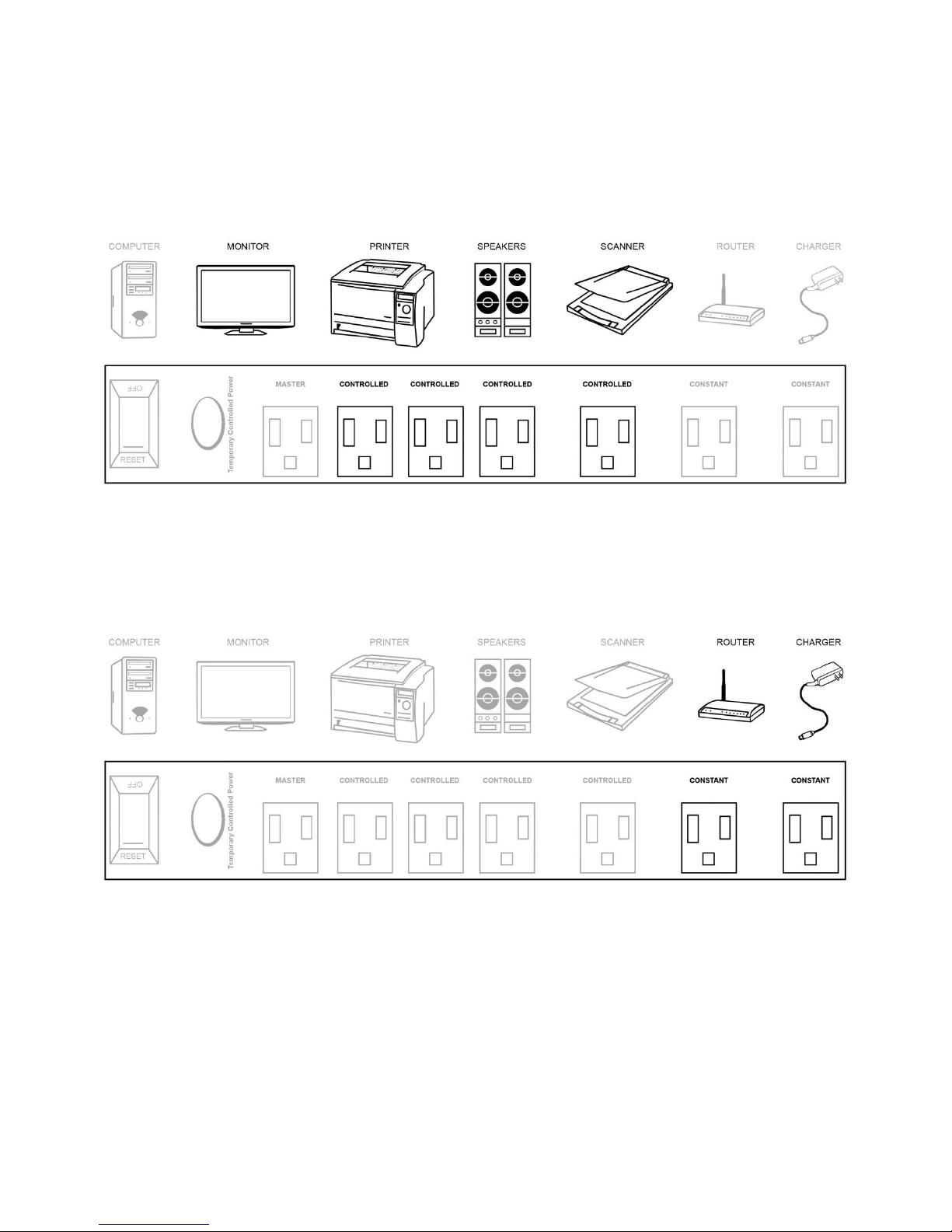
our Smart Green Surge Protector™stops the flow of power to all of the devices that are plugged into the
Controlled Outlets. No electrical current will be drawn by these devices and there is no need to turn them off or
unplug them.
What is the advantage of the ZuniDigital Smart Green Surge Protector™?
There are several traditional master-slave power strips on the market. However, when the master device is
powered off when using these inferior products, power is immediately shut off to the connected outlets. If a
light were plugged into one of these outlets, the room would go dark, or if a DVD player is plugged into the
linked outlet, and the only way to remove the DVD you just viewed would be to turn back on the TV. The
ZuniDigital Smart Green Surge Protector™does not power down the controlled outlets until after our micro
controller registers that the master outlet is no longer in use, and then delays the shutoff of power to the
peripheral devices for 90 seconds.
Why is there a separate button to restore power to the controlled outlets?
There will be occasions when you need to turn on peripheral devices without turning on the master device. You
can do so by pushing the control button and power will be provided for 90 seconds to the controlled outlets, to
allow removal of a DVD, video game, or other short-term power needs.
How much energy can I expect to save?
Government studies have shown that electronic devices in sleep or standby mode, and other devices such as
gaming consoles that do not go into sleep mode, account for approximately 10% of all power used. Each person
has a different energy usage and we have provided on our website a chart to determine your potential savings
from using our Power Strip. If we assume you operate the master device 8 hours a day 5 days a week, that
leaves 128 hours of wasted standby power usage.
Why are there different outlets on the ZuniDigital Smart Green Surge Protector™?
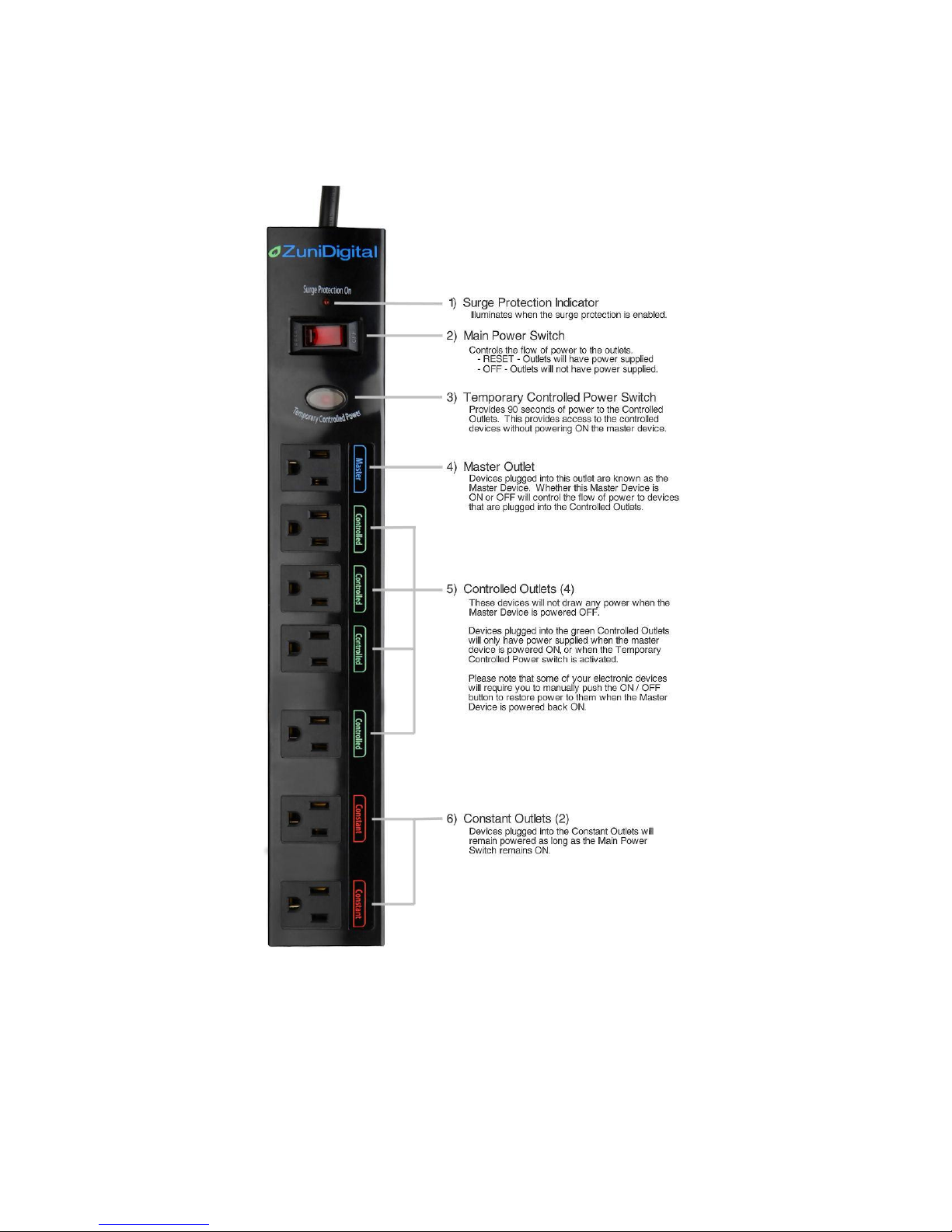
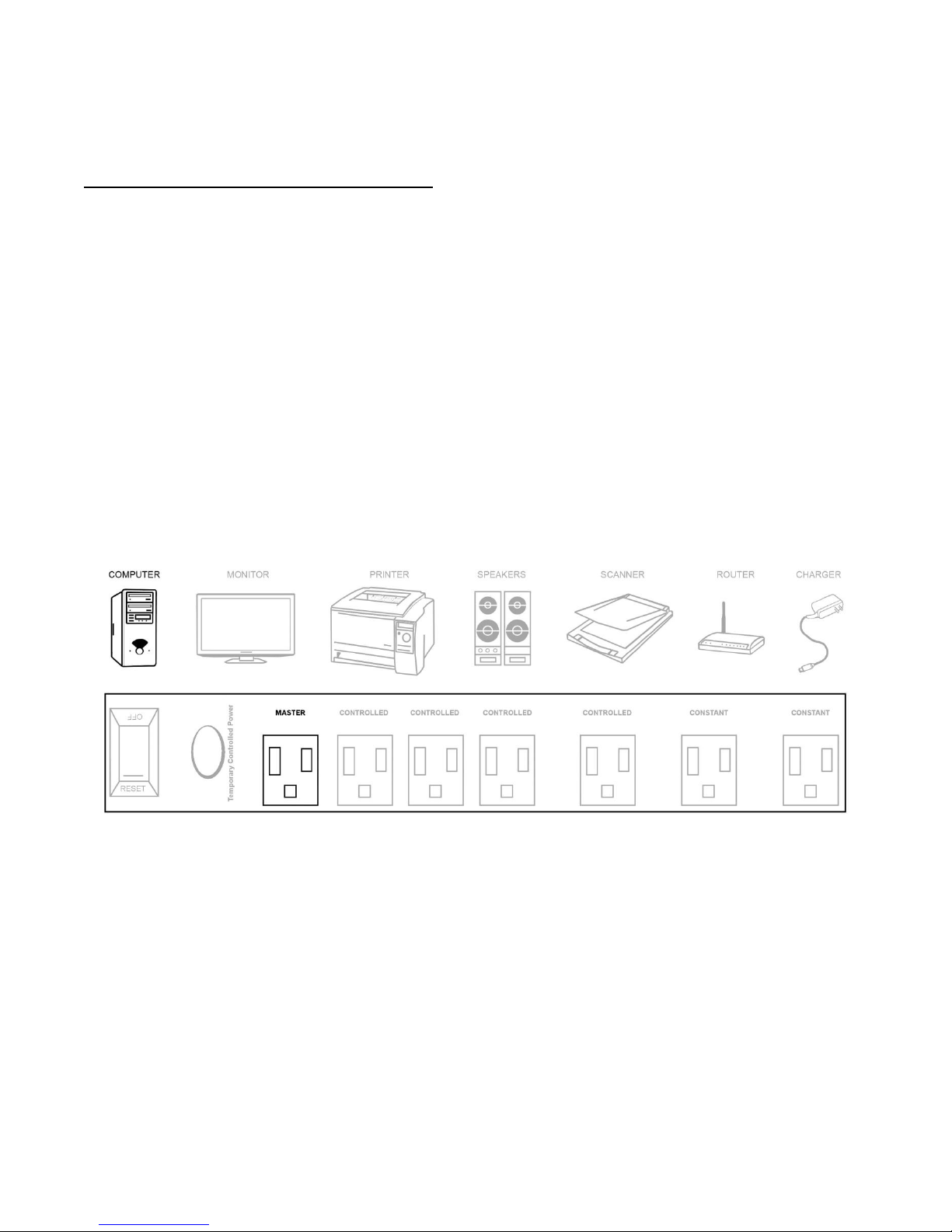
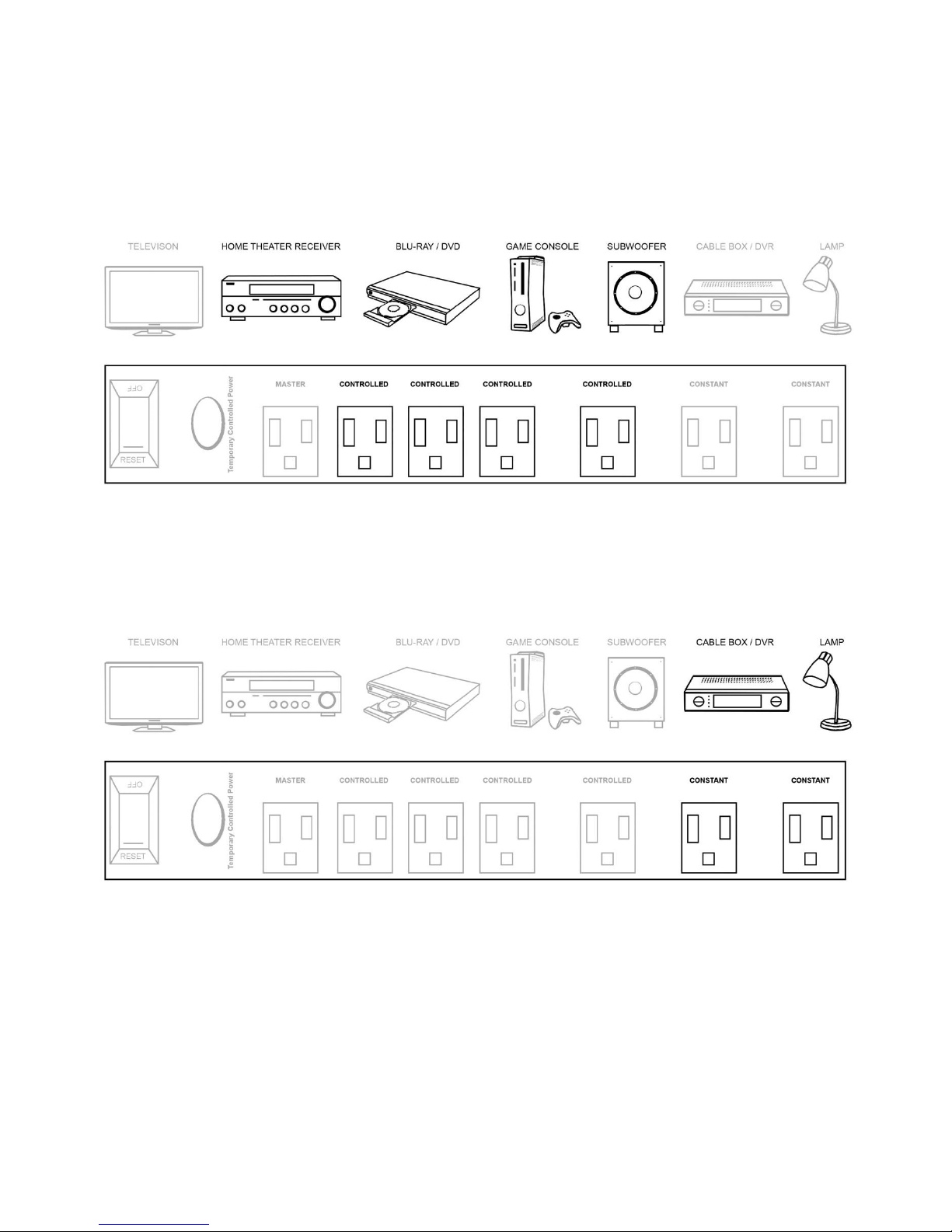
We have provided three types of power outlets that provide for you to automatically control your peripheral
electronic devices. Each outlet has specific purposes. Master Outlet (BLUE), Controlled Outlets (GREEN),
Constant Outlets (RED).
What can I plug into the ZuniDigital Smart Green Surge Protector™?
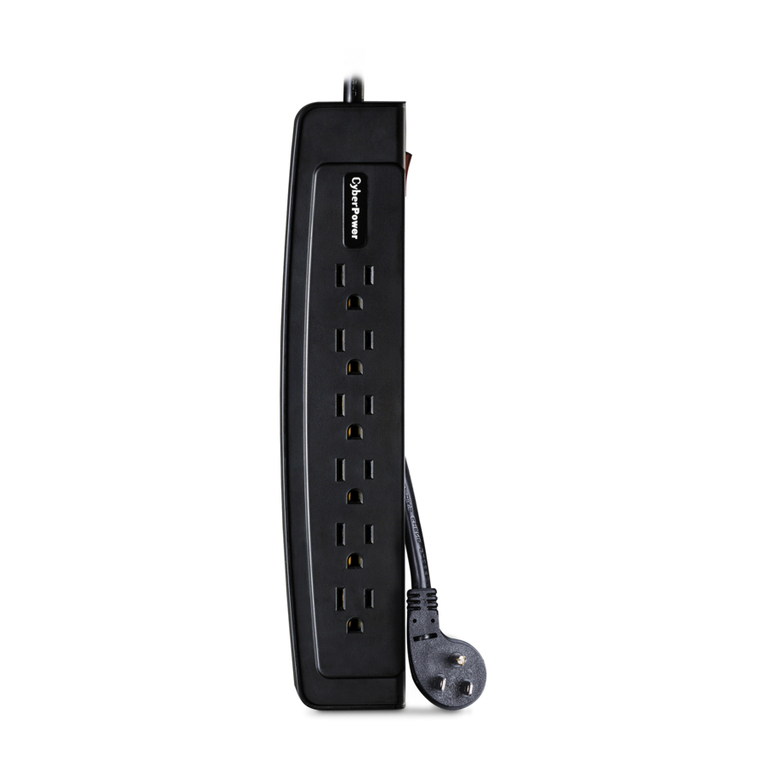
The ZuniDigital Smart Green Surge Protector™can be used just as a regular power strip with the exception that
any device that needs constant power should never be plugged into a Controlled Outlet. Some electronic
devices will not turn on or off the switched outlets when plugged into the Master control outlet. We have
designed our product to handle almost all typical situations, but there may be rare circumstances that do not
permit proper operation.