manuals.online logo
Brands
  1. Home
  2. •
  3. Brands
  4. •
  5. 4-noks
  6. •
  7. Inverter
  8. •
  9. 4-noks ELIOS4YOU Pro User manual

4-noks ELIOS4YOU Pro User manual

Other 4-noks Inverter manuals

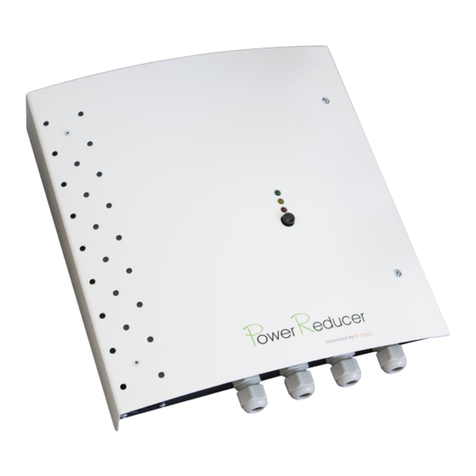
4-noks Power Reducer SA User manual

4-noks

4-noks Power Reducer SA User manual

4-noks ZR-SWITCH-RC User manual

4-noks

4-noks ZR-SWITCH-RC User manual

Popular Inverter manuals by other brands

Omnik New Energy Omniksol-1.5k-TL user manual

Omnik New Energy

Omnik New Energy Omniksol-1.5k-TL user manual

Agilent Technologies 33250A user guide

Agilent Technologies

Agilent Technologies 33250A user guide

V&T V5 Series user manual

V&T

V&T V5 Series user manual

Hon Turing HT-T-S1000-12 introduction

Hon Turing

Hon Turing HT-T-S1000-12 introduction

Metabo E 140 SP Plus Original operating instructions

Metabo

Metabo E 140 SP Plus Original operating instructions

BARRON EXITRONIX Tucson Micro Series installation instructions

BARRON

BARRON EXITRONIX Tucson Micro Series installation instructions

Baumer HUBNER TDP 0,2 Series Mounting and operating instructions

Baumer

Baumer HUBNER TDP 0,2 Series Mounting and operating instructions

electroil ITTPD11W-RS-BC Operation and Maintenance Handbook

electroil

electroil ITTPD11W-RS-BC Operation and Maintenance Handbook

Silicon Solar TPS555-1230 instruction manual

Silicon Solar

Silicon Solar TPS555-1230 instruction manual

Mission Critical Xantrex Freedom SW-RVC owner's guide

Mission Critical

Mission Critical Xantrex Freedom SW-RVC owner's guide

HP 3312A Operating and service manual

HP

HP 3312A Operating and service manual

Hoymiles HM-500T user manual

Hoymiles

Hoymiles HM-500T user manual

Nitecore SPM10 user manual

Nitecore

Nitecore SPM10 user manual

AEG Protect PV installation manual

AEG

AEG Protect PV installation manual

On Board TruePower Plus 1200MS owner's manual

On Board

On Board TruePower Plus 1200MS owner's manual

Plugreen PGM-200P-230 Installation and operation manual

Plugreen

Plugreen PGM-200P-230 Installation and operation manual

Fourgroup Easy use and Programming Handbook

Fourgroup

Fourgroup Easy use and Programming Handbook

Velleman PI300M user manual

Velleman

Velleman PI300M user manual

manuals.online logo
manuals.online logoBrands
  • About & Mission
  • Contact us
  • Privacy Policy
  • Terms and Conditions

Copyright 2025 Manuals.Online. All Rights Reserved.

4-noks SRL - Via Per Sacile, 158 - Francenigo di Gaiarine (TV) - Italy
Tel. +39 0434 768462 - Fax +39 0438 694617 - [email protected] - www.4-noks.com
Quick
Guide
+05T408121R1.1 Ellios4you Pro Quick Guide_EN 12/05/2015
ELIOS4YOU Pro
ID CODE:YYYYY
123456789XXXXX
ID CODE:YYYYY
123456789XXXXX
Problem Solutions
1. I can’t see my PV system
energy generation in the
App’s home Page
a. Change current clamps (CT) versus (white label) by inverting the green dot or the inside current clamp arrow position.
b. Check that the current clamps core is not broken or cracked inside.
2. The energy generation visible
on the App is definitely less
than the value read from the
inverter
a. Be sure that the Elios4you is powered from the same line of the 2 current clamps.
b. Check that the current clamps (white label) are perfectly closed: any strong pressure should be need to clamp the cable
properly
c. Make sure that you have kept a correct correspondence between the sequence of voltages to bring power to the main circuit
breaker and the sequence in which the CT are positioned in the various cables .
3. Consumption graph has the
same shape of production
graph line
a. Be sure that the mains CTs (yellow label) clamp all lines coming from the Mains Meter before they undergo branching within the
electrical system.
b. Check that the current clamps core is not broken or cracked inside.
4. It seems that consumption
values are shown in the
“grid” icon
a. Be sure that the mains CTs (yellow label) clamp all lines coming from the Mains Meter before they undergo branching within the
electrical system.
5. I can never see purchased
energy in my system
a. Be sure that the mains CTs (yellow label) clamp all lines coming from the Mains Meter before they undergo branching within the
electrical system.
6. During the night the
consumption is zero, while
during the day is always
more than normal value
expected
a. Be sure that the mains CTs (yellow label) clamp all lines coming from the Mains Meter before they undergo branching within the
electrical system.
b. Make sure that you have kept a correct correspondence between the sequence of voltages to bring power to the main circuit
breaker and the sequence in which the CT are positioned in the various cables .
All models are compliant to directive 2004/108 CE - 2006/95 CE - directive 99/5 CEE
The appliance (or the product) must be disposed of separately in accordance with the local regulations regarding disposal.
Elios4you Pro-xx
Current Transformers
ID Code Label
READ THESE INSTRUCTIONS BEFORE INSTALLING
1. After device installation and after having it powered on, download the free App Elios4you on your own device (smartphone or tablet) from Playstore
(Android) or App Store (iOS)
2. Open the App and start the wizard, following the steps visible on your smartphone/tablet (read the Elios4you APP Quick Guide for further information)
3. Set correct parameters for your PV system and your energy provider using the App menu:
- Press “Menu” button
- Select “Parameter Settings”
- Select “Energy Management” and set values
- Press OK when finished to save new values
4. Check that collected data are correct:
- Press “Home” button to to go the “Energy performance” page
- Check that energy “Generation” value has similar value as you can read from the inverter
- Check that the energy “Consumption” value is the same of the real time consumption you have in the home
ATTENTION: when Elios4you is configured for internet access through Router/AP, all data are collected even on 4-cloud website.
Go to http://www.4-cloud.org and follow on line instructions for registering. Match your account with the device filling with the USER code on the label of your
Elios4you.
WARNING: remove the cover to the right to access the CONFIG button.
a) b)
Removable Cover
Product Identification:
this document refers to following devices:
Code Product
E4U-PRO Elios4you 3-phase up to 30 kW
E4U-PRO-DE Elios4you 3-phase up to 50 kW
E4U-PRO-EN Elios4you 3-phase up to 50 kW
E4U-PRO-FR Elios4you 3-phase up to 50 kW
E4U-PRO-UK Elios4you 3-phase up to 50 kW
E4U-PRO-LIGHT-DE Elios4you 3-phase up to 15 kW
E4U-PRO-LT-EN Elios4you 3-phase up to 15 kW
EN
ATTENTION
ATTENTION: before installing Elios4you, remove the
label (see picture below) with USER code.
Keep the label in a safe place for future other device
configuration and/or for logging in the website www.4-
cloud.org.
ID CODE: 00000
Register on:
www.4-cloud.org
and associate your device
with USER: XXXXXXXX
ATTENTION: if you are setting a connection
through a Router/AP, data will be visible on
the website after approximately 1 hour from
configuration.
INSTALLATION
The Elios4you Pro family of products are wireless devices designed to monitor and
manage three-phase photovolatic installations (400Vac with neutral) via the Elios4you
APP. The transmitter measures the energy generated of the PV plant, exchanged with the
grid, the household consumption and the self-consumption.
TROUBLE SHOOTING
Installation - Power reading

EnergyGua
rd
30 mm
44 mm
75 mm
28 mm
L1
N
L2
L3
L1
N
L2
L3
L1 L2 L3 N
L1 L2 L3 N
K
L
K
L
K
L
K
L
K
L
K
L
1A
1A
1A
Mains meter
EnergyGua
rd
30 mm
44 mm
75 mm
28 mm
ID CODE:YYYYY
123456789XXXXX
GND
+10 V CTRL
S1 2 3 4 5 67 8 9 101112
13 14 15 16 17 18 19 20 21 22 23 24 25 26
NL1 L2 L3
L1
L2
L3
N
INSTALLATION SCHEMATIC
Elios4you Pro - LED Indicators
1SIG + (CT L1 Production – white), red cable
(with white cable extention)
2SIG - (CT L1 Production – white), black cable
(with brown cable extention)
3SIG + (CT L2 Production – white), red cable
(with white cable extention)
4SIG - (CT L2 Produktion – white), black cable
(with brown cable extention)
5SIG + (CT L3 Production – white), red cable
(with white cable extention)
6
7SIG + (CT L1 Mains – yellow), red cable
(with white cable extention)
8SIG - (CT L1 Mains – yellow), black cable
(with brown cable extention)
9SIG + (CT L2 Mains – yellow), red cable
(with white cable extention)
10 SIG - (CT L2 Mains – yellow), black cable
(with brown cable extention)
11 SIG + (CT L3 Mains – yellow), red cable
(with white cable extention)
12 SIG - (CT L3 Mains – yellow), black cable
(with brown cable extention)
SIG - (CT L3 Production – white), black cable
(with brown cable extention)
Generic Load
Max.10A
240VAC
OPTIONAL
Relay
Normally
Open
Elios4you Pro - Clamps numbers Input 1 (Alarm 1)
Input 2 (Alarm 2)
GND (Alarm 1)
GND (Alarm 2)
Do not wire Do not wire
ID Code Label
Mains CT
(yellow label)
Green point and the direction
of the arrow K L towards
the main circuit breaker
PV energy generation.
Higher frequency = greater generation (red)
Wi-Fi on (green)
Energy exchanged with the grid.
Higher frequency = greater exchange (red)
Power supply (green)
Missing connection (red)
Not used (green)
Main
Circuit Breaker Generation CT
(white label)
Three-phase
Generation
(production)
Green point and the direction
of the arrow K L towards
the main circuit breaker
ATTENTION
ATTENTION: this installation scheme is
an example.
ATTENTION ATTENTION
ATTENTION: Installation must be completed by
qualified personnel only. The customer (builder,
developer or installer ) accepts all liability and
risk relating to the configuration of the product
to achieve the expected results in relation to the
specific installation. Any deficiencies in the ac-
knowledgment of the instructions may lead to
malfunctions and / or damage to the devices,
to which 4-NOKS cannot be held responsible.
The responsibility of 4-NOKS in relation to the
devices manufactured is regulated by the general
terms & conditions. Be careful to ensure all
worksbeingcarriedoutarecompleted by qualified
personnel, during which, no power is being
supplied to the devices.
WARNING: if the generation energy LED
does not blink when the pv installation is
producing energy, it is necessary to invert all the
Generation CT (white label) orientation.
WARNING: possible alterations of CTs wires
length will cause an increase in the marginal error
during the measurements detection. We do not
recommend such alterations of the device.