Supervised (Announced) Call Transfer- Used when you have ONLY ONE
call on your phone.
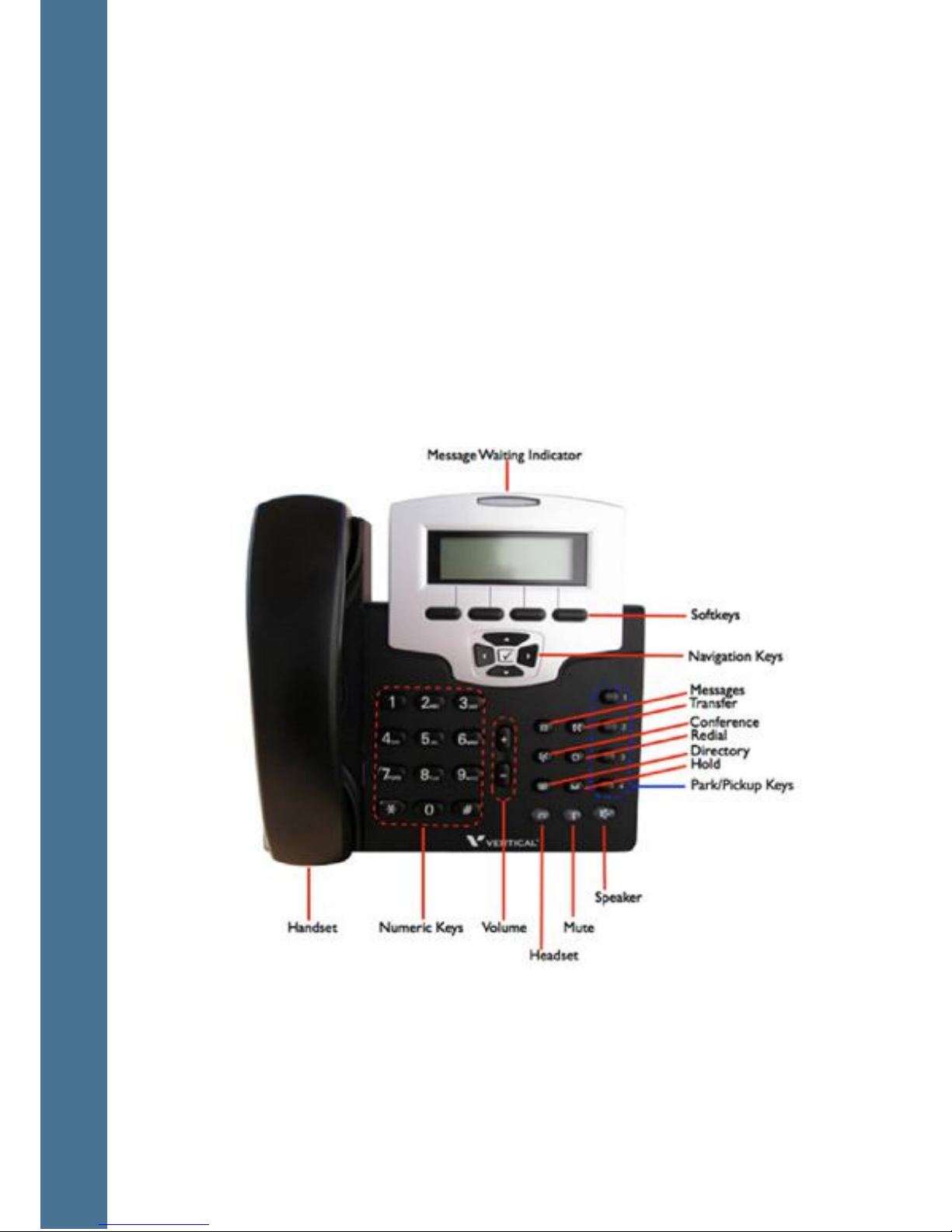
1. Place the caller on hold by pressing the hold key
2. Press the down arrow to access a second line
3. When you hear the dial tone, dial the desired extension number or phone
number you wish to transfer the call to.
4. Announce the call to the new party
5. To initiate the transfer, press TRANSFER key DO NOT HANG UP
6. Your line will hang up and the extension you transferred to will ring and
connect to your caller
Alternate Method for Transferring Calls-
This call transfer method is used when you want to transfer a call without tying up
two lines on your phone system. It uses the AccessLine network to transfer the
call instead of the phone system.
1. Receive a call on your Desk Phone
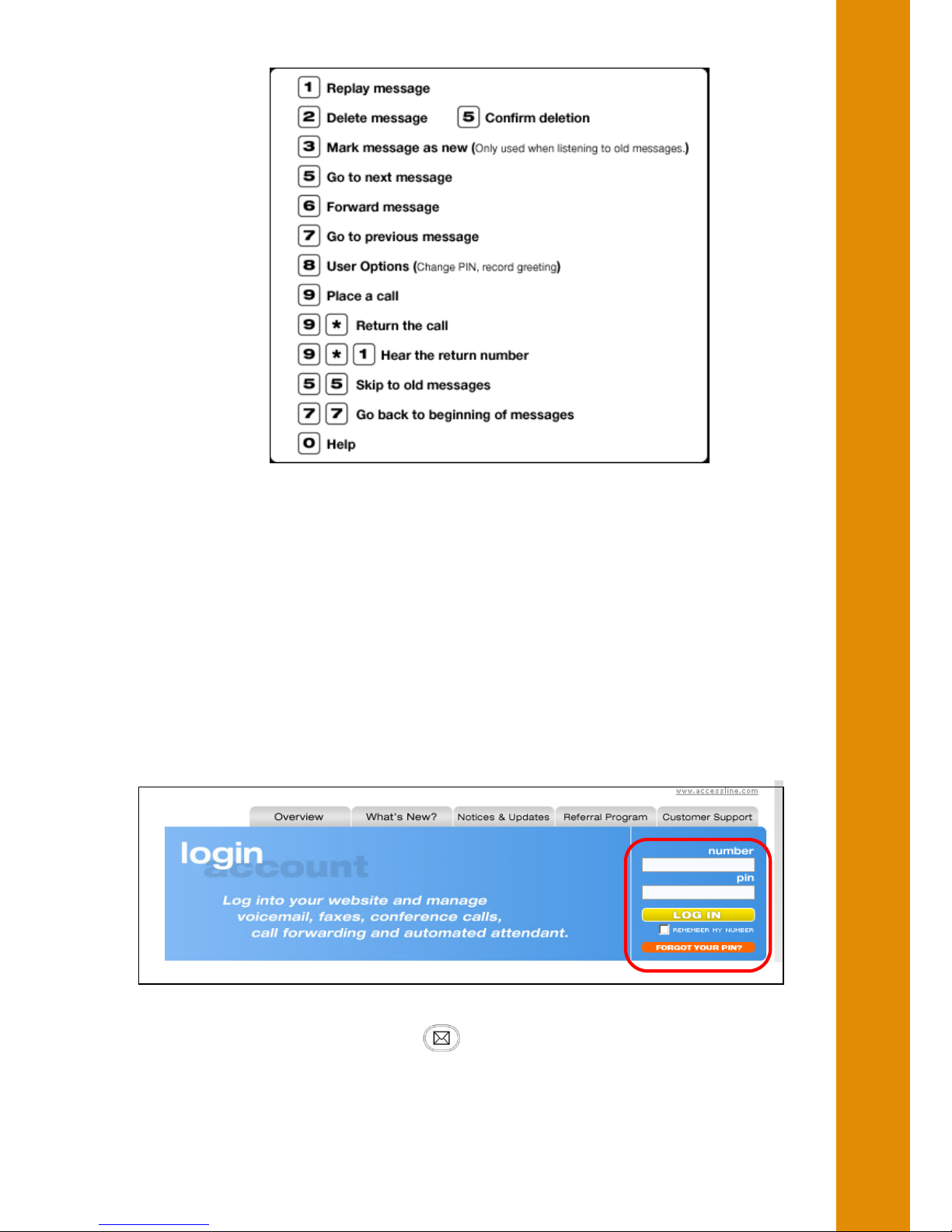
2. Touch #5 to start the transfer (this will place your caller on hold)
3. At the dial tone, enter the extension or phone number you want to transfer
the caller to
4. When the transfer party picks up the phone, touch #5 again.
5. All three of you will be connected.
6. Hang up and the two parties are connected (without tying up any of your
lines)
Note- If the transfer party does not pick up the phone, touch #6 to return back to
the original caller.
Transferring a Caller Directly to Voicemail-
You may transfer a caller directly to someone’s voicemail box. Note: The
following instructions assume you are on a call.
1. Press TRANSFER key
2. Your caller will be placed on hold
3. When you hear the dial tone, dial *99 then the desired extension number.
DO NOT HANG UP
4. Once the call has transferred to the desired voicemail box, your line will
hang up. Do not hang up the phone until the line has disconnected.
Conferencing Calls
Initiating a conference call
1. Pick up the handset or use the speakerphone button
2. Dial the number and wait for the called party to answer
3. Place the caller on hold using the key
4. Use the down arrow to access a second line
5. Dial the number of the second party and wait until the call is ringing
6. Then press the Conference key to join the calls together