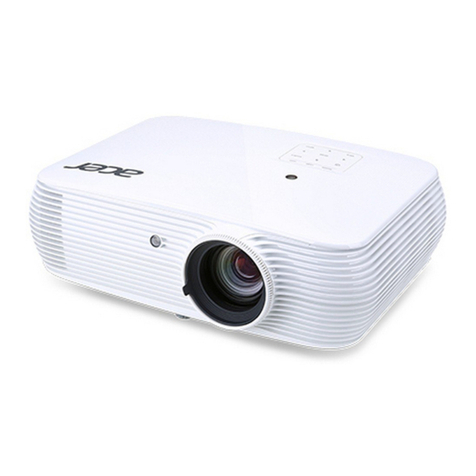
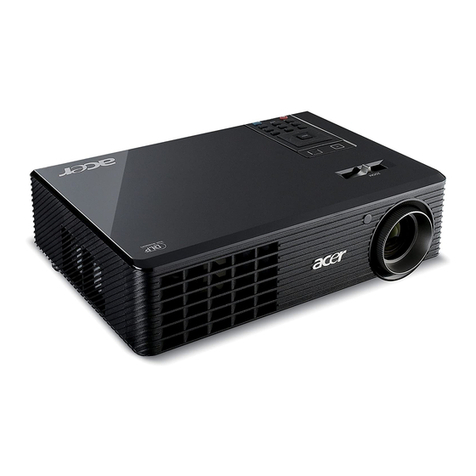
Acer PD125 User manual

1... English
Table of Contents
Table of Contents.......................................................................................1
Usage Notice.............................................................................................. 2
Precautions......................................................................................................... 2
Introduction................................................................................................4
Product Features ................................................................................................ 4
Package Overview ............................................................................................. 5
Product Overview................................................................................................ 6
Main Unit........................................................................................................................ 6
Control Panel................................................................................................................. 7
Connection Ports .......................................................................................................... 8
Remote Control with Laser Pointer .............................................................................. 9
Installation ............................................................................................... 10
Connecting the Projector.................................................................................. 10
Powering On/Off the Projector .......................................................................... 11
Powering On the Projector ......................................................................................... 11
Powering Off the projector.......................................................................................... 12
Warning Indicator ....................................................................................................... 12
Adjusting the Projected Image......................................................................... 13
Adjusting the Projector Image Height ........................................................................ 13
Adjusting the Projector Zoom / Focus....................................................................... 14
Adjusting Projected Image Size................................................................................. 14
UserControls............................................................................................ 15
Control Panel & Remote Control...................................................................... 15
On-Screen Display Menus ............................................................................... 17
How to operate ............................................................................................................ 17
Language(Computer/Video Mode) ............................................................................. 18
Color (Computer/Video Mode) ................................................................................... 19
Image (Computer/Video Mode) .................................................................................. 22
Audio (Computer/Video Mode)................................................................................... 24
Management (Computer/Video Mode) ....................................................................... 25
Appendices .............................................................................................. 28
Troubleshooting ............................................................................................... 28
Replacing the lamp .......................................................................................... 32
Specifications ................................................................................................... 33
Compatibility Modes ........................................................................................ 34

2
English ...
Usage Notice
Precautions
Follow all warnings, precautions and maintenance as
recommended in this user’s guide to maximize the life of
your unit.
Warning- Do not look into the projector’s lens when the lamp is
on. The bright light may hurt your eyes.
Warning- To reduce the risk of fire or electric shock, do not
expose this product to rain or moisture.
Warning- Please do not open or disassemble the product as this
may cause electric shock.
Warning- When changing the lamp, please allow unit to cool
down, and follow all changing instructions.
Warning- This product will detect the life of the lamp itself.
Please be sure to change the lamp when it shows
warning messages.
Warning- Reset the “Lamp Hour Reset” function from the On
Screen Display “Management” menu after replacing the
lamp module (refer to page 26).
Warning- When switching the projector off, please ensure the
projector completes its cooling cycle before
disconnecting power.
Warning- Turn on the projector first and then the signal sources.
Warning- Do not use lens cap when projector is in operation.
Warning- When the lamp reaches the end of its life, it will burn
out and may make a loud popping sound. If this
happens, the projector will not turn back on until the lamp
module has been replaced. To replace the lamp, follow the
procedures listed under “Replacing the Lamp”.

3... English
Do:
Turn off the product before cleaning.
Use a soft cloth moistened with mild detergent to clean the
display housing.
Disconnect the power plug from AC outlet if the product is not
being used for a long period of time.
Don’t:
Block the slots and openings on the unit provided for
ventilation.
Use abrasive cleaners, waxes or solvents to clean the unit.
Use under the following conditions:
- In extremely hot, cold or humid environments.
- In areas susceptible to excessive dust and dirt.
- Near any appliance that generates a strong magnetic field.
- Place in direct sunlight.
Usage Notice

4
English ...
Product Features
This product is an XGA single chip 0.55” DLPTM projector.
Outstanding features include:
True XGA, 1024 x 768 addressable pixels
Single chipDLPTM technology
NTSC3.58/NTSC4.43/PAL/SECAMandHDTV
compatible(480i/p,576i/p,720p,1080i)
High-techDVI connection for digital signal with HDCP
function and supports 480p, 576p, 720p and 1080i
(Optional)
Full function remote control with laser pointer
User friendly multilingual on screen display menu
Advanced digital keystone correction and high
quality full screen image re-scaling
User friendly control panel
SXGA+,SXGAcompression and VGA,SVGAre-sizing
Mac compatible
Introduction

5... English
Power Cord 1.8m VGA Cable 1.8m
2 x Battery
Introduction
Composite Video Cable
2.0m
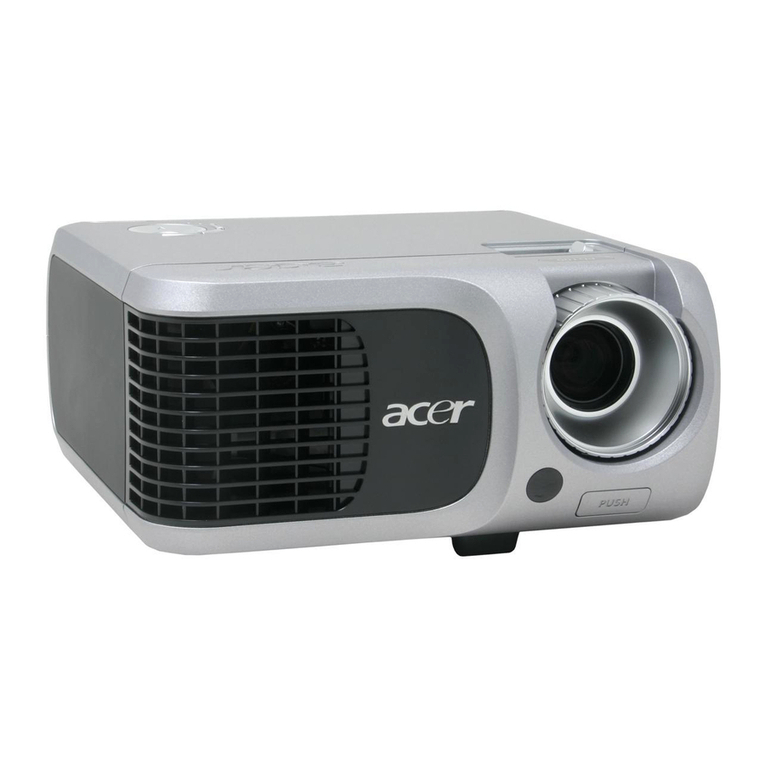
Projector with lens cap
Package Overview
This projector comes with all the items shown below. Check
to make sure your unit is complete. Contact your dealer
immediately if anything is missing.
Carrying Case
USB Cable 1.8m
User’s Guide
S-Video Cable 1.8m
Audio Cable Jack /Jack
1.8m VGA to Component/HDTV
Adapter
Quick Start Card
Remote Control with
Laser Pointer
6
English ...
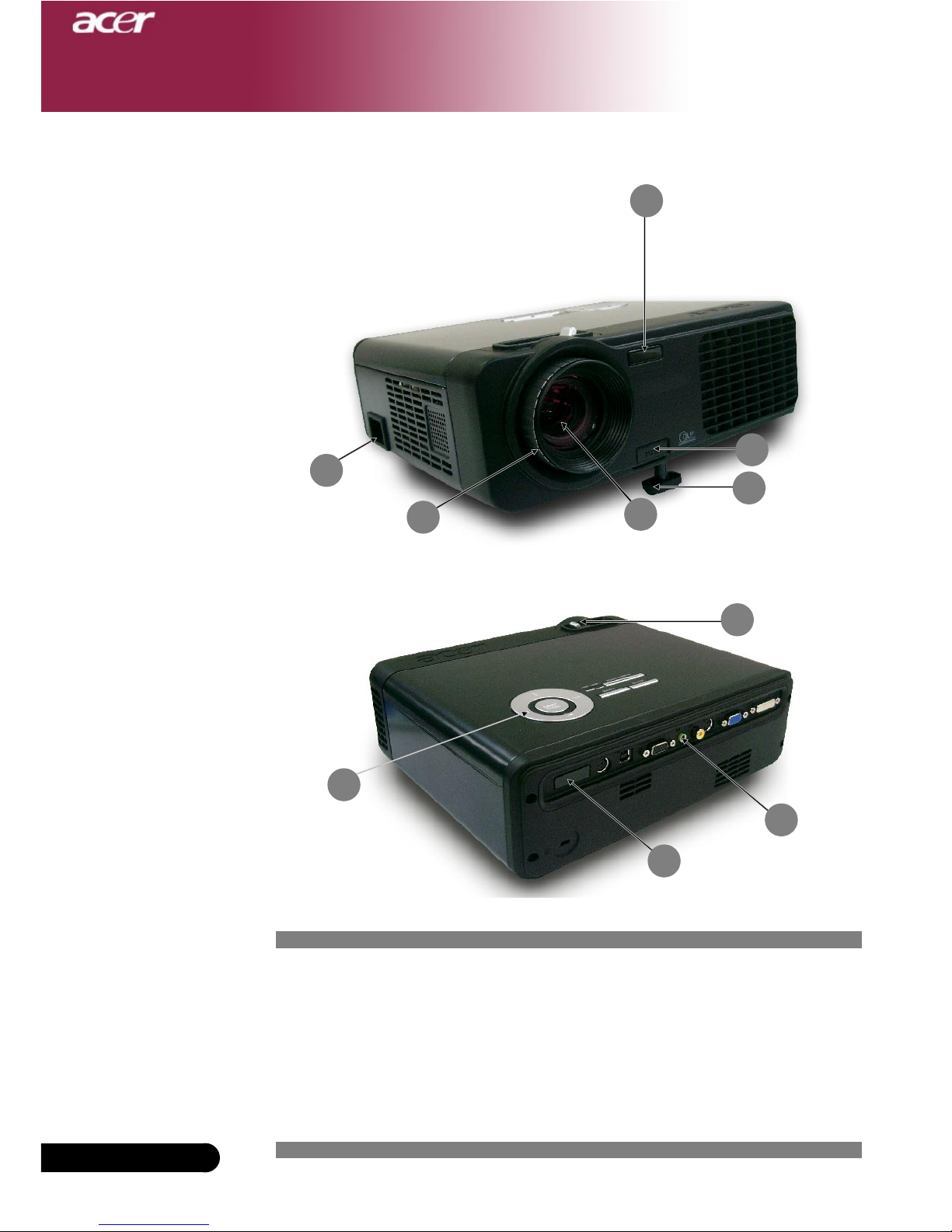
Main Unit
Product Overview
1. Focus Ring
2. Zoom Ring
3. Zoom Lens
4. Elevator Button
5. Elevator Foot
6. Remote Control Receiver
7. Connection Ports
8. Power Socket
9. Control Panel
Introduction
3
4
5
7
1
6
6
7
9
2
7... English
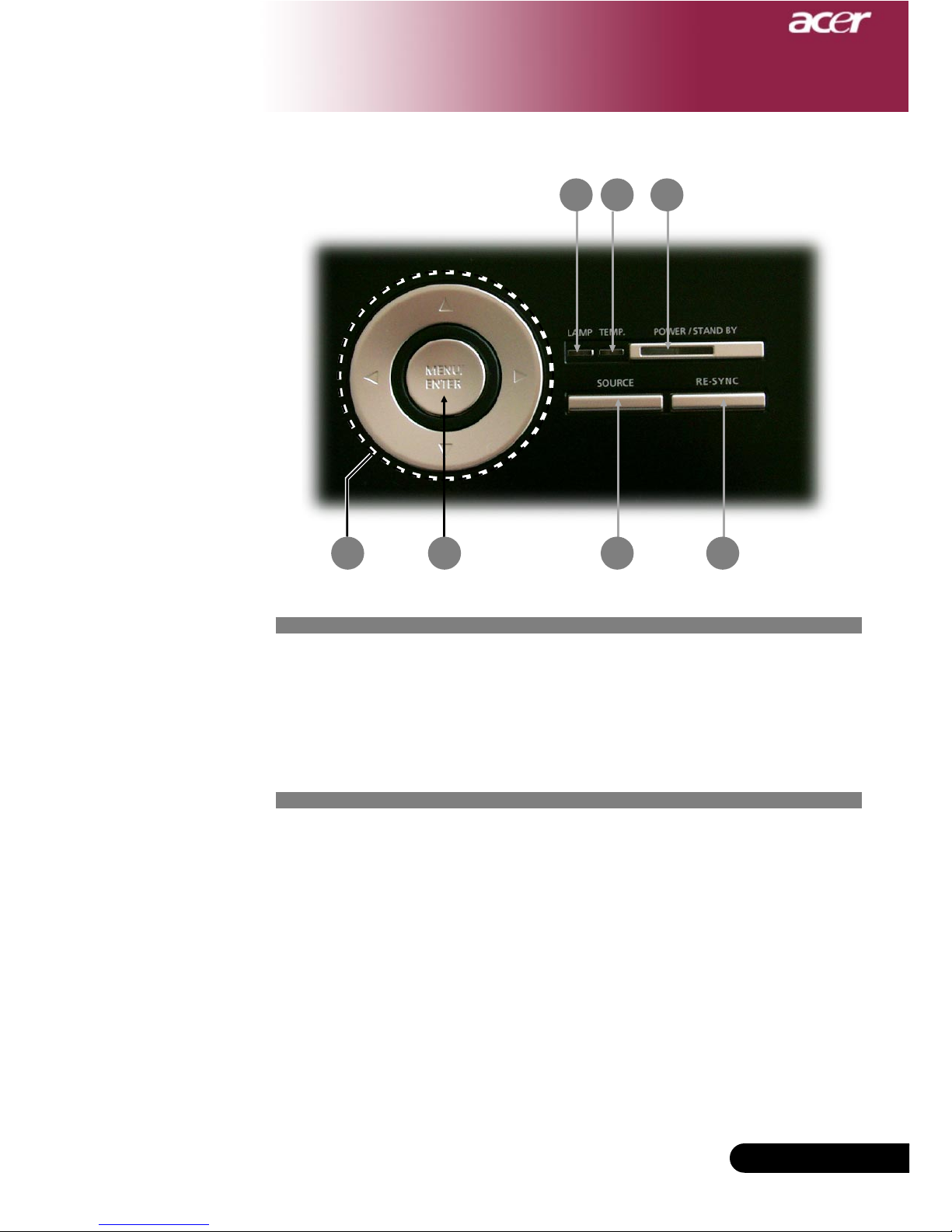
Control Panel
1. Lamp Indicator LED
2. Temp Indicator LED
3. Power/Standby and Indicator LED (Power LED)
4. Source
5. Re-Sync
6. Four Directional Select Keys
7. Menu /Enter
Introduction
6
1 2 3
7 4 5
8
English ...
Introduction
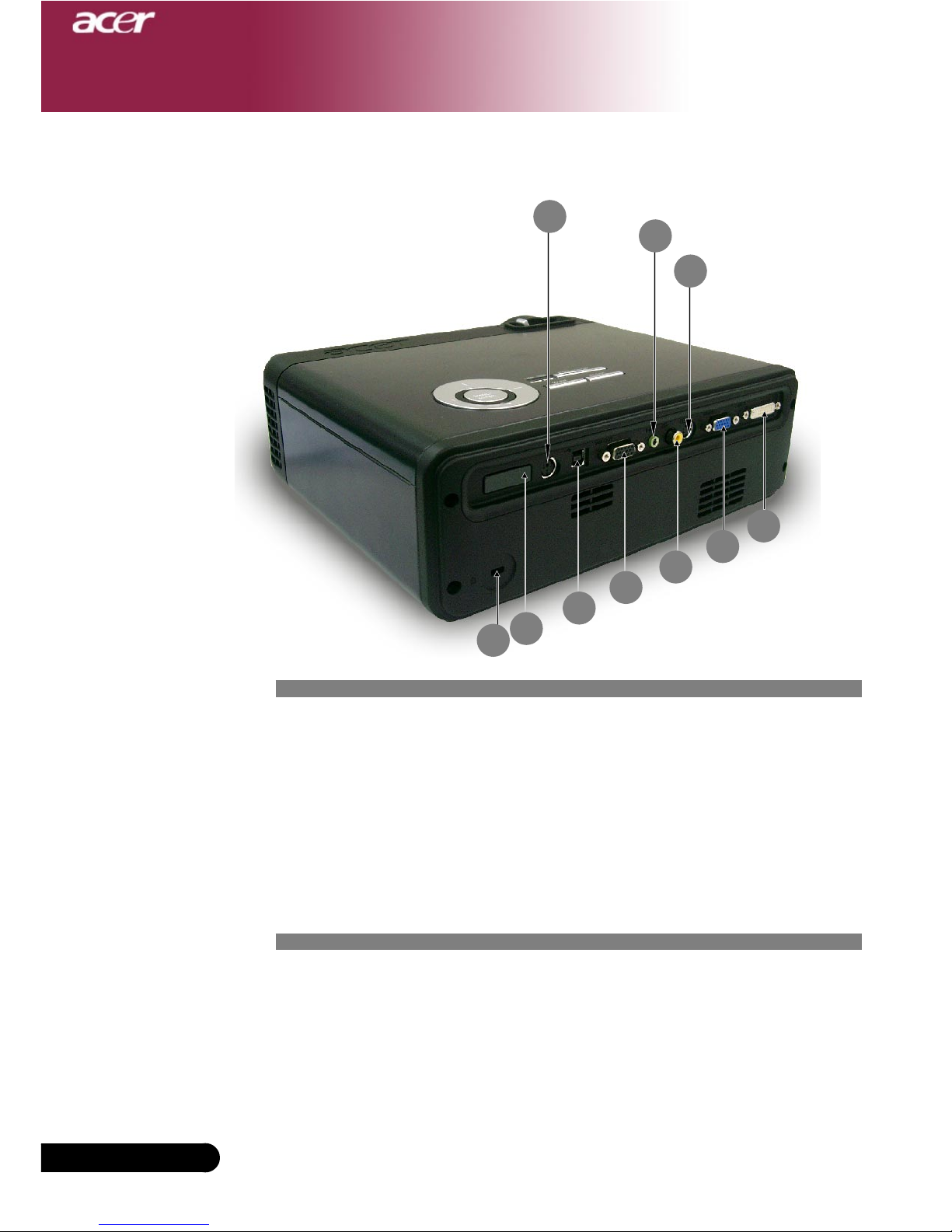
Connection Ports
1. DVI-I Input Connector (for Digital singal with HDCP function)
(Optional)
2. PCAnalog Signal/HDTV/Component Video Input Connector
3. Monitor Loop-through Output Connector
4. USB Connector
5. RS232 Connector
6. S-Video Input Connector
7. Composite Video Input Connector
8. Audio Input Connector
9. Remote Control Receiver
10. KensingtonTM Lock Port
5
6
21
8
4
9
37
10
9... English
Introduction
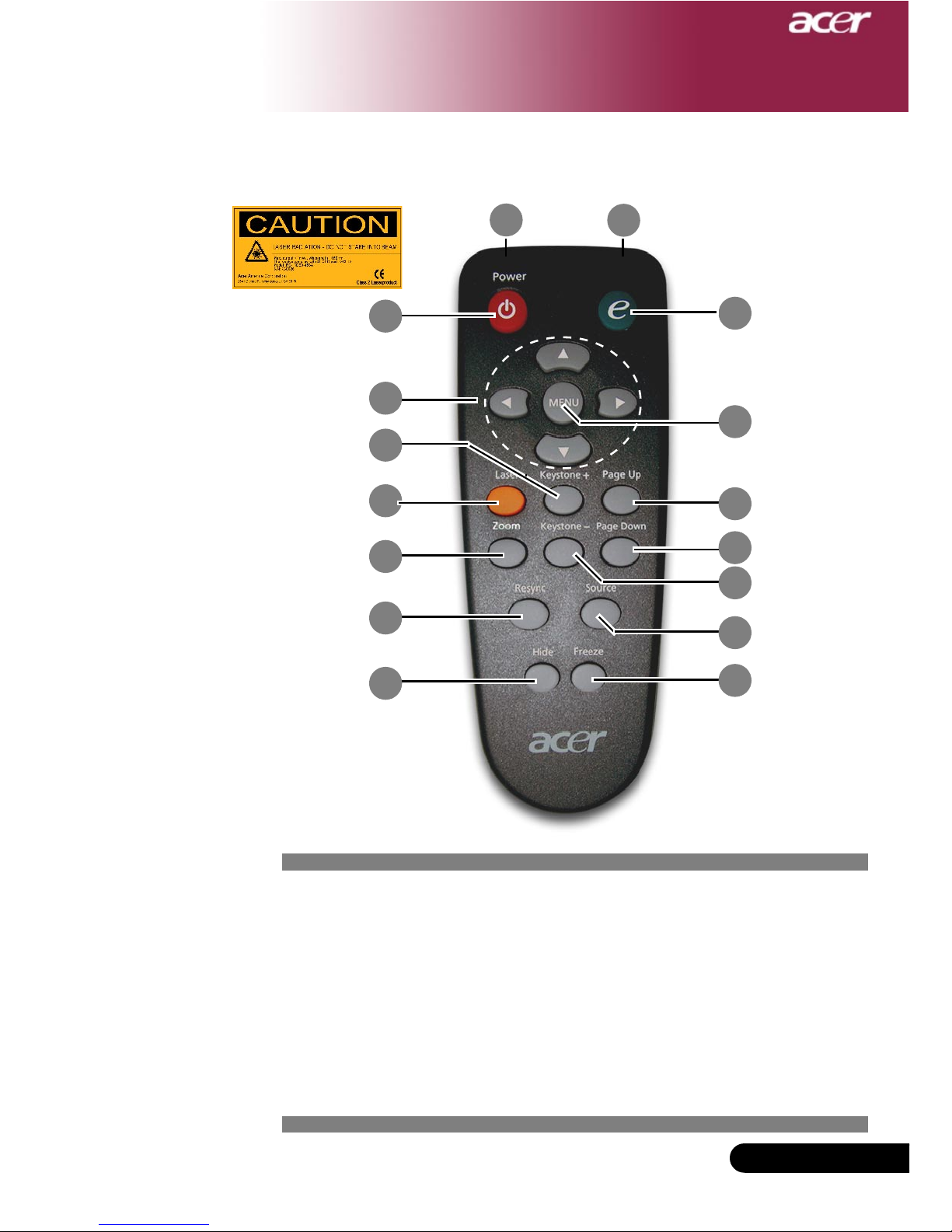
1. Transmit Indicator Light
2. Power
3. Empowering Key
4. Menu
5. FourDirectional Select Keys
6. Laser Button
7. Zoom
8. Keystone +
9. Keystone -
10. Page Up
11. PageDown
Remote Control with Laser Pointer
12. Re-Sync
13. Hide
14. Source
15. Freeze
16. Laser Pointer
1
6
11
23
8
10
54
16
13
12
9
14
15
7

10
English ...
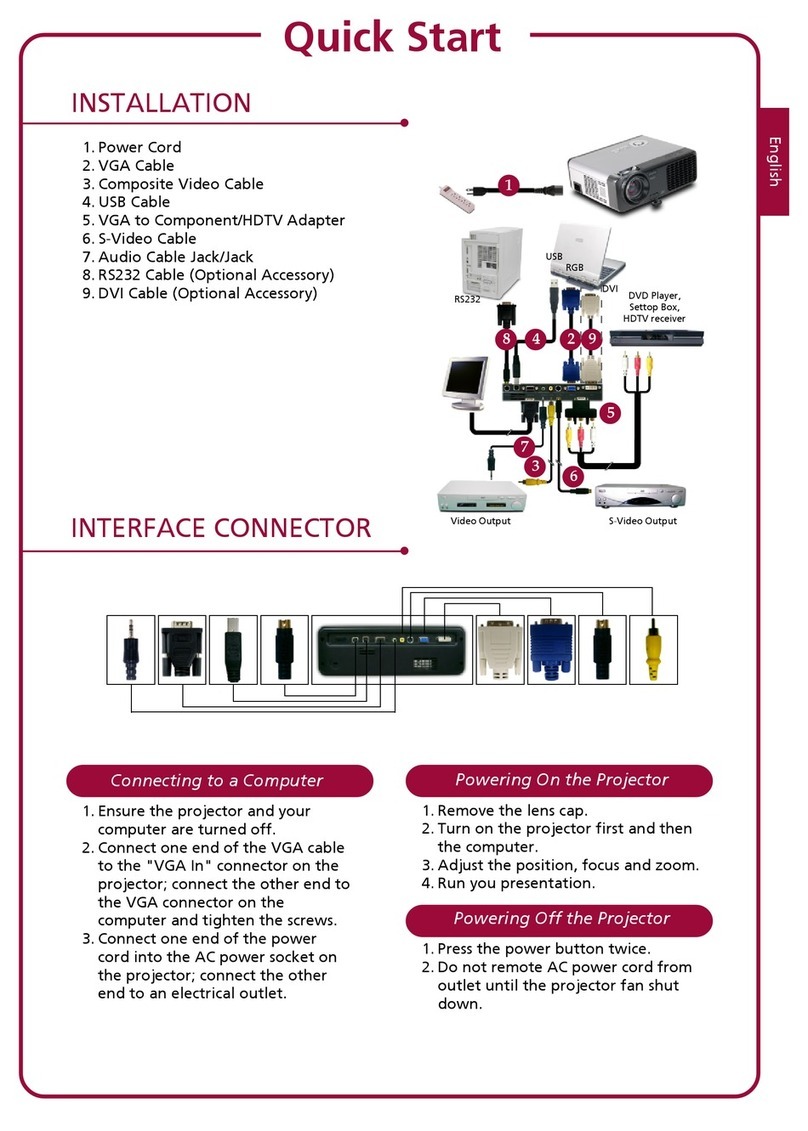
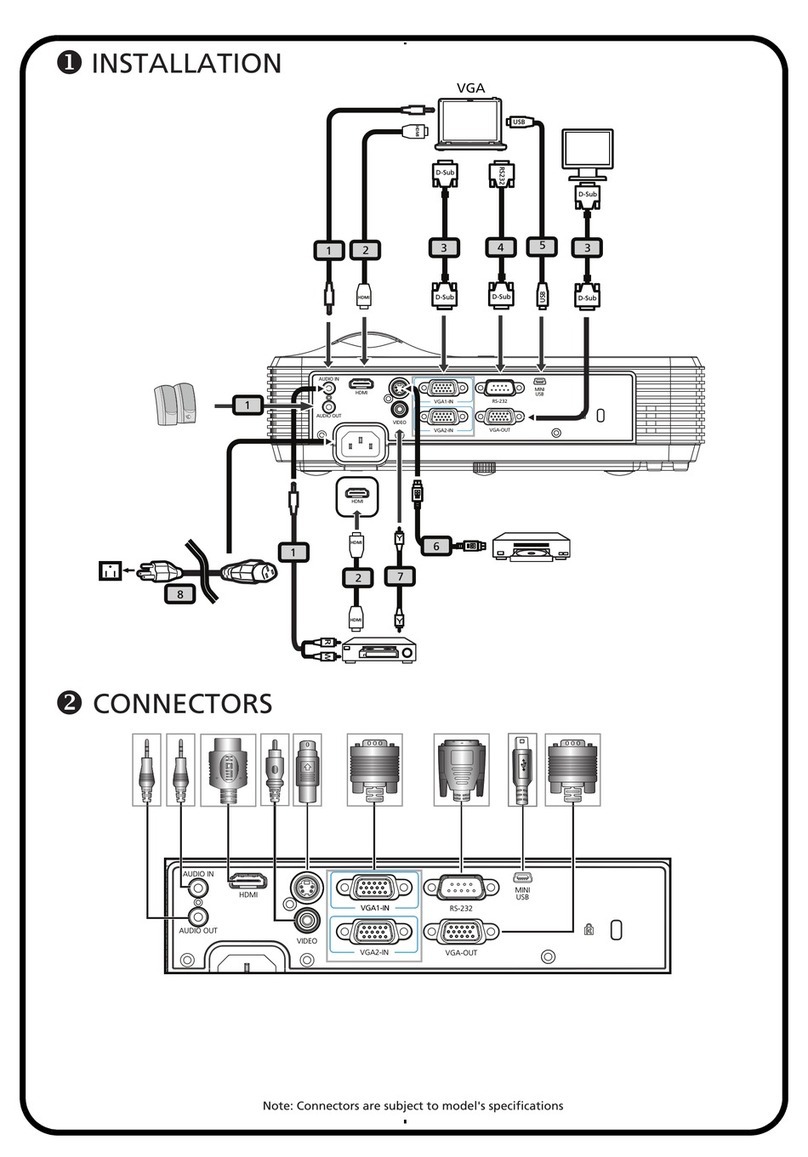
1..................................................................................................................... Power Cord
2....................................................................................................................... VGA Cable
3.................................................................................................. Composite Video Cable
4........................................................................................................................ USB Cable
5........................................................................... VGA to Component/HDTV Adapter
6.................................................................................................................. S-Video Cable
7.................................................................................................... Audio Cable Jack/Jack
8............................................................................. RS232 Cable (Optional Accessory)
9...................................................................................DVI Cable (Optional Accessory)
Connecting the Projector
To ensure the projector works well with your computer, please set the
display mode of your graphic card less than or equal to 1024 X 768
resolution. Make sure the timing of the display mode is compatible with the
projector. Refer to the “Compatibility Modes” section on page 34.
VideoOutput
DVD Player,
Settop Box,
HDTV receiver
Installation
42
1
36
7
9
RS232
DVIRGB
USB
5
8
S-VideoOutput
This manual suits for next models
1
Table of contents
Other Acer Projector manuals
Acer
Acer P1200 Series User manual
Acer
Acer P1120 Series User manual
Acer
Acer H6500/E-140/HE-802 Series User manual
Acer
Acer X1527H User manual
Acer
Acer K135 User manual
Acer
Acer K137 Series User manual

Acer
Acer X1130P Series User manual
Acer
Acer S1383WHne User manual
Acer
Acer H6540BD User manual
Acer
Acer X110 Series User manual