Table of Contents
1.0.Introduction ...............................................................................................................4
1.1.Overview................................................................................................................................4
1.2.Typical Applications...............................................................................................................4
2.0.Features .....................................................................................................................5
3.0.Scope and Limitations..............................................................................................6
3.1.Purpose of this Manual..........................................................................................................6
3.2.Applicability............................................................................................................................6
3.3.Embedded Software..............................................................................................................6
3.4.Operating Environment..........................................................................................................6
3.5.How to use this manual .........................................................................................................6
4.0.Getting Started ..........................................................................................................7
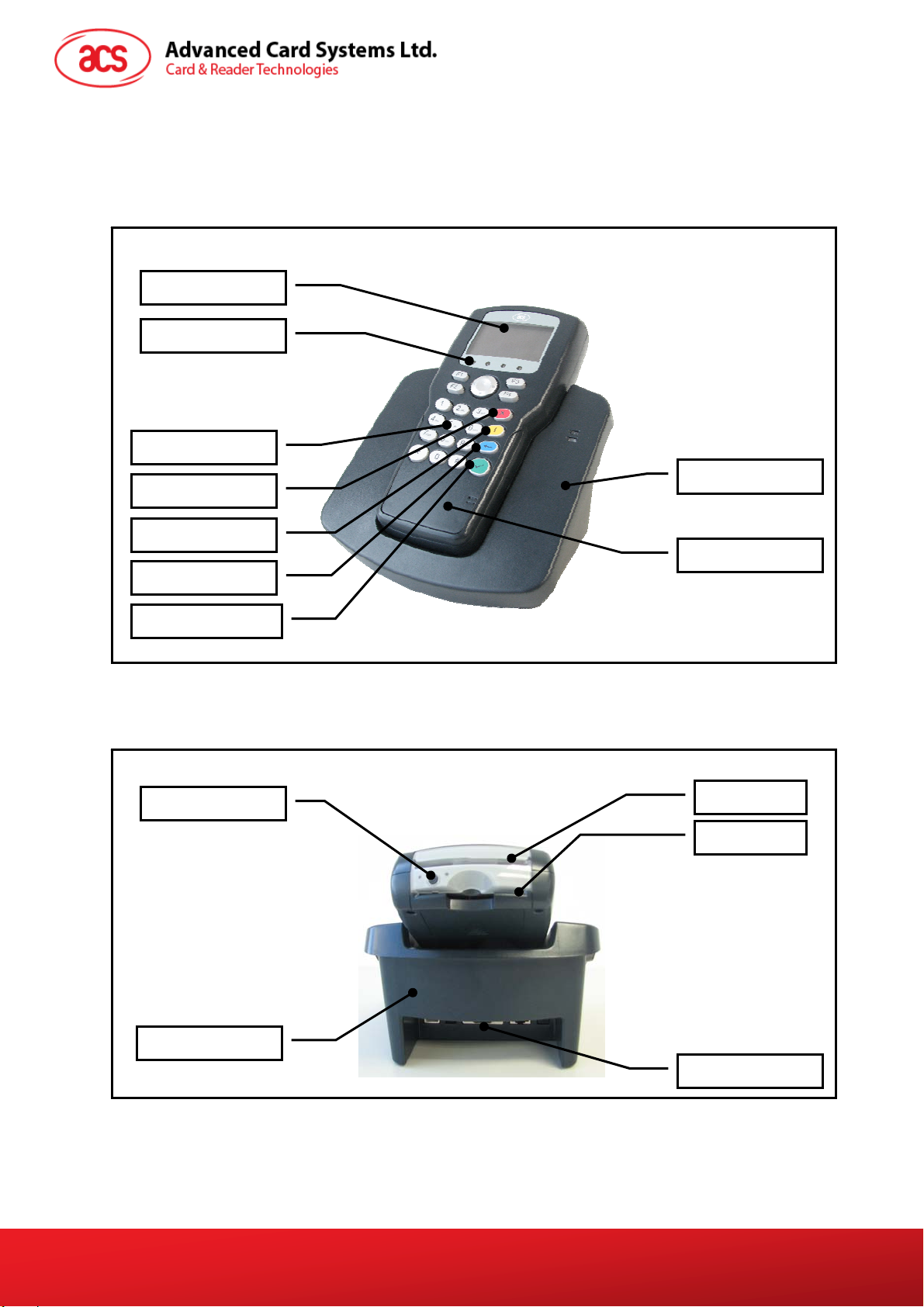
4.1.ACR880 Device and its Parts................................................................................................7
4.2.Function Keys........................................................................................................................8
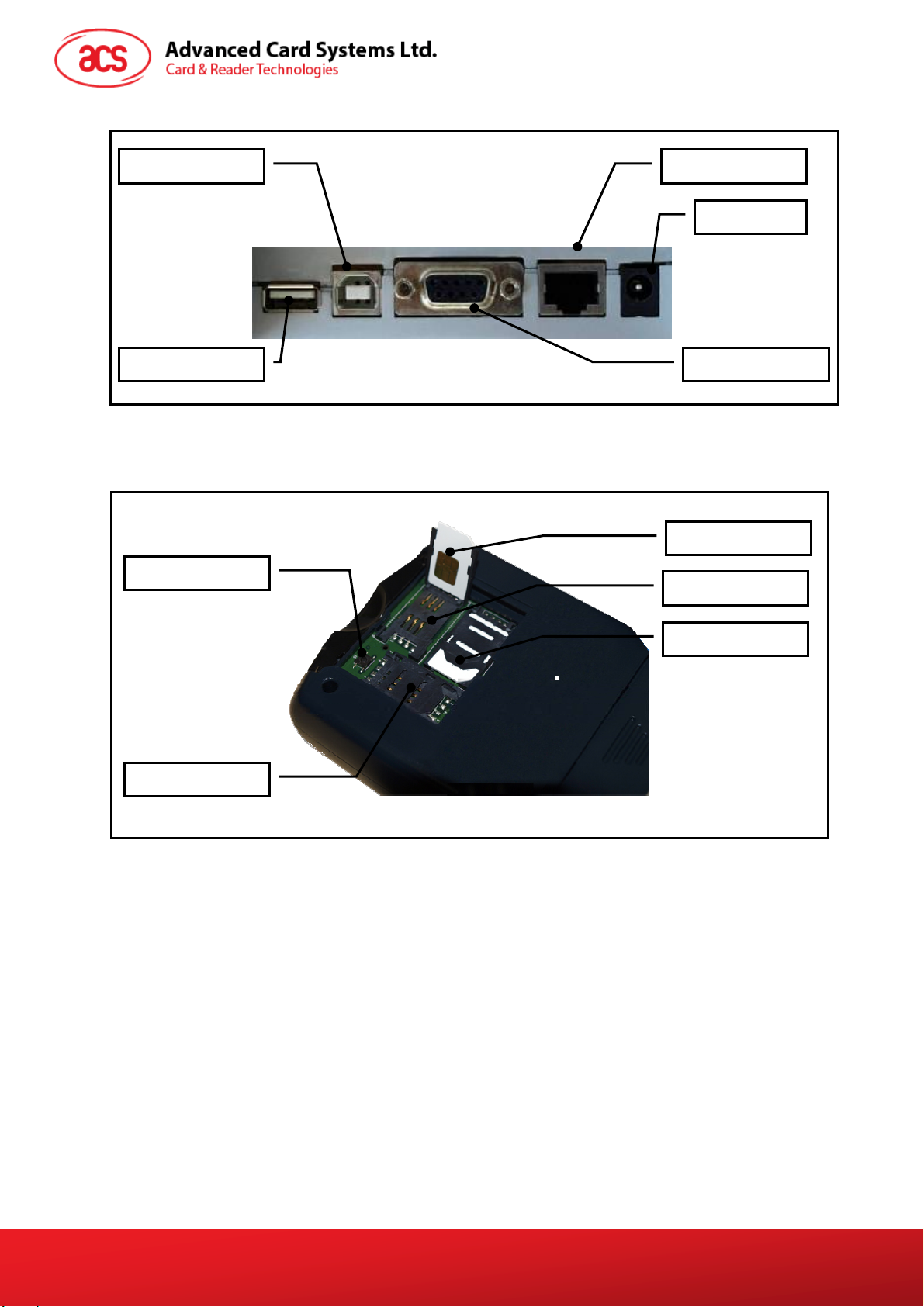
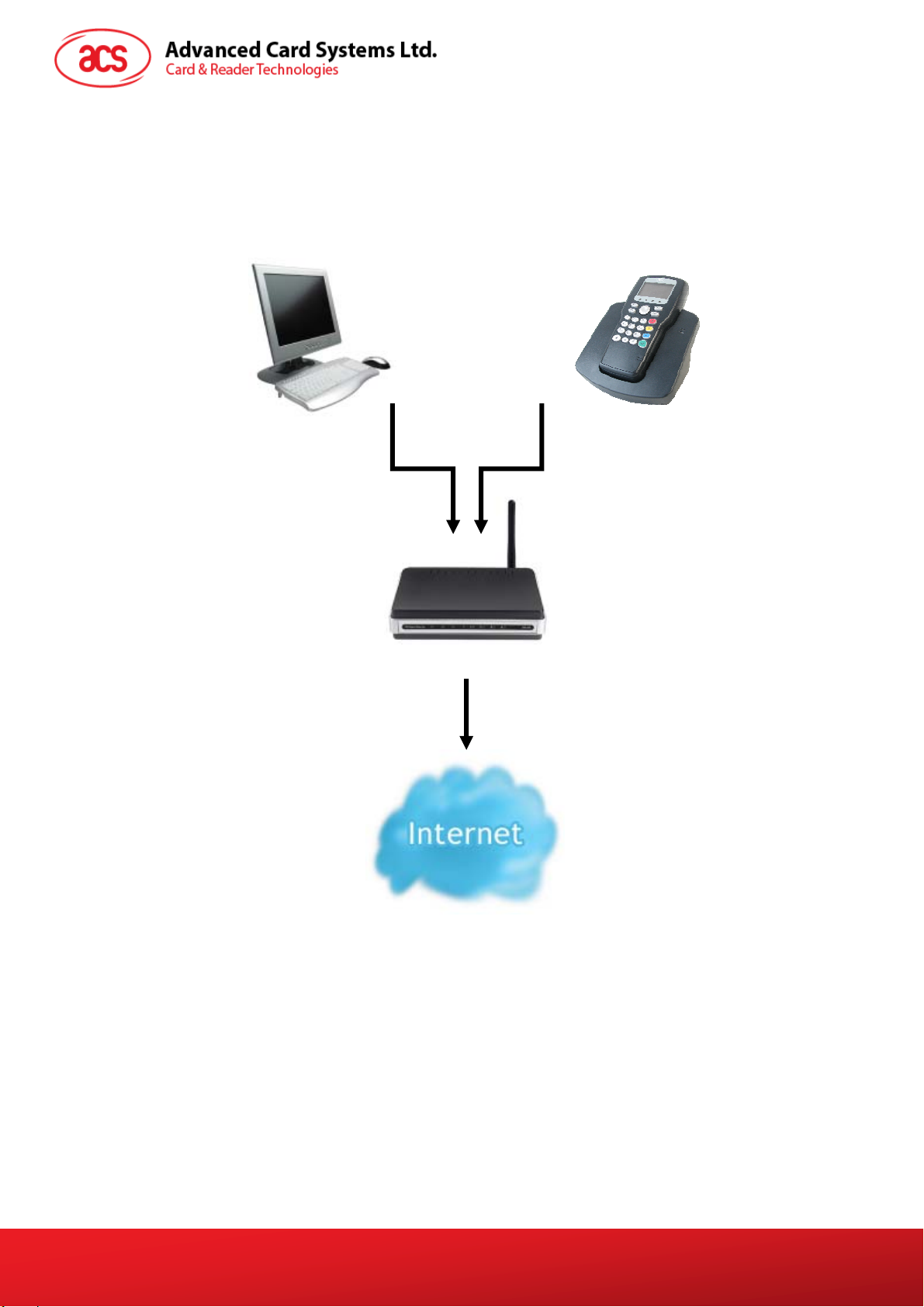
4.3.Connectivity Setup.................................................................................................................9
5.0.Configuring the Device...........................................................................................10
6.0.ACR880 Standalone Demo.....................................................................................12
6.1.Overview..............................................................................................................................12
6.2.Turning the Terminal ON.....................................................................................................12
6.3.POS Demo...........................................................................................................................12
6.4.eHealth Demo......................................................................................................................14
6.5.Loyalty Demo.......................................................................................................................15
6.6.Toggle Backlight..................................................................................................................16
6.7.Turning the Terminal OFF ...................................................................................................16
7.0.eH880 Web Tool ......................................................................................................17
7.1.Overview..............................................................................................................................17
7.2.How to Access the eH880 Web Tool...................................................................................17
7.3.General Tab.........................................................................................................................18
7.3.1.Basic Information ........................................................................................................18
7.3.2.Memory Information....................................................................................................18
7.3.3.Network information....................................................................................................19
7.4.Setting Tab...........................................................................................................................19
7.4.1.Date and Time.............................................................................................................19
7.4.2.Network Configuration ................................................................................................20
7.4.3.Change Password.......................................................................................................20
7.5.Functional Units Tab............................................................................................................20
7.5.1.Select Reader Slot......................................................................................................21
7.5.2.LED and Backlight.......................................................................................................21
7.5.3.Keypad........................................................................................................................21
7.5.4.LCD.............................................................................................................................21
7.5.5.Buzzer.........................................................................................................................21
7.6.Update Firmware Tab..........................................................................................................21
7.6.1.Update Firmware.........................................................................................................22
7.7.Miscellaneous Tab...............................................................................................................22
7.7.1.Upload File..................................................................................................................22
7.7.2.Power Off/Reboot........................................................................................................23
8.0.ACR880 Manuals and Reference Materials...........................................................24
Document Title Here
Document Title Here Document Title Here
ACR880 CL SDK User Manual
Version 1.0
Page 2 of 24
www.acs.com.hk