manuals.online logo
Brands
  1. Home
  2. •
  3. Brands
  4. •
  5. Allview
  6. •
  7. Cell Phone
  8. •
  9. Allview X2 Soul Style+ Technical manual

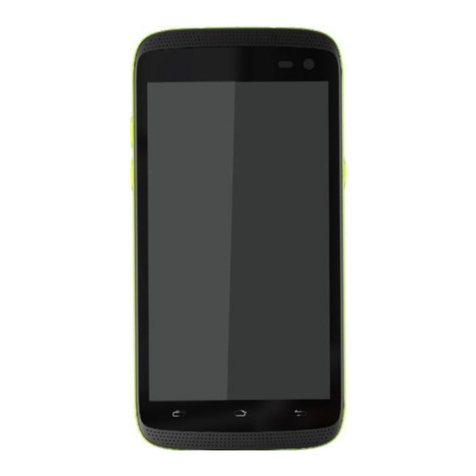
Allview X2 Soul Style+ Technical manual

Other manuals for X2 Soul Style+

1

Other Allview Cell Phone manuals

Allview Soul X8 Style User manual

Allview

Allview Soul X8 Style User manual

Allview A10 Plus User manual

Allview

Allview A10 Plus User manual

Allview M10 Jump User manual

Allview

Allview M10 Jump User manual

Allview V3 Viper User manual

Allview

Allview V3 Viper User manual

Allview P10 Mini User manual

Allview

Allview P10 Mini User manual

Allview A20 Max User manual

Allview

Allview A20 Max User manual

Allview P2 ALLDRO User manual

Allview

Allview P2 ALLDRO User manual

Allview P9 Energy Lite User manual

Allview

Allview P9 Energy Lite User manual

Allview M7 User manual

Allview

Allview M7 User manual

Allview SOUL X6 Xtreme User manual

Allview

Allview SOUL X6 Xtreme User manual

Allview P5 Energy User manual

Allview

Allview P5 Energy User manual

Allview H3 Join User manual

Allview

Allview H3 Join User manual

Allview A10 Lite User manual

Allview

Allview A10 Lite User manual

Allview P6 lite User manual

Allview

Allview P6 lite User manual

Allview V2 Viper E User manual

Allview

Allview V2 Viper E User manual

Allview X4 Soul Infinity L User manual

Allview

Allview X4 Soul Infinity L User manual

Allview P4 Pro User manual

Allview

Allview P4 Pro User manual

Allview P5 Lite User manual

Allview

Allview P5 Lite User manual

Allview S8 Style User manual

Allview

Allview S8 Style User manual

Allview A9 Plus User manual

Allview

Allview A9 Plus User manual

Allview VIVA H8+ User manual

Allview

Allview VIVA H8+ User manual

Allview P6 Life Technical manual

Allview

Allview P6 Life Technical manual

Allview X4 Soul mini S User manual

Allview

Allview X4 Soul mini S User manual

Allview P7 Lite User manual

Allview

Allview P7 Lite User manual

Popular Cell Phone manuals by other brands

Gigabyte GSmart t600 null

Gigabyte

Gigabyte GSmart t600 null

Sony Ericsson Z200 null

Sony Ericsson

Sony Ericsson Z200 null

Gigabyte GSmart t600 null

Gigabyte

Gigabyte GSmart t600 null

Gigabyte GSmart t600 null

Gigabyte

Gigabyte GSmart t600 null

Sony Ericsson K700i null

Sony Ericsson

Sony Ericsson K700i null

Zte BLADE A520 quick start guide

Zte

Zte BLADE A520 quick start guide

Nokia Lumia 620 user guide

Nokia

Nokia Lumia 620 user guide

Blackbe;rry KEYone Safety and product information

Blackbe;rry

Blackbe;rry KEYone Safety and product information

Bea-fon X5 Premium quick guide

Bea-fon

Bea-fon X5 Premium quick guide

Blackbe;rry 8707 Series user guide

Blackbe;rry

Blackbe;rry 8707 Series user guide

Blackbe;rry Storm Troubleshooting

Blackbe;rry

Blackbe;rry Storm Troubleshooting

LG LM-X420QN user guide

LG

LG LM-X420QN user guide

LifeWatch V user guide

LifeWatch

LifeWatch V user guide

Bea-fon SILVER LINE SL860 user guide

Bea-fon

Bea-fon SILVER LINE SL860 user guide

IKI Mobile KF4.5i user manual

IKI Mobile

IKI Mobile KF4.5i user manual

Hitech HT-850 user guide

Hitech

Hitech HT-850 user guide

Yezz Fashion F10 user manual

Yezz

Yezz Fashion F10 user manual

Point Mobile PM60 user manual

Point Mobile

Point Mobile PM60 user manual

manuals.online logo
manuals.online logoBrands
  • About & Mission
  • Contact us
  • Privacy Policy
  • Terms and Conditions

Copyright 2025 Manuals.Online. All Rights Reserved.

The update procedure through OTA –Allview X2 Soul
Style+ / Android 5.1 / 27.06.2016
The software update advantages are:
software stability improvement;
fixing some minor bugs.
ATTENTION! The phone must be fully charged when initializing the procedure.
ATTENTION! Please do not stop under any circumstance the update operation.
The software update is an operation which is realised on own responsibility by following the steps below.
To update the software version of the Allview X2 Soul Style+ smartphone it is
necessary to follow the next steps:
1. Turn on the phone and connect it to a wireless network.
2. Make sure you have the SD Card in phone and is selected as the default location writing.
3. Open the ”System updates”app from the apps menu:
4. In “System Update”app check new software version (X2_Soul_Style_Plus_SV1.3). Tick the
option: Download:
5. Please wait for the full software download in the phone's storage (micro SD card).
6. After the full software download, a message will be displayed on the phone's screen that will
inform you about this update:
7. Select Done. The phone will reboot and the update procedure will start automatically .
8. After finishing the update process, the phone will reboot itself.
9. On the phone's screen this message will be displayed: “Android is upgrading”.
The update file downloaded in the phone's storage (micro SD card) will be deleted
automatically after the termination of the update process.