manuals.online logo
Brands
  1. Home
  2. •
  3. Brands
  4. •
  5. Amperes
  6. •
  7. Speakers
  8. •
  9. Amperes CH700 Series User manual

Amperes CH700 Series User manual

This manual suits for next models

3

Other Amperes Speakers manuals

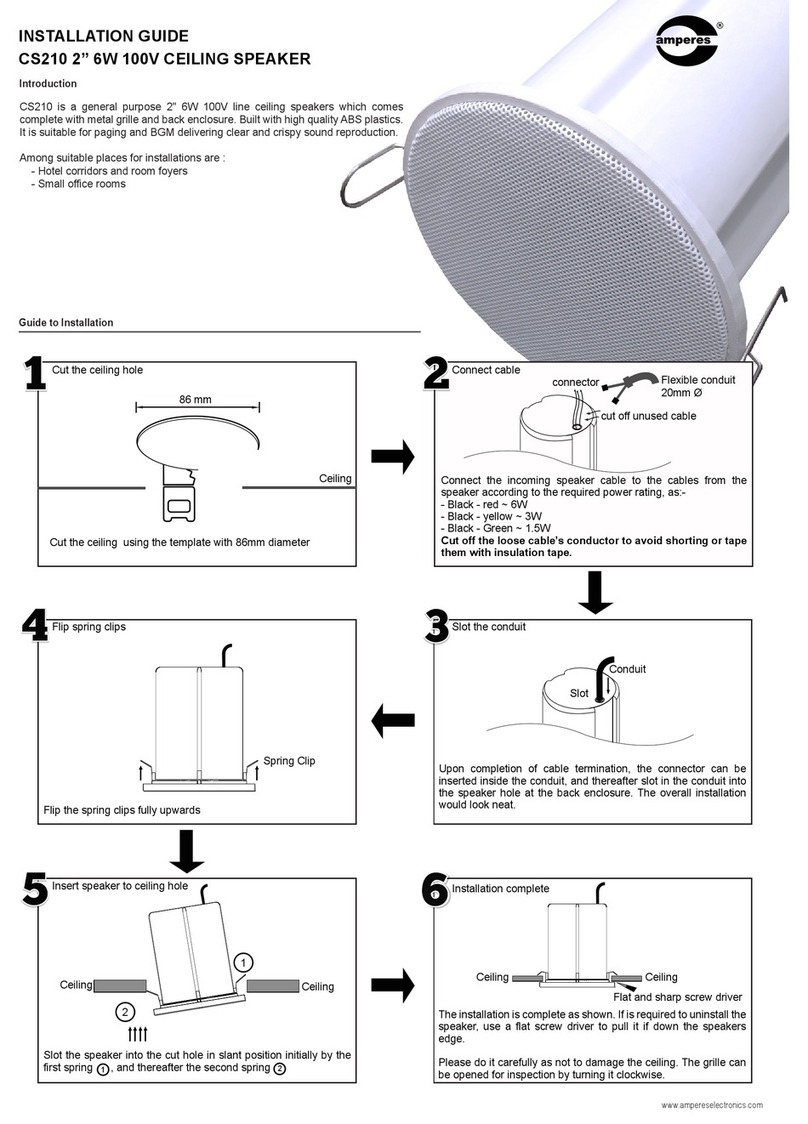
Amperes CS210 User manual

Amperes

Amperes CS210 User manual

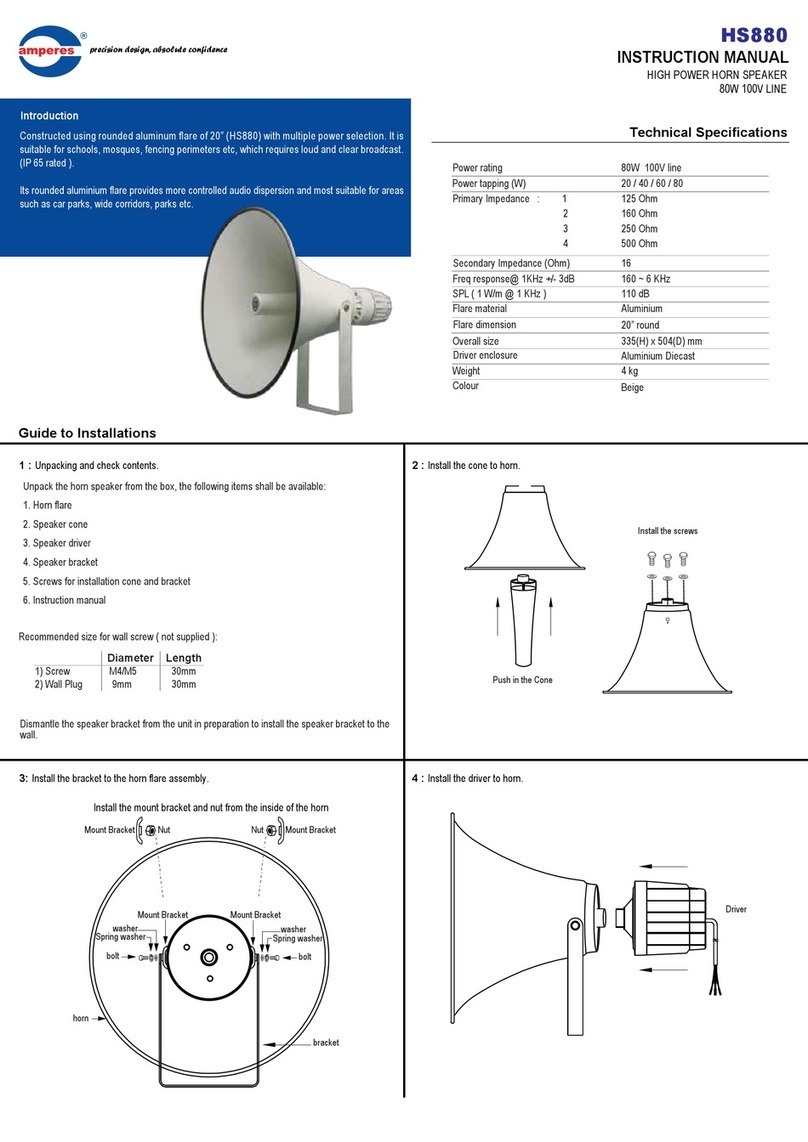
Amperes HS880 User manual

Amperes

Amperes HS880 User manual

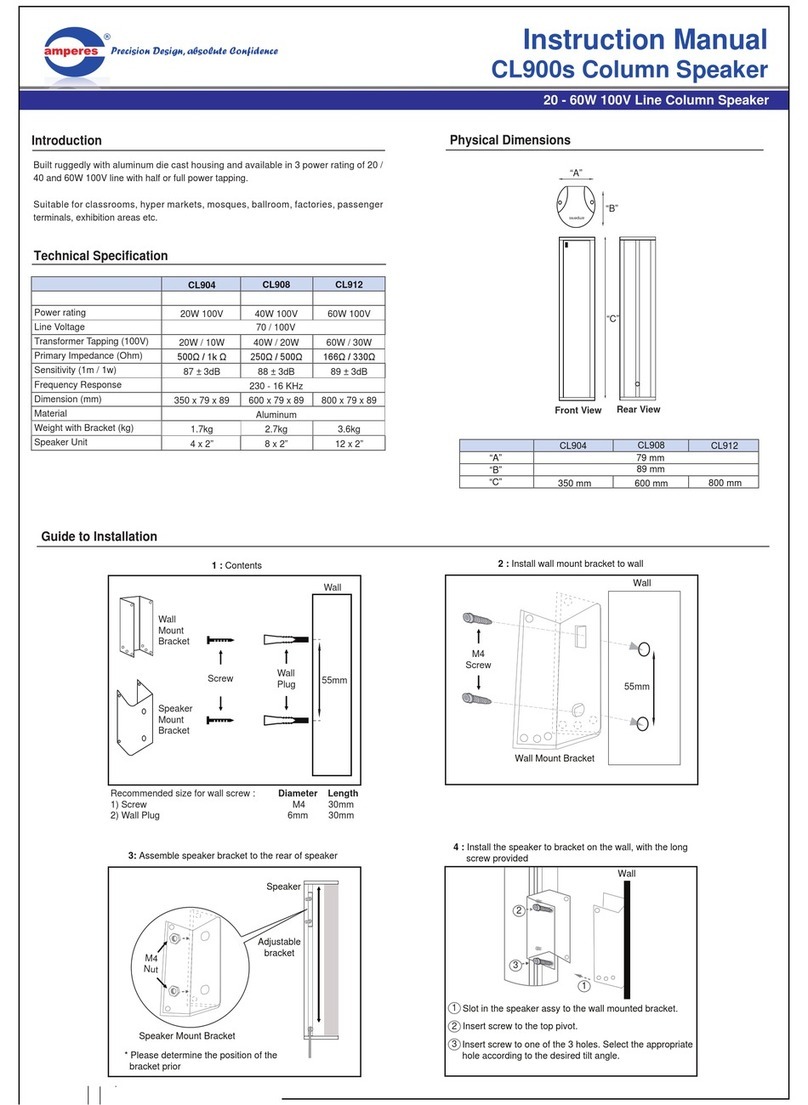
Amperes CL904 User manual

Amperes

Amperes CL904 User manual

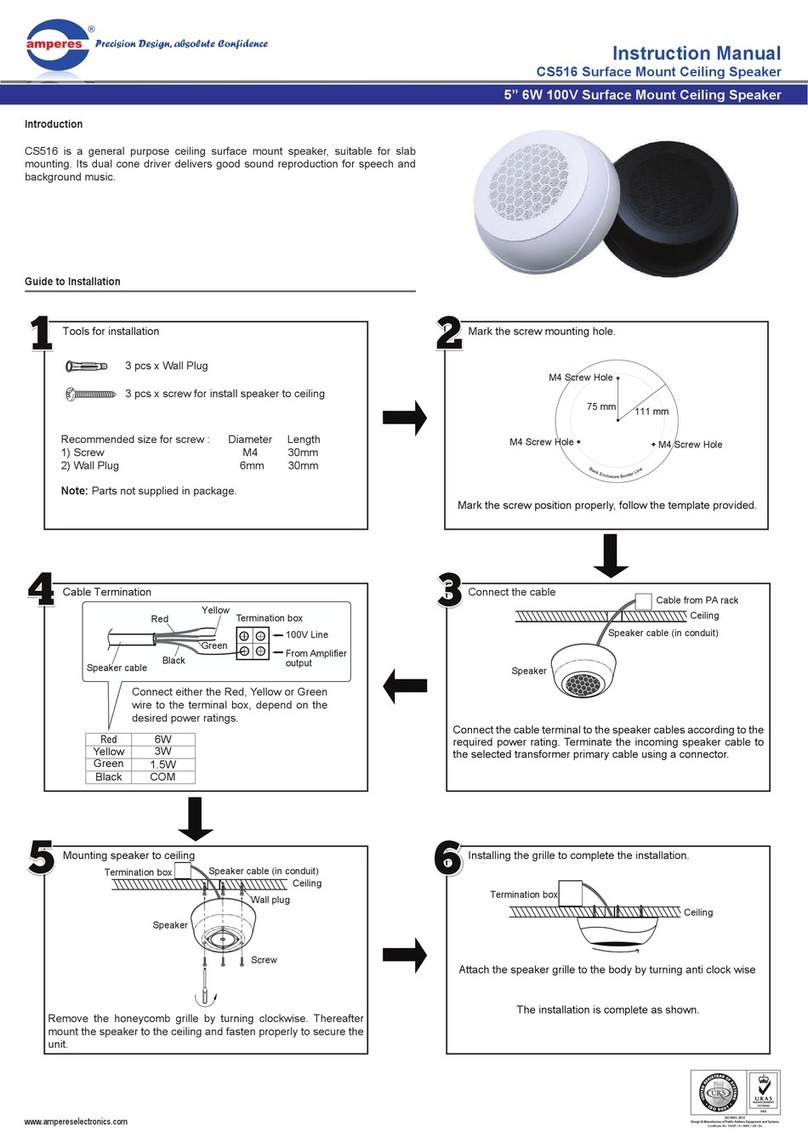
Amperes CS516 User manual

Amperes

Amperes CS516 User manual

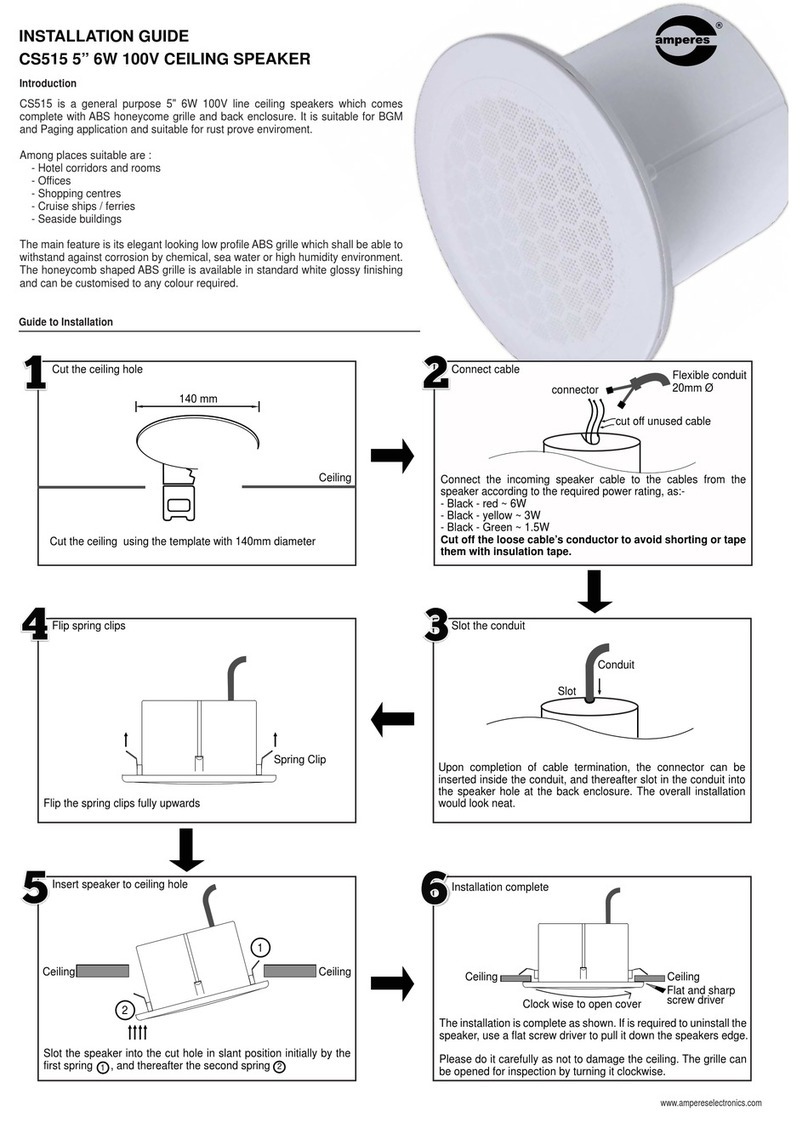
Amperes CS515 Operating and maintenance instructions

Amperes

Amperes CS515 Operating and maintenance instructions

Popular Speakers manuals by other brands

Electro-Voice LR4S engineering data

Electro-Voice

Electro-Voice LR4S engineering data

Definitive Technology Sound Cylinder user guide

Definitive Technology

Definitive Technology Sound Cylinder user guide

AudioSource LS545 user manual

AudioSource

AudioSource LS545 user manual

Paso C402-T Instructions for use

Paso

Paso C402-T Instructions for use

Altec Lansing 416-8C LF SPEAKER manual

Altec Lansing

Altec Lansing 416-8C LF SPEAKER manual

Kenwood KFC-1072 Servise manual

Kenwood

Kenwood KFC-1072 Servise manual

Peavey ProSys 112 user guide

Peavey

Peavey ProSys 112 user guide

JBL Control Contractor 60 Series installation instructions

JBL

JBL Control Contractor 60 Series installation instructions

Aura STORM-8 owner's manual

Aura

Aura STORM-8 owner's manual

Oontz ANGLE 3 PLUS quick start guide

Oontz

Oontz ANGLE 3 PLUS quick start guide

Electro-Voice LR4A engineering data

Electro-Voice

Electro-Voice LR4A engineering data

Rave RK-650-ICA-B owner's manual

Rave

Rave RK-650-ICA-B owner's manual

Flux Reference Series installation manual

Flux

Flux Reference Series installation manual

Lanzar AQAWBS64BK installation manual

Lanzar

Lanzar AQAWBS64BK installation manual

DAPAudio DCS-6230 manual

DAPAudio

DAPAudio DCS-6230 manual

Aluratek ABS03F quick start guide

Aluratek

Aluratek ABS03F quick start guide

Kenwood KES-5A instruction manual

Kenwood

Kenwood KES-5A instruction manual

Sonance ORIGINAL SERIES instruction manual

Sonance

Sonance ORIGINAL SERIES instruction manual

manuals.online logo
manuals.online logoBrands
  • About & Mission
  • Contact us
  • Privacy Policy
  • Terms and Conditions

Copyright 2025 Manuals.Online. All Rights Reserved.

INSTRUCTION MANUAL
Introduction
Column Speaker | 20 - 40W 100V
CH700 Series
Public Address Systems
Built ruggedly with aluminum die cast housing and 20W 100V line with dual power
tapping.
Suitable for classrooms, hyper markets, mosques, etc.
Features
Ruggedly built from aluminum die cast
Half and full power selection
Easy to be installed on the wall
Physical Dimensions
Precision Design, absolute Confidence
Front View
Top View
“ A ”
CH740 - 40W 100V
CH730 - 30W 100V
CH720 - 20W 100V
Power rating
Speaker component
Tapping (100V line)
Primary impedance (Ohm)
Secondary impedance (Ohm)
Freq response (+/- 3dB)
SPL @ 1W / m (+/- 3dB) 1 KHz
Grille / enclosure
Overall size (WxHxD) (mm)
Weight (kg)
Colour
CH720
20W 100V
2 x 4”
10 / 20W
1 K / 500
85 ~ 15 KHz
91 dB
145 x 400 x 100
3.2
CH730
30W 100V
3 x 4”
15 / 30W
660 / 330
8
80 ~ 15 KHz
93 dB
145 x 495 x 100
3.7
CH740
40W 100V
4 x 4”
20 / 40W
500 / 230
75 ~ 15 KHz
95 dB
145 x 605 x 100
4.6
Aluminum / metal grille
Dark grey / front black grille
Technical Specification
“ B ”
“ C ”
CH720 CH730 CH740
“A”
“B”
“C”
145 mm
100 mm
495 mm 605 mm400 mm
Guide to Installation
4x Wall
Plug
1 : Tools for installation
4x Wood screw
for install bracket
to wall
Recommended size for wall screw : Diameter Length
1) Wood screw M4 30mm
2) Wall Plug 6mm 30mm
2x wall L bracket
2x M10 screw
3x Spring Washer
3x Spacer
1x Nut
1x M6 screw
1x Tilt bracket
2 : Install mount bracket to wall
Wall
2 wood screw
2 wood screw
Refer to table for
spacing of wall
bracket
4 Wall plug
1
“H”
23Wall bracket height spacing:
CH720
CH730
CH740
145 mm
100 mm
495 mm
Measure the vertical spacing “H” required between wall brackets at the
location of the speaker to be installed. Mark the holes for wall plug drillings.
Drill holes to the wall to insert the wall plugs. We recommend using 2 wall
plugs for each bracket to ensure they are securely attached to the wall.
Install the wall plugs accordingly.
1)
2)
3)

CH700 Series | Column Speaker | 20 - 40W 100V
Guide to Installation ( con’t )
Wall
Wall
3 : Install speaker to bracket, with the screw provided
Side view
4 : Installation Completed. If the tilt angle adjustment required
Wall
Top view
www.ampereselectronics.com
ISO 9001: 2015
Design & Manufacture of Public Address Equipment and Systems
Certicate No. 16895 / A / 0001 / UK / En
Wall bracket
Tilt bracket
A
B
4
5
6
Screw the speaker with spring washer, and nut provided.
Assemble the speaker to the top bracket with tilt bracket.
The tilt angle of the speaker can be adjusted by positioning the final
position A & B.
4)
5)
6)
Side view
AB
Tilt angle
max. 20°
B
A
5 : Cable termination
Green
White
Black
CH720 CH730 CH740
Green
White
Black
15W
30W
100V COM
10W
20W
20W
40W
Connect the cable according to the power required, please refer to the table below: