User Guide EVAL-ADAU1850
USING THE EVALUATION BOARD
analog.com Rev. A | 8 of 12
POWER SUPPLY
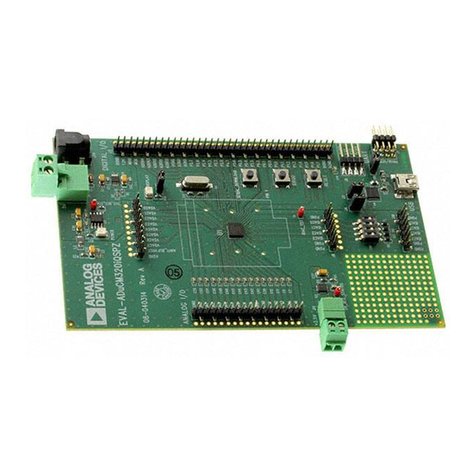
Power can be supplied to the EVAL-ADAU1850EBZ in one of three
ways:
►Connecting the USB cable to P1 (see Figure 2)
►Connecting a 3.8 V to 5 V dc power to P3
►Connecting an isolated external power supply to P7 for AVDD,
P8 for IOVDD, and P9 for HPVDD_L
If using a 5 V power supply, the on-board regulator generates the
1.8 V, 3.3 V, and 1.3 V dc supplies. The 1.3 V dc supply from
U1 can be adjusted by changing the values of R29 and R30. For
detailed power supply and jumpers, refer to Table 1. When using
the default SPI communication on board, the IOVDD supply can
only be jumped to 3.3 V.
Table 1. Power Supply Jumper Settings
Source Jumpers Internal External
AVDD_1850 JP1 1.8 V P7
HPVDDL_1850 JP3 1.3 V P9
IOVDD JP17 1.8 V or 3.3 V P8
IOVDD_1850 JP11 from IOVDD JP11 from IOVDD JP11 from IOVDD
CONTROL PORT
The EVAL-ADAU1850EBZ is configured to SPI mode by default.
To operate the codec in I2C or universal asynchronous receiv-
er/transmitter (UART) mode, R10 to R14 are recommended to be
uninstalled. By default, these resistors are connected. For detailed
connection and jumpers on P2 and JP16, refer to Table 2.
Table 2. Control Port Settings
P2 Pin Name
Test
Point
JP16
Pull-Up
JP16
Pull- Down
1 SCL/SCLK TP16 Pin 1 and Pin 2 Pin 2 and Pin 3
3 ADDR1/MOSI/RX TP17 Pin 4 and Pin 5 Pin 5 and Pin 6
5 SDA/MISO/TX TP18 Pin 7 and Pin 8 Pin 8 and Pin 9
7 ADDR0/SS TP19 Pin 10 and Pin 11 Pin 11 and Pin 12
CODEC SYSTEM
Clock Option
The EVAL-ADAU1850EBZ has three options for providing a master
clock to the ADAU1850. The first option is to provide an external
MCLK signal directly to the CLKIN pin of the codec from P16 and
disable the on-board oscillator by placing a jumper on Header JP2.
The second option is to use the on-board 24.576 MHz oscillator.
These two options can be chosen through JP7. The third option is
to use the internal RC oscillator to generate a master clock where
JP2 needs to be jumped to disable the on-board oscillator.
Power-Down
The EVAL-ADAU1850EBZ can power down all analog and digital
circuits of the codec in two ways: pressing the S1 button or placing
a jumper on the JP10 header.
Inputs and Outputs
The EVAL-ADAU1850EBZ has multiple audio input and output
options, including digital and analog. Three analog inputs are con-
figurable as microphone or line inputs. Two of these analog inputs
are differential or single-ended, and one is only single-ended. One
differential output can also be used in headphone or line output
mode.
For microphone signals, the two differential (ADC0 and ADC1)
ADAU1850 analog inputs can be configured as single-ended inputs
with an optional programmable gain amplifier (PGA) mode. But
the ADC2 can only be single-ended with an optional PGA mode.
The headphone output can be set as a line output driver or as a
headphone driver. In line output mode, the typical load is 10 kΩ. In
headphone output mode, the typical load is 16 Ω to 32 Ω.
Serial Audio Interface
Serial audio signals in I2S, left justified, right justified, or time divi-
sion multiplexed (TDM) format are available via the P10 serial audio
interface header to connect an external I2S- or TDM-compatible
device. The IOVDD logic level is 1.8 V or 3.3 V.