manuals.online logo
Brands
  1. Home
  2. •
  3. Brands
  4. •
  5. Analog Devices
  6. •
  7. Motherboard
  8. •
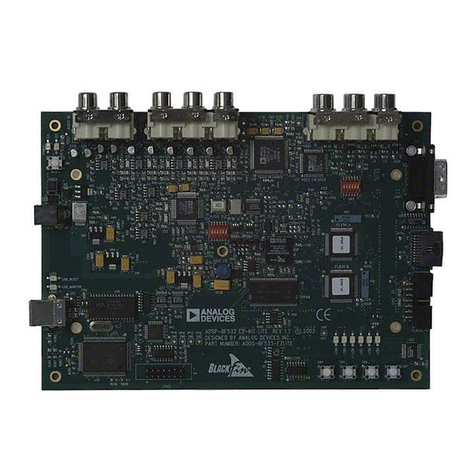
  9. Analog Devices MICROCONVERTER ADUC812 User manual

Analog Devices MICROCONVERTER ADUC812 User manual

Other manuals for MICROCONVERTER ADUC812

2

Other Analog Devices Motherboard manuals

Analog Devices AD8338-EVALZ User manual

Analog Devices

Analog Devices AD8338-EVALZ User manual

Analog Devices EVAL-ADN4693E-1 User manual

Analog Devices

Analog Devices EVAL-ADN4693E-1 User manual

Analog Devices Linear DC2543B Quick setup guide

Analog Devices

Analog Devices Linear DC2543B Quick setup guide

Analog Devices EVAL-ADAQ23875FMCZ User manual

Analog Devices

Analog Devices EVAL-ADAQ23875FMCZ User manual

Analog Devices EV-AD74412RSDZ User manual

Analog Devices

Analog Devices EV-AD74412RSDZ User manual

Analog Devices EVAL-AD5141DBZ User manual

Analog Devices

Analog Devices EVAL-AD5141DBZ User manual

Analog Devices UG-358 User manual

Analog Devices

Analog Devices UG-358 User manual

Analog Devices EVAL-ADN4651EB1Z User manual

Analog Devices

Analog Devices EVAL-ADN4651EB1Z User manual

Analog Devices EVAL-AD7450A User manual

Analog Devices

Analog Devices EVAL-AD7450A User manual

Analog Devices UG-016 User manual

Analog Devices

Analog Devices UG-016 User manual

Analog Devices MAX16165 User manual

Analog Devices

Analog Devices MAX16165 User manual

Analog Devices EVAL–ADM2486EBZ User manual

Analog Devices

Analog Devices EVAL–ADM2486EBZ User manual

Analog Devices ADSP-BF518F EZ-Board User manual

Analog Devices

Analog Devices ADSP-BF518F EZ-Board User manual

Analog Devices ADuCM320 Quick user guide

Analog Devices

Analog Devices ADuCM320 Quick user guide

Analog Devices DC3054A-B Quick setup guide

Analog Devices

Analog Devices DC3054A-B Quick setup guide

Analog Devices EVAL-AD5165DBZ User manual

Analog Devices

Analog Devices EVAL-AD5165DBZ User manual

Analog Devices AD5162 User manual

Analog Devices

Analog Devices AD5162 User manual

Analog Devices DC353A User manual

Analog Devices

Analog Devices DC353A User manual

Analog Devices EVAL-ADPD188BIZ-SK User manual

Analog Devices

Analog Devices EVAL-ADPD188BIZ-SK User manual

Analog Devices EVAL-ADV7619-7511 User manual

Analog Devices

Analog Devices EVAL-ADV7619-7511 User manual

Analog Devices ADSP-21161N User manual

Analog Devices

Analog Devices ADSP-21161N User manual

Analog Devices ADA2200-EVALZ User manual

Analog Devices

Analog Devices ADA2200-EVALZ User manual

Analog Devices EVAL-LT8356-1-AZ Quick setup guide

Analog Devices

Analog Devices EVAL-LT8356-1-AZ Quick setup guide

Analog Devices iCoupler ADuM6010EBZ User manual

Analog Devices

Analog Devices iCoupler ADuM6010EBZ User manual

Popular Motherboard manuals by other brands

Gigabyte MNJ190I-FH user manual

Gigabyte

Gigabyte MNJ190I-FH user manual

Biostar HI-FI-Z87X-3D Setup manual

Biostar

Biostar HI-FI-Z87X-3D Setup manual

Atmel SAM9753PIA-DK user guide

Atmel

Atmel SAM9753PIA-DK user guide

Coapt GEN2 Handbook

Coapt

Coapt GEN2 Handbook

Supero SUPER P4DL6 user manual

Supero

Supero SUPER P4DL6 user manual

Cypress CY3210-PSoCEVAL1 quick start guide

Cypress

Cypress CY3210-PSoCEVAL1 quick start guide

ASROCK B660M-HDV manual

ASROCK

ASROCK B660M-HDV manual

Fujitsu D2831 Short description

Fujitsu

Fujitsu D2831 Short description

Industrial Computers ADE-6050 user manual

Industrial Computers

Industrial Computers ADE-6050 user manual

Asus TUF Z270 MARK 2 manual

Asus

Asus TUF Z270 MARK 2 manual

DFI NB71-BC user manual

DFI

DFI NB71-BC user manual

ASROCK H61 Pro BTC user manual

ASROCK

ASROCK H61 Pro BTC user manual

Norco POS-7893 user manual

Norco

Norco POS-7893 user manual

Intel DG965MS specification

Intel

Intel DG965MS specification

Asus B85M-VIEW PAKER user manual

Asus

Asus B85M-VIEW PAKER user manual

Asus P5G41T-M LX V2 user manual

Asus

Asus P5G41T-M LX V2 user manual

Gigabyte GA-K8VT800-RH user manual

Gigabyte

Gigabyte GA-K8VT800-RH user manual

Gigabyte Z790M AORUS ELITE user manual

Gigabyte

Gigabyte Z790M AORUS ELITE user manual

manuals.online logo
manuals.online logoBrands
  • About & Mission
  • Contact us
  • Privacy Policy
  • Terms and Conditions

Copyright 2025 Manuals.Online. All Rights Reserved.

ADUC812 EVALUATION BOARD
REFERENCE GUIDE
MICROCONVERTERADUC812
QUICKSTARTDEVELOPMENT SYSTEM
ADuC812 Evaluation Board Reference Guide
Evaluation Board Overview
CONTENTS:
Evaluation Board Reference Guide:
1) Evaluation Board Overview . . . . . . . . . . . . . . . . . . . . . . . . . . . 3
2) Evaluation Board Features . . . . . . . . . . . . . . . . . . . . . . . . . . . 4
3) Link options . . . . . . . . . . . . . . . . . . . . . . . . . . . . . . . . . . . . . . 6
4) External Junctions (Connectors) . . . . . . . . . . . . . . . . . . . . . . . 9
5) LDR Demonstration Circuit . . . . . . . . . . . . . . . 11
6) Parts List . . . . . . . . . . . . . . . . . . . . . . . . . . . . . . . . . . . . . . . . 12
(1) EVALUATION BOARD OVERVIEW
The ADuC816 Evaluation board has the following features :
• 2 Layer PCB (4” X 5” Form Factor)
• 9V power supply/battery regulated to 5V on board (see section 2)
• 4 Pin Header Interface to RS232 dongle cable
• Access to all ADC inputs from external header. DAC output channel buffered to external header.
(see section 2 and section 4)
• All device Ports and Strobes are brought out to external header pins (see section 4)
• General Purpose Prototype Area (see section 2)
• 32KBytes External memory (SRAM) (configurable as data or volatile program memory) (see
section 2 and section 3)
• External Program Memory Socket for NV program memory (see section 2)
• 11.0592MHz Crystal (see section 2)
• Reset/External Interrupt 0 Push Buttons (see section 2)
ADuC812 Evaluation Board Reference Guide
Evaluation Board Overview
• Power Indicator/General Purpose LEDs (see section 2)
• Example LDR Demonstration Circuit (see section 5)
NOTES :
1. All references in this document to physical orientation of components on the board are made with respect to a component
side view of the board with the battery connections appearing in the top right corner of the board.
2. The board is laid out to minimize coupling between the analog and digital sections of the board. To this end, the ground
plane is split with the analog section on the right hand side and a digital plane on the left hand side of the board. The
regulated 5V power supply is routed directly to the digital section and is filtered before being routed into the analog section
of the board.
3. The ADuC812 can be socketed on the board using a QFP carrier adaptor and corresponding surface mount feet available
from Ironwood Electronics The part numbers are CA-QFE52SB-L-Z-T-01 and SF-QFE52SB-L-01 respectively.
WEB: www.ironwoodelectronics.com
Email: info@ironwoodelectronics.com
ADuC812 Evaluation Board Reference Guide
Evaluation Board Features
(2) EVALUATION BOARD FEATURES
Power Supply:
A 9V supply is fed to the board via the 2.1mm input power socket (J4). The input connector is configured
as ‘CENTER NEGATIVE’i.e. GND on the center pin and +9V on the outer shield. Alternatively the user
can connect a 9V battery via J9(-) and J10(+). The 9V supply is regulated via a linear voltage regulator
(U9), the 5V output being used to drive the digital side of the board directly. The 5V supply is also
filtered and then used to supply the analog side of the board.
When on, the green LED (D2) indicates that a valid 5V supply is being driven from the regulator circuit.
All analog supplies are decoupled with 10uF and 0.1uF at device supply pins. Digital supplies are
decoupled with 0.1uF at the digital supply pins.
RS232 Interface:
The ADuC812 (U1) TXD and RXD (pins 17 and 16 respectively) lines are connected to a header. The
cable which is included as part of the QuickStart Development System has a RS232 transciever at the
connecting end. This cable can be used to connect to both the evaluation board and the adaptor board.
Analog I/O Connections:
The inputs to the primary ADC are filtered with a first order (RC) anti-aliasing filter.
General Purpose prototype area
General Purpose prototype areas are provided at the top and the bottom or the evaluation board for adding
external components as required in the users application. As can be seen from the layout AVDD, AGND,
DVDD and DGND tracks are provided in this prototype area.
External Data Memory Interface:
The Evaluation board incorporates 32KBytes SRAM (U7). This external memory can be configured as a
data memory or as both code and data memory. Typically the 32Kbytes will be used as external data
memory. To configure it as switch link4 to the off position.
The MicroConverter uses a 24-bit address interface to external memory unlike a standard 8051, which
only uses 16-bit addresses. This means that the MicroConverter can address up to 16MBytes of XRAM
while the 8051 can only address 64kBytes of XRAM. This is done by multiplexing Port2 (high address
byte + page address byte) as well as Port0 (low address byte + data byte).
The ADuC812 evaluation board only contains 32kBytes of XRAM. Hence the full 24-bit address interface
to the XRAM cannot be used properly. To show this feature off we have configured the memory in two
modes using LK12 as discussed in section 1.2. The memory is addressed using 2 external latches
(74HC573, U14 and U15). U14 is used to latch the low order address on Port 0 before it multiplexes to a
data bus. U15 is used to multiplex Port2.
Note: U14 is unnecessary if the ADuC812 is addressing less than 64kBytes of XRAM.

ADuC812 Evaluation Board Reference Guide
Evaluation Board Features
Configuring the memory as a code memory might be useful in some applications. It is necessary for the

Keil Monitor-51 which requires von-Neumann wired code and XData memory. To configure this memory
as a data and code memory switch link 4 to the on position.
Note: If using the external data memory as both external program memory and external data
memory make sure that there is no external program memory in the program memory socket
provided, (U12). Switching on LK4 with a an external program memory inserted in U12 will cause
both U7 and U12 to be enabled together and will cause confliction on the data bus.
External Program Memory Socket:
An external program memory socket is available on the ADuC812 evaluation board. This allows the user
to easily connect in an external program memory.
Note: If using an external program meory at U12 make sure that LK4 is switched to the off position
as described above.
Crystal Circuit:
The board is fitted with a 11.0592MHz crystal. This crystal is connected between the XTAL1 and XTAL2
pins. 2 X 33pF surface mount caps are used to connect XTAL1 and XTAL2 to ground.
External Power on Reset Chip (ADM809)
An external power on reset chip is used to drive the RESET pin on the ADuC812. Because we want a
push button switch available to the user an active low Power on Reset chip (ADM809) is used with
5(6(7 output inverted (using a PNP BJT) before being connected to the RESET pin of the
MicroConverter.
DVDD
RESET
48
34
20 ADuC812
15
OPTIONAL
MANUALRESET
PUSH-BUTTON
POR
(ACTIVE LOW)
POWER SUPPLY
1k⍀
Alternatively, if a push button switch is not required, the RESET output of an active high power
on reset chip (e.g. ADM810) can be used to directly drive the RESET pin of the ADuC812.
DVDD
RESET
48
34
20
15
ADuC812
POR
(ACTIVE HIGH)
POWER SUPPLY
Reset/,17 Push Buttons:
ADuC812 Evaluation Board Reference Guide
Evaluation Board Features
A RESET push button is provided to allow the user to manually reset the part. This button is at the input
to the ADM809 (Power on Reset chip) so a delay of 240ms approx will be required for the part to be
actually released from reset after the button is released.
An ,17 push button switch is provided to allow the user perform external interrupts easily. The ,17
signal is Schmitt triggered (U5) to prevent noise on the rising edge of ,17 to cause multiple interrupts
as it passes the trip point. This Schmitt trigger also inverts the signal.
Power Indicator/General Purpose LEDs:
A green power LED (D2) is used to indicate that a sufficient supply is available on the board. A red
general purpose LED (D1) is connected to P3.4 of the ADuC812. An inverter is connected between the
LED and the port pin so that the SETB instruction turns the LED on and the CLR instruction turns the
LED off.
ADuC812 Evaluation Board Reference Guide
(3) LINK OPTIONS
LK1 (2x1) LDR Demo Connection
Function: Allows the user to connect the output of the voltage divider to ADC1.
Use : Slide LK1 into the ON position to connect the output of the voltage divider to ADC1.
Slide LK1 into the OFF position for normal operation of analog input ADC1.
LK2 (2x1) DAC0 Buffer LED Link
Function : Allows the DAC0 buffer to be connected to LED. This forms part of the LDR application
circuit.
Use : Insert LK2 to connect the DAC0 buffer to the LED
Remove LK2 to disconnect the DAC0 buffer from the LED.
LK3 (2x1) 36(1Pulldown for Serial Download/Debug Mode
Function: Allows the user to enter serial download or debug mode.
Use : Slide LK3 into the ON position to enter serial download mode or debug mode on power-on or
after a hardware reset (i.e. pressing reset button).
Slide LK3 into the OFF position for normal device operation.
LK4 (2x1) Connect PSEN to External Data Memory
Function : Allows the External Data Memory to be used as both an External Program Memory and an
External Data Memory.
Use : Slide LK4 into the ON position to connect the PSEN output from the ADuC812 (for use
with an external program memory) through an AND gate to the external data memory. This
allows the external Data Memory to be used as both external program and data memory.
Note: To use this mode make remove any external program memory inserted in the external
program memory socket provided (U12) as this will cause confliction on the data bus.
Slide LK4 into the OFF position to disconnect the 36(1 signal from the data memory,
disabling the use of the external data memory as an external program memory.
LK5,6,7 These 2-way links are used to route multi-function pins on Port 1 from the analog side of the
board to the digital side of the board as detailed below. With these links removed the digital
function is isolated from the digital side of the board, thus minimizing any feedthrough
/coupling onto the analog side of the board.
LK5 (2x1) Connect 66to SPI/I2C Connector
Function: Allows the 66 pin to be connected to the SPI/I2C connector
ADuC812 Evaluation Board Reference Guide
Use : Slide LK5 into the ON position to connect the 66 pin to the external SPI/I2C connector.
Slide LK3 into the OFF position for normal device operation of analog input ADC5.
LK6 (2x1) Connect T2to Time/Strobe Connector
Function: Allows the T2 pin to be connected to the Timer/Strobe connector
Use : Slide LK6 into the ON position to connect the T2 pin to the external Timer/Strobe connector.
Slide LK6 into the OFF position for normal device operation of analog input ADC0.
LK7 (2x1) Connect T2EXto Time/Strobe Connector
Function: Allows the T2EX pin to be connected to the Timer/Strobe connector
Use : Slide LK7 into the ON position to connect the T2EX pin to the external Timer/Strobe
connector.
Slide LK7 into the OFF position for normal device operation of analog input ADC1.
LK8 (2x1) Connect Waveform Generator Circuit
Function: This 3-way link is used to route a specific waveform (sine, square, triangular) onto ADC
channel 0 as detailed below.
The frequency of the generated waveform is 723Hz in each case.
Use: Insert Link in Position A to conntect triangular wave to ADC0
Insert Link in Position B to conntect square wave to ADC0
Insert Link in Position C to conntect sine wave to ADC0
LK9,10 (2x1) I2C Pullup Resistor Connections
Function: This connects the 1KΩpullup resistors that are required for I2C operation.
Use : Slide LK9,10 into the ON position to connect the I2C pullup resistors.
Slide LK9,10 into the OFF position for normal device operation.
LK11 (2x1) ($ Pulldown
Function: Allows the user to force the ADuC812 to execute the first 8kBytes of program memory from
the internal or external program memory space.
Use : Insert LK11 to pull ($ low causing the ADuC812 to run code from external program
memory.
Remove LK11 to leave ($ high so as to run code from the internal Flash/EE program
memory.
ADuC812 Evaluation Board Reference Guide
Note: This link can also be used with the Accutron ACE emulator. The single pin emulator
simply connects to this link.
LK12 (3x1) External Data Memory
Function: This link is used to configure the external data memory map. Either the bottom 32k Bytes of
the external data memory space is mapped or the bottom 256 bytes in the first 128 pages is
mapped. (via A16-A23 and U4).
Use : Slide LK12 to Position A to make U14 transparent. Hence the external data memory (U7) sees
address lines A0-A14. Hence the bottom 32K Bytes of the address range are mapped into the
external data memory space.
Note: In this mode (using less than 64k Bytes of XRAM) the latch U14 is unnecessary.
Slide LK9 to Position B to allow ALE to latch U14. Hence the external data memory (U7)
sees the address lines A0-A7 and A16-A22. Hence the bottom 256 Bytes in the first 128 pages
of the address range are mapped into the external data memory space.
Note: This mode may not be of particular use to the user but it does show the 24 bit
addressing ability of the MicroConverter.
ADuC812 Evaluation Board Reference Guide
(4) EXTERNAL JUNCTIONS(CONNECTORS):
J1 Analog I/O Connector
The analog I/O connector J1 carries all ADC inputs and DAC output channels as well as the external VREF
input. The pinout and orientation of this connector is shown below.
8
1
2
3
4
5
6
79
10 16
11
12
13
14
15 17
18
19
20
21
22
Figure 2: The Analog I/O connector J2
Pin Function Pin Function
1 ADC0 12 AGND
2 AGND 13 ADC6
3 ADC1 14 AGND
4 AGND 15 ADC7
5 ADC2 16 AGND
6 IN(+) OP-AMP (spare) 17 DAC0
7 ADC3 18 Out OP-AMP
8 IN(-) OP-AMP (spare) 19 DAC1
9 ADC4 20 AGND
10 DAC ADJUST 21 VREF
11 ADC5 22 AGND
Table 1: Pin functions for Analog I/O connector J2
J2 Serial Interface Connector
J2 provides a simple connection of the evaluation board to the PC via a dongle cable (provided with the
ADuC812 QuickStart Development System).
J3/J6/J7 (Port0 / Port2 / Port 3)
3 parallel ports (Port0, Port2 and Port3) are brought out to the connectors J4, J5 and J6. The exact pinout
of any of these connectors is shown below with reference to figure 3.
Figure 3: 10 way Connector Port
8
1
2
3
4
5
6
79
10