Device mode lock
When enabled, this feature allows for locking a device mode so that it cannot be re-programmed. This
can be used as a safety feature for accidental programming. If enabled, device lock must be disabled
first before mode can be programmed again.
1. Press and hold the mode key (e.g. STB) you wish to enable/disable device mode lock for, for
about 3 seconds until mode key lights and remains on, release the mode key.
2. Input code “9 9 8 1”.
a. If Enabled - Mode light goes out directly
b. If Disabled - Mode light blinks 2 times
Channel Punch-through
When enabled, all channel keys: 0-9, [-], [RECALL],[CC], [SAP], [CH +]&[CH -] will always send
code of mode assigned, no matter what mode the remote currently resides. Example: After
programming channel punch-through to STB mode, if remote is currently in TV mode, when pressing
a channel key, remote will send code for STB instead of TV.
1. Press and hold the mode key (e.g. STB) you wish to enable/disable channel punch-through
for, for about 3 seconds until mode key lights and remains on, release the mode key.
2. Input code “9 9 8 2”.
a. If Enabled - Mode light goes out directly.
b. If Disabled - Mode light blinks 2 times.
Volume Punch-through
When enabled, all volume keys: [MUTE], [VOL+]&[VOL-] will always send code of mode no
matter what mode the remote currently resides.
1. Press and hold the mode key (e.g. TV) you wish to enable/disable volume punch-through for,
for about 3 seconds until the mode key lights and remains on, release the mode key.
2. Input code "9 9 8 3".
a. If enabled - mode light goes out directly.
b. If disabled - mode light blinks 2 times.
Media Punch-through
When enabled, all media keys: [STOP], [RECORD], [<<], [|<<], [PUASE], [>>|], [>>], [PLAY] will
always send code of mode assigned, no matter what mode the remote currently resides.
1. Press and hold the mode key (e.g. DVD) you wish to enable/disable media punch-through for,
for about 3 seconds until mode key lights and remains on, release the mode key.
2. Input code “9 9 8 4”.
a. If Enabled - Mode light goes out directly.
b. If Disabled - Mode light blinks 2 times.
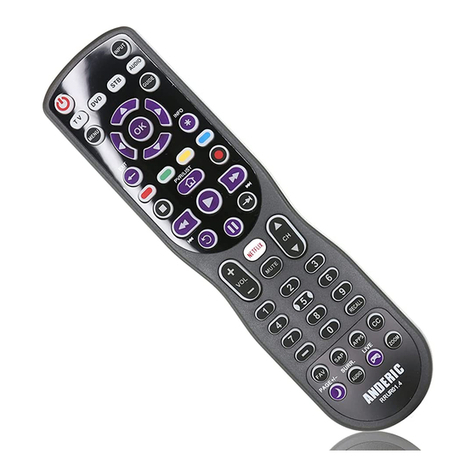
Roku® Punch-through (+ D-Pad)
When enabled, all Roku related keys: [EXIT] (!), [<<], [PLAY], [PAUSE], [>>], [INFO](*),
[HOME],[REPLAY], [NETFLIX], [UP], [DOWN], [LEFT], [RIGHT] & [OK] will always send