manuals.online logo
Brands
  1. Home
  2. •
  3. Brands
  4. •
  5. Applied Motion Products
  6. •
  7. Engine
  8. •
  9. Applied Motion Products TSM11 User manual

Applied Motion Products TSM11 User manual

Other Applied Motion Products Engine manuals

Applied Motion Products TSM11 User manual

Applied Motion Products

Applied Motion Products TSM11 User manual

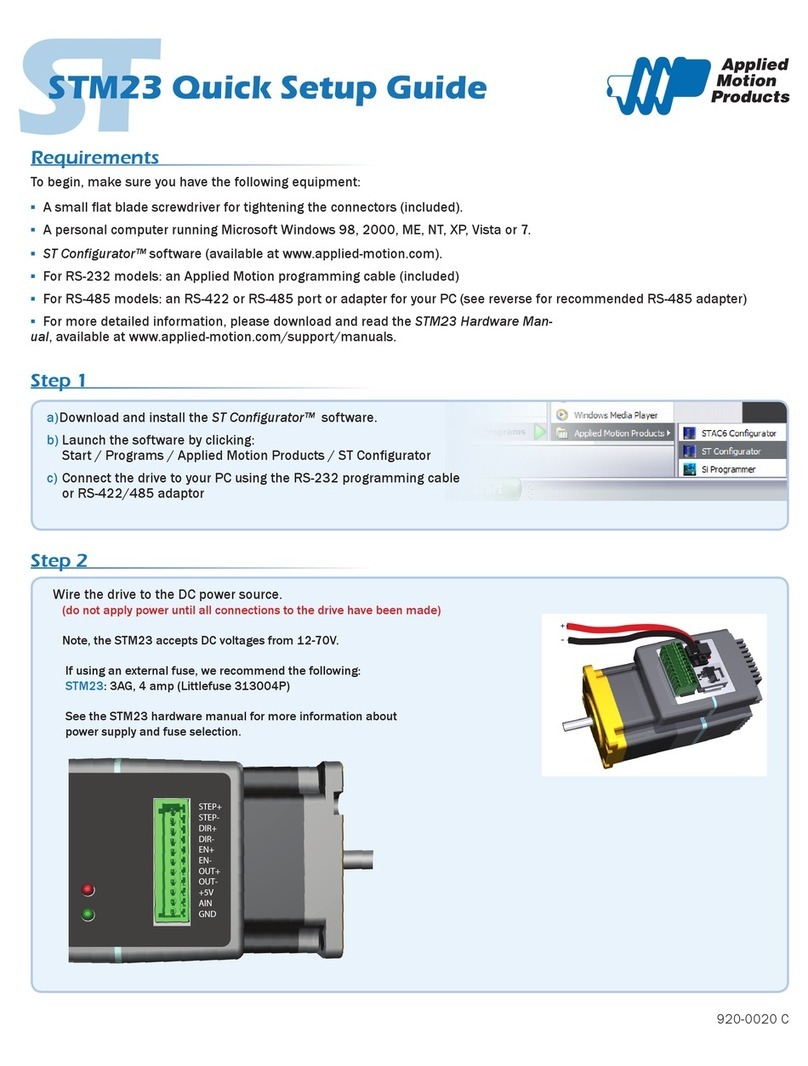
Applied Motion Products STM23 User manual

Applied Motion Products

Applied Motion Products STM23 User manual

Applied Motion Products TSM23C User manual

Applied Motion Products

Applied Motion Products TSM23C User manual

Applied Motion Products STM23C User manual

Applied Motion Products

Applied Motion Products STM23C User manual

Applied Motion Products TSM17C User manual

Applied Motion Products

Applied Motion Products TSM17C User manual

Popular Engine manuals by other brands

Nakanishi EM-3030T Operation manual

Nakanishi

Nakanishi EM-3030T Operation manual

Siemens COMBIMASTER CM12 operating instructions

Siemens

Siemens COMBIMASTER CM12 operating instructions

Bosch Rexroth Hagglunds CA Series Installation and maintenance manual

Bosch

Bosch Rexroth Hagglunds CA Series Installation and maintenance manual

Hyundai H170VC manual

Hyundai

Hyundai H170VC manual

Graco 273199 repair parts

Graco

Graco 273199 repair parts

MOTO GUZZI BREVA V1100 Workshop manual

MOTO GUZZI

MOTO GUZZI BREVA V1100 Workshop manual

Dualsky Track & Field Z5 instruction manual

Dualsky

Dualsky Track & Field Z5 instruction manual

Rotax 125 senior MAX evo installation manual

Rotax

Rotax 125 senior MAX evo installation manual

Kohler K361 Service manual

Kohler

Kohler K361 Service manual

MTD OHV Series user guide

MTD

MTD OHV Series user guide

Mercury D4.2L D-Tronic manual

Mercury

Mercury D4.2L D-Tronic manual

Perkins 1206E-E66TA Operation and maintenance manual

Perkins

Perkins 1206E-E66TA Operation and maintenance manual

Skov DA 174 Technical user guide

Skov

Skov DA 174 Technical user guide

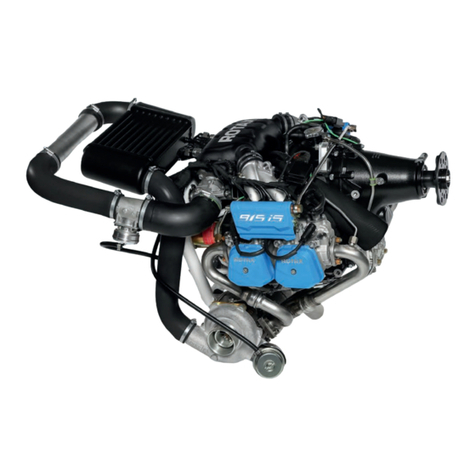
Rotax 915 i A SERIES Maintenance manual

Rotax

Rotax 915 i A SERIES Maintenance manual

AL-KO PRO 350 Instructions for use

AL-KO

AL-KO PRO 350 Instructions for use

MTU 12 V 4000 Lx4 operating instructions

MTU

MTU 12 V 4000 Lx4 operating instructions

Nanni N3.30 Workshop manual

Nanni

Nanni N3.30 Workshop manual

Nanni N5.160 CR2 Operator's manual

Nanni

Nanni N5.160 CR2 Operator's manual

manuals.online logo
manuals.online logoBrands
  • About & Mission
  • Contact us
  • Privacy Policy
  • Terms and Conditions

Copyright 2025 Manuals.Online. All Rights Reserved.

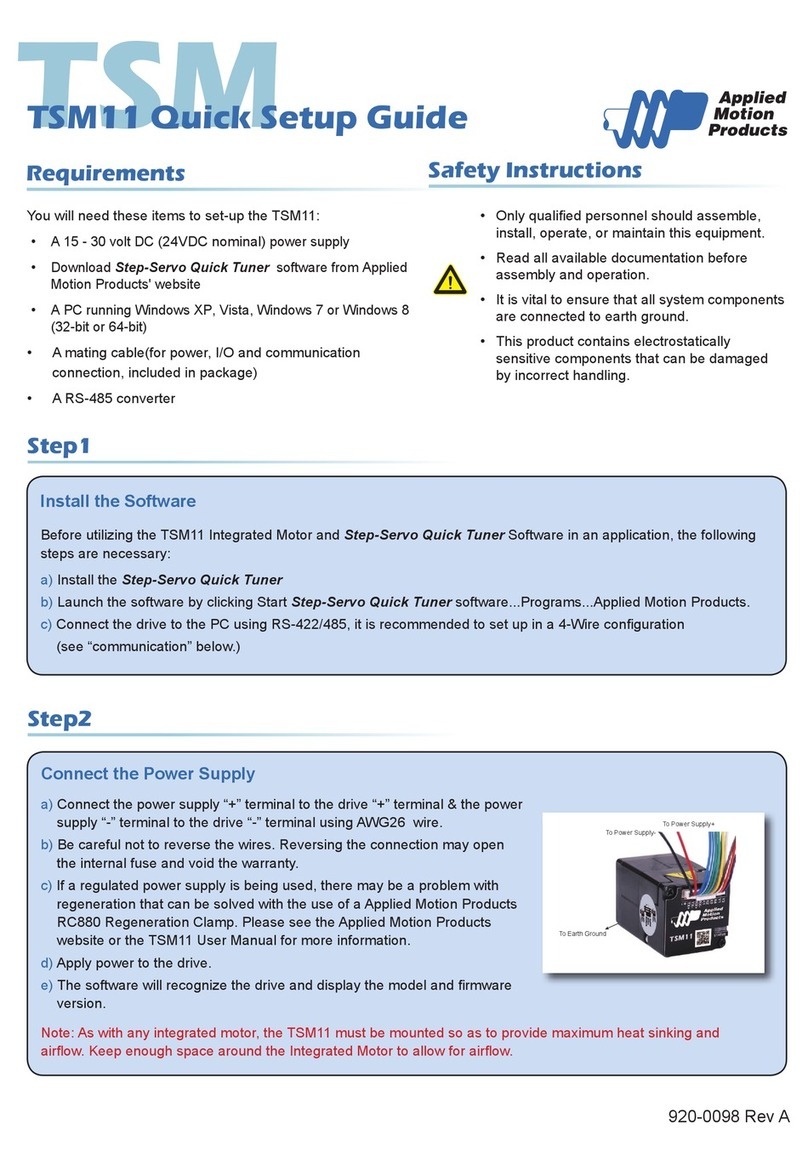
TSM
TSM11 Quick Setup Guide
Requirements
You will need these items to set-up the TSM11:
• A 15 - 30 volt DC
(24VDC nominal)
power supply
• Download Step-Servo Quick Tuner software from Applied
Motion Products' website
• A PC running Windows XP, Vista, Windows 7 or Windows 8
(32-bit or 64-bit)
• A mating cable(for power, I/O and communication
connection, included in package)
• A RS-485 converter
Step1
Step2
Install the Software
Before utilizing the TSM11 Integrated Motor and Step-Servo Quick Tuner Software in an application, the following
steps are necessary:
a) Install the Step-Servo Quick Tuner
b) Launch the software by clicking Start Step-Servo Quick Tuner software...Programs...Applied Motion Products.
c) ConnectthedrivetothePCusingRS-422/485,itisrecommendedtosetupina4-Wireconguration
(see “communication” below.)
Connect the Power Supply
a) Connect the power supply “+” terminal to the drive “+” terminal & the power
supply “-” terminal to the drive “-” terminal using AWG26 wire.
b) Be careful not to reverse the wires. Reversing the connection may open
the internal fuse and void the warranty.
c) If a regulated power supply is being used, there may be a problem with
regeneration that can be solved with the use of a Applied Motion Products
RC880 Regeneration Clamp. Please see the Applied Motion Products
website or the TSM11 User Manual for more information.
d) Apply power to the drive.
e)
Thesoftwarewillrecognizethedriveanddisplaythemodelandrmware
version.
To Power Supply-
To Power Supply+
To Earth Ground
Safety Instructions
• Onlyqualiedpersonnelshouldassemble,
install, operate, or maintain this equipment.
• Read all available documentation before
assembly and operation.
• It is vital to ensure that all system components
are connected to earth ground.
• This product contains electrostatically
sensitive components that can be damaged
by incorrect handling.
Note: As with any integrated motor, the TSM11 must be mounted so as to provide maximum heat sinking and
airow.KeepenoughspacearoundtheIntegratedMotortoallowforairow.
920-0098 Rev A
All manuals and user guides at all-guides.com

Step3
Congure the Drive
a) Apply power to the drive
b) The software will recognize the drive & display the model
&rmwareversion
c) Setup drive control mode, and control mode settings
d) Setup I/O settings
TSM11 Quick Setup Guide
Communications
a
c
b
d
If you have any questions or comments, please call Applied Motion Products Customer Support:
(800) 525-1609, or visit us online at www.applied-motion.com.
920-0098 Rev A
404 Westridge Dr.
Watsonville, CA 95076, USA
1-800-525-1609
Tel (831) 761-6555
Fax (831) 761-6544
www.applied-motion.com
Applied Motion recommends USB serial converter P/N 8500-003.
For RS-485 two wire systems, set the switches and make the connections to the TSM11 according the diagrams
below.
8500-003 6 pin screw
terminal connector TSM11 connector
1
ON 2 3 4
2 Wire
RS-485
1 RX-, TX-
2 RX+, TX+
6 GND
For RS-485 four wire systems, set the switches and make the connections to the TSM11 according the diagrams
below.
8500-003 6 pin screw
terminal connector TSM11 connector
1
ON 2 3 4
4 Wire
RS-485
1 RX-
2 RX+
3 TX+
4 TX-
6 GND
All manuals and user guides at all-guides.com