Aqara T1 User manual

LED Strip T1

LED Strip T1 User Manual
Ruban LED T1 Manuel d’utilisation
Striscia LED T1 Manuale di Istruzioni
Bedienungsanleitung fürLED Streifen T1
Manual de instrucciones para Tiras LED T1
Светодиодная лента T1:Руководство по эксплуатации
LED燈帶T1 說明書
LED 스트립 T1 사용자�매뉴얼
LED テープライトT1 取扱説明書
Instrukcja obsługi listwy oświetleniowej LED T1
· 01
· 07
· 12
· 17
· 22
· 27
· 33
· 37
· 41
· 45

Product Introduction
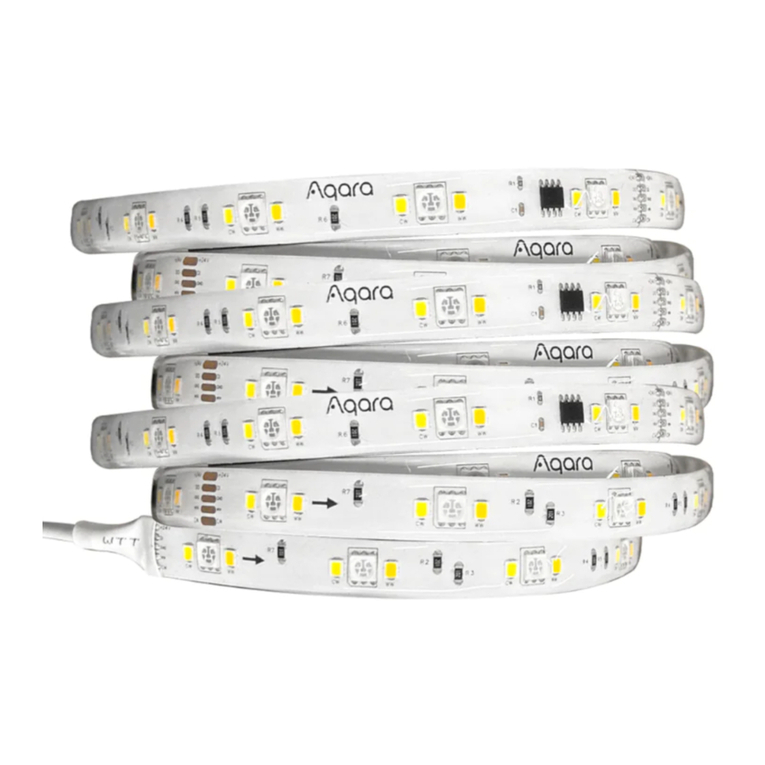
The Aqara LED Strip T1 is a multipurpose lightstrip that not only provides high-quality lighting with bright
whites, but also can display multiple colors at once and be used in smart home automations with other
Aqara or third-party devices.
The basic Strip of this product is 2 m long. If you need to connect longer
Strips, you may buy the extra extension kit (the extension kit number is
RLSE-K01D). Aer the original Strip and that of the extension kit are
connected, the joint shall be fastened by the buckle. You need to set the
actual length of the Strip within the app to activate the extended Strip.
Strip Controller Power Adapter
On/off button of the Strip: Click to turn on/off the light;
Long press for 5 s and the Strip will restore factory settings.
Toggle button of the light mode: Click to switch the light mode.
Button of music rhythm: Click to switch the dynamic effect of music rhythm.
Microphone
01

Product Installation
1. Select a suitable plug, insert the plug into the
power adapter, and turn it clockwise 45°.
2. Connect the light strip and the controller
according to the arrow.
3. Clean the surface where the light strip will be installed, keep the installation surface flat, smooth
and dry, tear off the 3M protective paper on the back of the light strip, stick the light strip on the
installation surface, and press the light strip repeatedly with your hands to ensure that the light
strip is firmly pasted .
4. Connect the controller and the power adapter, and finally turn on the power.
02

Device Binding & Initialization
1. Download the Aqara Home app
2. Add the product to the Aqara Home app
Product Specifications
LED Strip T1
Model: LEDS-K01/LEDS-K02/RLS-K01D/RLS-K02D
Rated Power: 5 W/m (30 Pieces × 5050 / 0.2W / RGB, 60 Pieces × 2835 0.2 W)
Color Temperature: RGB + 2700 K + 6500 K
Power Input (Power Supply): 100 - 240 V ~ 50 / 60 Hz Max. 1.2 A
Power Output (Power Supply): 24V DC 1.5 A
Power Input (LED Strip): 24V DC Max. 0.25 A/m
Wireless Protocol: Zigbee
Dimension of the Strip: 2000 × 12 × 2.8 mm
Working Temperature: -10 °C ~ 40 °C (14 °F ~ 104 °F)
Operating Humidity: 0 ~ 95 % RH, no condensation
Zigbee Operation Frequency: 2405-2475 MHz
Zigbee Maximum Output Power ≤ 13 dBm
What is in the Box: Light Strip (2m) × 1, Power Adapter × 1, Controller × 1, User Manual × 1
Please open the Aqara Home app, tap "Home" and then tap "+" in the topright
corner to enter the "Add Device (Accessory)" page. Select"LED Strip T1" and the
hub to be connected to, andadd it according to instructions in the Aqara Home
app, and wait for thevoice prompt from the Hub.
For more details about the product, please visit https://www.aqara.com/ or scan
the QR code below to get the detailed electronic manual.
Search for "Aqara Home" in the Apple App Store, Google Play,Xiaomi GetApps,
Huawei App Gallery,or scan the following QR code to download the Aqara
Homeapp:
03

Note:
1. This product may be extended up to for 10 m;
2. The device shall not be installed in water or inflammable, explosive, high-temperature or high-hu-
midity environment or a location directly exposed to the sunlight. The installation environment
must be ventilated properly;
3. During the installation and use, do not damage the structure of the product. Do not beat or strike it
with a heavy object, nor bind the Strip with metal wires tightly. Otherwise, the wires may be
embedded in the Strip and cause a short-circuit fault, burning the Strip;
4. During the operation of the Strip, do not wrap or cover it with any object;
5. Avoid contact with any acidic, alkaline, or other chemicals;
6. This product needs to be adapted to SELV power of 24 VDC, 1.5 A;
7. Strip cutting needs to be in the marked part. The cut Strip cannot continue to be used. Please cut
when it is powered off.
8. The external flexible cord of this luminaire cannot be replaced, if the cord is damaged, the luminaire
shall be destroyed.
9. The light source of this luminaire is not replaceable, when the light source reaches its end of life the
whole luminaire shall be replaced
10. Under normal use of conditions, this equipment should be kept a separation distance of at least
20cm between the antenna and the body of the user.
Manufacturer:LumiUnited Technology Co., Ltd.
Address:Room 801-804, Building 1, Chongwen Park, Nanshan iPark, No. 3370, Liuxian Avenue,
Fuguang Community, Taoyuan Residential District, Nanshan District, Shenzhen, China
Online Customer Service:www.aqara.com/support
Email:support@aqara.com
Hereby, [Lumi United Technology Co., Ltd] declares that the radio equipment type [LED Strip T1,
LEDS-K01/ RLS-K01D/LEDS-K02/RLS-K02D] is in compliance with Directive 2014/53/EU. The full text of the EU
declaration of conformity is available at the following internet address: https://www.aqara.com/DoC/
EU Declaration of Conformity
04

UK Declaration of Conformity
WEEE Disposal and Recycling Information
FCC ID:2AKIT-LEDSK02
Hereby, [Lumi United Technology Co., Ltd] declares that the radio equipment type [LED Strip T1,
LEDS-K01/ RLS-K01D/LEDS-K02/RLS-K02D] is in compliance with Directive 2017 (SI 2017 No. 1206, as
amended by SI 2019 No. 696).
The full text of the UK declaration of conformity is available at the following internet address: http://ww-
w.aqara.com/DoC/.
All products bearing this symbol are waste electrical and electronic equipment (WEEE as in directive
2012/19/EU) which should not be mixed with unsorted household waste. Instead, you should protect human
health and the environment by handing over your waste equipment to a designated collection point for the
recycling of waste electrical and electronic equipment, appointed by the government or local authorities.
Correct disposal and recycling will help prevent potential negative consequences to the environment and
human health. Please contact the installer or local authorities for more information about the location as well
as terms and conditions of such collection points.
Federal Communications Commission (FCC) compliance statement:
1.This device complies with part 15 of the FCC Rules. Operation is subject to the following two conditions:
(1) This device may not cause harmful interference, and
(2) this device must accept any interference received, including interference that may cause undesired
operation.
2.Changes or modifications not expressly approved by the party responsible for compliance could void the
user's authority to operate the equipment.
Note: This equipment has been tested and found to comply with the limits for a Class B digital device,
pursuant to part 15 of the FCC Rules. These limits are designed to provide reasonable protection against
harmful interference in a residential installation. This equipment generates, uses and can radiate radio
frequency energy and, if not installed and used in accordance with the instructions, may cause harmful
interference to radio communications. However, there is no guarantee that interference will not occur in a
particular installation. If this equipment does cause harmful interference to radio or television reception,
05

which can be determined by turning the equipment of and on, the user is encouraged to try to correct the
interference by one or more of the following measures:
—Reorient or relocate the receiving antenna.
—Increase the separation between the equipment and receiver.
—Connect the equipment into an outlet on a circuit different from that to which the receiver is connected.
—Consult the dealer or an experienced radio/TV technician for help.
RF Exposure statement:
This equipment complies with FCC radiation exposure limits set forth for an uncontrolled environment. This
equipment should be installed and operated with minimum distance of 20 cm between the radiator and your
body. This transmitter must not be co-located or operating in conjunction with any other antenna or
transmitter.
This device contains licence-exempt transmitter(s)/receiver(s) that comply with Innovation, Science
and Economic Development Canada’s licence-exempt RSS(s). Operation is subject to the following
two conditions:
(1) This device may not cause interference.
(2) This device must accept any interference, including interference that may cause undesired
operation of the device.
This Class B digital apparatus complies with Canadian ICES‐003.
This device complies with RSS‐247 of Industry Canada. Operation is subject to the condition that
this device does not cause harmful interference.
IC:22635-LEDSK02
IC:22635-RLSK02D
IC NOTICE TO CANADIAN USERS
This equipment complies with IC radiation exposure limits set forth for an uncontrolled environment.
This equipment should be installed and operated with minimum distance of 20 cm between the
radiator and your body. This transmitter must not be co-located or operating in conjunction with any
other antenna or transmitter.
06

Présentation du produit
Le Ruban LED T1 Aqara est un ruban lumineux polyvalent qui fournit non seulement un éclairage de
haute qualité avec des blancs éclatants, mais qui peut également afficher plusieurs couleurs à la fois et
être utilisé dans les automatismes de maison intelligente avec d'autres dispositifs Aqara ou tiers.
Rubans Lumineux Contrôleur Adaptateur Secteur
La longueur du ruban lumineux de base est de 2 m, si vous avez besoin
de connecter un ruban plus long, vous pouvez acheter un kit
d'extension séparément (modèle de kit d'extension RLSE-K01D),
connecter le ruban d'origine avec le ruban du kit d'extension, puis fixer
la connexion avec un mousqueton. La longueur réelle du ruban doit
être réglée dans l'application pour activer le ruban prolongé.
Bouton Marche/Arrêt du Ruban Lumineux : Cliquez, allumer/éteindre les lumières;
Appuyez et maintenez pendant 5s pour le ruban lumineux pour réinitialiser les
paramètres d'usine
Bouton de Changement de Mode de Lumière : Cliquez, changez le mode de lumière.
Bouton de Rythme Musical : Cliquez, changez l'effet dynamique du rythme musical.
Micro
07

Mise en place du produit
1. Sélectionnez une fiche appropriée, insérez la fiche
dans l'adaptateur secteur et tournez-la dans le
sens des aiguilles d'une montre de 45°.
2. Connectez la bande lumineuse et le
contrôleur selon la flèche.
3. Nettoyez la surface où la bande lumineuse sera installée, gardez la surface d'installation plate,
lisse et sèche, déchirez le papier protecteur 3M à l'arrière de la bande lumineuse, collez la bande
lumineuse sur la surface d'installation et appuyez sur la lumière bandez à plusieurs reprises avec
vos mains pour vous assurer que la bande lumineuse est bien collée.
4. Connectez le contrôleur et l'adaptateur secteur, puis allumez l'alimentation.
08
Other manuals for T1
9
This manual suits for next models
4
Table of contents
Languages:
Other Aqara Lighting Equipment manuals