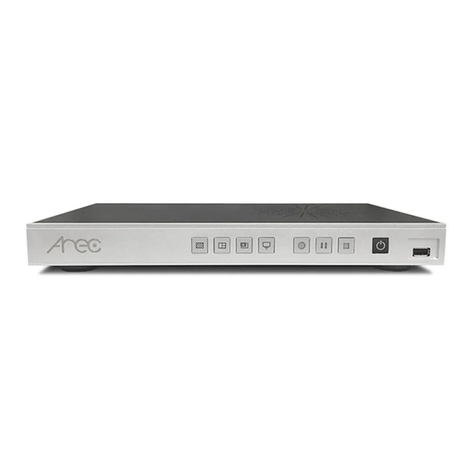
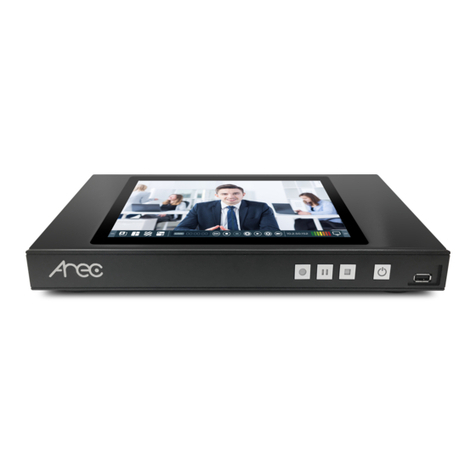
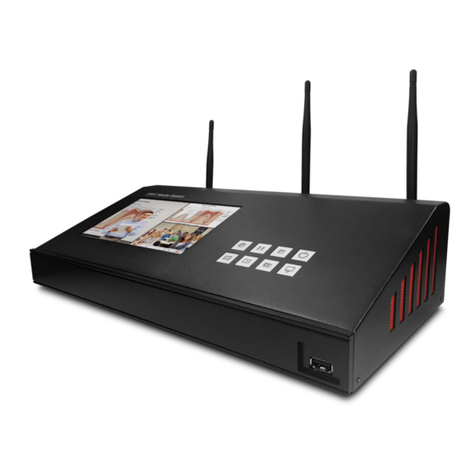
Arec LS-110 User manual

AREC Inc.© All Rights Reserved 2021. l www.arec.com
All information contained in this document is Proprietary
LS-110
Media Station
User Manual English

LS-110 User Manual
Introduction
Specifications
Package Contents
Product Appearance
Connection
Front Panel Buttons and Indicators
External Control via USB Numeric Keypad
Getting start
Overview of the Web Interface
Chapter 1 Administrator
1.1 Media I/O
1.1.1 Video inputs
1.1.1.1 Content / Cam 1
1.1.1.2 Advanced conguration
1.1.2 Network device manager
1.1.3 PTZ control port
1.1.4 Audio
1.1.5 Display
1.2 Video
1.2.1 Recording
1.2.2 Streaming
1.2.3 Content
1.2.4 Theme
1.3 Storage
1.4 Scheduler
1.5 Upload
1.5.1 Upload settings
1.5.2 Transfer settings
1.6 System
1.6.1 System settings
1.6.2 Network
1.6.3 Firmware
1.6.4 Conguration
1.7 Account
4
4
4
5
6
7
7
8
8
9
9
10
10
11
12
13
13
14
14
15
16
19
19
21
22
27
28
29
30
31
32
33
33
34
Table of Contents

LS-110 User Manual
Table of Contents
Chapter 2 Director
2.1 Local Director
2.1.1 Preview
2.1.2 Toolbar
2.1.2.1 Theme and Display
2.1.2.2 Recording, Streaming control and Snapshot
2.1.2.3 Playback Video
2.1.2.4 Settings
2.1.2.5 Others
2.2 Online Director
2.2.1 Recording controls panel
2.2.1.1 Background
2.2.1.2 Layout
2.2.1.3 Overlay
2.2.1.4 Theme
2.2.1.5 Volume control
2.2.1.6 Recording/ Streaming control and Snapshot buttons
2.2.2 Visual Sources Monitoring
2.2.3 Subtitle Editor
2.2.4 Recording/Streaming setup
Chapter 3 Video Manager
3.1 Video Management
3.1.1 Upload the recording
3.1.2 Download the recording
3.1.3 Delete the recording
3.1.4 Playback the recording
3.1.5 Edit the recording information
3.1.6 Edit the bookmark information
3.2 Snapshot Management
3.2.1 Upload the photo
3.2.2 Download the photo
3.2.3 Delete the photo
3.2.4 Preview the photo
Table of On Screen Disaplay Icons
35
35
35
36
36
37
38
40
41
42
43
43
43
43
44
44
45
46
47
48
49
49
50
50
50
51
51
52
52
53
53
53
54
55

LS-110 User Manual
4www.arec.com
Specifications
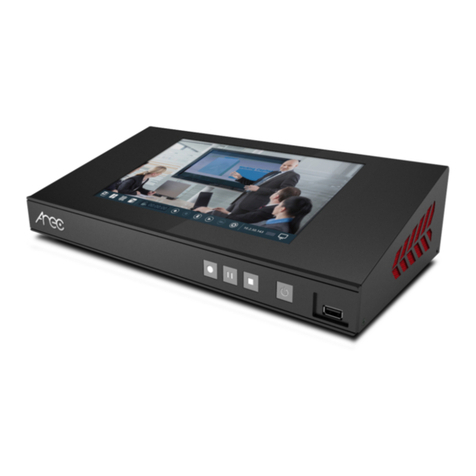
Featuring a compact and stand-alone design, AREC LS-110 Media Station consists of diverse features and functionality,
including multi-signals capturing, recording synchronously, codec, streaming online, live broadcasting, and web-based
monitor page, providing complete presentation or lecture capture solution.
Product Name Media Station
Model Name LS-110
Dimension 200mm(L) x 178mm(W) x 43mm(H)
Weight 1.37kg
Power Requirement 12V/2A
Power Consumption (Max.) 24W (Max.)
Operating Temperature / Humidity 0ºC ~ 40ºC / 90%
Maximum normal load description
Supports two video inputs, including 1 video signal interface (HDMI input) and up
to two IP Cam/stream signals. And output the transcoded video/audio to the HDMI
port and the HDMI loop.
Introduction
Package Contents
AREC LS-110 Media Station
Quick Installation Guide
Power Adapter
Terminal Block
LS-110 User Manual
5www.arec.com
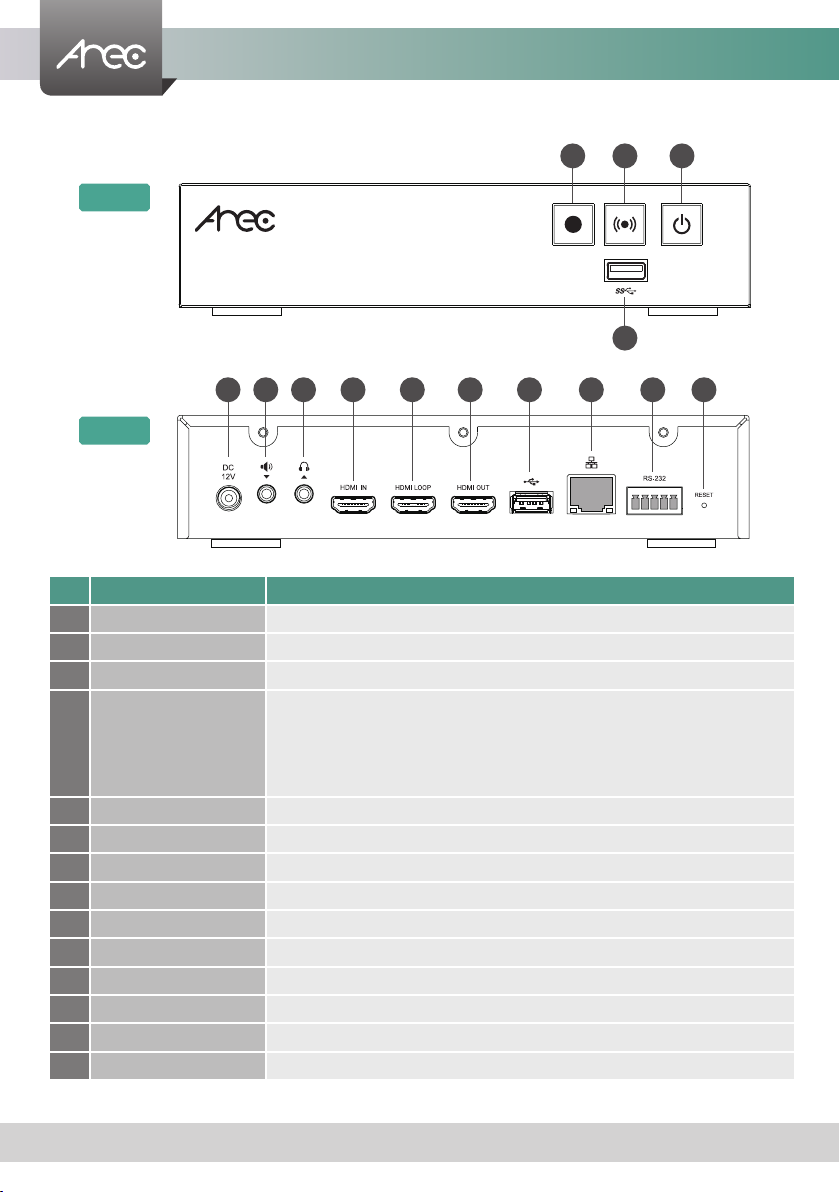
No. Name Brief introduction
1Record function key Control the Record and Stop function
2Streaming function key Turn live streaming on or off
3Power Power on/off the device
4Front USB port
1. For external USB storage device*
2. Firmware update via USB disk
3. Available for USB mouse, keyboard
4. Available for USB audio input (Note: Connecting an USB audio device via an USB
hub is not recommended. It may cause compatibility issues.)
5Power port 12V / 2A
6Audio input Line audio input
7Audio output Line audio output
8HDMI In(Video Input) HDMI input source
9HDMI Loop(Video Output) HDMI loop through from input
10 HDMI Out(Video Output) HDMI preview output
11 Back USB port Available for external hard drive to increase storage
12 Network port RJ-45 Ethernet connector for network connection
13 RS-232 Captive screw connector for control over RS-232
14 Reset button Restoring devices to its factory default state
Product Appearance
NOTE: The LS-110 can detect and record to USB storage devices using FAT32, NTFS le systems.
Front
Back
4
5
1
86
2
97
3
10 11 12 13 14

LS-110 User Manual
6www.arec.com
Connection
Power
document cam
notebook
DV
amplier
network
external hard disk
Audio output
Ethernet
Video output HDMI Video output HDMI
Video input HDMI USB
RS-232
USB
Speaker
TV TV
projector projector
USB keyboard
USB mouse
USB drive
Line Audio input
Speakerphone
USB mouse USB keyboard
LS-110 User Manual
7www.arec.com
Front Panel Buttons and Indicators
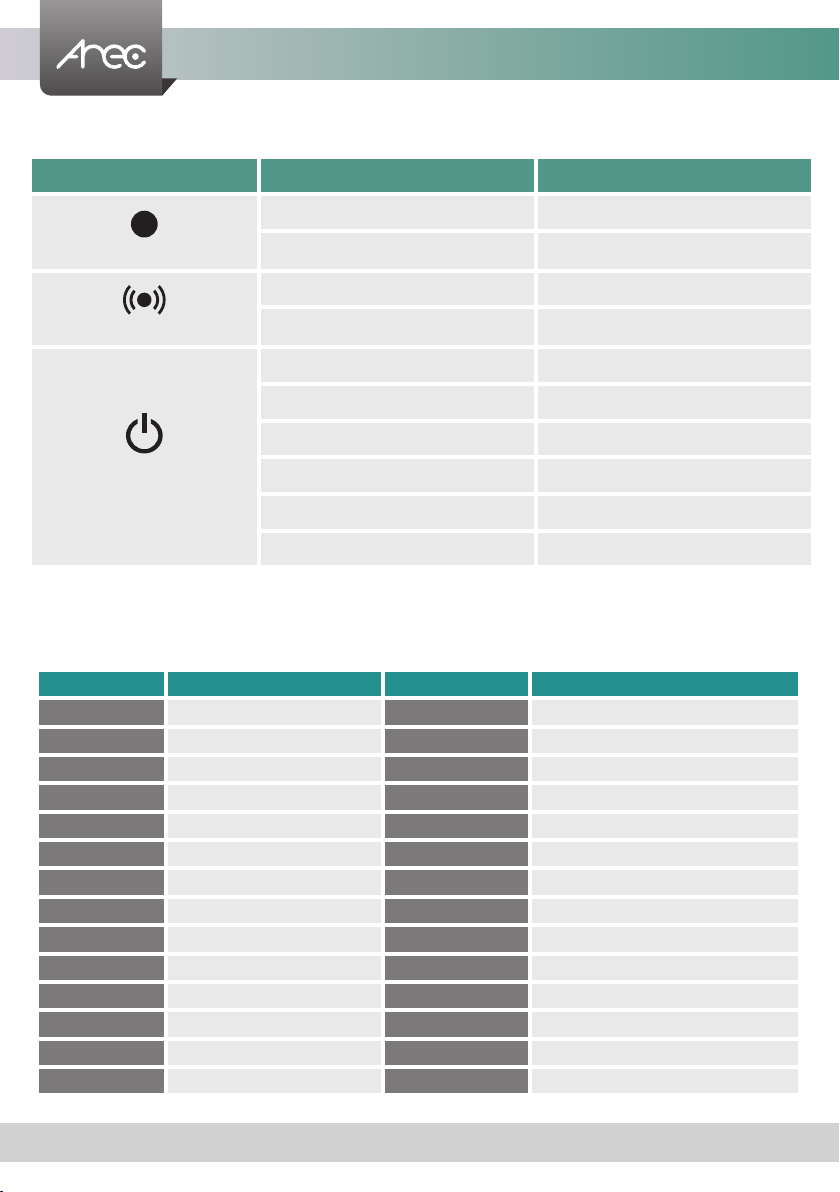
Button Display method of indicator Product status
Record (Stop)
Record button glows red continuously Recording in progress
Record button flashes red slowly Recording is being nalized
Stream (Stop)
Stream button glows red continuously Streaming in progress
Stream button flashes red slowly Streaming is being nalized
Power
Solid red Device is powered, yet not booted up.
Green and red light flash alternately Device is booting up.
Solid green Boot up completed.
Fast flashing red Device is shutting down.
Fast flashing green Firmware updating.
Slow flashing red Embedded HDD error
External Control via USB Keypad
Insert the keyboard into the Media Station's USB hole, let USB numeric keypad as function keys to control the Media Station.
Button Brief introduction Button Brief introduction
1Theme 1 Backspace All input volume mute/unmute
2Theme 2 -All input volume down
3Theme 3 +All input volume up
4Theme 4 Enter Record
5Theme 5 ESC Power off
6Theme 6 Z • z Change Background
7Theme 7 X • x Change Layout
8Theme 8 C • c Change Overlay
9Theme 9 V • v Live streaming on/off
/Pause B • b GUI Playback
*Stop A • a All output volume up
0Change Display S • s All output volume down
.Snapshot D • d All output volume mute/unmute
Caps Lock Record ON/OFF G •g GUI OFF/ON
LS-110 User Manual
8www.arec.com
Overview of the Web Interface
LS-110 web interface has three user types, which are described in detail in the following chapters :
Online Director
For quick start recording, log in Online director from the initial login page with default
username director and password director. This user also has access to Video Manager
web pages.Log in with Administrator account, can switch to Administrator page.
Administrator
To setup the device, log in Administrator with default username admin and password
admin, then entering System Administrator webpages. The admin account provides the
user all three type of privileges.
Video Manager
If you only need to access to the recordings, log in Video Manager with default username
video and password video.Log in with Administrator account, can switch to Administrator
page.
Getting start
Log in Administrator with default username admin and password admin, then entering System Administration
webpages.
Use the RJ-45 Ethernet cable to connect an IP-based network to the LAN port. Enter the IP address displayed in the lower
right side of the screen in your browser to access the System Administration webpage.

LS-110 User Manual
9www.arec.com
Chapter 1 Administrator
The Administrator web pages provide a system administration interface of the LS-110: it can perform Media I/O, Video,
Storage,Scheduler,Account, Upload, System and Account settings. The Media I/O settings make sure each input source are
properly connected, and adjust the audio volume. The Video setting pages congure the recording, streaming, and other
functions which dene the content being recorded. System are pages contain basic settings and information of this device.
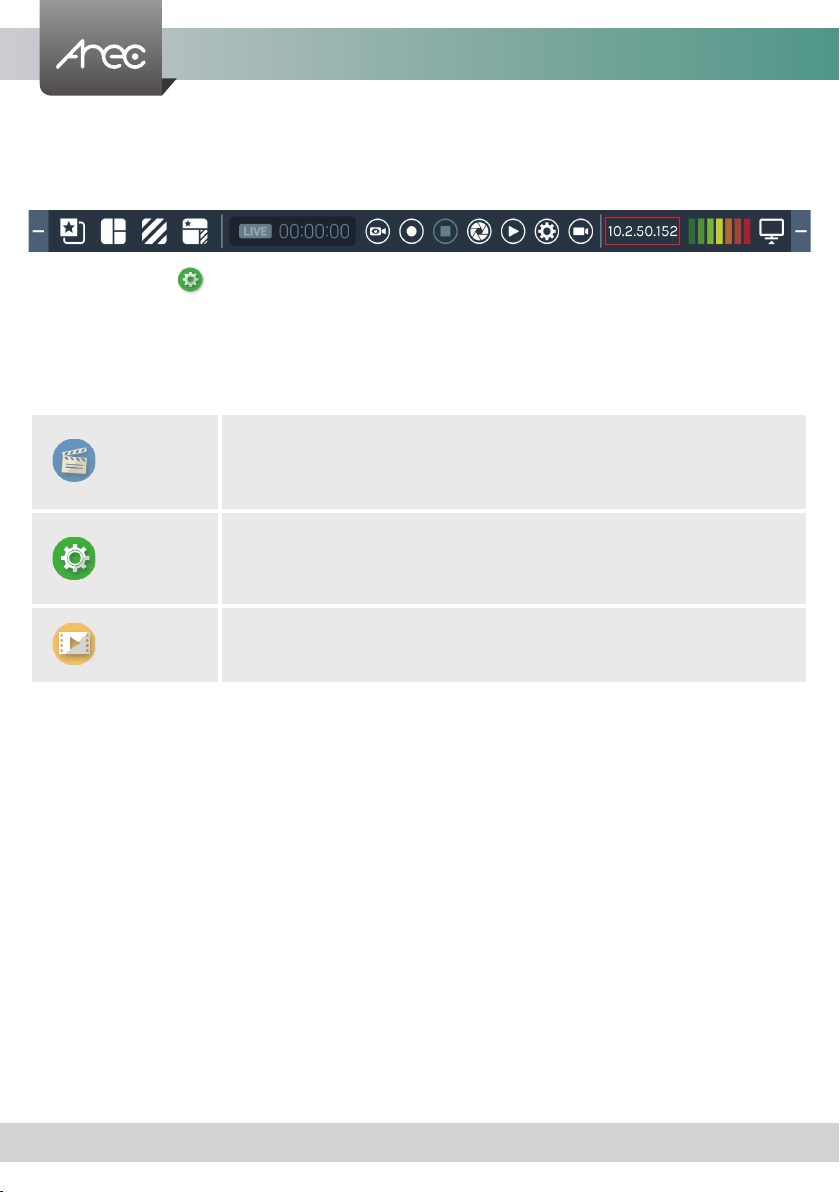
Click icon can switch to Video Manager page.
1.1 Media I/O
The pages within Media I/O include the following :
Video inputs Select the signal type, video source and PTZ control method for each input.
Network device manager List out all the connected network cameras and Auto-Tracking Mount.
PTZ control port Set LS-110 back USB-to-RS-232 serial port to drive PTZ cameras.
Audio Adjust the volume and select the audio input source.
Display Set the LS-110 on screen display language, video output settings and color adjustment.
LS-110 User Manual
10www.arec.com
1.1.1 Video inputs
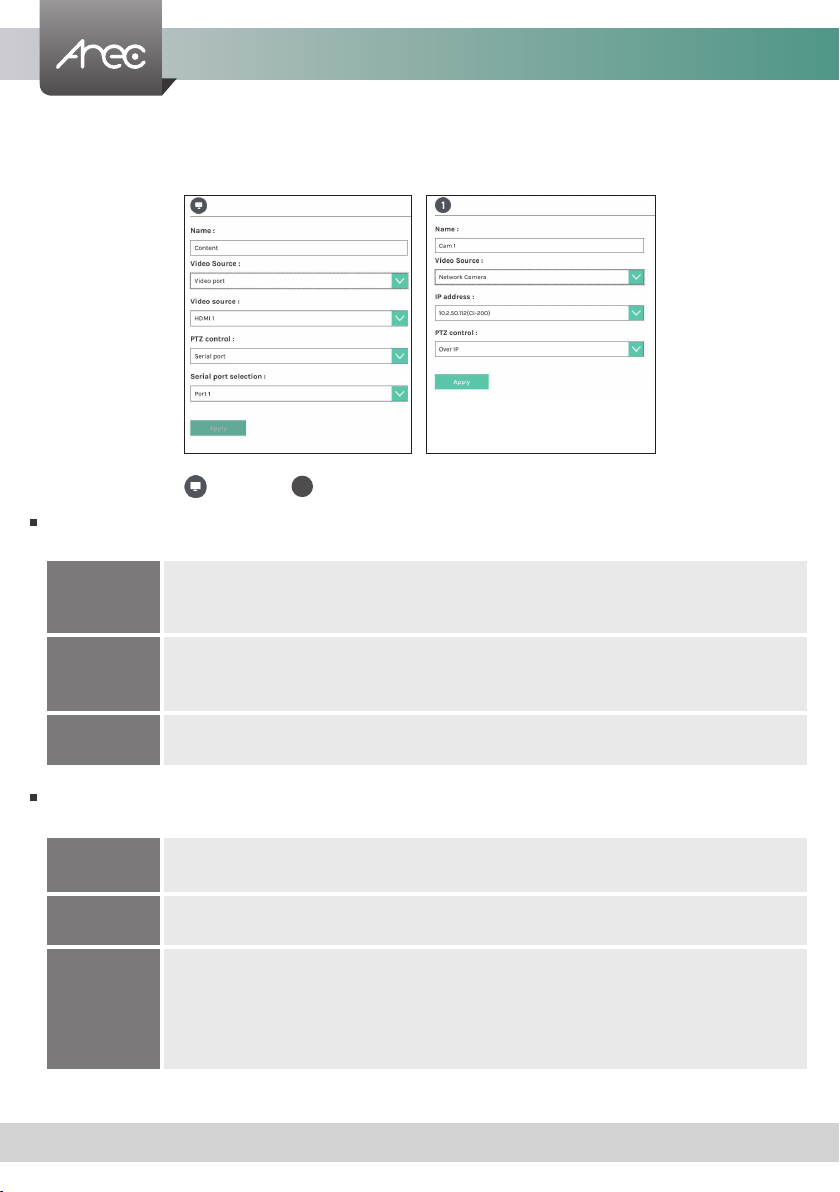
The LS-110 is capable of process up to two video inputs. The name of these inputs are user congurable; by default are
Content and Cam 1.
1.1.1.1 Content / Cam 1
Video Source can be chosen from Network Camera, Encoder or Video port. The last option is available only for the rst
two video inputs.
PTZ control : The LS-110 is highly integrated with PTZ cameras and provides two control methods, Over IP or via Serial
port.
Video port
Select Video source: The LS-110 supports two video inputs, including 1 video signal interface (HDMI
input) and up to two IP Cam/stream signals. And output the transcoded video/audio to the HDMI port
and the HDMI loop.
Network Camera
Select IP address: Select from the camera ip address drop list of those available.
Note: A login authentication with the camera might be required. See Media I/O\ Camera manager for
more details.
Encoder Select Protocol: The available options are RTP, RTSP, or RTMP. Enter the primary and secondary URL/
port number.
Serial port Select this option when the appointed camera uses RS-232 PTZ control protocol. Then complete the
Serial port selection from drop list Port 1~4. See Media I/O\ PTZ control port for more details.
Over IP The option is available when the specied signal type is a network camera. Select this option if that
camera supports networking PTZ control.
Auto-Tracking
Mount
Select IP address: Select from the TP-100 ip address drop list of those available.
Select Tracking mode: off / Auto-Tracking / Auto-Tracking (pan only), the default is the Auto-
Tracking.
Note: A login authentication with the TP-100 might be required. See Media I/O\ Network device
manager for more details.
1
Other manuals for LS-110
1
Table of contents
Other Arec DVD Player manuals