9
EN
© ARGO S.A. www.argo.pl
NOTE!
Please remain cautious while unlocking the blade from the security lock.
1. The automatic sheet-pressing system may cause recoil of the blade.
2. If the guillotine is not used, its blade should be placed down (in horizontal
position).
NOTE!
While cutting maximum amounts of sheets of paper at a time, it is also recom-
mended to cut smaller amounts of paper, thus allowing self-sharpening of
blade through contact of the blade with the counterblade. There is a rule in all
guillotines -the bigger amount of sheets cut at a time – the smaller quality of
cutting.
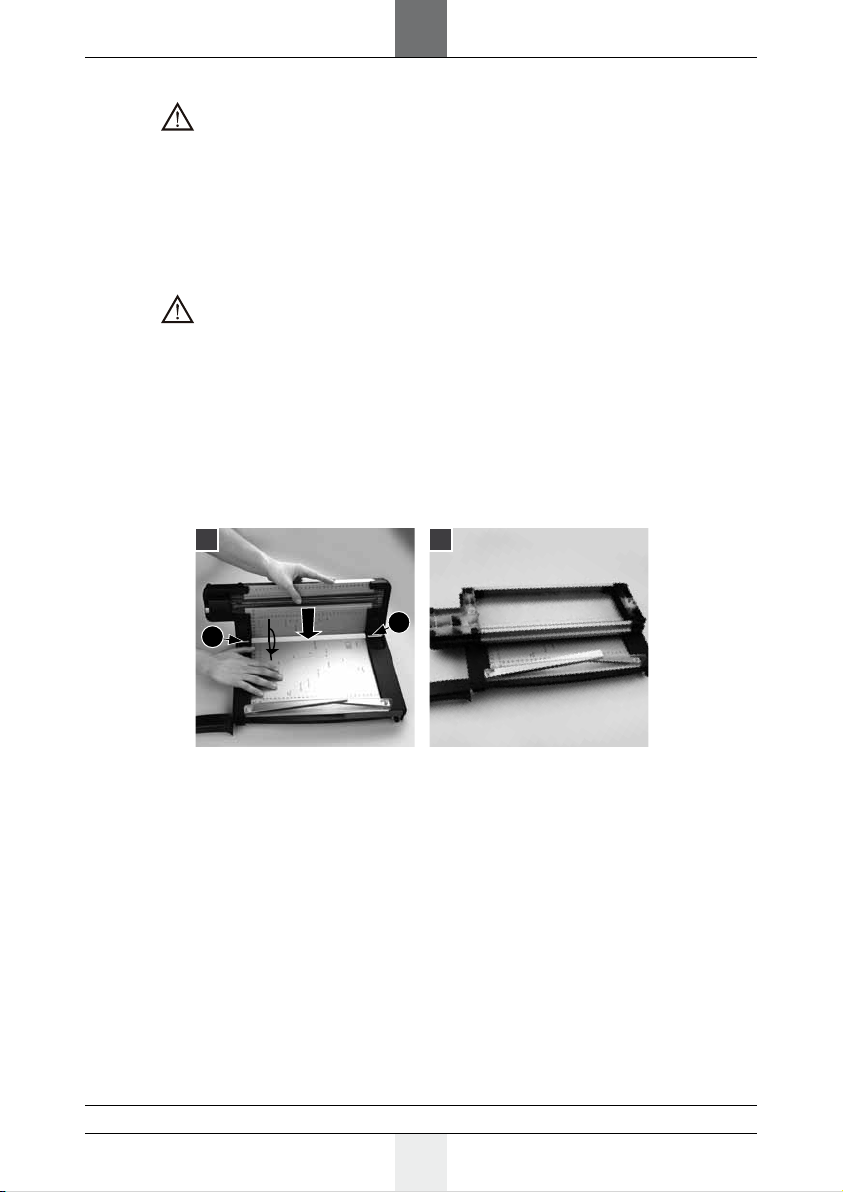
OPERATION OF THE TIMMER
The trimmer is located on the left-hand side of the machine.
1. Put the trimmer on the flat, stable surface.
2. Place the cutting head in starting position.
3. Ensure that you place the material that you intend to cut beneath the transparent
plastic rails.
4. Place the paper or material that you intend to cut in the required position on the
cutting base.
5. Press and slide the cutting head along the edge of the metal cutting base.
NOTE!
It is forbidden to cut bigger amount of paper than stated in instruction, it could
cause sliding out the rotating blade over the cutting zone and cause the perma-
nent damages of blades.
There is a rule in all trimmers - the bigger amount of sheets cut at a time - the
smaller quality of cutting
NOTE!
Special casing in which the blade is mounted, protects from contact with cut-
ting blade. Never remove or dismantle blade’s casing
MALFUNTION
If any faults should appear, please pass the machine along with the warranty card to the
seller or closest authorised dealer. The machine might be passed further, thus the user
should maintain the original and complete packaging. In cases when the machine is pas-
sed for repair in a not original or incomplete package, the risks of further damages that
might arise in transportation are on the user's side. Thus, in such a case, it is in the user's
best interest to make the best possible replacement packaging.