Page 10 Remotely Control ScanDo HD
Remotely Control ScanDo HD
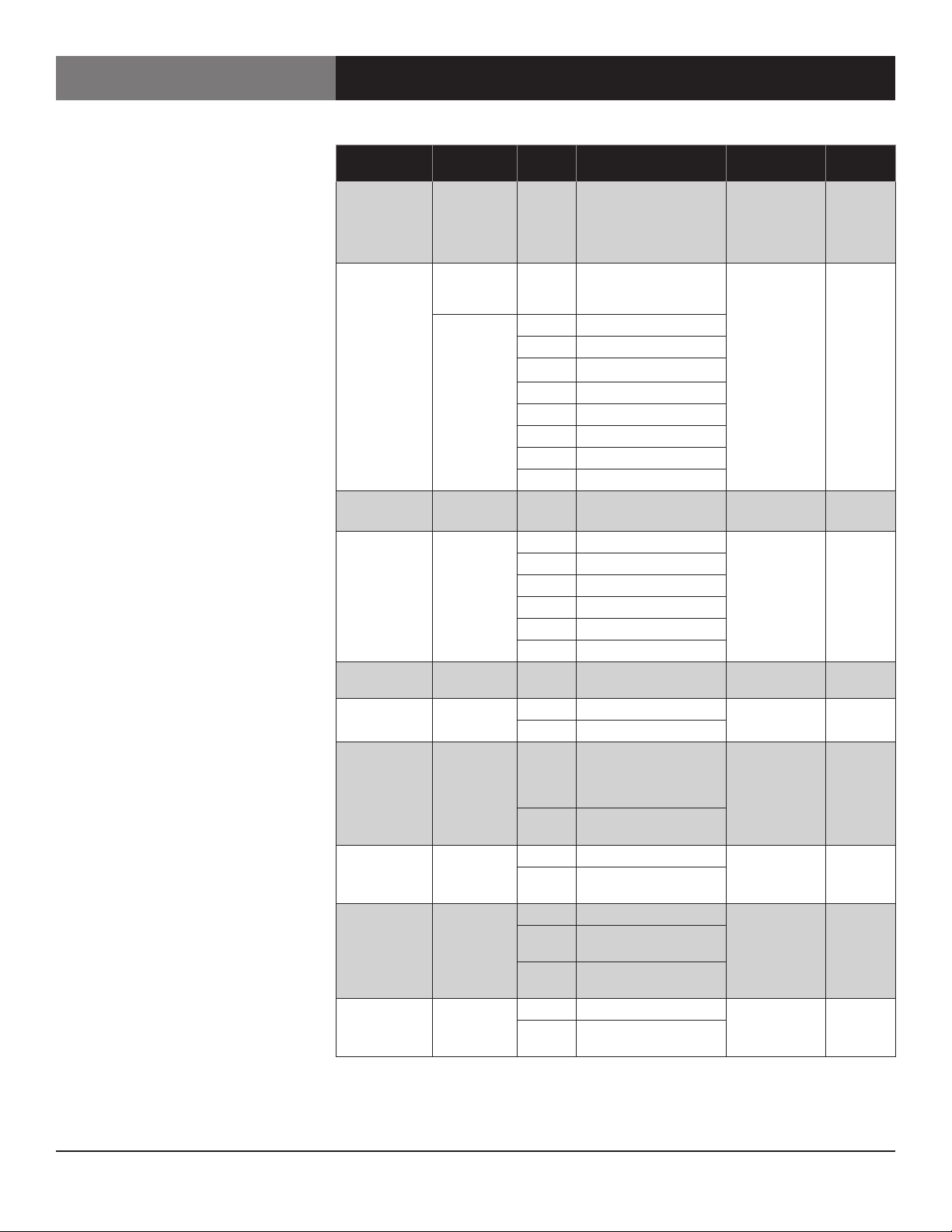
Two Letter
Command
Parameter1Value1Description Available
Commands
Default
Value
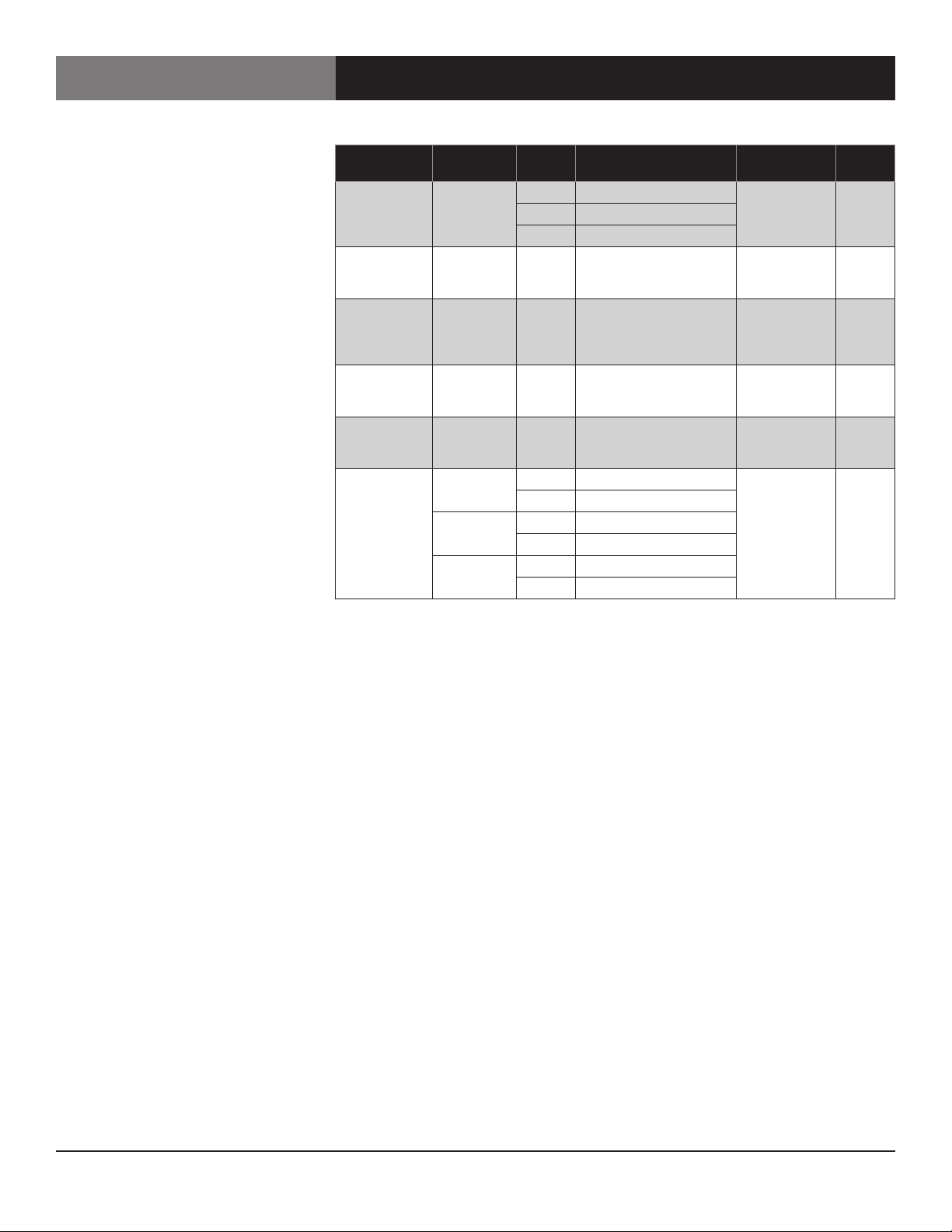
tp none 0 Live video, no test pattern read & write –
1 100% Color Bars
2 75% Color Bars
vn none none Return unit model name
with firmware version num-
ber, date and time
read –
zc 5, 6 none none 4:3 center cut zoom. Used
when the output format is
4:3 (Standard Definition)
and the input is 16:9
write –
zf 5none none The input image is
stretched to the limits of
the output raster in H & V
write
zg 5none none The input image appears
geometrically correct in the
output raster
write
zm 50 0 Zoom up in H direction write –
1 Zoom down in H direction
1 0 Zoom up in V direction
1 Zoom down in V direction
2 0 Zoom up H & V together
1 Zoom down H & V together
Remote Command Glossary
Test Patterns
Unit Information
4:3 Center Cut Zoom
Zoom to Fit
Zoom to Fit
Geometrically Correct
Zoom
1 All numbers are decimal
2 A command that is issued with a parameter that exceeds the limits of the move range will cause the image to move to its limit.
3 An “E4” error message received after sending this command means that the output format is currently being set from the ScanDo HD
front panel and the command will not be processed.
4. An “E4” error message received after sending this command indicates that the preset being recalled is empty.
An “E7” error message received after sending this command indicates a memory failure.
An “E9” error message received after sending this command indicates a video processor resource limit.
5. An “E9” error message received after sending this command indicates a video processor resource limit.
6. This command is only applicable to Standard Definition output formats and will return an “E4” error message if executed while
the unit is configured to output a High Definition signal.
7. An “E7” error message received after sending this command indicates a memory failure. The preset was not completely erased.
8. When the input display is frozen, most of ScanDo HDs functions are prohibited. The image freeze is meant to be used when switching
from one input resolution to another or when switching between an analog input and a digital input. The unit will block the video
processor from changing any parameters that will affect the output video.