
manuals.online logo
Brands
  1. Home
  2. •
  3. Brands
  4. •
  5. Atdec
  6. •
  7. Rack & Stand
  8. •
  9. Atdec AWMS-BT40 User manual

Atdec AWMS-BT40 User manual

Other Atdec Rack & Stand manuals
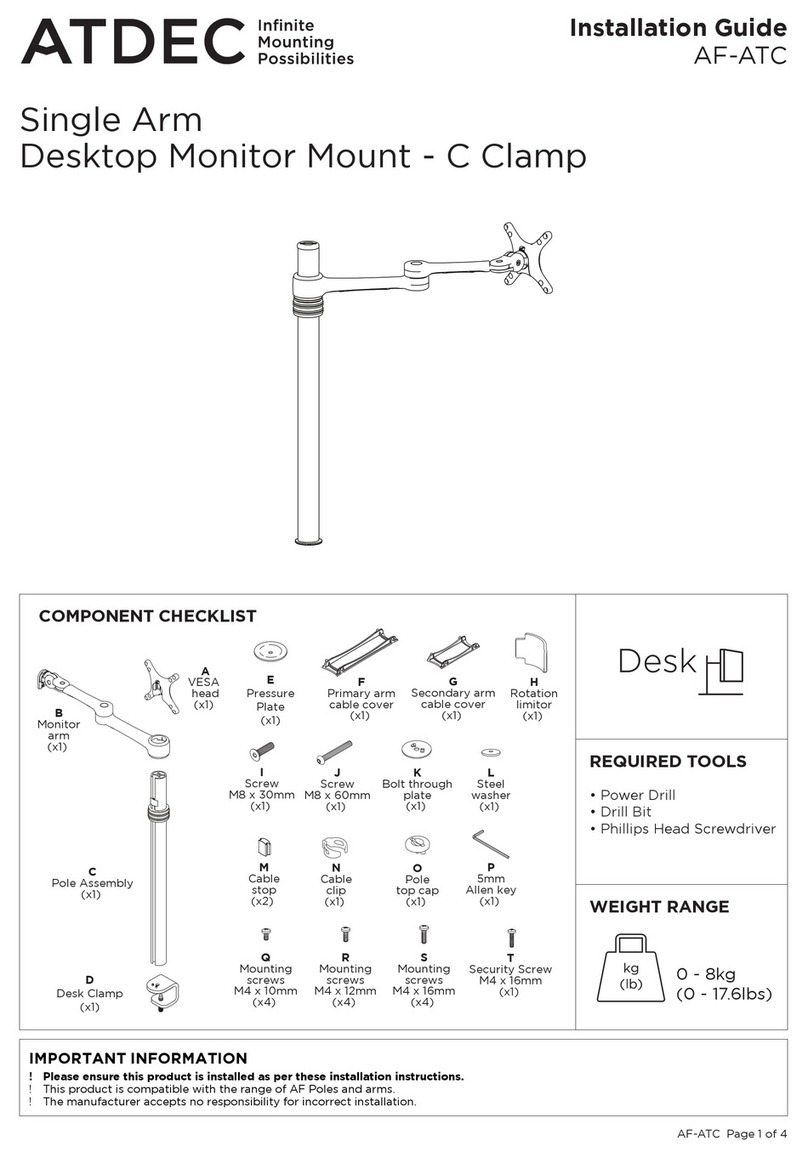
Atdec AF-ATC User manual

Atdec

Atdec AF-ATC User manual

Atdec TH-1040-CTS User manual

Atdec

Atdec TH-1040-CTS User manual

Atdec AWMS-2-4640-C User manual

Atdec

Atdec AWMS-2-4640-C User manual

Atdec AWMS-2-BT75 User manual

Atdec

Atdec AWMS-2-BT75 User manual

Atdec AWMS-2-BT75-FS User manual

Atdec

Atdec AWMS-2-BT75-FS User manual

Atdec TELEHOOK 12/30 Multi User manual

Atdec

Atdec TELEHOOK 12/30 Multi User manual

Atdec AF-WD User manual

Atdec

Atdec AF-WD User manual

Atdec SD-AT-DW User manual

Atdec

Atdec SD-AT-DW User manual

Atdec AWMS-DW6 User manual

Atdec

Atdec AWMS-DW6 User manual

Atdec AV Cart 75 User manual

Atdec

Atdec AV Cart 75 User manual

Atdec AD-TVC-70R User manual

Atdec

Atdec AD-TVC-70R User manual

Atdec AWM-BT User manual

Atdec

Atdec AWM-BT User manual

Atdec VFS-DV User manual

Atdec

Atdec VFS-DV User manual

Atdec APA-B User manual

Atdec

Atdec APA-B User manual

Atdec Spacedec Acrobat Swing Arm Double User manual

Atdec

Atdec Spacedec Acrobat Swing Arm Double User manual

Atdec Telehook User manual

Atdec

Atdec Telehook User manual

Atdec AD-TVAC-CM User manual

Atdec

Atdec AD-TVAC-CM User manual

Atdec AD-TVC-70A User manual

Atdec

Atdec AD-TVC-70A User manual

Atdec AWM-AD User manual

Atdec

Atdec AWM-AD User manual

Atdec AWM-LC User manual

Atdec

Atdec AWM-LC User manual

Atdec ADBS-3x1-30TW User manual

Atdec

Atdec ADBS-3x1-30TW User manual

Atdec APA-B User manual

Atdec

Atdec APA-B User manual

Atdec Levitate Operation instructions

Atdec

Atdec Levitate Operation instructions

Atdec AF-M User manual

Atdec

Atdec AF-M User manual

Popular Rack & Stand manuals by other brands

Salamander Acadia AC/W/L400/WH Assembly instructions

Salamander

Salamander Acadia AC/W/L400/WH Assembly instructions

Fohhn VAT-09 Mounting instruction

Fohhn

Fohhn VAT-09 Mounting instruction

ricoo FS0522 quick start guide

ricoo

ricoo FS0522 quick start guide

AMSOIL BMK-22 Installation and service instructions

AMSOIL

AMSOIL BMK-22 Installation and service instructions

Kargo Master 48220 installation guide

Kargo Master

Kargo Master 48220 installation guide

Milestone AV Technologies SIMPLICITY SLF2 installation instructions

Milestone AV Technologies

Milestone AV Technologies SIMPLICITY SLF2 installation instructions

ricoo S1222 installation instructions

ricoo

ricoo S1222 installation instructions

Ready-Set-Mount RSMCM602 instruction manual

Ready-Set-Mount

Ready-Set-Mount RSMCM602 instruction manual

VidaBox VB MNT FFS2 installation guide

VidaBox

VidaBox VB MNT FFS2 installation guide

Welch Allyn 48960 Assembly instructions

Welch Allyn

Welch Allyn 48960 Assembly instructions

Arkon CM035-ST-2 installation instructions

Arkon

Arkon CM035-ST-2 installation instructions

PROEL PLWIN60C user manual

PROEL

PROEL PLWIN60C user manual

Agilent Technologies E2609B installation guide

Agilent Technologies

Agilent Technologies E2609B installation guide

Mustang MV-ARM4 installation guide

Mustang

Mustang MV-ARM4 installation guide

Mounting Solutions WRM-320 manual

Mounting Solutions

Mounting Solutions WRM-320 manual

ShelterIt 21208 installation instructions

ShelterIt

ShelterIt 21208 installation instructions

Pyle PMKSPAD1 manual

Pyle

Pyle PMKSPAD1 manual

SPL RackPack?4 1040 manual 

SPL

SPL RackPack?4 1040 manual 

manuals.online logo
manuals.online logoBrands
  • About & Mission
  • Contact us
  • Privacy Policy
  • Terms and Conditions

Copyright 2025 Manuals.Online. All Rights Reserved.

AWMS-BT40 Page 1 of 4
Installation Guide
AWMS-BT40
Post Mounted Heavy Duty
Monitor Mount
AWMS-BT40-H
AWMS-BT40X-H
AWMS-BT40-C AWMS-BT40-G
AWMS-BT40X-G
AWMS-BT40-H
AWMS-BT40X-H
AWMS-BT40-C AWMS-BT40-G
AWMS-BT40X-G
COMPONENT CHECKLIST
B
Bridge
(x1)
C
Leg
(x2)
A
Post
(x1)
B
Bracket
(x1)
E
4mm
Hex Key
(x1)
F
5mm
Hex Key
(x1)
N
13mm
Spanner
(x1)
C
VESA Plate
(x1)
A
M8 Stud
(x1)
H
M4x10mm
Screw
(x4)
D
Post Cap
(x1)
I
M4x20mm
Screw
(x4)
J
10mm
Spacer
(x4)
G
M8x60mm
Screw
(x2)
G
M8 Stud
(x1)
H
M8x30mm
Screw
(x1)
C
Clamp Bar
(x1)
B
Clamp Plate
(x1)
REQUIRED TOOLS
CAPACITY
Flat Monitor
4.5 - 25kg
(10 - 55lb)
Curved Monitor
4.5 - 18kg
(10 - 40lb)
Display Size
24” - 55”
300mm (12”) max
overall display depth
• Phillips Head Screwdriver
IMPORTANT INFORMATION
! Product should only be assembled and used as per these installation instructions.
! The manufacturer accepts no responsibility for incorrect installation.
! Eachbracketsupportsamaximumweightasperabovecapacityspecication.
! Avoid applying downward load to corners of display.
! Product must only be installed on a solid work surface capable of supporting the weight of all equipment being mounted.
! This product is not suitable for outdoor use.
! Do not use this product for mobile applications.
! VESA mounted accessories (such as mini PC brackets and mounts), and offset VESA locations exert additional leverage that
can exceed the capacity of the mount even though the monitor weight may be within the stated range. Please contact Atdec
if you would like further information.
! WARNING! Death or serious injury may occur if a child climbs on or tips product.
AWMS-BT40 Page 2 of 4
2. Attach VESA plate to display
2.1 VESA compatibility
3.1 Tilt bracket must only be attached with
display facing the front of the mounting
surfaceunlessxingisAC-GC.
NOTE: Some displays require the use of a VESA adapter before attaching the VESA plate. This VESA adapter may ship in the
box with the display. Consult your display’s installation guide for further information.
1. Attach post to xing (xing sold separately)
1.1 Follow the installation guide
providedwiththexingto
attachthepostandxittothe
worksurface.
1.2 Remove cable clips and covers
from post by sliding up and out or
by squeezing sides.
AWM-FC
C Clamp
AC-GC
Grommet
Clamp
AWM-FH
Heavy Duty
F Clamp
3. Slide bracket onto post
3.2 Line up the inner guide on rear of
bracket with rear channel on post.
Slide inner guide into channel, then
lower the bracket.
VIEW FROM ABOVE
AWM-FC
C Clamp
AC-GC
Grommet
Clamp
AWM-FH
Heavy Duty
F Clamp
75mm
100mm
75mm
100mm
NOTE:
For 75mm
VESA
unscrew
5mm to
access
top holes
C
I
J
C
H
TOP
WORK
SURFACE
BACK of desk
FRONT
INNER GUIDE
in rear post
channel
Option B - For recessed VESA use
10mm spacers and M4x20mm screws.
Option A - Attach VESA plate
with M4x10mm screws.
SQUEEZE
to release
C
B
AWMS-BT40 Page 3 of 4
5. Attach display
4. Set height
4.1 Ensure height is
sufcientfordisplayto
clear desk once in place.
4.2 Firmly tighten hand
knob at chosen height.
Fit post cap.
WARNING:
Never loosen
knob while display
is on bracket
TIGHTEN
MEASURE
≥Display
height
between
brackets
D
MEASURE to
ensure clearance
to desk
D
MEASURE
≥Display
height
between
brackets
D
MEASURE to
ensure clearance
to desk
D
OPEN CLOSED
5.1 Set VESA plate
clips to open position.
WARNING:
Use two people to
install display
5.3 Centre VESA plate close
to post and slowly lower until
bar on VESA plate sits in
saddle in bracket.
5.4 Set VESA plate
clips to closed
position.
5.2 Lift display until
VESA plate is above the
bracket.
OPEN
CLOSED
WARNING:
Do not loosen
hand knob with
display attached
NOTE:
Display hangs from
the bracket like a
painting. After clips
are closed, if corners
of the screen are
pushed downwards,
rocking movement is
expected.
6. Set tilt
6.1 Adjust display tilt angle by
gripping edges of screen and rolling
up or down to desired position.
WARNING:
Ensure clips
closed before
tilting
Clockwise = More friction
Anti-clockwise = Less friction
OPTIONAL ADJUSTMENT - TILT FRICTION
4mm hex key can be used to reduce tilt
friction (for light screen) or increase tilt
friction (for heavy screen).
E
TILT
KNOBS
6.2 Tighten tilt
knobs to set.
AWMS-BT40 Page 4 of 4
PUSH
No portion of this document or any artwork contained herein should be reproduced in any way without
the express written consent of Atdec Pty Ltd. Due to continuing product development, the manufacturer
reservestherighttoalterspecicationswithoutnotice.©20230120
7. Fine adjustment
8. Cable management
CABLE COVERS
8.5 Load cables
into cable cover.
CABLE CLIPS
8.2 Load cables into
cable clip.
8.6 Clip the
cable cover
onto post
channel.
7.1 To correct horizontal angle
of display +/- 3 °:
Turnasinglenetune
adjustment knob to adjust angle
of screen.
CLOCKWISE = HIGHER
ANTI-CLOCKWISE = LOWER
7.2 Tonetuneheightwithout
removing screen +/-6mm (1/4”):
Turnbothnetuneadjustment
knobs - alternating sides a few
rotations at a time.
8.1 Cable clips and covers
can be clipped onto any
post channel. The rear
channel is recommended.
8.3 Insert one side of the
cable clip into a channel
on the post, then push in
the other side.
8.4 (OPTIONAL)
Cable covers can
be clipped on
over the cable
clips.
HINT: Cable covers
have greater cable
capacity.
+/- 6mm (0.25”)
Micro adjustment - Fine tune height
+/- 3°
Micro adjustment - Levelling
FINE HEIGHT ADJUST
FINE ADJUSTMENT
KNOBS
NOTE:
Ensure clips are in
CLOSED position
Cables can
exit from
the side of
the cable
cover
PUSH
PUSH
Load cables into
cable cover
Unstacked Stacked
