manuals.online logo
Brands
  1. Home
  2. •
  3. Brands
  4. •
  5. ATV
  6. •
  7. Security Camera
  8. •
  9. ATV CTRT7212W User manual

ATV CTRT7212W User manual

Other ATV Security Camera manuals

ATV IPB2TWI User manual

ATV

ATV IPB2TWI User manual

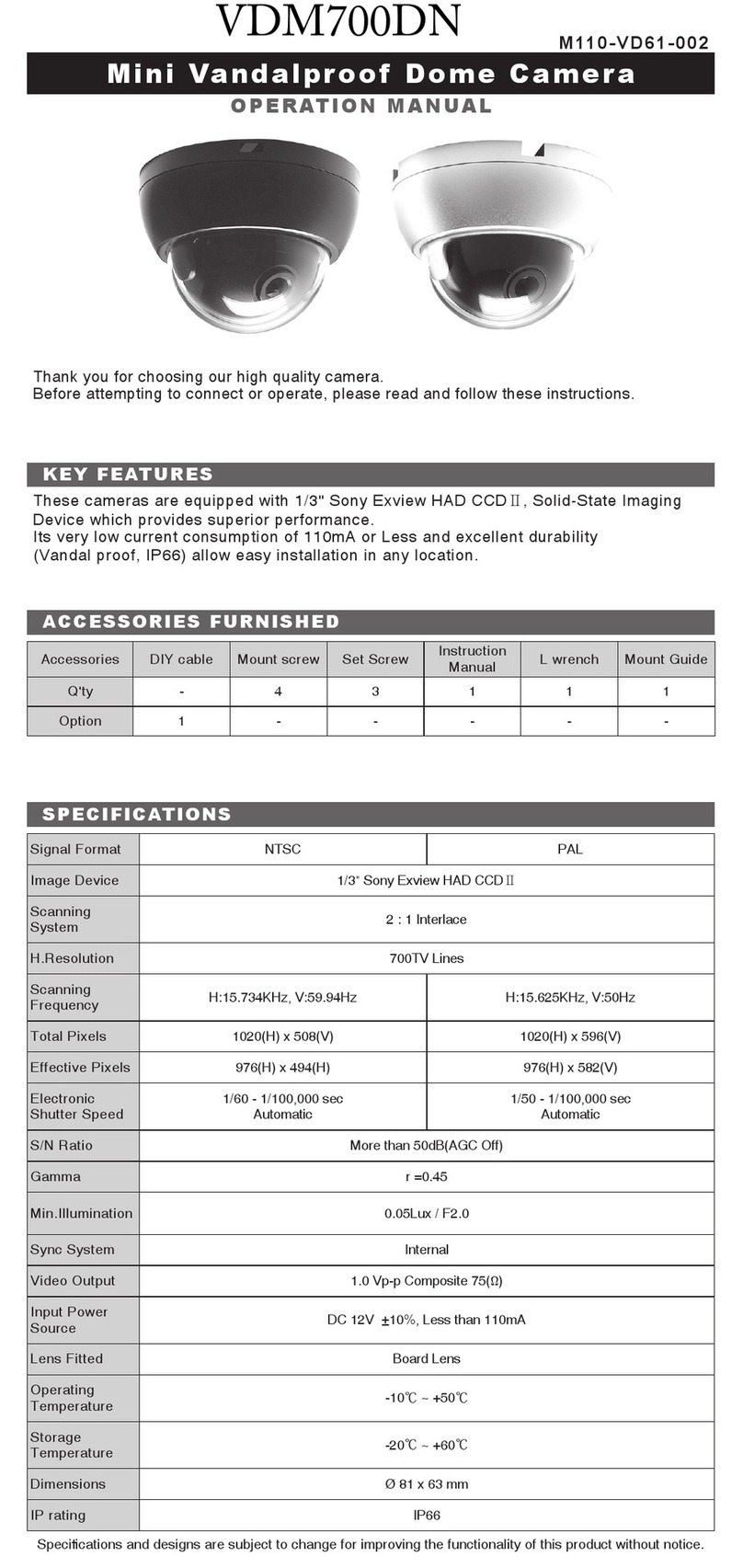
ATV VDM700DN/6 User manual

ATV

ATV VDM700DN/6 User manual

ATV NLPW237 User manual

ATV

ATV NLPW237 User manual

ATV CZ7T2812UWCI User manual

ATV

ATV CZ7T2812UWCI User manual

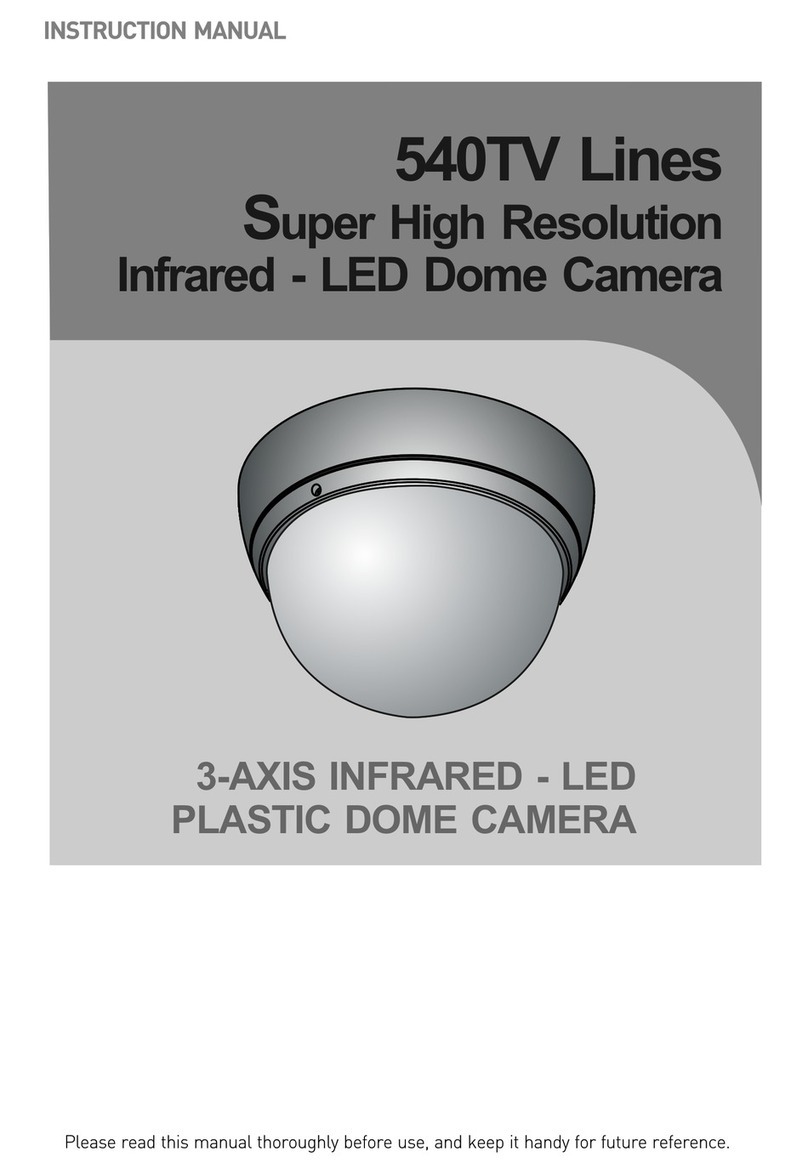
ATV FD540VA User manual

ATV

ATV FD540VA User manual

ATV IPFD600 User manual

ATV

ATV IPFD600 User manual

ATV IPSDMV22D1 User manual

ATV

ATV IPSDMV22D1 User manual

ATV IPVD2TRWI User manual

ATV

ATV IPVD2TRWI User manual

ATV NVW4K311M User manual

ATV

ATV NVW4K311M User manual

ATV SDMV22DWH User manual

ATV

ATV SDMV22DWH User manual

ATV NBW4K311M User manual

ATV

ATV NBW4K311M User manual

ATV VD650WDR User manual

ATV

ATV VD650WDR User manual

ATV BSS7212 User manual

ATV

ATV BSS7212 User manual

ATV IPSD202MT User manual

ATV

ATV IPSD202MT User manual

ATV NV237 User manual

ATV

ATV NV237 User manual

ATV IPEMB2FI User manual

ATV

ATV IPEMB2FI User manual

ATV SD536DWA User manual

ATV

ATV SD536DWA User manual

ATV BHR212MR User manual

ATV

ATV BHR212MR User manual

ATV NBW4212M User manual

ATV

ATV NBW4212M User manual

ATV NVW2212M User manual

ATV

ATV NVW2212M User manual

ATV IPVD2TI User manual

ATV

ATV IPVD2TI User manual

ATV IPSDMV122 User manual

ATV

ATV IPSDMV122 User manual

ATV C700TDN User manual

ATV

ATV C700TDN User manual

ATV CZ6T2812UWC User manual

ATV

ATV CZ6T2812UWC User manual

Popular Security Camera manuals by other brands

ADEMCO RapidDome Owners Operating & Installation Guide

ADEMCO

ADEMCO RapidDome Owners Operating & Installation Guide

EverFocus EBA2880 user manual

EverFocus

EverFocus EBA2880 user manual

Honeywell OptiCAM-IR Installation and setup guide

Honeywell

Honeywell OptiCAM-IR Installation and setup guide

Uniq UC-600 user manual

Uniq

Uniq UC-600 user manual

OPTICOM NVD-120-S datasheet

OPTICOM

OPTICOM NVD-120-S datasheet

Steren CCTV-221 instruction manual

Steren

Steren CCTV-221 instruction manual

Arm Electronics C420BCDNVFIR Features

Arm Electronics

Arm Electronics C420BCDNVFIR Features

Eneo PLD-2036PTZ installation guide

Eneo

Eneo PLD-2036PTZ installation guide

Axis AXIS M20 Series installation guide

Axis

Axis AXIS M20 Series installation guide

Panasonic KX-HCM230 operating instructions

Panasonic

Panasonic KX-HCM230 operating instructions

COP-USA CC15NV-SL Specifications

COP-USA

COP-USA CC15NV-SL Specifications

Active Silicon HARRIER H.264 quick start guide

Active Silicon

Active Silicon HARRIER H.264 quick start guide

Motorola Avigilon 1.3C-H5SL-BO1-IR installation guide

Motorola

Motorola Avigilon 1.3C-H5SL-BO1-IR installation guide

INSTEON 2864-232 user manual

INSTEON

INSTEON 2864-232 user manual

Wisenet XNB-6002 quick start guide

Wisenet

Wisenet XNB-6002 quick start guide

Axis M5525-E user manual

Axis

Axis M5525-E user manual

Vitek VTC-IR62NZ922 user guide

Vitek

Vitek VTC-IR62NZ922 user guide

Panasonic WV-SF342 Specifications

Panasonic

Panasonic WV-SF342 Specifications

manuals.online logo
manuals.online logoBrands
  • About & Mission
  • Contact us
  • Privacy Policy
  • Terms and Conditions

Copyright 2025 Manuals.Online. All Rights Reserved.

사 용 설 명 서사 용 설 명 서
Operating Manual
USER'S INSTRUCTIONS
High Resolution
DNR Day/Night
Color Camera
- 2 -
사 용 설 명 서
2
In USA and Canada, Use Class 2 Power Supply Only
USER'S MANUAL
- 3 -
사 용 설 명 서
3
IMPORTANT SAFETY INSTRUCTIONS
1) Read the .snoitcurtsnies
2) Keep these instruct .snoi
3) Heed .sgninrawlla
4) Follow all instructions.
5) Do not use this apparatus nea .retawr
6) Clean only with dry c .htol
7)
Do not block any ventilation openings. Install in accordance with the manufacturer’s instructions.
8) Do not install near any heat sources such as radiators, heat registers, stoves, or other
apparatus (including
amplifiers) that produce heat.
9) Do not defeat the safety purpose of the polarized or grounding-type plug. A polarized plug
has two blades with one wider than the other. A grounding type plug has two blades and a
third
grounding prong. The wide blade or the third prong are provided for your safety. If the provided
plug does not fit into your outlet. Consult an electrician for replacement of the obsolute outlet.
-
13 U)nplug this apparatus during lightning storms or when unused for long periods of time.
14 otgnicivresllarefeR) qualified service personnel. Servicing is required when the apparatus
has been damaged in any way, such as power-supply cord or plug is damaged, liquid has
been moisture, does not operate normally, or has been dropped.
10)Protect the power cord from being walked on or pinched particularly at plugs, conveniance
repeptacles, and the point where they exit from the apparatus.
Only use attachments/accessories specified by the manufacturer.
Use only with the cart, stand, tripod, bracket, or table specified by the manufacturer, or sold
with the apparatus. When a cart is used, use caution when moving the cart/apparatus combination
to avoid injury from tip-over.
11)
12)
USER'S MANUAL
- 4 -
사 용 설 명 서USER'S MANUAL
Contents
Camera Features
Installing & Adjusting
Dimension & Specification
OSD Control Button
On Screen Dispaly (OSD) Menu
Accessing the OSD Menu Settings continued
Lens
Exposure
SSDR
White Balance
BLC
DNR3
Day/Night
Special
Image Adjust
Cam Title
Sync
Motion
Privacy
DIS
Profile
RETURN
Exit
Trouble Shooting
. . . . . . . . . . . . . . . . . . . . . . . . . . . . . . . . . . . . . . . . . . . . . . . . . . .
. . . . . . . . . . . . . . . . . . . . . . . . . . . . . . . . . . . . . . . . . . . . . . . .
. . . . . . . . . . . . . . . . . . . . . . . . . . . . . . . . . . . . . . . . . . . . .
. . . . . . . . . . . . . . . . . . . . . . . . . . . . . . . . . . . . . . . . . . . . . . . . .
. . . . . . . . . . . . . . . . . . . . . . . . . . . . . . . . . . . . . . .
. . . . . . . . . . . . . . . . . . . . . . . . . . . . .
. . . . . . . . . . . . . . . . . . . . . . . . . . . . . . . . . . . . . . . . . . . . . . . . . . . . . . . . . . .
. . . . . . . . . . . . . . . . . . . . . . . . . . . . . . . . . . . . . . . . . . . . . . . . . . . . . . . .
. . . . . . . . . . . . . . . . . . . . . . . . . . . . . . . . . . . . . . . . . . . . . . . . . . . . . . . . . .
. . . . . . . . . . . . . . . . . . . . . . . . . . . . . . . . . . . . . . . . . . . . . . . . . . . . .
. . . . . . . . . . . . . . . . . . . . . . . . . . . . . . . . . . . . . . . . . . . . . . . . . . . . . . . . . . . .
. . . . . . . . . . . . . . . . . . . . . . . . . . . . . . . . . . . . . . . . . . . . . . . . . . . . . . . . . .
. . . . . . . . . . . . . . . . . . . . . . . . . . . . . . . . . . . . . . . . . . . . . . . . . . . . . . .
. . . . . . . . . . . . . . . . . . . . . . . . . . . . . . . . . . . . . . . . . . . . . . . . . . . . . . . . .
. . . . . . . . . . . . . . . . . . . . . . . . . . . . . . . . . . . . . . . . . . . . . . . . . . . .
. . . . . . . . . . . . . . . . . . . . . . . . . . . . . . . . . . . . . . . . . . . . . . . . . . . . . .
. . . . . . . . . . . . . . . . . . . . . . . . . . . . . . . . . . . . . . . . . . . . . . . . . . . . . . . . . .
. . . . . . . . . . . . . . . . . . . . . . . . . . . . . . . . . . . . . . . . . . . . . . . . . . . . . . . . .
. . . . . . . . . . . . . . . . . . . . . . . . . . . . . . . . . . . . . . . . . . . . . . . . . . . . . . . .
. . . . . . . . . . . . . . . . . . . . . . . . . . . . . . . . . . . . . . . . . . . . . . . . . . . . . . . . . . .
. . . . . . . . . . . . . . . . . . . . . . . . . . . . . . . . . . . . . . . . . . . . . . . . . . . . . . . . .
. . . . . . . . . . . . . . . . . . . . . . . . . . . . . . . . . . . . . . . . . . . . . . . . . . . . . . .
. . . . . . . . . . . . . . . . . . . . . . . . . . . . . . . . . . . . . . . . . . . . . . . . . . . . . . . . . . . .
. . . . . . . . . . . . . . . . . . . . . . . . . . . . . . . . . . . . . . . . . . . . . . . . . . .
5
6
7
8
9
10
11
11
13
14
15
17
18
19
19
20
21
21
22
23
23
23
24
25

- 5 -

사 용 설 명 서
Camera Features
● Ultra High Sensitivity
The built-in high sensitivity COLOR CCD produces a clear image even in 0.0001Lux(Sens-up
x512) lower illumination.
● 700TV Lines
By adopting a diagonal 6mm(1/3") 520,000(NTSC) pixel, 610,000(PAL) pixel SONY CCD, the
camera produces clear picture quality with a horizontal resolution of 700 TV lines for color and a
horizontal resolution of 750 TV lines for BW mode.
● DNR3
The high-performance SV-V DSP chip effectively removes low-light gain noise and ghosting to
provide clear images even in dark environments.
● Day&Night
The camera has a function that automatically selects the mode that is appropriate for daytime or
night-time conditions. The COLOR mode operates in daytime conditions to provide optimum
colors, and BW mode operates in night-time conditions to enhance the definition of the image.
● SSDR
For images with high contrast between bright and dark Areas from difficult lighting conditions
such as backlighting, this camera selectively illuminates darker Areas while rataining the same
light level for brighter Areas to even out the overall brightness.
● Miscellaneous Functions
HLC(High Light Compensation), SENS-UP, FLIP(H/V-REV), D-ZOOM, SHARPNESS, MOTION
DETECTION and PRIVACY functions are provided.
● Profile
Yon can set a mode according to the camera installation conditions.
- BASIC, DAY/NIGHT, BACKLIGHT, ITS, INDOOR, USER
USER'S MANUAL
- 6 -
사 용 설 명 서
Installing & Adjusting
- Place the mounting plate on a at installation surface
and mount with the provided screws.
- Feed the cable through the center of the mounting plate.
- Place the camera body in the mounting plate socket
and hold.
- Then place the outer plate over the camera body &
mounting plate and tighten side screws to lock the
camera into place.
- Loosen side screws to adjust camera angle as needed,
then tighten the side screws to lock into place.
- To widen the viewing angle turn the Zoom screw
to "W"(Wide) to obtain a closer view turn it to
"T"(Tele).
- Turn the Focus screw to "N"(Near) or "∞"(Far)
untill the sharpest Focus is made.
1. Installation
2. Focus / Zoom Screw
USER'S MANUAL
- 7 -
사 용 설 명 서
Dimension Connection
Image Pick-Up Device
TV System
Total Pixels
Scanning Frequency
Scanning System
Synchronization
Resolution
Minimum Illumination
S/N Ratio
Video Output
Electronic Shutter Speed
OSD
White Balance
REVERSE
PIP
D-ZOOM
MOTION
Power Supply
Power Consumption
Lens
Operational Temp.
Storage Temp.
Dimension
Weight
1/3" Sony Super HAD CCD
NTSC
976(H) * 508(V)
976(H) * 494(V)
15.734KHz(H) & 59.94Hz(V)
2:1 Interlace
Internal / Line-Lock
700TVLines
IR LED OFF : 0.15Lux, IR LED ON : 0Lux
More than 52dB
CVBS: 1.0Vp-p / 75ȏ
ESC / A.FLK / MANUAL(1/60 ~ 1/120,000)
Available
ATW / OUTDOOR / INDOOR / MANUAL / AWC→SET
OFF / H-REV / V-REV / HV-REV
OFF / ON
OFF / ON(x1~x16)
OFF / ON(4 Programmable Zone)
PRIVACY OFF / ON(12 Programmable Zone)
DIS (Digital Image Stabilizadion)
OFF / ON
DC12V / AC24VnDual Voltage
DC Auto Iris Varifocal Lens
-35 ~ +50 Deg C. RH95% MAX.
-35 ~ +60 Deg C. RH95% MAX.
140mm(W) * 111mm(H) * 180mm(D)
1800g
Environmental IP66 Weatherproof
IR LED OFF 200mA(DC), IR LED OFF 70mA(AC) / IR LED ON 670mA(DC), IR LED ON 240mA(AC)
SSDR
BLC
Day & Night
AGC
SENS-UP
DNR3 (Digital Noise Reduction)
OFF / ON(Level adjustable)
BLC / HLC / OFF
EXTERN / COLOR / BW / AUTO
Special
LOW / HIGH / OFF
AUTO(x2~X512) / OFF
OFF / ON(Level adjustable)
Dimension & Specication
1. Dimension & Connection
2. Specication
USER'S MANUAL
- 8 -
사 용 설 명 서
OSD Control Button
▲ Up button : Moves the cursor upwards. Use this button to select an item or adjust the parameters.
▼ Down button : Moves the cursor downwards. Use this button to select an item or adjust the
parameters.
◀ Left button : Moves the cursor to the left. Use this button to select or adjust the parameters of the
selected item. The parameter changes each time this button is pressed.
▶ Right button : Moves the cursor to the right. Use this button to select or adjust the parameters of
the selectd item. The parameter changes each time this button is pressed.
◎ Set button : Executes selections and displays a submenu for an item with the mark.
1. OSD Button could be used when it needs to OSD control.
USER'S MANUAL
- 9 -
사 용 설 명 서
On Screen Display (OSD) Menu
SETUP Menu
On Screen Display (OSD) Menu
Camera functions and settings can be adjusted or changed by activating the OSD manu.
When the OSD menu is activated text will display on the monitor. The user can then move the cursor to
the desired function to change the setting.
LENS
EXPOSURE
SSDR
WHITE BALANCE
BACKLIGHT
DNR3
DAY/NIGHT
SPECIAL
EXIT
● DC
● BRIGHTNESS
● SENS-UP
● OFF
● ATW
● MANUAL
● OFF
● OFF
● AUTO
● EXTERN
● IMAGE ADJ.
● MOTION
● PROFILE
● SAVE
● SHUTTER
● RETURN
● ON
● OUTDOOR
● ATW → SET
● USER BLC
● ON
● COLOR
● CAM TITLE
● PRIVACY
● COMM ADJ.
● NOT SAVE
● AGC
● INDOOR
● HLC
● B/W
● SYNC
● DIS
● RETURN
● RESET
USER'S MANUAL
- 10 -
사 용 설 명 서
Accessing the OSD Menu Settings continued
1. Press the SETUP button.
2. Select a menu item from the list available by using the Up and Down buttons.
3. Set up a selected item by using the Left and Right buttons.
4. To nish the settings, select 'EXIT' and press the SET button.
● Settings can now be made. The SETUP menu is displayed on the monitor.
● Functions are selected using up and down buttons.
● Place the cursor over a desired item, the selected position is displayed.
● An item with the icon also has sub menus. To select a sub menu, select an item with the
icon and press the SET button.
● An item with the - - - icon has no sub-menus available for selection.
Select the function
using the UP or
DOWN button.
When an arrow
is present, press
SETUP button to
enter sub-menu.
Change the status
using the LEFT or
RIGHT button.
MAIN SETUP
MAIN SETUP
←
←
←
←
←
←
▶
▶
1. LENS
2. EXPOSURE
3. SSDR
4. WHITE BAL
5. BACKLIGHT
6. DNR3
7. DAY/NIGHT
8. SPECIAL
9. EXIT
1. LENS
2. EXPOSURE
3. SSDR
4. WHITE BAL
5. BACKLIGHT
6. DNR3
7. DAY/NIGHT
8. SPECIAL
9. EXIT
←
←
DC
ON
ATW
OFF
ON
AUTO
SAVE
DC
ON
ATW
OFF
ON
AUTO
SAVE
←
←
☞ NOTE
←
USER'S MANUAL