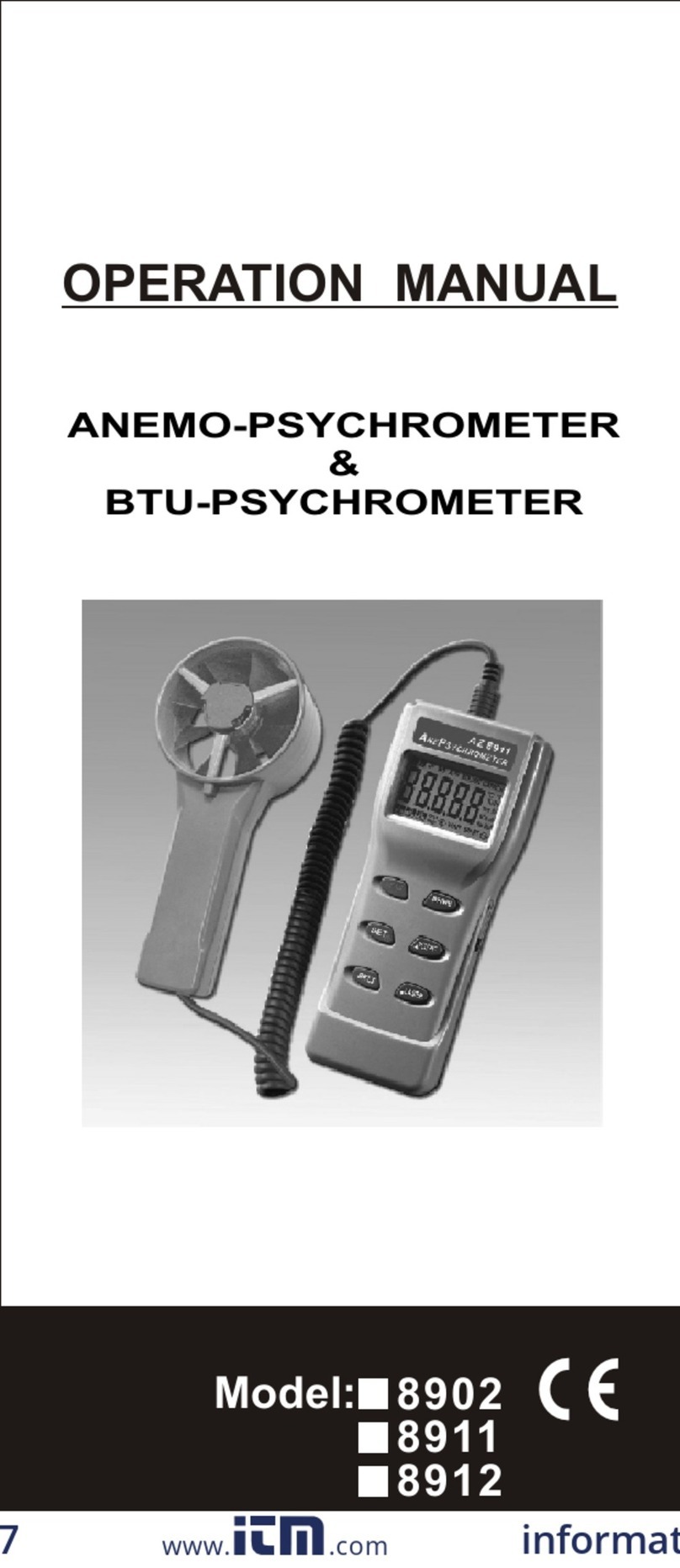
az-instrument 8918 User manual

INTRODUCTION
FEATURES/FUNCTIONS
1
Congratulations on your purchase of the
unique 3 in one Anemo-Thermometer,
the meter features dual display of Air
Velocity and Temperature or Relative
Humidity with Dew Point . Simple and
easy to operate, 7 units to be switchable.
A pocket-knife design makes it con-
venient and portable , easy to use and
to get a precision reading.
Read throughly before using the meter,
the unit was calibrated before shipment .
There are several models of mini-
anemometer and weather meter available
,please contact with your store for more
detail information .
Temp./Windchill : update every second
Windspeed : update every second,
5, 10, 13 second moving
average are selectable.
Relative Humidity : response time is
15 seconds. Update
every 2 seconds.
Temperature sensor : Sealed
precision thermister.
Humidity sensor : Capacitor sensor.
Water resistant shock proof to 1 M .
Data hold by one button operation.
Records Maximum reading.
oo
Unit C/ F switchable.

2
RANGE / RESOLUTION
Meter per second
Feet per minute
Knot
Kilometer per hour
Mile per hour
Beaufort
Relative Humidity
Dew Point
Centigrade
Fahrenheit
1.1~20.0
60~3937
0.4~38.8
0.8~72.0
0.5~44.7
5~95
0~50
-18~50
0~122
1~8
0.1
2
0.1
0.1
0.1
0.1
0.1
0.1
1
0.1
Range
Unit
MS
FPM
KNT
KMH
MPH
RH%
BF
DP
RS
"RS" stands for Resolution.
o
Detended at 180 for fully opened.
oC
oF
o
Detended at 90 for tripod
mountable.
o
90
ON/OFF
HOLD
UNITS
MODE
Safety lanyard makes it carry
around and avoids falling over.
Material supplied : Meter, Battery
CR2032, safety lanyard and manual.

3
1. Vane impeller
2. Precision thermister
3. LCD display
4. ON/OFF and HOLD key
5. UNITS and MODE key
6. Battery compartment(on rear)
7. Swivel handle and storage case
8. Lanyard holder
9. Humidity sensor
10. Tripod mount ( on the bottom)
DESCRIPTION
THERMO-HYGRO
ANEMOMETER
ON/OFF
HOLD UNITS
MODE
8918
THERMO-HYGRO-ANEMOMETER
99
1010
FPM
MPH
MS
KMH
RH%
AVG
MAX
KNT
BF
WCI
HI
C
F
510 TD
FULL DISPLAY:
Though you have seen HI ( Heat Index)
, it is an optional feature on new model
8909/8910.

KNT
Fig.1
F
POWER ON / OFF
To monitor the air velocity measurement ,
always position the meter to the air source
from the rear of the meter .i.e. the display
face to the user .
By pressing the ON/OFF/HOLD key
momentarily. The Dual Display will
illuminate. The top ( larger ) display
indicates air speed and the lower display
indicates temperature.(See Fig. 1)
Press and hold ON/OFF/HOLD key for
approx. 3 seconds to turn the meter
off . The meter will also power off after
20 minutes of inactivity .
SELECT AIR VELOCITY UNITS
When normal mode , the LCD shows
oo
temperature units ( Cor F) and Air
Velocity units. Note: The meter defaults
o
unit KNT F (See Fig.2).
If you want to change the air velocity unit
, simply p
UNITS/MODE
ress the UNITS/MODE key
and ON/OFF HOLD key simultaneously ,
until the display is turns on , while the
display is blinking , release only
ON/OFF HOLD key , and repeatedly
press the until the desired
units are displaying.
4

5
Fig.3
Fig.4 Fig.5
Fig.2
KNT
F
FPM
F
BF
F
MPH
F
The unit cycles through KNT , BF , FPM
, MPH , MS , KMH ( See Fig. 3, 4, 5 for
examples ) and then back to the normal
display in 5 seconds .
If want to change display parameter:
When the meter is on, press and hold
ON/OFF/HOLD, meantime press the
UNITS/MODE key repeatedly to select
oo
through Temperature ( F/ C), Humidity
(%RH), Dew Point (TD) and Wind Chill
Temperature (WCI). The bigger character
at the center display is Air Velocity, the
smaller character is the value of the
desired units . At the right lower section
oo
will be either C or F or RH% , at the
left lower section will be either TD or
WCI .(See Fig.6 , 6-1 ,6-2, 6-3)
CHANGE THE LOWER
DISPLAY PARAMETER
MS
C
MS
RH%
Fig.6 Fig.6-1

6
MS
WCI
C
Fig.6-2
MS
C
TD
Fig.6-3
To select the temperature units:
Turn the meter OFF first. Press and hold
down both buttons until the display turns
on and begins blinking then release the
buttons.
Press both buttons momentarily to change
temperature unit. After 5 seconds, the
meter switches back to normal opration
mode automatically.
TEMPERATURE UNIT
After a measurement session, press and
hold the UNITS/MODE key until the MAX
icon appears on the lower left-hand side
of the LCD. (See Fig. 7 ). Air Velocity
indication on the top display will represent
the highest readings measured since the
meter was last powered.
MS
RH%
MAX
Fig.7
MAX. OPERATION (only for windspeed)

MS
RH%
AVG
AVERAGE MODE (only for windspeed)
Fig.8-1
MS
RH%
Fig.8
Normally the meter update windspeed
readings every 1 second. You will see no
icon is appeared (Fig.8) .
To select 5, 10 or 13 seconds averaging,
first press and hold the UNITS/MODE key
until the MAX icon appears.(See Fig.7).
Next, press the key again momentarily
and the icon will appear with AVG icon,
it stands for the 13 second average mode
now is selected. (See Fig.8-1 ). The lower
icon cycles through MAX, AVG(13), 5,
10 , no icon .
Now press the key once more for a 5
second average mode, display shows
as Fig.9.
Press one more time for a 10 second
average mode , display now shows as
Fig 10. To return to normal operation
press the UNITS/MODE key repeatedly
until all lower left-hand icons disappear.
MS
RH%
5
Fig.9
MS
RH%
10
Fig.10
7

(To freeze the most recent display), by
pressing and holding the ON/OFF/HOLD
key while taking measurements.To return
to normal operation release the key and
restart the meter.
DATA HOLD
When power is on , press and hold
ON/OFF/HOLD button, then press
o
UNITS/MODE keys to select from Cor
oF , RH% , TD then WCI ,when WCI
icon appears , release UNITS/MODE
button first , then immediately release
ON/OFF/HOLD button . (See Fig.11)
Otherwise, the meter will turn off after
WIND CHILL INDICATOR
3 seconds, The temperature display
will now factor in the wind chill.
WCI
MS
CC
Fig.11
WCI
MAX
MS
CC
Fig.12
To return to the normal mode , follow the
same step as above, press ON/OFF/HOLD
and UNITS/MODE simultaneously and
momentarily press UNITS/MODE button
to escape WCI (Windchill)and TD (Dew
Point) features.
NOTE:
When it is in the normal mode with WCI
or TD function , if you keep pressing
UNITS /MODE button , you will see either
8

MAX or AVG or 5 or 10 appears at the
lower corner , IT DOESN'T STAND FOR ANY .
As those maximum or average recalling
for only Wind Speed .(See Fig.12)
UNITS CONVERSION TABLE
1 KMH
0.6222
1
0.54
54.69
0.2778
1 MPH
1
1.6071
0.8679
87.89
0.4464
MPH
KMH
KNT
FPM
MS
1 FPM
0.00508
0.01138
0.01829
0.00987
1
1 MS
196.87
1.944
3.6
2.24
1
1 KNT
1.1523
1.8519
1
101.27
0.5144
BATTERY REPLACEMENT
If the meter will not power up as usual or
the display contrast becomes weak and
difficult to read, replace the lithium
battery. To do so , turn the battery
compartment cover in a CLOCKWISE
direction to remove it. ( See Fig.13 )
The battery will be visible in the battery
compartment, observe the position of
the battery and replace the new one in
the same position. Affix the battery
compartment cover by turning it in a
COUNTER-CLOCKWISE direction.
Dispose of the lithium battery in accor-
dance with local, state, or national waste
disposal codes.
WARNING :
Ensure you have turn off the meter before
opening the battery compartment.
9

10
To replace the impeller, use a small
screwdriver to loosen the set-screw
found on the back of the windmeter.
The remove the impeller by twisting the
impeller assembly clockwise (if you are
facing the back of the windmeter) to the
"O" position marked on the rear of the
rear of the meter. (See Fig.14)
Install a new impeller by following these
instructions in reverse.
3.
OL
OL
Fig.14
VANE REPLACEMENT
NOTE: The anemometer is very accurate
at low and mid-range air speeds.
Constant use at very high speeds, such
as measurements out a fast-moving car
window may damage the impeller's
bearing and reduce over-all accuracy.
BAT
2032
OPEN
Fig.13

Operating Temperature
Min/Max.Windspeed
Min/Max.Windspeed
Average readings
Dimension
Dimension
Impeller Dia.
Unit in Imperial
Unit in Metric
Respone time :
Wind Speed
Wind Speed
Temperature
Temperature
Dew Point
WindChill
Beaufort
Relative Humidity
Relative Humidity
Accuracy:
SPECIFICATION
Display
Measurement Ranges
Sample rate
Power off
0.5~44.7 MPH
60~3937 FTM
5/10/13 second
o
(90 folded)
140 x 45 x 25mm
o
(180 fully opened)
235 x 45 x 25mm
33 x 16 mm (T)
KNT, BF
o
C ,MS ,KMH
OF ,FTM ,MPH
oo
-15 C~50 C
Unit
4% (See below)
3%(5~95%RH)
3% F.S
oC or1 o
1.8 F
oC or2 o
3.6 F
The windspeed accuracy is 4% or last
significant digit, whichever is greater.
The sample time for air velocity and
temperature is a reading per second ,but
1 reading per 15 seconds for humidity
with 2 seconds updates .
1 second
1 minute
15 seconds
11
4% (See below)

The meter is warranted to be free from
defects in material and workmanship for
a period of one years from the date of
purchase.
This warranty covers normal operation
and does not cover batteries,misuse,
abuse, alteration, tampering, neglect,
improper maintenance, or damage
resulting from leaking batteries.
Proof of purchase is required for warranty
repairs.
Authorization must be obtained from the
supplier before returning items for any
reason. When requiring a RA (Return
Authorization), please include data
regarding the defective reason, the
meters are to be returned along with
good packing to prevent any damage in
shipment and insured against possible
damage or loss .
RETURN AUTHORIZATION
CE CERTIFICATION
WARRANTY
12
The meter conforms to the following
standards:
* EN 50081-1/1992 : EN 55022
* EN 50082-1/1997 : EN 55024
(EN 61000-4-2/-3/-8,ENV 50204)
, the meter complies with the essential
protection requirements of Council
Directive 89/336/EEC on the approxi-
mation of the laws of the Member
States relating to electromagnetic
compatibility.

Accuracy, the Zenith of
Measuring / Testing Instruments !
More products available !
Hygrometer/Psychrometer
Thermometer
Anemometer
Sound Level Meter
Air Flow meter
Infrared Thermometer
K type Thermometer
K.J.T. type Thermometer
K.J.T.R.S.E. type Thermometer
pH Meter
Conductivity Meter
T.D.S. Meter
D.O. Meter
Saccharimeter
Manometer
Tacho Meter
Lux / Light Meter
Moisture Meter
Data logger
Temp./RH transmitter
Wireless Transmitter ..........
2008.06rev
www.ponpe.com
Table of contents
Other az-instrument Measuring Instrument manuals

az-instrument
az-instrument 8921 Installation manual

az-instrument
az-instrument 8552 User manual

az-instrument
az-instrument 8690 User manual

az-instrument
az-instrument 89161 User manual

az-instrument
az-instrument AZ8903 User manual

az-instrument
az-instrument 8684 User manual

az-instrument
az-instrument 8758 User manual

az-instrument
az-instrument 7755 User manual

az-instrument
az-instrument 8000 User manual
az-instrument
az-instrument 8708 User manual