manuals.online logo
Brands
  1. Home
  2. •
  3. Brands
  4. •
  5. Azden
  6. •
  7. Mixer
  8. •
  9. Azden FMX-32 User manual

Azden FMX-32 User manual

Other Azden Mixer manuals

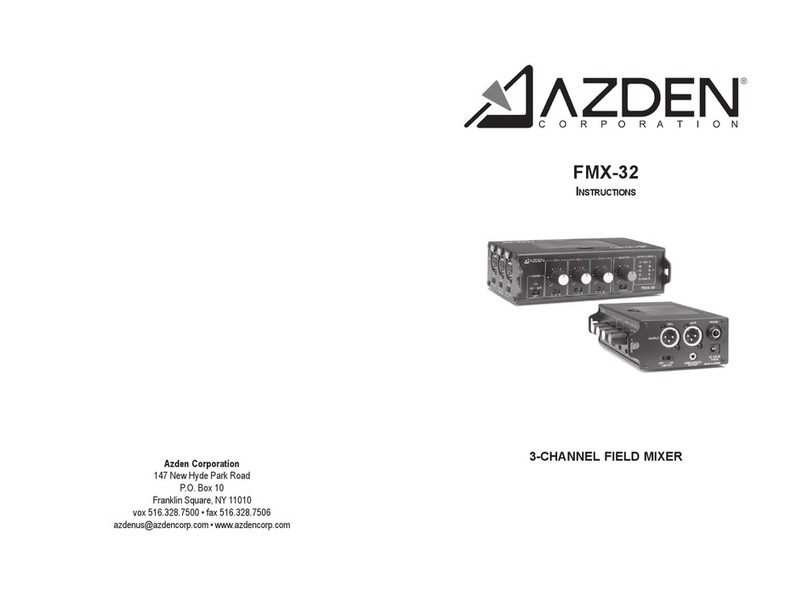
Azden FMX-32 User manual

Azden

Azden FMX-32 User manual

Azden FMX-2 User manual

Azden

Azden FMX-2 User manual

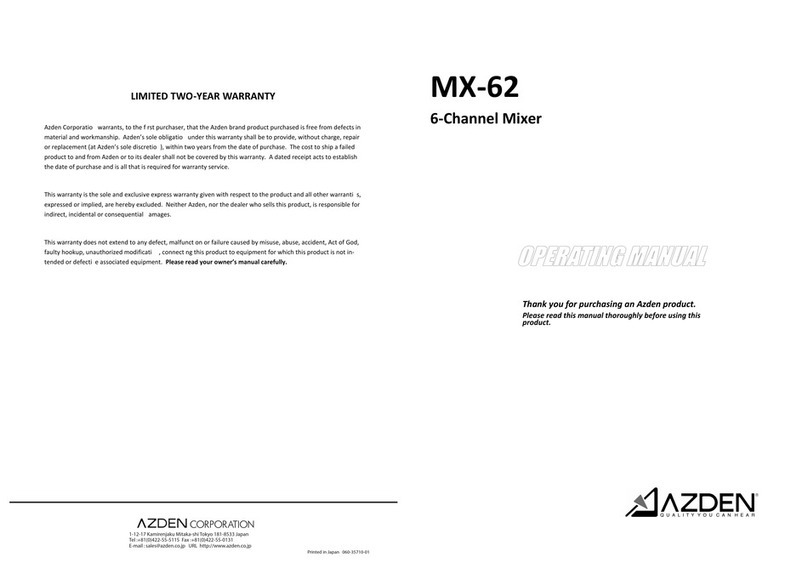
Azden MX-62 User manual

Azden

Azden MX-62 User manual

Azden FMX-42 User manual

Azden

Azden FMX-42 User manual

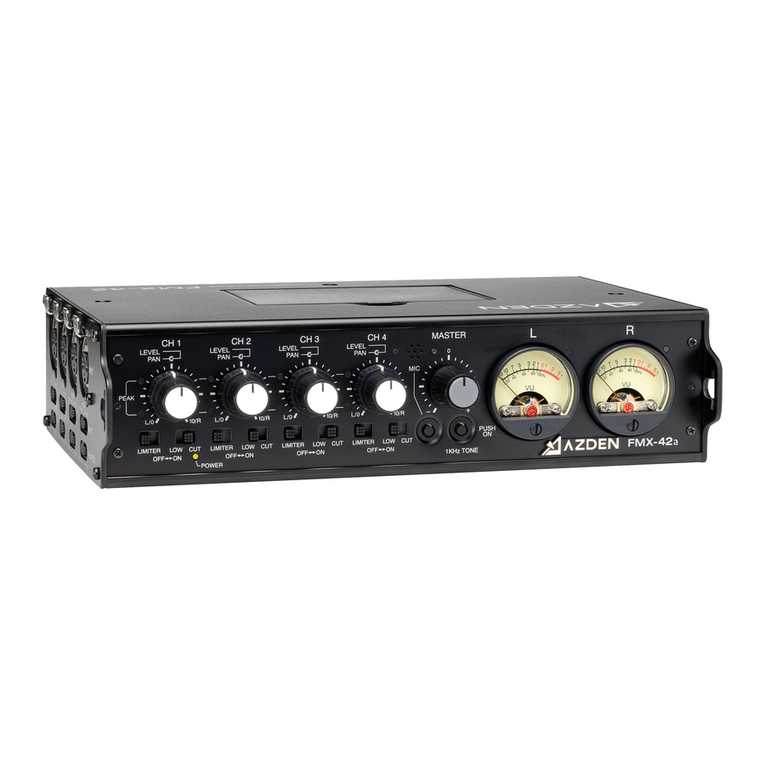
Azden FMX-42a User manual

Azden

Azden FMX-42a User manual

Azden FMX-20 User manual

Azden

Azden FMX-20 User manual

Popular Mixer manuals by other brands

Oster FPSTSM2710 instruction manual

Oster

Oster FPSTSM2710 instruction manual

Aviom A-16II user guide

Aviom

Aviom A-16II user guide

Varimixer V30K Spare part and operation manual

Varimixer

Varimixer V30K Spare part and operation manual

Kohler Stillness K-T954 installation guide

Kohler

Kohler Stillness K-T954 installation guide

Wolf Gourmet WGSM300 Use & care guide

Wolf Gourmet

Wolf Gourmet WGSM300 Use & care guide

Team International TEAM MS 17 operating instructions

Team International

Team International TEAM MS 17 operating instructions

MULTIQUIP Whiteman WM45E Operation and parts manual

MULTIQUIP

MULTIQUIP Whiteman WM45E Operation and parts manual

KitchenAid KSM7581BZ0 Instructions and recipes

KitchenAid

KitchenAid KSM7581BZ0 Instructions and recipes

Jay-Lor 5050 owner's manual

Jay-Lor

Jay-Lor 5050 owner's manual

privileg MJ-BL1051W user manual

privileg

privileg MJ-BL1051W user manual

Fakir CULINA CHEF user manual

Fakir

Fakir CULINA CHEF user manual

Termozeta Bellacucina Instruction booklet

Termozeta

Termozeta Bellacucina Instruction booklet

Thinky ARE-250 instruction manual

Thinky

Thinky ARE-250 instruction manual

Midas XL4 manual

Midas

Midas XL4 manual

bianco PURO 4 manual

bianco

bianco PURO 4 manual

better chef IM-815WC Use and care book

better chef

better chef IM-815WC Use and care book

ALLEN & HEATH GR1 user guide

ALLEN & HEATH

ALLEN & HEATH GR1 user guide

Buffalo CP921 instruction manual

Buffalo

Buffalo CP921 instruction manual

manuals.online logo
manuals.online logoBrands
  • About & Mission
  • Contact us
  • Privacy Policy
  • Terms and Conditions

Copyright 2025 Manuals.Online. All Rights Reserved.

FMX-32
INSTRUCTIONS
3-CHANNEL PORTABLE MIXER
Azden Corporation
147 New Hyde Park Road
P.O.Box10
FranklinSquare,NY11010
vox516.328.7500 •fax 516.328.7506
[email protected]•www.azdencorp.com
FMX-32 SPECIFICATIONS
FrequencyResponse
Mainand UnbalancedOutput .................... 40-17,000Hz(–3dB)
Monitor Output............................................ 50-17,000Hz(–3dB)
NoiseLevel
Left & Right Channel .................................. – 114dBu (A weighted, Input Equivalent Level)
T.H.D............................................................. >0.05% @ 1KHz (+10dBu output)
MICInputLevel
ElectronicBalanced .................................... – 50dBu
BalancedOutput Level
ElectronicBalanced .................................... +0dBu(100KΩload)
.................................... –6.5dBu(600 Ωload)
UnbalancedOutput Level
3.5mmStereo .............................................. – 50dBu(100K Ωload)
Monitor Output Level
.25inch Stereo ............................................ – 4dBu(32Ωload)
(Recommended Load16 Ω- 100Ω)
MaximumOutputLevel
BalancedOutput ......................................... +14dBu (100KΩload)
......................................... +6.5dBu(600 Ωload)
UnbalancedOutput..................................... –36dBu (100KΩload)
BatteryType/Duration
6-”AA”Alkaline ........................................... approx. 15hours
CurrentDrain............................................... 47mA nominal (Phantom Power OFF)
............................................... 100mA maximum (Phantom Power ON)
Phantom Power voltage ............................ 48VDC (+/-4VDC)
Size............................................................... 50Hx 170Wx 110Dmm
1.96x 6.69x4.33inches
Weightwithout Battery............................... 27.9ounces
791grams
1615
12 13 14
1716
18
19 20
21
10
11
3
4
5
8
9
6
7
1
2
A
B
22 23
15
ThankyouforpurchasingtheAzdenFMX-32portablemixer. TheFMX-32hasmanyunique
features,sopleasereadthismanualcompletelybeforeusingthemixer. Designedtowork
withmostmicrophones thathavealow-impedance XLRoutput,the FMX-32canbecon-
nectedtoanyvideocameraoraudiorecorder,whichhasXLR,ormini-jackmic/lineinputs.
LOADINGTHE BATTERIES: Makesure themixer isturned OFF. Removethebattery
cover(A)bypressingintheclip,thenliftupandremovethecoverfromtheunit. Install6new
“AA” ALKALINE batteries into the battery compartment. Be sure to follow the polarity
diagraminsidethebatterycompartment. Donotforcethebatteriesintothecompartment.
Replacethebatterydoor(A). Newbatteriesshouldlastupto15hours.
MOUNTING OPTIONS:
1)HookandLoopfastener(supplied):HookandLoopfastenercanbeattachedtoeitherside
ofthemixerandtoanyadjoiningflatsurface(camerabody,tripod,etc.) Thestripwiththesoft
surfaceshouldbeattachedtothemixerandthestripwiththeroughsurfaceshouldbeattached
totheadjoiningsurface.
2)Strap(notsupplied):Astrapcanbeloopedthroughthestrapcutouts(B)onthesidesofthe
mixer.
CONTROLS and INPUTS/OUTPUTS
1through16
POWER SWITCH (1) and POWER LED (2):
TopowertheFMX-32bytheinternalbatteries.MovethePOWERswitch(1)toINTposition.
ThePOWERONLED(2)willturngreen.WhenthebatteryvoltagelevelislowthePOWER
ON LED (2) will turn to RED. When the POWER ON LED (2) turns to red replace the
batterieswithnew“AA” ALKALINEbatteries. (SeeLOADING THE BATTERYabove).
WhennotinuseturnthemixerOFFtoconservebatterylife.
PoweringtheFMX-32 with anexternalpowersupply.(Note:TheFMX-32 doesnotcome
withanexternalpowersupply. AnoptionalpowersupplypartnumberBC-26Uisavailable
fromtheAzdenwebsitewww.azdencorp.com.) Movethepowerswitch(1)toEXTposition.
ThePOWERONLED(2)willturngreen.WhennotinuseturnthemixerOFFanddisconnect
thepowersupplyfromthemixer.
INPUT LEVEL CONTROLS for Channel 1 (3), Channel 2 (4) and Channel 3 (5):
CH1(3): Controlstheinputlevel(volume)ofthemicrophoneconnectedtoInputCH1(12).
Zeroisthelowest(quietest)setting,10isthehighest(loudest).Forthebestpossiblesoundand
lowestnoiseincreasetheinputlevelcontroluntiltheinputLEDlightsoccasionally.
CH2(4): Controlstheinputlevel(volume)ofthemicrophoneconnectedtoInputCH2(13).
Zeroisthelowest(quietest)setting,10isthehighest(loudest).Forthebestpossiblesoundand
lowestnoiseincreasetheinputlevelcontroluntiltheinputLEDlightsoccasionally.
CH3(5):Controlstheinputlevel(volume)ofthemicrophoneconnectedtoInput CH3(14).
Zeroisthelowest(quietest)setting,10isthehighest(loudest).Forthebestpossiblesoundand
lowestnoiseincreasetheinputlevelcontroluntiltheinputLEDlightsoccasionally.
OUTPUT LEVEL LED INDICATORS (7)
Forthebestsoundincreasethe INPUTLEVELofCH1, and/orCH2and/orCH3, sothat
thecorrespondingPEAK LEDindicatorflashesredoccasionallyduringtheloudestpartsof
whatyouarerecording. Iftheindicatordoesnotlightitmeansthattheinput(volume)levelis
too low and the sound may be accompanied by background hiss. If the indicator is lit
continuouslyitmeansthattheinput(volume)levelistoohighandthesoundmaybedistorted.
Monitorthesoundwithheadphonesandadjusttheinputlevelsforthebestsound.
OUTPUT SELECT Channel 1 (8) , Channel 2 (9) and Channel 3 (10):
By setting the OUTPUT SELECT switch (8) and/or (9) and/or (10) to Lthe sound of any
microphonepluggedintothecorrespondingINPUTCH1(12)and/orCH2(13)and/orCH3(14)
willbesenttoOUTPUT CHL (23). IfusingtheUNBALANCEDOUTPUT(19)thesound
ofthismicrophonewillbesenttotheleftchannel.
By setting the OUTPUT SELECT switch(8) and/or(9) and/or (10) toRthesoundofany
microphonepluggedintothecorrespondingINPUTCH1(12)and/orCH2(13)and/orCH3(14)
willbesenttoOUTPUT CHR (22). IfusingtheUNBALANCEDOUTPUT(19)thesound
ofthismicrophonewillbesenttotherightchannel.
By setting the OUTPUT SELECT switch(8) and/or(9) and/or (10) toCthesoundofany
microphonepluggedintothecorrespondingINPUTCH1(12)and/orCH2(13)and/orCH3(14)
willbesenttoOUTPUT CHL (23)andOUTPUTCHR(22). IfusingtheUNBALANCED
OUTPUT(19)thesoundofthismicrophonewillbesenttotheleftandrightchannels.
MONITOR CONTROL (6) and MONITOR OUTPUT (21)
TheMONITORcontrol (6)adjuststhevolumelevelofheadphonesconnectedtotheMONI-
TORoutput(21). Zeroisthelowest(quietest)setting,10isthehighest(loudest).
MONITOR SELECTOR SWITCH (11)
Normally,settheMONITORselector(11)topositionL/R. IntheL/Rpositionyouwillmonitor
thesoundofallconnectedmicrophonesusingeitherstereoormonoheadphones.Ifyouonly
wanttoheartheoutputfrom CH L,usestereoheadphonesandsettheswitchtopositionL.
Or,ifyouonlywanttoheartheoutputfromCHR,usestereoheadphonesandsettheswitch
topositionR.
LIMITER SWITCH (20)
After setting the Input Levels, turnthis switch to ON.Thelimitercircuitreducespossible
overloaddistortionfromveryloudsoundlevelswithoutaffectingnormalsoundlevels.Ifyou
prefertheoverallsoundqualityofthemixerwithoutthelimitercircuitengagedleavetheswitch
OFF.
INPUTCH1(12) and CH 2 (13) andCH 3 (14)
ConnecttheoutputofamicrophoneorwirelessreceivertoINPUTCH1(12)and/orCH2(13)
and/orCH3(14). Theinputsacceptastandard3-pinmaleXLRconnectorequippedcable.
Pushtheconnectorintotheinputjackuntilitlocks. Toremovetheconnector,pressthePUSH
tabandpulltheconnectorout. ForamoredetaileddescriptionofhowINPUTCH1(12)
and INPUT CH 2 (13) andINPUT CH 3 (14) work see OUTPUT SELECT above.
PHANTOM POWER SWITCH CH 1 (15), CH 2 (16)andCH 3 (17)
WhenusingadynamicmicrophoneininputCH1(12)and/orCH2(13) and/orCH3(14)turn
thecorrespondingphantompower switchtotheOFF position. Whenusingacondenser
microphonethatrequiresexternalpowerininputCH1(12)and/orCH2(13)and/orCH3(14)
turnthecorresponding phantompowerswitch totheON position. WARNING:With the
PhantomPower turnedON theFMX-32supplies48 VDCtothemicrophone. Please
makesure thatyour microphoneis designedto handle48VDCoryoumaydamage
it. Check the manual or with the manufacturer of your microphone.
OUTPUT CH L (23) and CH R (22)
ConnectacablefromOUTPUTCHL(23)and/orCHR(22)tothemicrophoneorlineinput
ofyourvideocameraoraudiorecorder. Theoutputsacceptastandard3-pinfemaleXLR
connectorequippedcable. Pushthecableconnectorintotheoutputjackuntilitlocks.To
removetheconnectorpressthereleasetabontheconnectorandpulltheconnectorout. For
a more detailed description on how OUTPUT CH L (23) and CH R (22) work see
OUTPUT SELECT above.
UNBALANCEDOUTPUT(19)
Thisoutputisstereo(dual-channel). Itisrecommendedtouseastereo-to-stereomini-cable
(notsupplied)fromtheUNBALANCEDOUTPUT(19) tothemicrophoneorlineinputofyour
videocameraoraudio recorder. TheUNBALANCE OUTPUT (19)isdesigned for video
camerasoraudiorecorderswhichhavemini-jackmicrophoneorlineinputs. Becausethe
FMX-32haslow-impedanceXLRinputsandamini-plugoutput,usersofminiDVcameras
that have mini-plug microphone inputs can now use high-quality microphones with XLR
outputs. For a more detailed description on how the UNBALANCED OUTPUT (19)
works see OUTPUT SELECT above.
DC12V Input(18)
Forexternalpoweringofthemixerconnectapowersupplytothisinput.Maximumrating
ofthepowersupplyshouldnotexceed12voltsDC,350mA.Azdenrecommendsusing
the BC-26U.