*
If this guide does not resolve your issue, we would be delighted to help. In the UK or Ireland please visit cheekyrascals.co.uk/contact-us
or go to babybrezza.com/pages/international to nd your local representative.
Possible Remedy
Temperature of dispensed
formula is too cold.
Water has not yet been heated to
correct temperature.
Wait for heater to warm water. Make sure selected
temperature symbol stays on instead of ashing.
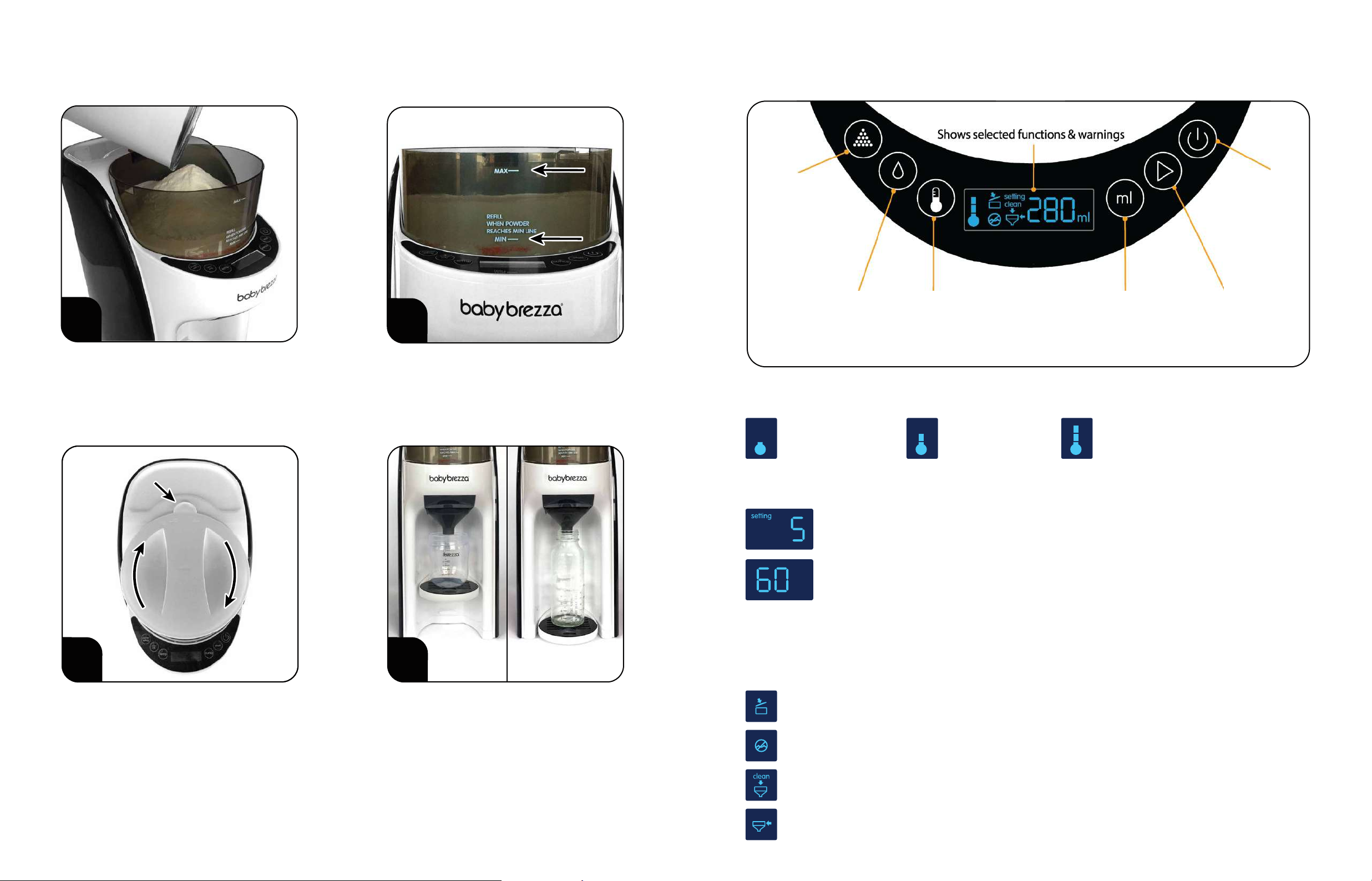
Powder Container Lid is not completely closed. Turn Powder Container lid clockwise to close completely.
See page 7, step 3 for details.
Powder Container Lid is on backwards. Make sure tab on edge of Powder Container Lid is facing
the back of the machine and engaged with safety switch.
See page 7, step 3 for details.
Water in Water Tank is too cold.
(Temp Symbol on LCD Flashing)
Wait for water to warm up.
Powder Container is removed or not fully seated. Make sure Powder Container is placed on base properly.
Troubleshooting
Condition Possible Cause
Machine will not start. Make sure the plug is securely inserted into the power outlet.Machine is unplugged.
Insert Funnel or push front of Funnel until ush with machine.Funnel is removed or not fully inserted.
Press Power Button to turn on machine.Machine is not turned on.
Add more water to Water Tank.Water level is below“min”line.
Water in Water Tank is too hot.
(Temp Symbol on LCD panel is ashing)
Wait for water to cool down.
Funnel cover is not straight on Funnel and/or
not pushed down completely.
Align tab on front of Funnel Cover with notch in Funnel
and push down Funnel Cover completely.
Funnel will not t all the way into
the Funnel Compartment.
Clean Funnel symbol is on, Formula Pro
beeps when start button is pressed.
Funnel and hole on underside of
Powder Container require cleaning.
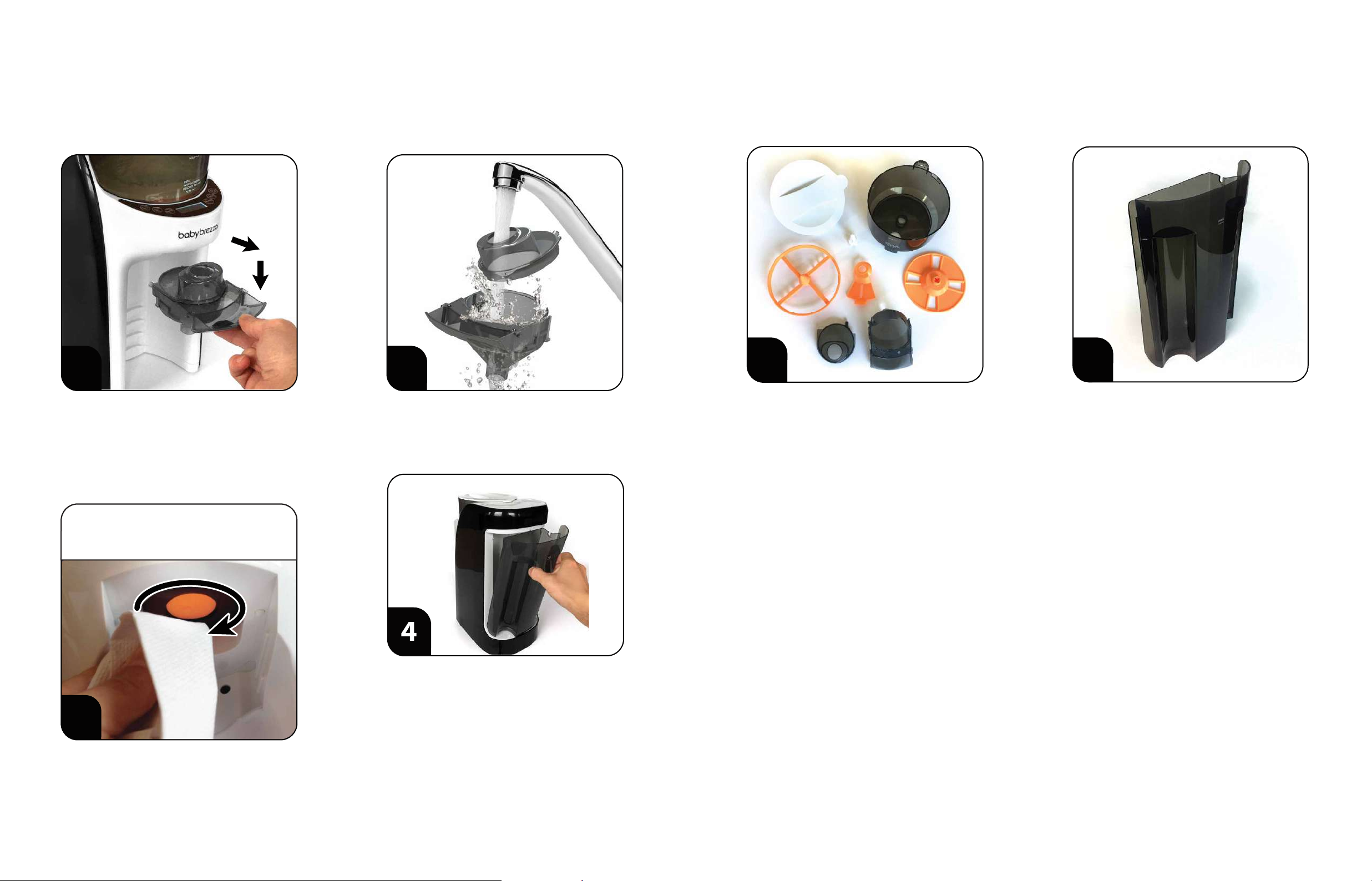
Follow steps on page 7 to clean and air dry Funnel and hole
on underside of Powder Container.
Not enough powder dispensed. Rell Powder Container with more powder.Powder level in Powder Container is too low.
Make sure Silicone Scraper is installed as per page 6 step 6.Silicone Scraper is not installed correctly.
Incorrect powder setting selected.
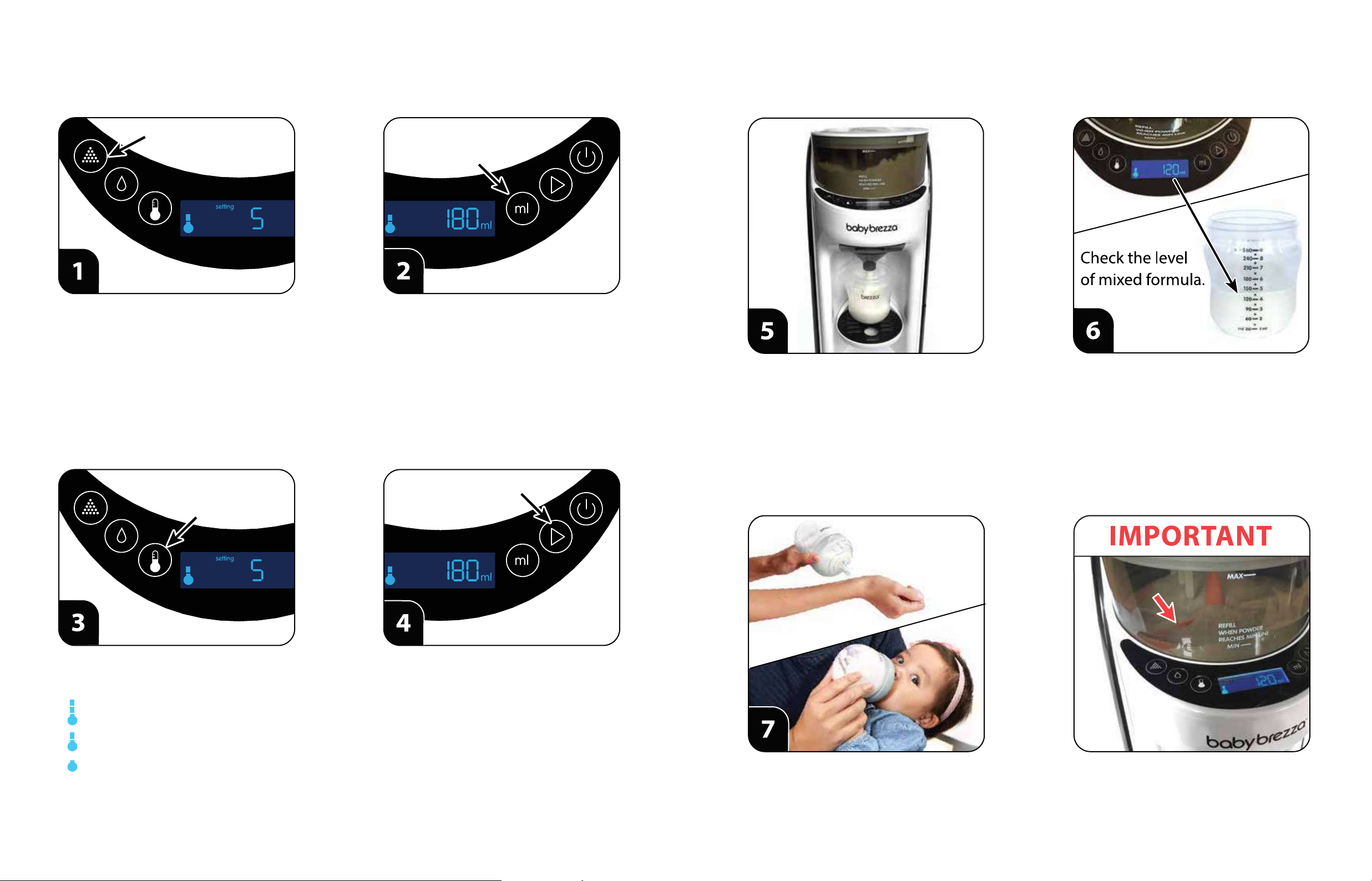
Incorrect powder setting selected. See page 9 step 1 to select the correct setting number for
your powder type. For details, go to babybrezza.com/fpa
See page 9 step 1 to select the correct setting number for
your powder type. For details, go to babybrezza.com/fpa
Too much powder dispensed. Locking Cover is not installed correctly. Check Locking Cover and make sure the front edge is locked
under the tab in the Powder Container. See page 4, step 6
for details.
Not dispensing water. Water Tank not fully seated. Push Water Tank down all the way onto the Base.
Powder build-up on Funnel Cover and
underside of Powder Container.
Clean Funnel, Funnel Cover and underside of Powder
Container every 4 bottles.
Frequent use without cleaning underside of
Powder Container. See page 7 step 3 for details.
Machine has not been cleaned well. Dismantle, clean by hand washing, completely dry all
parts and reassemble.
Long Term Storage Instructions
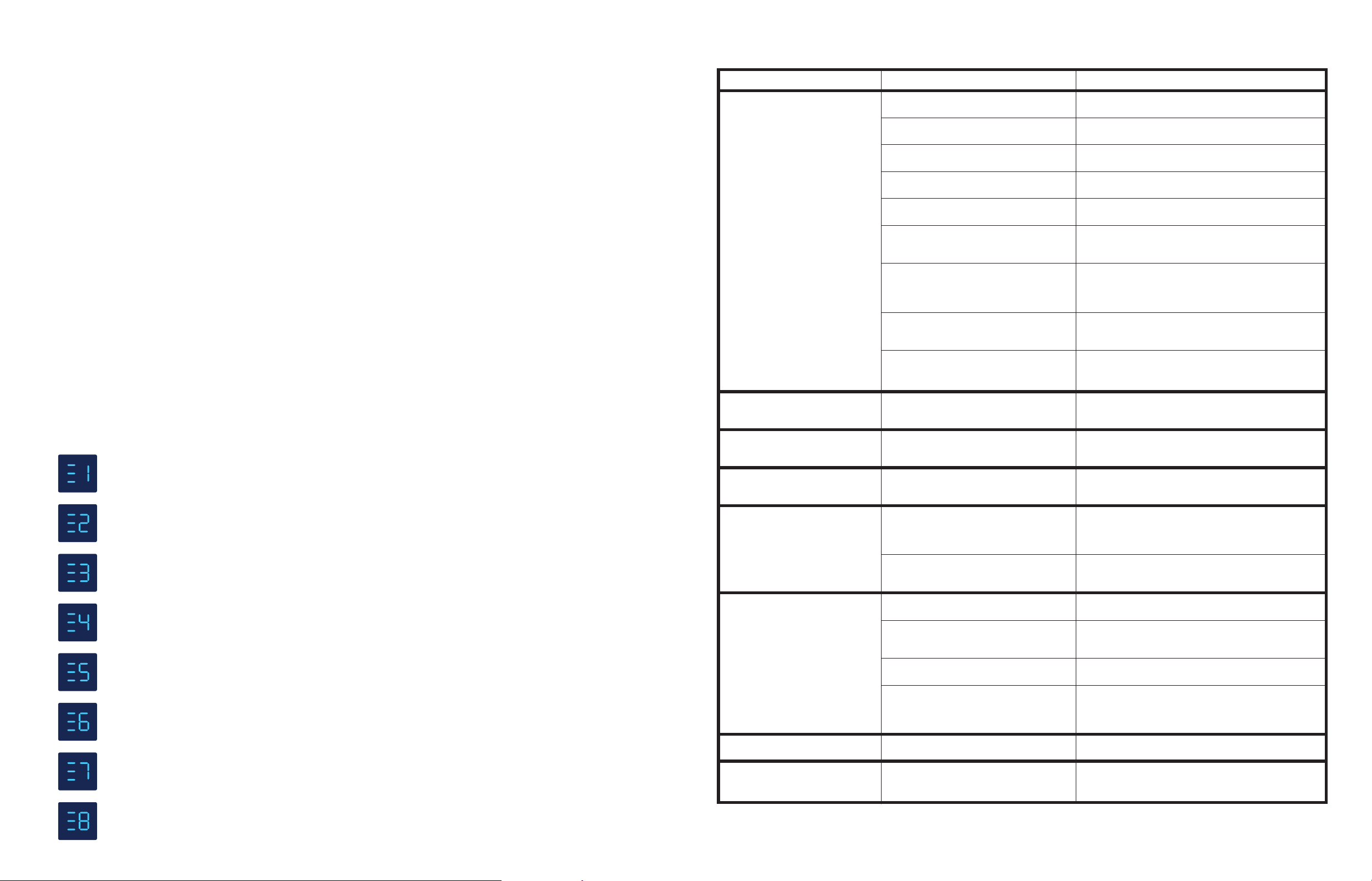
Error Codes
If you’re going to store your Formula Pro® Advanced for later use, or will not use it for a while, please follow the
instructions below:
1. Remove the Powder Container parts, Funnel, Funnel Cover, Drip Tray and Water Tank from the Base.
2. Wipe the Base with a clean damp cloth and make sure to remove any and all formula residue. Dry the Base well.
3. Empty the Powder Container, wash all Powder Container Parts, air dry throughly, reassemble and reinstall on the Base.
4. Follow the Monthly Descaling Instructions on page 12, steps 1-7 only. Do not remove or rell the Water Tank after
step 7.
5. Now place a cup to catch 300ml water under the Funnel, then press and hold the“water only” button for 5 seconds.
Water will dispense continuously until the machine is completely empty, then stop automatically.
6. Unplug the machine, remove the Funnel, Funnel Cover and Water Tank, air dry them both throughly and reinstall
them on the machine.
7. Your machine is now ready for storage. Pack the machine in its box, or enclose it in a bag to keep it dust free.
In the unlikely event of an electrical component error or interruption during operation, the following codes will
be displayed on the LCD screen. Pressing and holding the power button will clear the code, and operation should
return to normal. If the code returns or is unable to be cleared, please contact Customer Service.
It is EXTREMELY IMPORTANT to clean the machine and remove all formula powder residue before storage.
Indicates an operation error of the motor that turns the Powder Container parts.
Contact Customer Service*.
Indicates an operation error of the motor sensor that detects the rotation of the Measuring Wheel.
Contact Customer Service*.
Indicates an operation error of the water ow meter that measures the water volume output.
Contact Customer Service*.
Indicates an operation error of the temperature sensor that measures water temperature.
Contact Customer Service*.
Indicates an operation error of the water level switch that measures the water remaining.
Contact Customer Service*.
Indicates that hot water has been poured into the Water Tank and entered the machine.
Empty the Water Tank, rell it with room temperature water, return it to the Base. Press and hold the power
button to clear the code, then press and hold the“water only”button to clear the hot water from the machine.
Indicates that the Powder Container Lid has been opened during operation. Make sure the Powder Container
Lid is completely closed, press and hold the power button to clear the code. The machine will return to normal.
Indicates that the Funnel has been removed during operation. Make sure the Funnel and Funnel Cover are
installed correctly, press and hold the power button to clear the code. The machine will return to normal.
1413