manuals.online logo
Brands
  1. Home
  2. •
  3. Brands
  4. •
  5. Bak USA
  6. •
  7. Tablet
  8. •
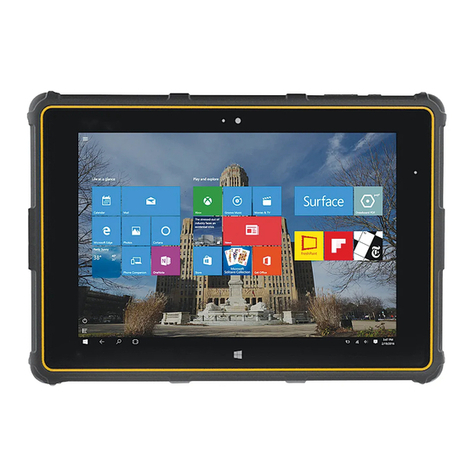
  9. Bak USA S8A001 User manual

Bak USA S8A001 User manual

Other Bak USA Tablet manuals

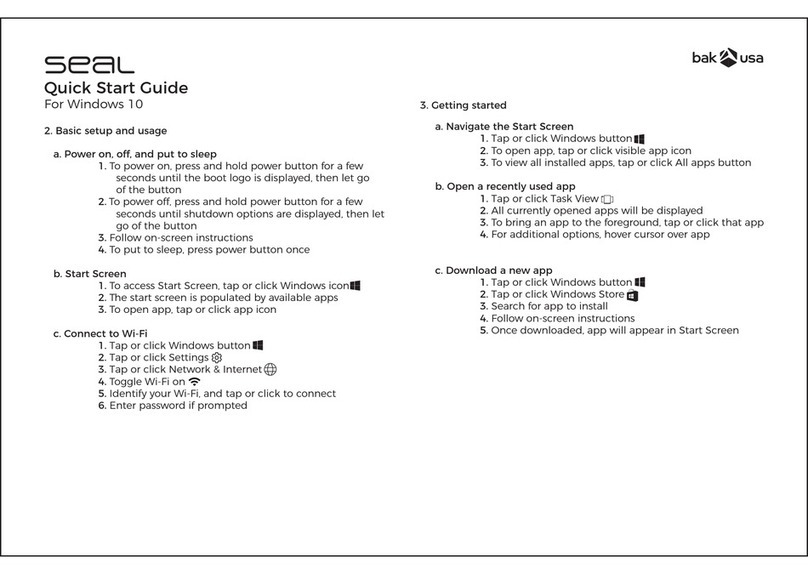
Bak USA seal User manual

Bak USA

Bak USA seal User manual

Bak USA Seal 8 Pro User manual

Bak USA

Bak USA Seal 8 Pro User manual

Bak USA Bak Board User manual

Bak USA

Bak USA Bak Board User manual

Bak USA seal User manual

Bak USA

Bak USA seal User manual

Bak USA Atlas 10 User manual

Bak USA

Bak USA Atlas 10 User manual

Popular Tablet manuals by other brands

Fujitsu Stylistic ST5021D Specifications

Fujitsu

Fujitsu Stylistic ST5021D Specifications

Samsung Galaxy Tab S2 user manual

Samsung

Samsung Galaxy Tab S2 user manual

Venstar 4050 user manual

Venstar

Venstar 4050 user manual

TabLines TWE Mounting instructions

TabLines

TabLines TWE Mounting instructions

Fujitsu LifeBook T902 user guide

Fujitsu

Fujitsu LifeBook T902 user guide

Coby Kyros MID1042 Series quick start guide

Coby

Coby Kyros MID1042 Series quick start guide

Porto S908ET quick guide

Porto

Porto S908ET quick guide

Samsung Galaxy Tab A user manual

Samsung

Samsung Galaxy Tab A user manual

Laser MID-1060 Quick operation guide

Laser

Laser MID-1060 Quick operation guide

MUNBYN IRT09J Easy setup guide

MUNBYN

MUNBYN IRT09J Easy setup guide

Motorola MC3090R - Win CE 5.0 Professional 520 MHz quick start guide

Motorola

Motorola MC3090R - Win CE 5.0 Professional 520 MHz quick start guide

Dell Latitude ST Setup and features information

Dell

Dell Latitude ST Setup and features information

Samsung Galaxy Tab S2 user manual

Samsung

Samsung Galaxy Tab S2 user manual

Samsung GT-P8510 user manual

Samsung

Samsung GT-P8510 user manual

Venturer WT9L11 quick start guide

Venturer

Venturer WT9L11 quick start guide

EDUGEAR UnoBook user guide

EDUGEAR

EDUGEAR UnoBook user guide

Zeki TBDB763B user guide

Zeki

Zeki TBDB763B user guide

TwinMOS TwinTAB-T102D1 user guide

TwinMOS

TwinMOS TwinTAB-T102D1 user guide

manuals.online logo
manuals.online logoBrands
  • About & Mission
  • Contact us
  • Privacy Policy
  • Terms and Conditions

Copyright 2025 Manuals.Online. All Rights Reserved.



User Manual of T01 series MID
 !"#$%&'()
*+&,-./0123456789:;<=>
?@ABCD
Thank you for purchasing MID products. This user manual introduces
every function of the MID briefly, which let you have an easy control in it and
enjoy its value fully. Please read this manual carefully before use. The version
number of this manual is Ver1.0.
EFG#
Announcements
D EFHIJKL9MNOPQR,ISTI3UVWX%YZ[\]^
%
1_Please noted that the new battery is only able to achieve the best
performance after two or three charge and discharge cycles completely.
`_aHIJ93bOP,IcZ[de
fg&hiPjkKl,Imnfgop,q
rsptIJZ[\]^%
2. For the first three times charge battery, please make sure the charging time should be
8-10 hours at least. After it, the battery can be full charged about 4 hours. These make
lithium battery achieved its best performance in the future.
uD @vwxyz{&|}~xy&P:E
Fxyxyz{3{&
3. To prevent data loss, it is recommended that users should be back up
important data, especially before the firmware upgrade. We are not be
responsible for any losses caused by data loss.
nD  I8*¡
4. This machine is a high-precision electronic product, please do not
disassemble by yourself.
¢D £¤¥¦§¨N©ª«T 
5. Please avoid any strong beat or collide the player.
¬D £¤9®¯°«T ±²N³²N´µN¶·N¸¹¥º
»¼V½¾¿ÀÁ!
6. Avoid using the player in the following environments: high temperature, low
temperature, humid, dusty, powerful magnetic field and long-term exposure
under sunlight.
 pÃÄ3µÅÆÇÇÈÉ 3ÊË&ÌÍÎÏÐÑÒÓ
7. It’s allow to wipe the device's casing gently by wet cloth drying, and any
other chemical solution cleaning is strictly prohibited.
d
dD cÔ7ÕÖSÕ×ØÙ ÚÛÜcTÝÞ+Õßàá3âqÑ
.3ã
8. The device can not be suffered any drip and splash, and it should not be
placed near something like cups filled liquid.
äD åæg8çèé3êë&죤íæî
9. To avoid hearing damage, please choose the appropriate volume while
listening.
D 8ïð 3ñòó-
10. Do not alter any part of the device.
D 8ôõö÷ø3IJN,IÚSÛñòùáú3
ûüýþÿĀā&ĂLp%㥹Ć
11. Please only use the batteries, chargers and accessories manufacturers
allowed. It will
be violate the warranty regulations or may be dangerous if you use any
other ones
`D 8ćĈéĉĊċ3®þĀā2ČÝčĎ ÚSÛ
12. Please follow the relevant local environmental regulations to dispose the
discarded
device and accessories.
uD  9ďа+LñòđĒ&8ēéĉĔĕöĖėĘęĚ
~ěĜ°ĝē
13. If there is any questions during using, please contact the local dealer or
our company's
customer service center directly.
nDa+LñòĞð&ğĠġĢ&ģ!Č&Ĥ8ĥĦ
14. All specifications or others are subject to change without notice.
ħĨ±
Manual Catalogue:
àNĩĪaProduct specifications
īNÊú»ćĬAppearance and Key Description
ONĭĮaaGetting Started
įàݨj«T Open the player
įīİ$%aaThe use of functions
aaDaıݱsetting
IJijaaWIFI
ĴĵaaBluetooth
Ķê sound
ķĸ display
Ĺĺ storage
IJ battery
ĻR security
ļĽSľĭĿ language & input
SÝ back up & reset
ŀVSgŁ Date & time
jăłç# Developer option
ċ¿Ńń About table
`DaêŅ«TaaPlay Music
aauDaņŇaPlay video
ņňʼnŊaaPicture browsing
ŋŌ«TaaVideo Player
nDaĈĊaaPhotograph
¢DaĨêaaRecording
¬DaōeŎŏŐŎőŒaaG-SENSOR
ÂDaœaaaaaœ
dDacĐŔŕ»aaDownload and Use Application
9.ŖŗŘ Documents Management
DřŚśaaaaFingerprint recognition
DaŐijŜa NFC
`DřŝŞa compass
uDaLşŠ.šŢaaToxic gas detection
nDa²µţšŢaa Temperature and humidity testing
¢DaŤťŦaaBar code scanning
¬DI¸ŧa Electromagnetic pen
įOİ,IŨũaaCharging Step
aaDaŜeŪŎū,IÚŬ,IaaCharge the unit via MIC-USB adapter.
įiİŭŮůaaAbnormal restart
iNŮŰđĒaaaFrequently Asked Questions
à
àNĩα
Product specifications
ű úaa?±
űModel: T01
ű (Ųų±ŐŒőa¢D
űoperating system±ANDROID 5.0
ű Ŵŵň±ŐŏŶaŷŸŹaźuÂu¢ijaDuuōœźaa
űCPU : INTEL BYT-CR Z3735F 1.33GHZ
ű Żżë±u`ōū
űMachine capacity: 32GB
ű ŽžĹ±`ōū
űRunning memory:2GB
ű žÝŎſżë±`ōū
űBuilt-in SD card capacity:2GB
ű ŪŎūĘƀ±ƁúŪŎū`Daőō&ƂƃŪŎū`DaœőŎ
űUSB port: micro USB 2.0 OTG &standard USB 2.0 HOST
ű ķaĸaƄ±dƅƆI¸Ƅ`dƇd-ƈƉ
űDisplay:a8 inch Electromagnetic screen with 1280*800 resolution
ű IaaaaƊ±p,IƋƌãtƍIJ¢¬ŹƎƏ
űBattery: Rechargeable polymer lithium ion battery 5600mA / h
ű ĩĪƐƆ±`uD䏏ƑŶƒƇ¢¢D¬ŹŹƑIJƒƇ`ŹŹƑœƒ
űSize:230.9Ź
ŹŹƑŶƒƇ¢¢D¬ŹŹƑIJƒƇ`ŹŹƑœƒ
īNÊú»ćĬ±
Appearance and Key DescriptionƓ
1.
jċ Ĭ±¼ćjůı&Ɣ WƕćpìƖƗı&¼ćċƘı
1. power : Long press to open the device, short press to wake up the device
while standby, long press to off the device.
2.
êë
(+-)
Ĭ±ƕćƙƚêëºf
2. Volume(+ - ): Short press to adjust the volume.
3.
vƛƜ±ıÝWpìvw ÚƝ{
3. Kensington anti-theft lock±After you set the machine to prevent loss
4.
²µţ±ƕćpìƞƟƠвµţ
4. h Umidity and temperature±Short press to view the air temperature and
humidity
5.
Áơ±pìƢƣƤţSơƍ*ðƙƚƄƥƤţ
5. Distance sensor Light sensor±It can automatically adjust screen
brightness depending on the brightness and distance
ONĭĮ
Getting Started
įàİůðıaa
Boot device
ƢƣÊú»ćĬņ°řĸ“IƊůð”Ĭ&¼ćjůı
According to "power" button in the Appearance and Keys description, long
press it to turn on the device.
į
įīİ$%±
The use of functions:
cƦƧ±a
Application interface
±
DıÝaa
Setting
ƨƩcƦƧ3ıÝƪƫƫ&ŬĭıÝ
Click Settings app of application interface, enter the settings
a
a
WIFI WIFI
aaa
9“ıÝ”Ƭƭ°&jůIJij&ƨƩŤť&ç°pƮƯ&ľĭưƱƲopƳ
ĘƮƯ&ƴWƵpìʼnŊƮƶ
Turn on the WIFI in "Settings" menu, click search, select the available
network and connect it via enter the correct password&Then you can
browse the web.
Ĵĵaa
Bluetooth
9“ıÝ”Ƭƭ°&
a
jůĴĵ*ðƷƸĴĵâÝ&ç°àƹâÝƺƻ&ƺƻ$W&ƵpìƼ
ľƎĘ7Ŗ
Turn on Bluetooth in “Settings”. The unit will search for Bluetooth devices
automatically, then you can select a device pairing. Once the pairing is
succeed finished, you can transmit / receive files
Ķê
sound
9“ıÝ”Ƭƭ°&çƽĶê&pìƾïŃń3ĶêıݱĶêNIƿǀ
ĶSųĶê
In the "Settings" menu, select a sound, you can change the tablet's sound
settings: Sound, phone ringtones and sound systems
ķĸ
display
9“ıÝ”Ƭƭ°&çƽķĸ&pìƾïŃń3ķĸ&+ƤţNǁǂNǃDŽ
gŁSDž.ºf
In the "Settings" menu, select the display, you can change the flat panel
display, such as brightness, wallpaper, sleep time, and font size
Ĺĺ
storage
9“ıÝ”Ƭƭ°&çƽĹĺ&pìƞƟų3ĹĺdžLJSpƠŁ
In the "Settings" menu, select the storage, you can view the system's storage
conditions and the available space
IJ
battery
9“ıÝ”Ƭƭ°&çƽIJ&pìƞƟIJLjlj
In the "Settings" menu, select the battery, you can view the battery
information
ĻR
security
9“ıÝ”Ƭƭ°&çƽĻR&pìƾïŃńƄƥƜNJ3Njnj
In the "Settings" menu, select Security, you can change the way of flat screen
lock
ļĽSľĭĿ
language & input
9“ıÝ”Ƭƭ°&çƽļĽSľĭĿ&pìƾïų3ļĽNĬǍSľ
ĭĿ
In the "Settings" menu, select the language and input method, you can
change the system's language, keyboard and input method

SÝ
back up & reset
9“ıÝ”Ƭƭ°&çƽSÝ&pìŃń°3ǎƣĖłǏǐǑ
ǒıÝ
In the "Settings" menu, select Backup and Reset, you can back up the data
plate or reply to factory settings
ŀVSgŁ
Date & time
9“ıÝ”Ƭƭ°&çƽļĽSľĭĿ&pìƾïų3gŁSŀV&ì
»ķĸNjnj
In the "Settings" menu, select the language and input method, you can
change the system time and date, as well as display
jăłç#
Developer option
9“ıÝ”Ƭƭ°&¨jjăłç#&pìŃńSIǓƳĘĂƼľǎƣ
In the "Settings" menu, open the developer options, tablet and PC can
connect and transfer data
ċ¿Ńń
About table
9“ıÝ”Ƭƭ°&çƽċ¿ŃńIǓ&pìƞƟŃń3"ǔLjlj±ĻǕ
NžǖǗ
In the "Settings" menu, choose About tablet, you can view a variety of
informationplate: Andrews version, kernel version, etc..
2.
êŅ«T
Music
ėĘƨƩ“êŅ”ƪƫƫŬĭêŅ«TƦƧ&pìƢƣǘǙ«TǚǛĪ3êŅ
Click "Music" app of application interface to enter the music player interface,
you can play different styles of music according to preferences
3. ņ
ņŇa
Gallery
ņňʼnŊ
aaPicture browsing
ėĘƨƩņŇ&ŬĭņňŖǜ&ʼnŊĈňSǝņ&ĂƨƩƬƭŬǞǟ
&ǠpìņňıÝ@ǡƧǢǣ
Click on picture to enter the picture folder, view photos and screenshots, and
click on the menu to edit&and also can set the picture as the desktop
background.
ŋ
ŋŌ«T
aVideo Player
ėĘƨƩņŇ&ŬĭŋŌŖǜ&çƽŋŌŖŬ«T
Click on picture to enter the video folder, select the video file to play
4.
ǤĈ aa
Photograph
9cƦƧ3¨jĊ app&ƵpìŬǤĈSĨǥ&ǠpìǦǧ:WÝǨǥ
bŬǤĈ
Open the camera app of application interface, you can take pictures and
videos, you can also switch the front and rear camera to take pictures
5.
Ĩê
a
a
Recording
9cƦƧ3¨jĨêapp&ƵpìŬĨê&ĨêQǩpìçƽQ2
þĹĨêŖǠpìçƽTĎ&ǪǑĨêc
Open the sound Recording app of application interface, it can be recorded,
and the recording is finished you can select Finish to save the recording file,
you can choose to give up, quit recording application
6.
ōeŎŏŐŎőŒ
aaG-SENSOR
ǫǬǭǮ&çƽ*ðǯǰ&pìjůSċƘōeŎŏŐŎőŒ
Pull-down bar, select Auto Rotation, you can open and close the G-SENSOR
ÂD œ
a
œ
ƳĘÊĘķĸÚ,ķĸÚS Ú%ưŮķĸ
To connect an external display, display and the machine can normally display
8. c
cĐŔŕ»
aaDownload and Use Application
NjĿà
±DZIǓDzdzǴAPK[ ÚŬĻâ
1.ƨƩǵĻâ3ĐŔ&ǑǶ“Ļ┓ǷǸ”&ƨƩ“Ļâ”&!Wķĸ“cĐŔ
ǹĻâ”&ƨƩ“Q”ǺǻĻâù3ĐŔ&ĖƨƩ“¨j”ėʨjé:Ļ
â3ĐŔ
1. Click the APK will need to install, then there is one prompt dialog box
shows “Install” “Cancel”. Click" Install " and waiting for installing APK. After
finish, it will shows “Application is already installed”. Click “Finish” to continue
to install other or click “Open” to open the current installed application directly.
NjĿī
±ƮƯŕ3cĐŔĻâNjĿ
Method 2: The application installation method downloaded from Network
1.ġď“APKĻâÚ”&Ļâŕ"app "3Ǽ¹cĐŔ,ā:skypeǗ
1. Install and download ". exe" market applications through “exe installer”. For
example, store, etc..
2.¨jƮƶ!WLºë-Ǚá3cĐŔ,ƨƩñFĐŔ,/ǑǶ"Ļâ"ç#,ƨƩ
"Ļâ",
ǽĸ"ư9ŕ---->ŕQ---->ŕQ,ư9Ļâ----
>Ļâ$;gpì¨jcĐŔ,ǠpƨƩ"¡ŕ",¡ŕĐŔ
2. Open the page, you can find a large number of sorted applications. Click on
any application, there will be shows the option of "Install", then click "Install", it
will prompt
"Downloading ----> Finished download ----> Download is finished and is being
installed ----> Install succeed”. At this time, you can open this application or
click" Uninstall " to uninstall it.
3_ėʨjñFƮƶǠpŕcĐŔ
3. You can also download the application by any web page directly.
ŕ
app
cĐŔ3ƮǾLǿ¶&ėĘ9ƮǾȀƷƵpì&ìLȁƹƮǾȂ
ȃȄ±
There is many Website for Download apk application, you can search them in
the Website directly. Below is several websites for your reference:
http://www.eoemarket.com
http://www.apkok.com
http://www.ggdown.com/
http://www.mtxt800.com/
9.

ŖŗŘ
Documents Management