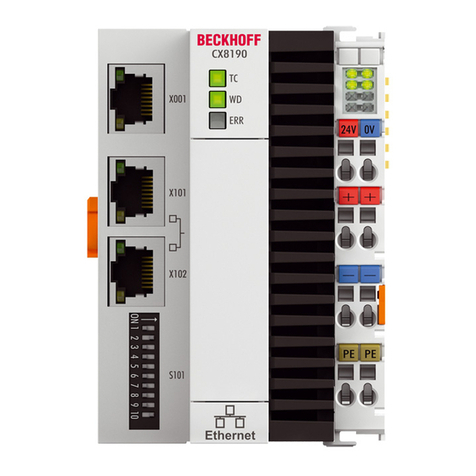
Beckhoff CX8191 User manual

Manual | EN
CX8191
Embedded-PC for BACnet/IP
6/29/2020 | Version: 1.0


Table of contents
CX8191 3Version: 1.0
Table of contents
1 Notes on the documentation ....................................................................................................................5
1.1 Representation and structure of warnings.........................................................................................6
1.2 Documentation issue status ..............................................................................................................7
2 For your safety...........................................................................................................................................8
2.1 Intended use......................................................................................................................................8
2.2 Staff qualification ...............................................................................................................................8
2.3 Safety instructions .............................................................................................................................9
3 Transport and storage.............................................................................................................................10
4 Product overview.....................................................................................................................................11
4.1 Structure ..........................................................................................................................................13
4.2 Name plate ......................................................................................................................................14
4.3 Ethernet interfaces ..........................................................................................................................15
4.4 BACnet/IP........................................................................................................................................18
4.5 MicroSD card...................................................................................................................................19
4.6 Reset button ....................................................................................................................................19
5 Commissioning........................................................................................................................................20
5.1 Mounting..........................................................................................................................................20
5.1.1 Dimensions ...................................................................................................................... 20
5.1.2 Note the permissible installation positions....................................................................... 21
5.1.3 Securing on mounting rail ................................................................................................ 23
5.2 Connecting the power supply ..........................................................................................................24
6 Configuration ...........................................................................................................................................26
6.1 Operating system ............................................................................................................................26
6.1.1 Features included ............................................................................................................ 27
6.1.2 Update image .................................................................................................................. 28
6.1.3 FTP Server ...................................................................................................................... 29
6.2 IP address .......................................................................................................................................31
6.2.1 Setting with DIP switches ................................................................................................ 31
6.2.2 Setting in the operating system ....................................................................................... 32
6.3 Web service.....................................................................................................................................33
6.3.1 Starting the Beckhoff Device Manager ............................................................................ 33
6.3.2 Enabling a remote display ............................................................................................... 34
6.3.3 Changing the IP address of the Ethernet interfaces (X101, X102).................................. 35
6.3.4 Starting a remote connection........................................................................................... 36
6.4 TwinCAT..........................................................................................................................................37
6.4.1 Connecting to the CX81xx ............................................................................................... 37
6.4.2 Scanning for devices ....................................................................................................... 39
6.4.3 Creating a BACnet server and a device object................................................................ 40
6.4.4 Linking to IO task ............................................................................................................. 42
7 Programming ...........................................................................................................................................45
7.1 Seconds UPS ..................................................................................................................................45
7.1.1 Function block.................................................................................................................. 47
7.1.2 Data types........................................................................................................................ 49

Table of contents
CX81914 Version: 1.0
7.1.3 PlcAppSystemInfo ........................................................................................................... 50
7.2 Function F_CX81xx_ADDRESS......................................................................................................51
7.3 Real Time Clock (RTC)....................................................................................................................51
8 Ethernet X001 Interface...........................................................................................................................52
8.1 Ethernet ...........................................................................................................................................52
8.2 Topology example ...........................................................................................................................54
8.3 ADS-Communication .......................................................................................................................54
9 Error handling and diagnosis.................................................................................................................56
9.1 Diagnostic LEDs ..............................................................................................................................56
9.2 Power supply terminal LEDs in K-bus mode ...................................................................................56
9.3 Power supply terminal LEDs in E-bus mode ...................................................................................59
10 Care and maintenance ............................................................................................................................60
10.1 Replace the battery .........................................................................................................................60
11 Technical data..........................................................................................................................................61
12 Appendix ..................................................................................................................................................63
12.1 Certification......................................................................................................................................63
12.1.1 FCC ................................................................................................................................. 63
12.2 Support and Service ........................................................................................................................64

Notes on the documentation
CX8191 5Version: 1.0
1 Notes on the documentation
This description is only intended for the use of trained specialists in control and automation engineering who
are familiar with the applicable national standards.
It is essential that the documentation and the following notes and explanations are followed when installing
and commissioning the components.
It is the duty of the technical personnel to use the documentation published at the respective time of each
installation and commissioning.
The responsible staff must ensure that the application or use of the products described satisfy all the
requirements for safety, including all the relevant laws, regulations, guidelines and standards.
Disclaimer
The documentation has been prepared with care. The products described are, however, constantly under
development.
We reserve the right to revise and change the documentation at any time and without prior announcement.
No claims for the modification of products that have already been supplied may be made on the basis of the
data, diagrams and descriptions in this documentation.
Trademarks
Beckhoff®, TwinCAT®, EtherCAT®, EtherCAT G®, EtherCAT G10®, EtherCAT P®, Safety over EtherCAT®,
TwinSAFE®, XFC®, und XTS® and XPlanar®, are registered trademarks of and licensed by Beckhoff
Automation GmbH.
Other designations used in this publication may be trademarks whose use by third parties for their own
purposes could violate the rights of the owners.
Patent Pending
The EtherCAT Technology is covered, including but not limited to the following patent applications and
patents:
EP1590927, EP1789857, EP1456722, EP2137893, DE102015105702
with corresponding applications or registrations in various other countries.
EtherCAT® is registered trademark and patented technology, licensed by Beckhoff Automation GmbH,
Germany
Copyright
© Beckhoff Automation GmbH & Co. KG, Germany.
The reproduction, distribution and utilization of this document as well as the communication of its contents to
others without express authorization are prohibited.
Offenders will be held liable for the payment of damages. All rights reserved in the event of the grant of a
patent, utility model or design.

Notes on the documentation
CX81916 Version: 1.0
1.1 Representation and structure of warnings
The following warnings are used in the documentation. Read and follow the warnings.
Warnings relating to personal injury:
DANGER
Serious risk of injury
Hazard with high risk of death or serious injury.
WARNING
Risk of injury
Hazard with medium risk of death or serious injury.
CAUTION
Slight risk of injury
There is a low-risk hazard that can result in minor injury.
Warnings relating to damage to property or the environment:
NOTE
Damage to the environment or devices
There is a potential hazard to the environment and equipment.
Notes showing further information or tips:
Tip or pointer
This notice provides important information that will be of assistance in dealing with the product or
software. There is no immediate danger to product, people or environment.

Notes on the documentation
CX8191 7Version: 1.0
1.2 Documentation issue status
Version Comment
1.0 First version

For your safety
CX81918 Version: 1.0
2 For your safety
Read the chapter on safety and follow the instructions in order to protect from personal injury and damage to
equipment.
Limitation of liability
All the components are supplied in particular hardware and software configurations appropriate for the
application. Unauthorized modifications and changes to the hardware or software configuration, which go
beyond the documented options, are prohibited and nullify the liability of Beckhoff Automation GmbH & Co.
KG.
In addition, the following actions are excluded from the liability of Beckhoff Automation GmbH & Co. KG:
• Failure to comply with this documentation.
• Improper use.
• Untrained personnel.
• Use of unauthorized replacement parts.
2.1 Intended use
The CX81xx Embedded PC is a control system and is intended for mounting on a DIN rail in a control
cabinet or terminal box.
The Embedded PC series is used in conjunction with Bus Terminals for recording digital or analog signals
from sensors and transferring them to actuators or higher-level controllers.
The Embedded PC is designed for a working environment that meets the requirements of protection class
IP20. This involves finger protection and protection against solid foreign objects up to 12.5 mm, but not
protection against water. Operation of the devices in wet and dusty environments is not permitted, unless
specified otherwise. The specified limits for electrical and technical data must be adhered to.
Improper use
The Embedded PC is not suitable for operation in the following areas:
• Potentially explosive atmospheres.
• Areas with an aggressive environment, e.g. aggressive gases or chemicals.
• Living areas. In living areas, the relevant standards and guidelines for interference emissions must be
adhered to, and the devices must be installed in housings or control boxes with suitable attenuation of
shielding.
2.2 Staff qualification
All operations involving Beckhoff software and hardware may only be carried out by qualified personnel with
knowledge of control and automation engineering. The qualified personnel must have knowledge of the
administration of the Embedded PC and the associated network.
All interventions must be carried out with knowledge of control programming, and the qualified personnel
must be familiar with the current standards and guidelines for the automation environment.

For your safety
CX8191 9Version: 1.0
2.3 Safety instructions
The following safety instructions must be followed during installation and working with networks and the
software.
Mounting
• Never work on live equipment. Always switch off the power supply for the device before installation,
troubleshooting or maintenance. Protect the device against unintentional switching on.
• Observe the relevant accident prevention regulations for your machine (e.g. the BGV A 3, electrical
systems and equipment).
• Ensure standard-compliant connection and avoid risks to personnel. Ensure that data and supply
cables are laid in a standard-compliant manner and ensure correct pin assignment.
• Observe the relevant EMC guidelines for your application.
• Avoid polarity reversal of the data and supply cables, as this may cause damage to the equipment.
• The devices contain electronic components, which may be destroyed by electrostatic discharge when
touched. Observe the safety precautions against electrostatic discharge according to DIN EN
61340-5-1/-3.
Working with networks
• Limit physical and electronic access to all devices to an authorized group of persons.
• Change the default passwords to reduce the risk of unauthorized access. Regularly change the
passwords.
• Install the devices behind a firewall.
• Apply the IT security precautions according to IEC 62443, in order to limit access to and control of
devices and networks.
Working with the software
• Use up-to-date security software. The safe function of the Embedded PC can be compromised by
malicious software such as viruses or Trojans.
• The sensitivity of an Embedded PC against malicious software increases with the number of installed
and active software.
• Uninstall or disable unnecessary software.
Further information about the safe handling of networks and software can be found in the Beckhoff
Information System:
http://infosys.beckhoff.com
Document name
Documentation about IPC Security

Transport and storage
CX819110 Version: 1.0
3 Transport and storage
Transport
NOTE
Short circuit due to moisture
Moisture can form during transport in cold weather or in the event of large temperature fluctuations.
Avoid moisture formation (condensation) in the Embedded PC, and leave it to adjust to room temperature
slowly. If condensation has occurred, wait at least 12 hours before switching on the Embedded PC.
Despite the robust design of the unit, the components are sensitive to strong vibrations and impacts. During
transport the Embedded PC must be protected from
• mechanical stress and
• use the original packaging.
Table1: Dimensions and weight of the CX8191 Embedded PC.
CX8191
Dimensions (WxHxD) 71 mm x 100 mm x 73 mm
Weight 230g
Storage
• The battery should be removed if the Embedded PC is stored at temperatures above 60°C. The
battery should be stored separate from the Embedded PC in a dry environment at a temperature
between 0 °C and 30 °C.
The preset date and time are lost if the battery is removed.
• Store the Embedded PC in the original packaging.
This manual suits for next models
2
Table of contents
Other Beckhoff Control System manuals