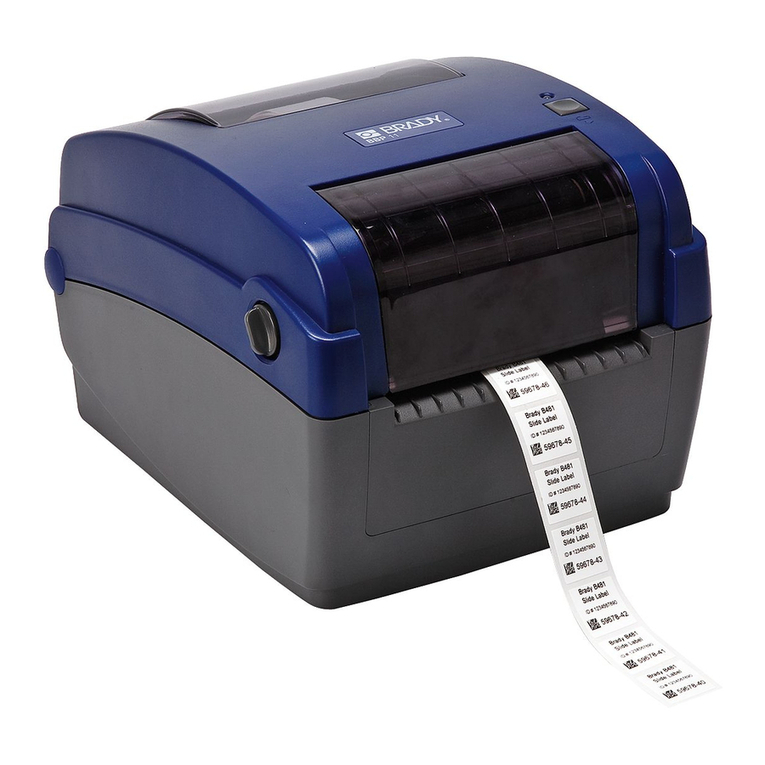
Brady PAM 3600 Manual

Printer Applicator System
PAM 3600
Quick Operator's Guide
Edition 12/06

Printer Applicator System PAM 36002
All specications about delivery, design, performance and weight are given to the best of our current knowledge and are
subject to change without prior notice.
W.H. Brady
Lindestraat 21
Industriepark C3
9240 Zele Belgium
Tel.: +32 52 457 811
e-mail: support@brady.be
Identication Solutions Division
6555 W. Good Hope Road
PO Box 2131
Milwaukee, WI 53201 U.S.A.
Phone: 1-800-537-8791 Fax: 1-800-292-2289

3Printer Applicator System PAM 3600
Table of Contents
General Safety Instructions.............................................................................................................. 4
Delivery Contents.............................................................................................................................. 4
Component Location ........................................................................................................................ 5
Transfer Printer PAM 3630 / PAM 3660 ..........................................................................................................5
Applicator PAM 3602 .......................................................................................................................................7
Applicator PAM 3603 .......................................................................................................................................7
Installing the Applicator.................................................................................................................... 8
Mounting .........................................................................................................................................................8
Slide Valve ......................................................................................................................................................9
Blow Tube .....................................................................................................................................................10
Stopper..........................................................................................................................................................11
Connecting the Printer Applicator System ................................................................................... 12
Air Connection...............................................................................................................................................12
Connection to Power Supply .........................................................................................................................12
Interface Connections ...................................................................................................................................13
Media Loading................................................................................................................................. 14
Loading Labels ..............................................................................................................................................14
Loading Transfer Ribbon ...............................................................................................................................16
Control Panel................................................................................................................................... 17
Structure of the Control Panel .......................................................................................................................17
Functions of the Control Panel during Printing..............................................................................................17
System Mode READY ..............................................................................................................................18
System Mode PRINT ................................................................................................................................18
System Mode PAUSE ...............................................................................................................................18
System Mode POWERSAVE ....................................................................................................................18
Functions of the Control Panel in the Ofine Menu.......................................................................................19
Setup ................................................................................................................................................ 20
Operation ......................................................................................................................................... 21
Safety Instruction ..........................................................................................................................................21
Important Information about Operation with PAM 3603 ................................................................................21
Switch on the Printer Applicator System .......................................................................................................21
Standard Operation .......................................................................................................................................21
Maintenance / Cleaning .................................................................................................................. 22
General .........................................................................................................................................................22
Cleaning the Printhead..................................................................................................................................22
Error Messages ............................................................................................................................... 23
Recoverable Errors .......................................................................................................................................23
Non-Recoverable Errors ...............................................................................................................................23
Errors during System Test ...........................................................................................................................23

Printer Applicator System PAM 36004
General Safety Instructions / Delivery Contents
General Safety Instructions
CAUTION !
Pay special attention to the following safety guidelines :
The Printer Applicator System PAM 3600 is built exclusively to print and apply labels. Do not use
other materials than listed in chapter 1.
Connect the printer to an outlet with the correct voltage! The printer is congured for voltages of
100 to 240 V.
Connect only to a power outlet with a grounded contact.
The printer must only be connected to devices which have extra low voltage.
Power must be OFF before plugging in any accessory or connecting the printer to a computer, etc.
Also switch power off on all appliances before disconnecting.
Do not expose the printer to any moisture, or use in damp or wet areas.
In operation, moving or rotating parts are easily accessible. Therefore, keep long hair, jewelry,
loose clothes away from the these parts.
During the print process the printhead will become hot. Use extra caution when touching the print-
head.
Do not touch the printing surface of the printhead with you hand!
During installation ensure that the Printer Applicator System is switched off and disconnected from
the compressed air.
Risk of injury by bruising hands at moving parts. Keep away your hands from the moving parts.
Note the warning labels on printer and applicator.
Before starting any maintenance, switch the printer OFF and disconnect it from the power supply.
Only qualied trained service technicians should attempt to repair your printer if damaged or in
need to repair.
WARNING !
To avoid possible electric shock, do not open the backside cover!
Delivery Contents
Inspect the packaging and contents immediately after receipt for possible damage caused by shipping.
The supplied equipment depends on the requested options.
Compare the delivered accessories with your order.
NOTICE !
Please keep the original packaging in case the printer must be returned.
-
-
-
-
-
-
-
-
-
-
-
-
-

5Printer Applicator System PAM 3600
Component Location
Component Location
Transfer Printer PAM 3630 / PAM 3660
Fig. 1 PAM 3630 / PAM 3660 - side view
- Display
- Ribbon take up hub
- Ribbon supply hub
- Printhead
- Ribbon shield
- Print roller
- Peel-off table
- Feed roller
- Pinch roller
- Transport locking roller
- Transport locking lever
- Label edge sensor
- Brake
- Guide roller with guide ring
- Media rewind hub
- Knurled knob
- Flange
- Adapter
- Media supply hub
- Swing arm with guide roller and guide ring
- Pre-dispense key
- Navigator pad with keys
- Memory card ejection lever
- Memory card slot
- Memory card LED
1
2
3
4
5
6
7
8
9
10
11
12
13
14
15
16
17
18
19
20
21
22
23
24
25
25 24 23 22 21 20 19
18
17
1615141413
3
2
1
121110
9
8
7
6
4
5

Printer Applicator System PAM 36006
Component Location
3
2
1
4
5
6
13
12
11
11
10
9
8
7
Fig. 2 PAM 3630 / PAM 3660 - rear view
- Power switch
- Power connector
- Slot for an additional interface card
- Connector warning sensor ribbon end
- Connector warning sensor label end
- PLC interface port
- Connector warning light
- RS-232 interface
- USB master interface for keyboard, scanner or external control panel
- Bi-directional parallel interface
- Silencer
- Compressed air connector
- Compressed air and sensor connectors for the applicator
1
2
3
4
5
6
7
8
9
10
11
12
13

7Printer Applicator System PAM 3600
Component Location
Applicator PAM 3602
1
2
3
4
5
6
5
6
Fig. 3 PAM 3602 - front and side view
- Sensor plug
- Cylinder 1 (Main lift cylinder)
- Slide valve
- Cylinder 2 (Turn cylinder)
- Pad holder
- Pad
1
2
3
4
5
6
Applicator PAM 3603
1
2
3
4
5
6
Fig. 4 PAM 3603 - front and side view
- Sensor plug
- Cylinder 1 (Main lift cylinder)
- Slide valve
- Cylinder 2 (Horizontal lift cylinder)
- Pad holder
- Pad
1
2
3
4
5
6
4
5
6

Printer Applicator System PAM 36008
Installing the Applicator
Mounting
1
2
2
1
3
4
4
3
Fig. 5 Mounting the applicator
Insert the two bolts (3) at the rear side of the applicator into the holes (1) at the front side of the
printer.
Attach the applicator with four screws incl. washers which are included in the delivery contents by
using the holes (4) at the threaded holes (2).
1.
2.
5
6
6
7
8
9
8
10
Fig. 6 Connecting the applicator
Installing the Applicator
The 4mm-tubes (8) and the push-in-ttings (7) are marked by gures.
Insert the tubes (8) into the matching push-in-ttings.
Insert the 6mm-tubes (10) into the push-in-ttings (6).
Connect the Sensor plug (9) to the connector (5).
3.
4.
5.

9Printer Applicator System PAM 3600
Installing the Applicator
Slide Valve
The main lift cylinder (1) is equipped with a slide valve (2), which can only be actuated manually.
When delivered the slide valve is closed (position “operate”).
So it is possible to keep the compressed air in the lift cylinder. That way the pad (3) is kept in its upper
position.
With the slide valve open it is possible to remove the pad from its upper position.
NOTICE !
The slide valve should only be opened if it is necessary to move the pad for mounting or service
for example cleaning the pad, or removing fragments of labels.
CAUTION !
Pay attention to the pad before opening the slide valve. The pad must not be in the peel-off-/0°-
position near the peel-off edge. The pad could be damaged while moving down.
Before opening the slide valve make sure that the compressed air supply is closed and the power is
switched off.
In order to open the slide valve slide the ring upwards to the position "bleed".
After service slide the ring downwards back to the position “operate”.
-
-
-
CAUTION !
The slide valve must be kept closed during operation.
Otherwise the lift cylinder can be moved without control, which can cause damages.
1
2
3
Fig. 7 Slide valve

Printer Applicator System PAM 360010
Blow Tube
It is necessary to mount a blow tube when applying large labels. This way the label is additional blown
against the pad with an air stream coming from the blow tube. The air current supports the take-over of
the label by the pad.
There is an equipment (1) at the front side of the printer to attach the blow tube.
1
234
Fig. 8 Mounting the blow tube
Screw the blow tube (3) into the equipment (1) on the mounting plate of the printer.1.
The blow tube (3) for the supporting air can be rotated around its longitudinal axis.
By rotating the blow tube the direction of the air stream is changed.
Adjust the tube (3) as shown in gure 9 to support the suction of the label (6) by the pad (5).
The slot in the screw (4) on the blow tube is an indicator for the direction of the air stream.
Tighten lock nut (2).
2.
3.
5
6
2
4
Fig. 9 Adjustment of the blow tube
Installing the Applicator
Other manuals for PAM 3600
1
Table of contents
Other Brady Printer manuals

Brady
Brady BP-IP300 User manual
Brady
Brady Bradyprinter 200MVP User manual

Brady
Brady BP-1244 User manual

Brady
Brady BMP 41 User manual
Brady
Brady THT MVPplus User manual
Brady
Brady BBP12 User manual
Brady
Brady BBP 72 User manual
Brady
Brady Bradyprinter 2461 User manual
Brady
Brady Bradyprinter THT 300X-PLUS User manual

Brady
Brady BBP 33 User manual
Brady
Brady BradyPrinter S3000 User manual
Brady
Brady SLV-DAT-PRO User manual
Brady
Brady BradyPrinter A5500 User manual

Brady
Brady BBP81 User manual
Brady
Brady THT-BP Precision User manual

Brady
Brady TLS2200 User manual

Brady
Brady BP-IP600-C User manual
Brady
Brady Tagus User manual

Brady
Brady TLS2200 User manual
Brady
Brady PAM 3000 User manual