manuals.online logo
Brands
  1. Home
  2. •
  3. Brands
  4. •
  5. BT
  6. •
  7. Cordless Telephone
  8. •
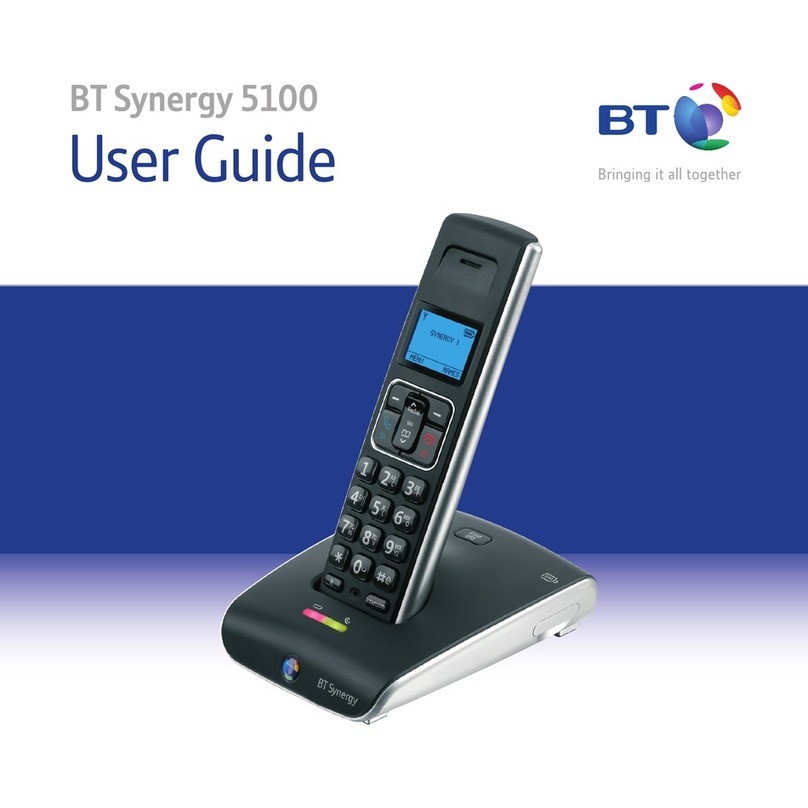
  9. BT SYNERGY 3205 SMS User manual

BT SYNERGY 3205 SMS User manual

Other manuals for SYNERGY 3205 SMS

1

Other BT Cordless Telephone manuals

BT Synergy 3200 SMS User manual

BT

BT Synergy 3200 SMS User manual

BT DIVERSE 6250 User manual

BT

BT DIVERSE 6250 User manual

BT FREESTYLE 4500 User manual

BT

BT FREESTYLE 4500 User manual

BT CALLER DISPLAY 2000 Specification sheet

BT

BT CALLER DISPLAY 2000 Specification sheet

BT FREELANCE XD 1550 User manual

BT

BT FREELANCE XD 1550 User manual

BT 3510 Specification sheet

BT

BT 3510 Specification sheet

BT STRATUS 1500 User manual

BT

BT STRATUS 1500 User manual

BT Diverse 2010 User manual

BT

BT Diverse 2010 User manual

BT SYNERGY 3005 User manual

BT

BT SYNERGY 3005 User manual

BT HUDSON 1500 User manual

BT

BT HUDSON 1500 User manual

BT SYNERGY 4500 User manual

BT

BT SYNERGY 4500 User manual

BT DIVERSE 3010 CLASSIC User manual

BT

BT DIVERSE 3010 CLASSIC User manual

BT ON-AIR 1100 EXECUTIVE User manual

BT

BT ON-AIR 1100 EXECUTIVE User manual

BT DIVERSE X10 User manual

BT

BT DIVERSE X10 User manual

BT Diverse 7150 Plus User manual

BT

BT Diverse 7150 Plus User manual

BT FREESTYLE 250 User manual

BT

BT FREESTYLE 250 User manual

BT Diverse 7100 Plus User manual

BT

BT Diverse 7100 Plus User manual

BT QUARTET 1500 User manual

BT

BT QUARTET 1500 User manual

BT FREESTYLE 7310 User manual

BT

BT FREESTYLE 7310 User manual

BT Everyday Phone Specification sheet

BT

BT Everyday Phone Specification sheet

BT FREESTYLE 610 User manual

BT

BT FREESTYLE 610 User manual

BT Studio 4500 Plus User manual

BT

BT Studio 4500 Plus User manual

BT 8600 Specification sheet

BT

BT 8600 Specification sheet

BT Diverse 6450 User manual

BT

BT Diverse 6450 User manual

Popular Cordless Telephone manuals by other brands

Sony SPP-SS965 - Cordless Telephone operating instructions

Sony

Sony SPP-SS965 - Cordless Telephone operating instructions

Telstra Orb user guide

Telstra

Telstra Orb user guide

Mitel DT390 Quick reference guide

Mitel

Mitel DT390 Quick reference guide

GE 25830 user guide

GE

GE 25830 user guide

Uniden EXR2460 owner's manual

Uniden

Uniden EXR2460 owner's manual

3Com NBX Guide

3Com

3Com NBX Guide

Panasonic KX-TGK210HK operating instructions

Panasonic

Panasonic KX-TGK210HK operating instructions

Panasonic KX-TCA181EX installation manual

Panasonic

Panasonic KX-TCA181EX installation manual

Panasonic KX-TG7301E operating instructions

Panasonic

Panasonic KX-TG7301E operating instructions

AUDIOLINE Splash 10x operating instructions

AUDIOLINE

AUDIOLINE Splash 10x operating instructions

Sanyo CLT-J70 instruction manual

Sanyo

Sanyo CLT-J70 instruction manual

Amplicomms BigTel 201 user manual

Amplicomms

Amplicomms BigTel 201 user manual

GE 26992 user guide

GE

GE 26992 user guide

AT&T E1812B user manual

AT&T

AT&T E1812B user manual

Sanyo CLT-670 instruction manual

Sanyo

Sanyo CLT-670 instruction manual

AEG Voxtel D235 user guide

AEG

AEG Voxtel D235 user guide

GE 15432970 user guide

GE

GE 15432970 user guide

Curtis TC595 owner's manual

Curtis

Curtis TC595 owner's manual

manuals.online logo
manuals.online logoBrands
  • About & Mission
  • Contact us
  • Privacy Policy
  • Terms and Conditions

Copyright 2025 Manuals.Online. All Rights Reserved.

BT Synergy 3205 SMS – Issue 2 – Edition 2 – 16.03.04 – 5980
User Guide
BT S NERG 3205 SMS
5980 BT Synergy 3205 UG [2-2] 23/3/04 2:03 pm Page 1
BT Synergy 3205 SMS – Issue 2 – Edition 2 – 16.03.04 – 5980
Section
Digital call quality with a range of up to 300 metres
outdoors and up to 50 metres indoors (in ideal
conditions).
40 Name and number phonebook.
Use Caller Display to see who is calling and keep track of
unanswered calls*.
Register up to 5 handsets to the base without the need
for additional wiring, giving you a complete phone
system on a single line.
The BT Synergy 3205 SMS is a Digitally Enhanced
Cordless Telecommunications (DECT) product and is GAP
compatible.
* ou must subscribe to your network provider’s Caller Display service for this
feature to work. A quarterly fee is payable.
Welcome…
to your BT Synergy 3205 SMS
digital cordless telephone
5980 BT Synergy 3205 UG [2-2] 23/3/04 2:03 pm Page 2
BT Synergy 3205 SMS – Issue 2 – Edition 2 – 16.03.04 – 5980
Section
This User Guide provides you with all
the information you need to get the
most from your phone.
ou must first set up your phone
before you can use it.
This doesn’t take long and is easy to
do. Just follow the simple instructions
on the next few pages.
Need help?
If you have any problems setting up or using
your BT Synergy 3205 SMS, contact the Helpline on
0870 605 8047.
Alternatively, you may find the answer in ‘Help’
at the back of this guide.
Got everything?
BT Synergy 3205 SMS
base
BT Synergy 3205 SMS
handset
2 x NiMH AAA
rechargeable batteries
Battery compartment
cover
Mains power adaptor
(Item code: 872260)
Belt clip
Telephone line cord
5980 BT Synergy 3205 UG [2-2] 23/3/04 2:03 pm Page 3
BT Synergy 3205 SMS – Issue 2 – Edition 2 – 16.03.04 – 5980
Getting started
Location . . . . . . . . . . . . . . . . . . . . . .6
Setting up . . . . . . . . . . . . . . . . . . . . .6
Attach belt clips (optional) . . . . . . . . .8
Getting to know your phone
Handset buttons . . . . . . . . . . . . . . . .9
Base . . . . . . . . . . . . . . . . . . . . . . . . .10
Display icons . . . . . . . . . . . . . . . . . . .11
Navigating the menu . . . . . . . . . . . . .12
Menu map . . . . . . . . . . . . . . . . . . . . .13
Using the phone
Switch handset on/off . . . . . . . . . . . . .14
Make an external call . . . . . . . . . . . . .14
Preparatory dialling . . . . . . . . . . . . . .14
End a call . . . . . . . . . . . . . . . . . . . . . .14
Receiving calls . . . . . . . . . . . . . . . . . .15
Earpiece volume . . . . . . . . . . . . . . . .15
Handsfree . . . . . . . . . . . . . . . . . . . . .16
Redial . . . . . . . . . . . . . . . . . . . . . . . .17
Secrecy . . . . . . . . . . . . . . . . . . . . . . .17
Paging . . . . . . . . . . . . . . . . . . . . . . .18
Phonebook . . . . . . . . . . . . . . . . . . . .18
Store a name and number . . . . . . . . .18
Dial from phonebook . . . . . . . . . . . . .19
Edit an entry . . . . . . . . . . . . . . . . . . .19
Delete entries . . . . . . . . . . . . . . . . . .20
Baby call . . . . . . . . . . . . . . . . . . . . . .21
Room monitor mode . . . . . . . . . . . . .22
Handset settings
Set time and date . . . . . . . . . . . . . . .24
Keypad and warning beeps . . . . . . . . .24
Ringer volume . . . . . . . . . . . . . . . . . .25
External/Internal ringer melody . . . . . .25
Keypad lock . . . . . . . . . . . . . . . . . . . .26
Auto talk . . . . . . . . . . . . . . . . . . . . . .26
Name handset . . . . . . . . . . . . . . . . . .27
Language . . . . . . . . . . . . . . . . . . . . .27
Base settings
Ringer volume . . . . . . . . . . . . . . . . . .28
Ringer melody . . . . . . . . . . . . . . . . . .28
Select base . . . . . . . . . . . . . . . . . . . .29
Change base PIN . . . . . . . . . . . . . . . .29
Default settings . . . . . . . . . . . . . . . . .30
Caller Display & Call Waiting
Caller Display . . . . . . . . . . . . . . . . . . .32
Missed Calls list . . . . . . . . . . . . . . . . .32
View the Calls list . . . . . . . . . . . . . . . .32
Dial a Calls list number . . . . . . . . . . . .33
Copy to phonebook . . . . . . . . . . . . . .33
Delete an entry . . . . . . . . . . . . . . . . .33
Call Waiting . . . . . . . . . . . . . . . . . . . .34
Accept call . . . . . . . . . . . . . . . . . . . . .34
4In this guide

5980 BT Synergy 3205 UG [2-2] 23/3/04 2:03 pm Page 4
BT Synergy 3205 SMS – Issue 2 – Edition 2 – 16.03.04 – 5980
5In this guide
Additional handset settings
Register handset to base . . . . . . . . . .35
De-register handsets . . . . . . . . . . . . .36
Register to different make
of base station . . . . . . . . . . . . . . . . . .37
Internal calls . . . . . . . . . . . . . . . . . . .38
Transferring calls . . . . . . . . . . . . . . . .38
3-way conversation . . . . . . . . . . . . . .39
Handset priority . . . . . . . . . . . . . . . . .39
SMS Text essaging
To subscribe to the SMS
text messaging service . . . . . . . . . . . .41
Using SMS . . . . . . . . . . . . . . . . . . . . .42
FasTxT (predictive texting) . . . . . . . . .42
Character map . . . . . . . . . . . . . . . . . .43
To write and send a message . . . . . . .44
To send a message from the outbox . .45
Receiving an SMS message . . . . . . . . .46
Delivery of SMS messages . . . . . . . . .46
To read new SMS messages . . . . . . . .47
To read old SMS messages . . . . . . . . .47
To forward a message . . . . . . . . . . . . .48
To reply to a message . . . . . . . . . . . . .49
SMS message memory full . . . . . . . . .50
To delete individual messages . . . . . . .50
To delete all messages . . . . . . . . . . . .51
SMS Service Centre numbers . . . . . . .51
To change the SMS Centre
phone numbers . . . . . . . . . . . . . . . . .52
Help
Replacing handset batteries . . . . . . . .53
Helpline . . . . . . . . . . . . . . . . . . . . . .59
General infor ation
Safety . . . . . . . . . . . . . . . . . . . . . . . .60
General . . . . . . . . . . . . . . . . . . . . . . .60
Cleaning . . . . . . . . . . . . . . . . . . . . . .61
Environmental . . . . . . . . . . . . . . . . . .61
Guarantee . . . . . . . . . . . . . . . . . . . . .62
Returning your phone . . . . . . . . . . . . .63
How many telephones can you have? . .64
R&TTE . . . . . . . . . . . . . . . . . . . . . . .64
Declaration of Conformance . . . . . . . .65
Connecting to a switchboard . . . . . . . .65
Switchboard external line access code .65
Recall . . . . . . . . . . . . . . . . . . . . . . . .65
Dialling mode . . . . . . . . . . . . . . . . . .66
Insert a pause . . . . . . . . . . . . . . . . . .66
For your records . . . . . . . . . . . . . . . . .67
5980 BT Synergy 3205 UG [2-2] 23/3/04 2:03 pm Page 5
BT Synergy 3205 SMS – Issue 2 – Edition 2 – 16.03.04 – 5980
WARNING
Do not place your BT Synergy
3205 SMS in the bathroom or
other humid areas.
Handset range
The BT Synergy 3205 SMS has a
range of 300 metres outdoors when
there is a clear line of sight between
the base and handset. When there
is no clear line of sight between the
base and handset, e.g. base indoors
and handset either indoors or
outdoors, the range could be
reduced to 50 metres. Thick stone
walls can severely affect the range.
Signal strength
The symbol on your handset
display indicates when you are in
range. When you are out of range,
it flashes and BASE 1 is displayed.
IMPORTANT
Do not connect the telephone line
until the handset is fully charged.
The base station must be plugged
into the mains power at all times.
ou must charge your handset for
16 hours before you can use it.
Which socket?
Power socket
Telephone line socket
Location
ou need to place your BT Synergy 3205 SMS within
2 metres of a mains power and telephone socket so that
the cables will reach.
Make sure it is at least 1 metre away from other
electrical appliances to avoid interference.
our BT Synergy 3205 SMS works by sending radio
signals between the handset and base. The strength of
the signal depends on where you site the base. Putting it
as high as possible ensures the best signal.
Setting up
1. Plug the mains power cable into the base. Use the power
supply with the clear plastic end.
The green Power/In use light comes on.
2. Plug the telephone line cord into the base.
Getting started6
5980 BT Synergy 3205 UG [2-2] 23/3/04 2:03 pm Page 6
BT Synergy 3205 SMS – Issue 2 – Edition 2 – 16.03.04 – 5980
7Getting started
BATTERY LOW WARNING
If the handset battery symbol is
empty and flashing, and you hear
a warning beep every minute, you
will need to recharge your handset
before you can use it.
Battery perfor ance
To keep your batteries in the best
condition, leave the handset off
the base for a few hours at a time
(after the initial 16 hour charge).
New NiMH batteries do not reach
full capacity until they have been
in normal use for several days.
Running the batteries right down
at least once a week will help them
last as long as possible.
The charge capacity of
rechargeable batteries will reduce
with time as they wear out, so
reducing the talk/ standby time of
the handset. Eventually they will
need to be replaced. New batteries
can be obtained from the BT
Synergy Helpline 0870 605 8047.
Under no circumstances should
non-rechargeable batteries be
used. Use only approved Nickel
Metal Hydride batteries (NiMH)

size AAA capacity 550mAL 1.2V.
Using unapproved batteries will
invalidate your guarantee and may
damage the telephone
3. Insert the 2 x AAA NiMH batteries supplied. Then slide

the battery compartment cover into place.

4. Place the handset on the base to charge for at least 16
hours. The red Charging light comes on (the red Charging
light stays on even when the batteries are full charged).
The handset is pre-registered to the base as S NERG 1.
This is shown on the display. When the handset is fully
charged the display shows a full battery symbol.
5. After 16 hours, plug one end of the telephone line cord
into your BT Synergy 3205 SMS base and the other end
into the telephone wall socket.
Talk/Standby time
Under ideal conditions, fully charged handset batteries
should give about 12 hours talk time or 300 hours
standby time on a single charge.
Your BT Synergy 32 5 SMS is now ready for use.
5980 BT Synergy 3205 UG [2-2] 23/3/04 2:03 pm Page 7
BT Synergy 3205 SMS – Issue 2 – Edition 2 – 16.03.04 – 5980
8
Attaching the belt clip (optional)
Getting started
Range indicator
The symbol on your handset
display indicates when you are in
range of the base. If the symbol
flashes and you hear a warning
beep, you are out of range and will
need to move closer to the base.
Helpline
If you have any difficulties setting
up your BT Synergy 3205 SMS,
please call the BT Synergy Helpline
on 08706 058 047.
SLOT
5980 BT Synergy 3205 UG [2-2] 23/3/04 2:03 pm Page 8
BT Synergy 3205 SMS – Issue 2 – Edition 2 – 16.03.04 – 5980
Vol
12
5
8
0
3
6
9
C
o
n
I
n
t
f
M
en
u
S
e
cr
e
c
y
4
7
D
E
F
W
X
Z
T
U
V
P
Q
R
S
M
N
O
J
K
L
G
H
I
A
B
C
C
a
l
ls
R
e
di
a
l
D
i
g
it
a
l
C
l
ar
it
y
R
Vol
C
a
l
ls
di
a
e
l
R
S
M
S
Getting to know your phone 9
Volu e/Scroll/Redial/Calls list
Adjust earpiece volume page 15;
handset and base ringer volume,
pages 25 and 28.
Open redial list, page 17.
Open Calls list, page 32.
Scroll through the directory, menu
options, redial and Calls list.
Secrecy/Power
During a call, press to stop your
caller hearing you, page 17.
Switches handset On and Off,
page 14.
Also used as a delete, edit and
exit button.
Talk
Press to make, receive and end
calls, page 14.
Handsfree
Make and receive calls using the
handsfree mode, page 16.
Display
Shows caller’s details, name
and/or number you have dialled
and the status of the handset.
Also used to display SMS text
messages.
Menu
Use to access and select the
options in the menu, see page 12.
SMS
Press to enter SMS menu or
if you have new SMS messages
press to access messages
directory, see page 47.
Conf/#
Lets you select FasTxT
(predictive text).
Also enables you to hold a
3-way conversation, see page 39.
Recall/Int
For use with switchboards,
page 65 and BT Calling Features.
Also lets you make internal calls,
see page 38.
Handset buttons
5980 BT Synergy 3205 UG [2-2] 23/3/04 2:03 pm Page 9
BT Synergy 3205 SMS – Issue 2 – Edition 2 – 16.03.04 – 5980
10
DECT
Digital Clarity
Page
P
o
w
e
r
/
I
n
u
s
e
C
h
a
r
g
i
n
g
BT Synergy 3205 SMS
Red charging light)
Comes on when the handset
is on the base.
Page
Press to page the handset,
page 18.
Also used to register
handsets.
Green Power/In use light
On when the power is on.
Flashes when the handset is
in use, when the phone rings
and to indicate new SMS
messages.
Getting to know your phone
Base
5980 BT Synergy 3205 UG [2-2] 23/3/04 2:03 pm Page 10