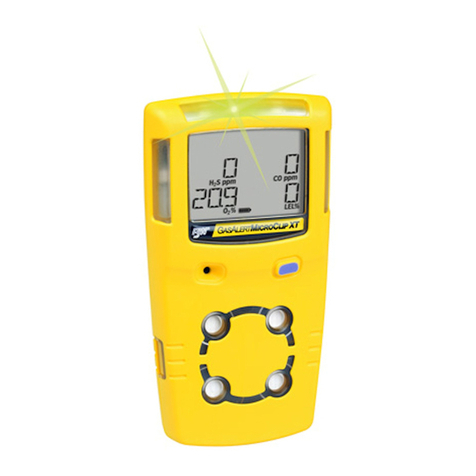
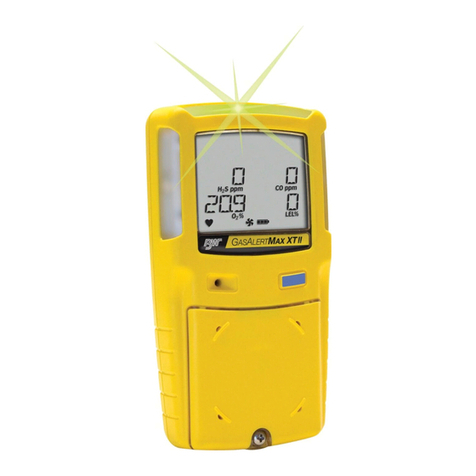
BW Technologies GasAlertMax User manual

BW TECHNOLOGIES
D1430/2 English
GasAlertMax
Gas Detector
User Manual
D1430/2 (English)
BW1009-27-01-8.25x5.75-5272-2
December 2002
© 2001 BW Technologies, All rights reserved. Printed in Canada
All product names are trademarks of their respective companies.

D1430/2 En
g
lish
Limited Warranty & Limitation of Liability
BW Technologies warrants this product to be free from defects in material and workmanship under normal use and service for a period of two years, beginning on
the date of shipment. Parts, product repairs and services are warranted for 90 days. This warranty extends only to the original buyer or end-user customer of a BW
Technologies authorized reseller, and does not apply to fuses, disposable batteries or to any product which, in BW Technologies’ opinion, has been misused,
altered, neglected or damaged by accident or abnormal conditions of operation or handling. BW Technologies warrants that software will operate substantially in
accordance with its functional specifications for 90 days and that it has been properly recorded on non-defective media. BW Technologies does not warrant that
software will be error free or operate without interruption.
BW Technologies authorized resellers shall extend this warranty on new and unused products to end-user customers only but have no authority to extend a
greater or different warranty on behalf of BW Technologies. Warranty support is available if product is purchased through a BW Technologies authorized sales
outlet or Buyer has paid the applicable international price. BW Technologies reserves the right to invoice Buyer for importation costs of repair/replacement parts
when product purchased in one country is submitted for repair in another country.
BW Technologies’ warranty obligation is limited, at BW Technologies’ option, to refund of the purchase price, free of charge repair, or replacement of a defective
product which is returned to a BW Technologies authorized service center within the warranty period.
To obtain warranty service, contact your nearest BW Technologies authorized service center or send the product, with a description of the difficulty, postage and
insurance prepaid (FOB Destination), to the nearest BW Technologies authorized service center. BW Technologies assumes no risk for damage in transit.
Following warranty repair, the product will be returned to Buyer, transportation prepaid (FOB Destination). If BW Technologies determines that the failure was
caused by misuse, alteration, accident or abnormal condition of operation or handling, BW Technologies will provide an estimate of repair costs and obtain
authorization before commencing the work. Following repair, the product will be returned to the Buyer transportation prepaid and the Buyer will be billed for the
repair and return transportation charges (FOB Shipping Point).
THIS WARRANTY IS BUYER'S SOLE AND EXCLUSIVE REMEDY AND IS IN LIEU OF ALL OTHER WARRANTIES, EXPRESS OR IMPLIED, INCLUDING BUT
NOT LIMITED TO ANY IMPLIED WARRANTY OF MERCHANTABILITY OR FITNESS FOR A PARTICULAR PURPOSE. BW TECHNOLOGIES SHALL NOT BE
LIABLE FOR ANY SPECIAL, INDIRECT, INCIDENTAL OR CONSEQUENTIAL DAMAGES OR LOSSES, INCLUDING LOSS OF DATA, WHETHER ARISING
FROM BREACH OF WARRANTY OR BASED ON CONTRACT, TORT, RELIANCE OR ANY OTHER THEORY.
Since some countries or states do not allow limitation of the term of an implied warranty, or exclusion or limitation of incidental or consequential damages, the
limitations and exclusions of this warranty may not apply to every buyer. If any provision of this Warranty is held invalid or unenforceable by a court of competent
jurisdiction, such holding will not affect the validity or enforceability of any other provision.
BW Technologies Ltd. BW Technologies Inc. (America) BW Europe Ltd. BW Technologies Middle East
2840 – 2nd Ave. SE 3279 West Pioneer Parkway 101 Heyford Park, P.O. Box 18081
Calgary, AB T2A 7X9 Arlington, TX 76013 Upper Heyford, Oxfordshire OX25 5HA Jebel Ali Free Zone
Canada USA United Kingdom Dubai – United Arab Emirates


i
D1430/2 English
Table of Contents
Title Page
Introduction ........................................................................................................................... 1
Contacting BW Technologies ................................................................................................ 2
Safety Information - Read First ............................................................................................. 2
Getting Started...................................................................................................................... 6
Activating the Detector .......................................................................................................... 10
Datalogger Operation....................................................................................................... 11
Sensor Test...................................................................................................................... 12
Self-Test Pass.................................................................................................................. 12
Self-Test Fail.................................................................................................................... 12
Sampling Pump Test........................................................................................................ 13
Battery Test...................................................................................................................... 13
Deactivating the Detector...................................................................................................... 13
Confidence Beep................................................................................................................... 14
User Option Menu................................................................................................................. 14
Latched Alarms ................................................................................................................ 15
Change the Date and Time .............................................................................................. 15
Alarms................................................................................................................................... 16
Gas Exposures Computed ............................................................................................... 20
Viewing Gas Exposures ................................................................................................... 21
Gas Alarm Setpoints ........................................................................................................ 21
Resetting Gas Alarm Setpoints ........................................................................................ 22
Stopping a Gas Alarm ...................................................................................................... 22
Sensor Alarm ................................................................................................................... 23

GasAlertMax
User Manual
ii
D1430/2 English
Pump Alarms ................................................................................................................... 23
Low Battery Alarm............................................................................................................ 23
Automatic Shutdown Alarm.............................................................................................. 23
Calibration and Setting Alarm Setpoints ................................................................................ 24
Guidelines ........................................................................................................................ 24
Applying Gas to the Sensors............................................................................................ 25
Calibration Procedure ...................................................................................................... 26
Start Calibration .......................................................................................................... 26
Auto Zero and Oxygen Sensor Calibration .................................................................. 26
Pass Code Protect ...................................................................................................... 27
Auto Span ................................................................................................................... 28
Alarm Setpoints................................................................................................................ 29
Setting the Low Alarm Setpoint ................................................................................... 29
Setting the High Alarm Setpoint .................................................................................. 30
Setting the Remaining Alarm Setpoints....................................................................... 31
Maintenance ......................................................................................................................... 34
Replacing the Battery....................................................................................................... 34
Pump Calibration.............................................................................................................. 36
Replacing a Sensor, Pump or Pump Filter ....................................................................... 38
User Options .................................................................................................................... 40
If the Detector Does Not Work .............................................................................................. 42
Replacement Parts and Accessories..................................................................................... 45
Specifications........................................................................................................................ 46
Appendix A............................................................................................................................ A
Excel Datalog Manager (E.D.M.)...................................................................................... B
Direct Import to Compatible Programs ............................................................................. F
MultiMediaCard Compatibility........................................................................................... J
Troubleshooting ............................................................................................................... K

iii
D1430/2 English
List of Tables
Table Title Page
1. Gases Monitored........................................................................................................................ 1
2. International Symbols................................................................................................................. 5
3. GasAlertMax Detector................................................................................................................ 7
4. Display Elements ....................................................................................................................... 8
5. Pushbuttons ............................................................................................................................... 9
6. Alarms .................................................................................................................................... 16
7. Computed Gas Exposures ......................................................................................................... 20
8. Gas Alarm Setpoints .................................................................................................................. 21
9. Factory Set Alarm Setpoints....................................................................................................... 22
10. Applying Gas to the Sensors...................................................................................................... 25
11. Replacing the Battery................................................................................................................. 35
12. Replacing a Sensor, Pump or Pump Filter ................................................................................. 39
13. Troubleshooting Tips.................................................................................................................. 42
14. Replacement Parts and Accessories.......................................................................................... 45
A Direct Import Datalogger Status Codes...................................................................................... G


v
D1430/2 English
List of Figures
Figure Title Page
1. GasAlertMax Detector................................................................................................................ 7
2. Display Elements ....................................................................................................................... 8
3. Applying Gas to the Sensors...................................................................................................... 25
4. Replacing the Battery................................................................................................................. 35
5. Replacing a Sensor, Pump or Pump Filter ................................................................................. 39

GasAlertMax
User Manual
vi
D1430/2 English
CAUTION: FOR SAFETY REASONS THIS EQUIPMENT
MUST BE OPERATED AND SERVICED BY QUALIFIED
PERSONNEL ONLY. READ AND UNDERSTAND
INSTRUCTION MANUAL COMPLETELY BEFORE
OPERATING OR SERVICING.
GasAlertMax Gas Detector
Order Number Description
GAMAX3-4 GasAlertMax (4 Gas) Detector (H2S, CO, O2, %LEL)
GAMAX3-4-DL1 GasAlertMax (4 Gas) c/w Black Box Datalogger
GAMAX3-4-DL2 GasAlertMax (4 Gas) c/w User Downloadable Datalogger
GAMAX3-3H GasAlertMax (3 Gas) Detector (H2S, O2, %LEL)
GAMAX3-3H-DL1 GasAlertMax (3 Gas) c/w Black Box Datalogger
GAMAX3-3H-DL2 GasAlertMax (3 Gas) c/w User Downloadable Datalogger
GAMAX3-2 GasAlertMax (2 Gas) Detector (O2, %LEL)
GAMAX3-2-DL1 GasAlertMax (2 Gas) c/w Black Box Datalogger
GAMAX3-2-DL2 GasAlertMax (2 Gas) c/w User Downloadable Datalogger
GasAlertMax Multi-Gas Detector
GasAlertMax with the prefix “GAMAX3-”
The detector comes complete with motorized sampling
pump.
GasAlertMax with Black Box Datalogger
Provides full time continuous datalogging while the detector
is operating. Wrap around memory ensures the most recent
data is always saved. Data cannot be accessed by the user.
Data is retrievable by an authorized BW factory service
center in the event of an incident or occurrence.
GasAlertMax with User Downloadable Datalogger
Provides full time continuous datalogging while the
instrument is operating. Data is saved on a convenient
MultiMediaCard and can be removed and downloaded by the
user. Data is imported into standard office software
(Microsoft®Excel, Access etc.)

1
D1430/2 English
GasAlertMax
Introduction
aWarning
To ensure your personal safety, read “Safety
Information” before you use the detector.
The GasAlertMax gas detector (“the detector”) warns of
hazardous gas at levels above factory set alarm setpoints.
This product is a gas detector.
The detector is a personal safety device. It is your
responsibility to respond properly to the alarm.
Table 1 lists the gases monitored.
Table 1. Gases Monitored
Gas Detected Unit of Measure
Hydrogen Sulfide (H2S) parts per million (ppm)
Carbon Monoxide (CO) parts per million (ppm)
Oxygen (O2) percent by volume (%)
Combustible Gases (LEL) percent of lower explosive
limit (% LEL)

GasAlertMax
User Manual
2
D1430/2 English
Contacting BW Technologies
To contact BW Technologies, call:
USA: 1-888-749-8878
Canada: 1-800-663-4164
Europe: +44 (0) 1869 233004
Middle East: (971) 4 8871766
Australia: 61.7.3818.8244
Anywhere in the world: +1-403-248-9226
Address correspondence to:
BW Technologies Ltd.
2840 – 2 Avenue S.E.
Calgary, AB T2A 7X9
CANADA
Or visit us on the World Wide Web: www.gasmonitors.com
ISO 9001
Safety Information - Read First
Use the detector only as specified in this manual, otherwise
the protection provided by the detector may be impaired.
International symbols used on the detector and in this manual
are explained in Table 2.
Read the Warnings and Cautions on the following pages
before using the detector.
ecNote
This instrument contains a rechargeable battery.
Do not mix with the solid waste stream. Spent
batteries should be disposed of by a qualified
recycler or hazardous materials handler.
Other manuals for GasAlertMax
1
Table of contents
Other BW Technologies Security Sensor manuals

BW Technologies
BW Technologies GasAlertClip Extreme SO2 User manual

BW Technologies
BW Technologies GasAlertMax XT II Use and care manual

BW Technologies
BW Technologies GasAlert Extreme User manual

BW Technologies
BW Technologies NH3 RESPONDER User manual

BW Technologies
BW Technologies GasAlertMicro 5 IR User manual

BW Technologies
BW Technologies Max XT II User manual

BW Technologies
BW Technologies Quattro Use and care manual

BW Technologies
BW Technologies GasAlert MicroClip XT User manual

BW Technologies
BW Technologies GasAlert Extreme User manual

BW Technologies
BW Technologies GasAlertMicro 3 User manual