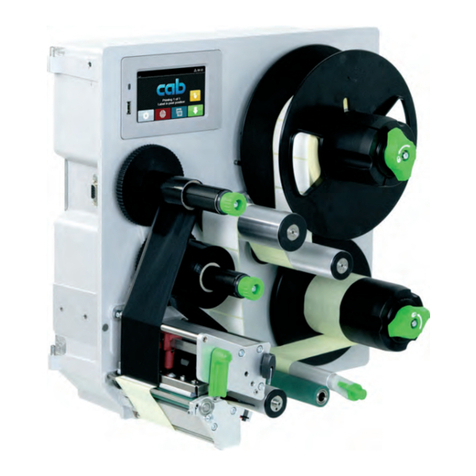
CAB 5426C User manual

MF
Made in Germany
Service Manual
5426C
Vacuum-Belt Applicator

2 2
Family Type
Vacuum-Belt Applicator 5426C
Edition: 04/2018 - Part No.9003096
Copyright
This documentation as well as translation hereof are property
of cab Produkttechnik GmbH & Co. KG.
The replication, conversion, duplication or divulgement of the
whole manual or parts of it for other intentions than its original
intended purpose demand the previous written authorization
by cab.
Editor
Regarding questions or comments please contact cab
Produkttechnik GmbH & Co. KG.
Topicality
Due to the constant further development of our products
discrepancies between documentation and product can occur.
Please check www.cab.de for the latest update.
Terms and conditions
Deliveries and performances are effected under the General
conditions of sale of cab.
Service Manual
for the following Products
Germany
cab Produkttechnik GmbH & Co KG
Karlsruhe
Phone +49 721 6626 0
www.cab.de
USA
cab Technology, Inc.
Chelmsford, MA
Phone +1 978 250 8321
www.cab.de/us
Taiwan
cab Technology Co., Ltd.
Taipei
Phone +886 (02) 8227 3966
www.cab.de/tw
China
cab (Shanghai) Trading Co., Ltd.
Guangzhou
Phone +86 (020) 2831 7358
www.cab.de/cn
France
cab Technologies S.à.r.l.
Niedermodern
Phone +33 388 722501
www.cab.de/fr
Mexico
cab Technology, Inc.
Juárez
Phone +52 656 682 4301
www.cab.de/es
China
cab (Shanghai) Trading Co., Ltd.
Shanghai
Phone +86 (021) 6236 3161
www.cab.de/cn
South Africa
cab Technology (Pty) Ltd.
Randburg
Phone +27 11 886 3580
www.cab.de/za

2 3
1 Introduction............................................................................................................................................4
1.1 Instructions...............................................................................................................................................4
1.2 Intended Use............................................................................................................................................4
1.3 Safety Instruction .....................................................................................................................................4
1.4 Safety Markings .......................................................................................................................................5
1.5 Environment.............................................................................................................................................5
2 Product Description...............................................................................................................................6
2.1 Important Features...................................................................................................................................6
2.2 Technical Data..........................................................................................................................................6
2.3 Device Overview......................................................................................................................................7
2.4 Contents of Delivery.................................................................................................................................8
3 Operation................................................................................................................................................9
3.1 Standard Operation..................................................................................................................................9
3.2 Cleaning...................................................................................................................................................9
3.3 Power Supply of the Device...................................................................................................................10
3.4 Pivoting the Applicator.............................................................................................................................11
4 Error Messages....................................................................................................................................12
4.1 Error Messages of the Printer................................................................................................................12
4.2 Error Messages of the Applicator...........................................................................................................12
5 Installation............................................................................................................................................13
5.1 Factory Default Settings.........................................................................................................................13
5.2 Tools.......................................................................................................................................................13
5.3 Mounting and Dismounting the Applicator..............................................................................................14
5.4 External Start Sensor.............................................................................................................................15
6 Adjustments .........................................................................................................................................16
6.1 Adjusting the Angle to the Printer...........................................................................................................16
6.2 SettingsintheCongurationofthePrinter ............................................................................................17
6.3 Signals ...................................................................................................................................................17
7 Conguration........................................................................................................................................18
7.1 Quick Mode for Setting the Delay Times................................................................................................18
7.2 CongurationParametersoftheApplicator ...........................................................................................18
7.3 Setting the Peel Position........................................................................................................................19
7.4 Activating the Peel-off Mode..................................................................................................................19
8 Test Operations....................................................................................................................................20
8.1 Test Mode without a Print Job................................................................................................................20
8.2 Test Mode with Print Job........................................................................................................................20
9 Replacing Components.......................................................................................................................21
9.1 Exchanging the Pinch Roller..................................................................................................................21
10 Spare Parts...........................................................................................................................................22
10.1 Control Unit............................................................................................................................................22
10.2 Vacuum-belt Section 1...........................................................................................................................23
10.3 Vacuum-belt Section 2...........................................................................................................................24
11 Block Diagram......................................................................................................................................25
12 Index......................................................................................................................................................26
Table of Contents

4 4
1 Introduction
1.1 Instructions
Important information and instructions in this documentation are designated as follows:
Danger!
Draws attention to an exceptionally great, imminent danger to your health or life due to hazardous
voltages.
!
Danger!
Draws attention to a danger with high risk which, if not avoided, may result in death or serious injury.
!
Warning!
Draws attention to a danger with medium risk which, if not avoided, may result in death or serious injury.
!
Caution!
Draws attention to a danger with low risk which, if not avoided, may result in minor or moderate injury.
!
Attention!
Draws attention to potential risks of property damage or loss of quality.
i
Note!
Advice to make the work routine easier or on important steps to be carried out.
Environment!
Gives you tips on protecting the environment.
Handling instruction
Reference to section, position, illustration number or document.
Option(accessories,peripheralequipment,specialttings).
Time Information in the display.
1.2 Intended Use
• The device is manufactured in accordance with the current technological status and the recognized safety rules.
However, danger to the life and limb of the user or third parties and/or damage to the device and other tangible
assets can arise during use.
• The device may only be used for its intended purpose and if it is in perfect working order, and it must be used with
regard to safety and dangers as stated in the operating manual.
• The device applicator mounted on a cab printer of the Hermes+ series is intended exclusively for applying suitable
materials that have been approved by the manufacturer. Any other use or use going beyond this shall be regarded
as improper use. The manufacturer/supplier shall not be liable for damage resulting from unauthorized use; the
user shall bear the risk alone.
• Usage for the intended purpose also includes complying with the operating manual, including the manufacturer‘s
maintenancerecommendationsandspecications.
i
Note!
The complete documentation can currently be found in the Internet.
1.3 Safety Instruction
• Before mounting the delivered components disconnect the printer from the power supply and close the shutoff
valve at the applicator.
• Only connect the device to other devices which have a protective low voltage.
• Switch off all affected devices (computer, printer, accessories) before connecting or disconnecting.
• In operation, moving parts are easily accessible.
This applies especially for the zone of belts and fans. During operation do not reach into that zone and keep long
hair, loose clothes, and jewelry distant.
• During operation do not reach into that zone and keep long hair, loose clothes, and jewelry distant.
• The device may only be used in a dry environment, do not expose it to moisture (sprays of water, mists, etc.).
• Do not use the device in an explosive atmosphere.

4 5
1 Introduction
• Do not use the device close to high-voltage power lines.
• Perform only those actions described in this operating manual.
Work going beyond this may only be performed by trained personnel or service technicians.
• Unauthorized interference with electronic modules or their software can cause malfunctions.
• Otherunauthorizedworkonormodicationstothedevicecanalsoendangeroperationalsafety.
• Alwayshaveserviceworkdoneinaqualiedworkshop,wherethepersonnelhavethetechnicalknowledgeand
tools required to do the necessary work.
• There are various warning stickers on the device. They draw your attention to dangers. Warning stickers must
therefore not be removed, as then you and other people cannot be aware of dangers and may be injured.
1.4 Safety Markings
32
1
1: Warning danger of electrocution.
2: Warning of contusions and/or
crushingofhandsandngers
when mounting or dismounting the
applicator!
3: Beware of rotating parts. Potential
bodily harm particularly to hands
andngers.
2
Fig. 1 Safety Markings
!
Attention!
Never remove or cover safety markings! Replace it in case of damage!
1.5 Environment
Obsolete devices contain valuable recyclable materials that should be sent for recycling.
Send to suitable collection points, separately from residual waste.
The modular construction of the print module enables it to be easily disassembled into its component parts.
Send the parts for recycling.

6 6
2 Product Description
2.1 Important Features
• For operation in a system the I/O interface of the printer can be used.
2.2 Technical Data
Technical data Vacuum belt applicator
5426C
Labeling On the surface, a cylinder and corner-wrap
Dispensing direction left
Label width mm 46-174
Label height mm 80-356
Product during labeling in motion ¢
Labeling on the product from top ¢
from below -
from the side ¢
Product height steady ¢
Product speed max. m/s 0.3
Gap from the product to the next min. m 0.6
Stability at application level F=mm 10N x factor 3
Corner wrap labeling X max. mm 180
Labeling on a cylinder diameter min. mm Depending on the label length
Vacuum belt speed 1) mm/s 100 - 500
Cycle time 2) max labels/min 15
Label distance to conveyor belt
when labeling from the side Y min. mm 20
1) The product speed has to be higher than the vacuum belt speed.
2) Calculated with label height 100 mm, print speed 250 mm/s.
Table 1 Technical Data

6 7
2.3 Device Overview
4
2
3
1
5
6
7
8
10
11
12
9
13
4
11
14
1 Power supply cable of the printer
2 3-pole connector for sensor start
3 Power switch applicator
4 SUB-D 9 connector to the printer
5 Circuit board applicator control
6 Belt driven motor
7 Vacuum belt unit and ventilators
8 Sensor
9 Power supply with cover
10 Belt with motor shaft belt
11 Locking bold
12 Pinch roller
13 Gas pressure spring for the vacuum unit
14 Shock-absorber
Fig. 2 Overview
2 Product Description

8 8
2.4 Contents of Delivery
2
1
2
3
Fig. 3 Contents of delivery
- Mounted applicator (1)
- Screws for mounting the applicator to the printer (2)
- 4 x self-adhering cable guides
- Documentation
i
Note!
Please keep the original packaging in case the applicator needs to be transported or returned.
!
Attention!
The device and printing materials will be damaged by moisture and liquid.
Only set up the label printer with applicator in dry locations protected from moisture.
2 Product Description

8 9
3 Operation
3.1 Standard Operation
Check all external connections.
Load the material. "Operator's Manual"
Switch on the printer.
Press the feed key of the printer.
A synchronization feed is initiated. The processed labels need to be removed manually. After a few seconds the
printer carries out a short backfeed to position the front edge of the next label at the printing line.
i
Note!
This synchronization also has to be carried out when the print job is interrupted with the cancel key.
Synchronizing is not necessary if the print head was not lifted between print jobs. This also applies if the
printer was powered off in between print jobs.
Start a print job.
Start the labeling process via PLC interface.
Error messages that occur during the labeling process are shown in the display of the printer.
3.2 Cleaning
!
Attention!
Never use solvent and abrasive.
1
2
3
4
Dismount the applicator in order to reach all
areas. „5.3 Mounting and Dismounting
the Applicator“
For cleaning the outer surfaces (1) and
transport belts a multipurpose cleaner is
sufcient.
Clean the fan area (2) with a soft brush or a
vacuum cleaner.
Useglasscleanertocleanthereex
sensor (3).
Clean the pinch roller (4) with a special
pinch roller cleaner or a multi purpose
cleaner.
Remount the applicator
Fig. 4 Cleaning

10 10
3 Operation
3.3 Power Supply of the Device
1 3 542
Fig. 5 Power supply of the printer and the applicator
!
Attention!
Whenthepowercableisconnectedtheentirecurrentowsthroughthepowersupplyoftheprinter.The
power switch of the applicator only affects the powers supply of the applicator.
1. Plug the power cable (2), as part of the contents of delivery, into the plug point of the applicator.
2. Disconnect the plug (4) of cable (3) of the applicator and plug it into the plug point of the printer.
3. Switch on the applicator via the switch (1).
4. Power up the printer.
i
Note!
If only the printer is powered and not the applicator, the error message: Compressed air error will be
displayed.
5. To better organize the cables use the self adhering cable clamps (1). These clamps may be freely placed to best
suit the needed support for the cables.
Table of contents
Other CAB Label Maker manuals