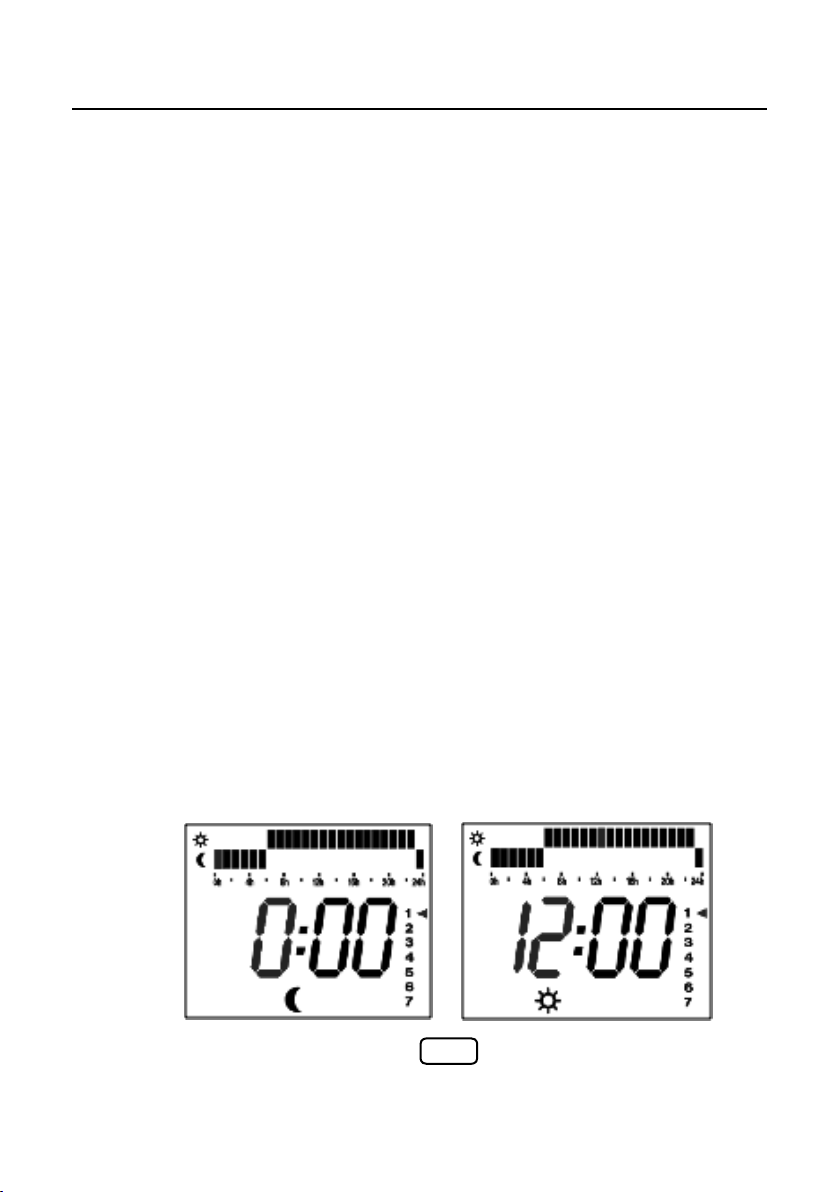
This will be required if you wish to use the programme facility. Also the clock screen is
displayed.
when the radiator is in stand-by mode and without the time being set --:-- will be displayed.
• When the radiator display is as in Fig 1 press the ON button
• The display will now change to --:--
• Press and hold the ON button for approx. 7 seconds and the screen will change to Fig 2
• Press the ON button once more and the screen changes once more to Fig 3
• The vertical numbers, with the number one flashing, represent the days of the week
with
• Monday being 1 and Sunday being 7
• Adjust the pointer using the + and – buttons until the pointer is on the correct day.
• Once on the correct day press OK
• Now the first zero (hrs) is flashing. Set the hours using the + and – buttons
• Once on the correct hour press OK
• Now the two zeros (mins) are flashing. Set the minutes using the + and - buttons
• Once on the correct minutes press OK
• The vertical 1-7 day markers will now disappear & the radiator is in stand-by mode
The clock will now be visible every time the radiator is switched into standby mode.
Please note this is a 24 hour clock
SETTING THE TIME
SettingtheTime
Thiswillberequiredifyouwishtousetheprogrammefacility.Alsotheclockscreenisdisplayed
whentheradiatorisinstand‐bymodeandwithoutthetimebeingsetwillbedisplayed.
WhentheradiatordisplayisasinFig1presstheONbutton
Thedisplaywillnowchangeto
PressandholdtheONbuttonforapprox.7secondsandthescreenwillchangetoFig2
PresstheONbuttononcemoreandthescreenchangesoncemoretoFig3
Theverticalnumbers,withthenumberoneflashing,representthedaysoftheweekwith
Mondaybeing1andSundaybeing7
Adjustthepointerusingthe+and–buttonsuntilthepointerisonthecorrectday.
OnceonthecorrectdaypressOK
Nowthefirstzero(hrs)isflashing.Setthehoursusingthe+and–buttons
OnceonthecorrecthourpressOK
Nowthetwozeros(mins)areflashing.Settheminutesusingthe+and‐buttons
OnceonthecorrectminutespressOK
Thevertical1‐7daymarkerswillnowdisappear&theradiatorisinstand‐bymode
Theclockwillnowbevisibleeverytimetheradiatorisswitchedintostandbymode.
PLEASENOTETHISISA24HOURCLOCK
SettingtheTime
Thiswillberequiredifyouwishtousetheprogrammefacility.Alsotheclockscreenisdisplayed
whentheradiatorisinstand‐bymodeandwithoutthetimebeingsetwillbedisplayed.
WhentheradiatordisplayisasinFig1presstheONbutton
Thedisplaywillnowchangeto
PressandholdtheONbuttonforapprox.7secondsandthescreenwillchangetoFig2
PresstheONbuttononcemoreandthescreenchangesoncemoretoFig3
Theverticalnumbers,withthenumberoneflashing,representthedaysoftheweekwith
Mondaybeing1andSundaybeing7
Adjustthepointerusingthe+and–buttonsuntilthepointerisonthecorrectday.
OnceonthecorrectdaypressOK
Nowthefirstzero(hrs)isflashing.Setthehoursusingthe+and–buttons
OnceonthecorrecthourpressOK
Nowthetwozeros(mins)areflashing.Settheminutesusingthe+and‐buttons
OnceonthecorrectminutespressOK
Thevertical1‐7daymarkerswillnowdisappear&theradiatorisinstand‐bymode
Theclockwillnowbevisibleeverytimetheradiatorisswitchedintostandbymode.
PLEASENOTETHISISA24HOURCLOCK
FIG 2 FIG 3