Carmanah Technologies Corp. | 250 Bay St, Victoria, BC V9A 3K5, Canada | 1.250.380.0052 | customersupport@carmanah.com | carmanah.com 7
3.2 SPEEDCHECK-15/18
1. Disconnect power to the SPEEDCHECK-15/18 sign by removing the fuse(s) in the associated battery
cabinet.
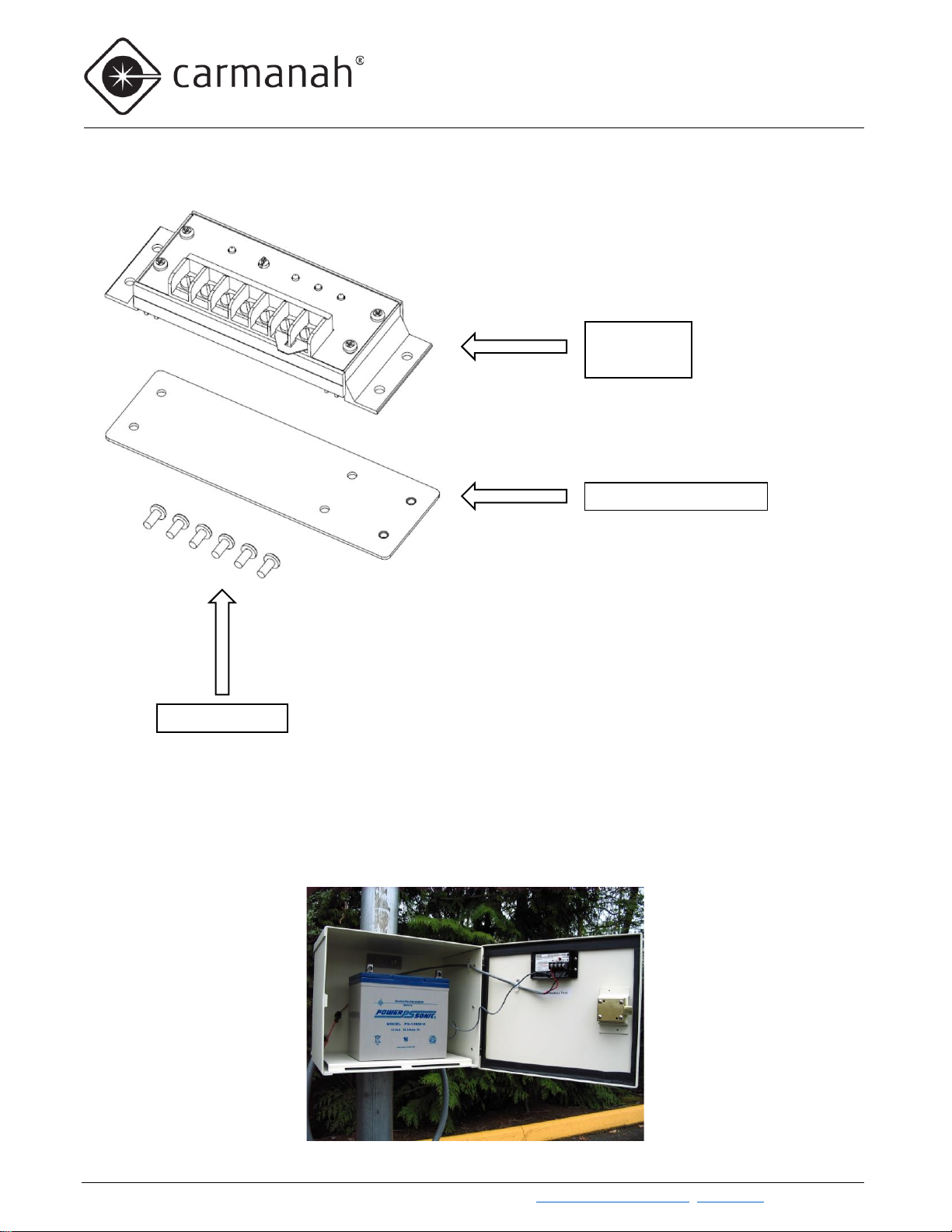
2. Disconnect the wiring and remove the existing charge controller from the battery cabinet. Remove the
solar panel wires last and cap off temporarily with wire nuts.
3. For systems that are replacing the legacy ASC charge controller you will require the retrofit mounting
bracket. Attach the new charge controller using the provided mounting screws to the battery box. All six
screws are required when replacing the ASC charge controller.
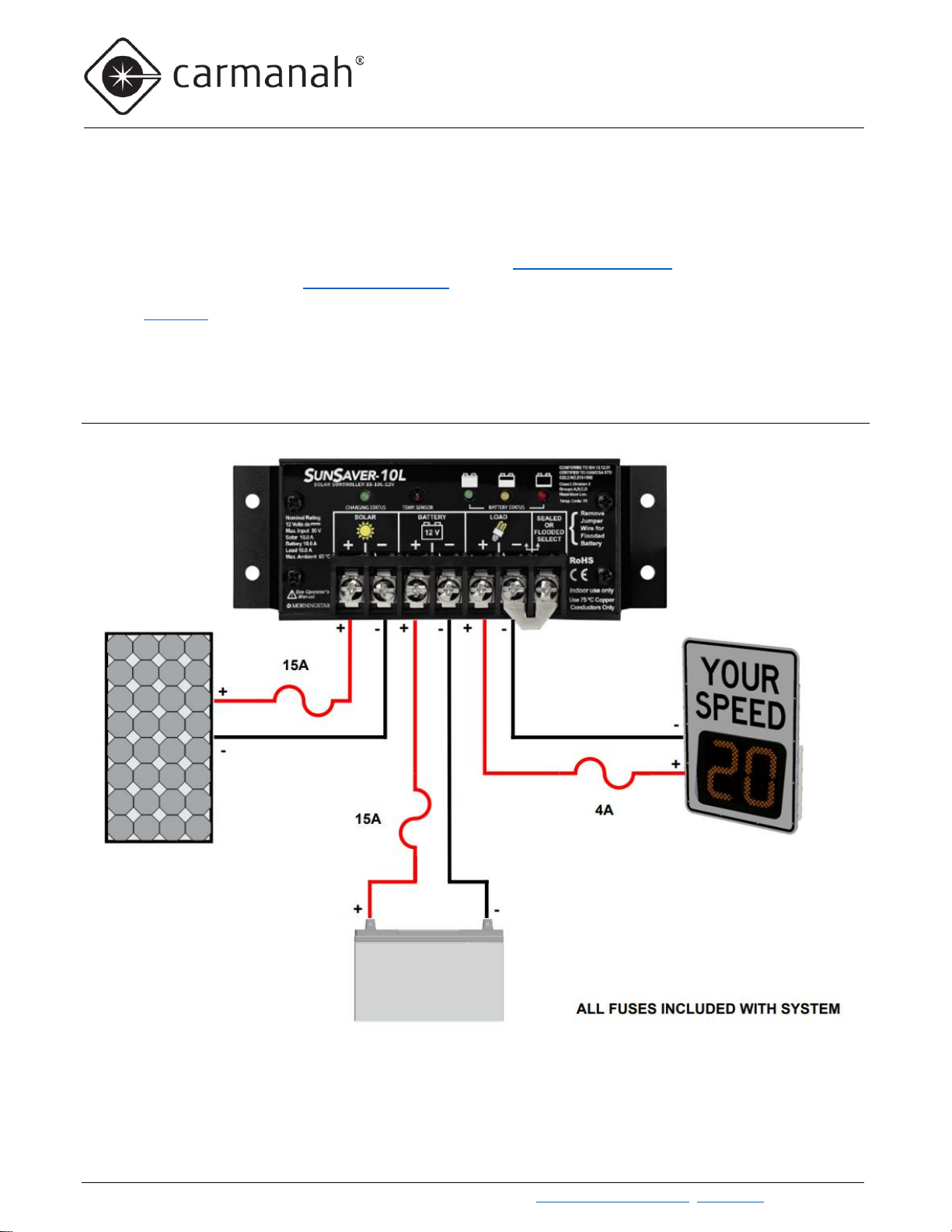
4. Refer to Section 3.1 and below for wiring the new charge controller, using the same existing wiring.
Without StreetHub Option With StreetHub Option
a. Ensure the radar sign power cable is connected to the load terminals. This will enable the sign to
take advantage of the charge controller’s built-in low voltage disconnection protection.
b. Keep track of the polarity for each component (red/yellow = positive, black/brown = negative).
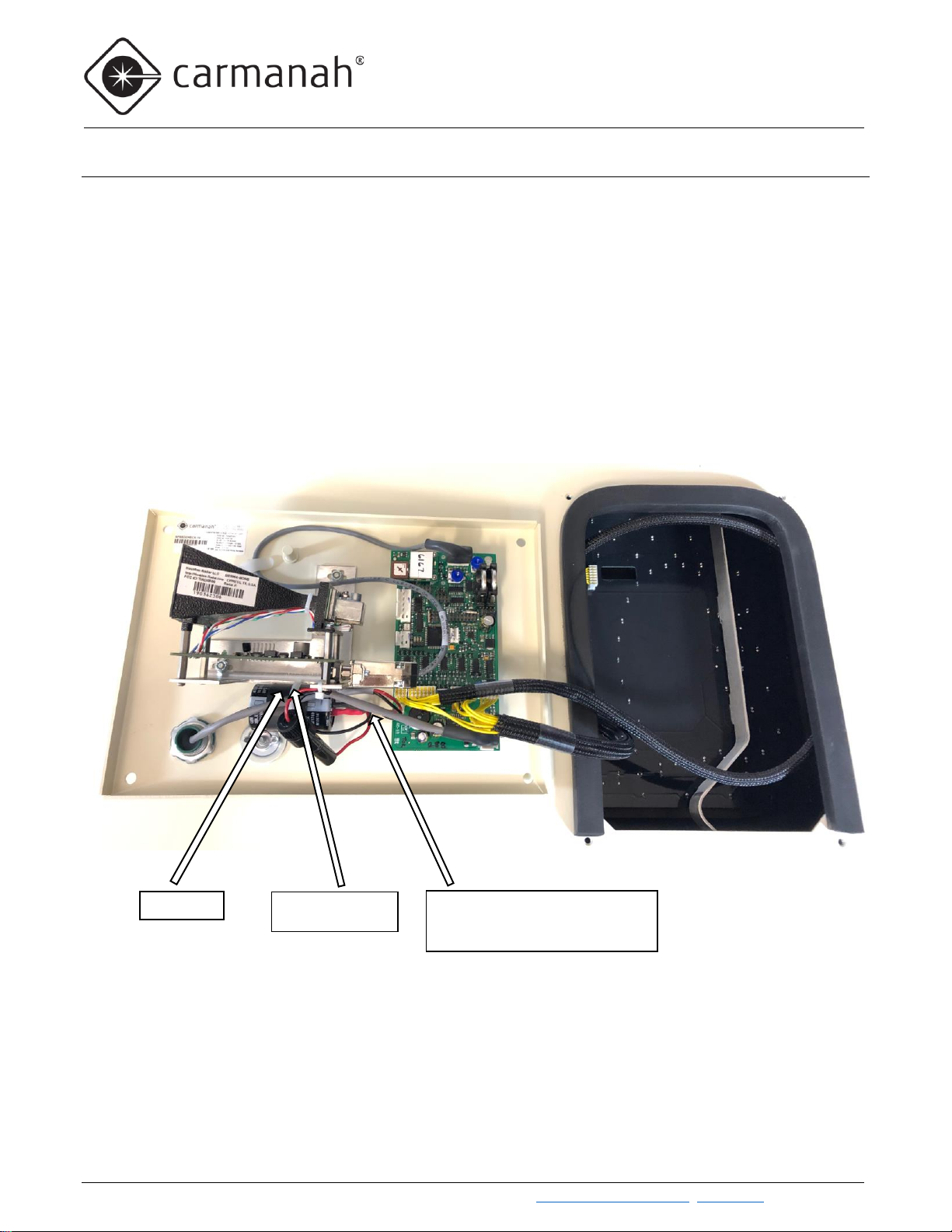
5. Refer to Section 4.0 to confirm if your system has a large capacitor installed. If this is present it must be
removed, otherwise the charge controller may exhibit a load error.
6. Reinstall the fuses in the battery cabinet to apply power to the radar sign. Ensure the charge controller
charging status LED turns green and the battery starts charging.