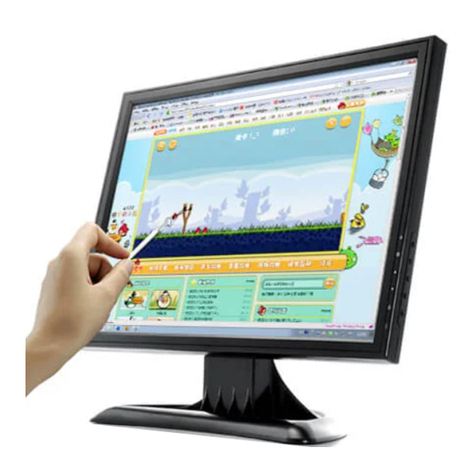
Dear customers, tha:rks for using this product, and wish it can bring you the
convenience, before start to use this product, please read the following items cmefully.
1) Forbidden to use under high temperature, especially not allowed to use in high
Humidity bath room, the most suitable working temperature is approximate -20C-60C.
2) Keeping it away from water and other liquid when using this product, otherwise
there may be danger such as shock and fire-arise happen! In order to keep your safety,
please use the adapter supplied (Regarding the damages caused by using adapters from
other supplier, we are not responsible to it).
3) Don't set the machine in tle place ofbared sunshine.
4) Please place the machine in the place where the children can not reach,in order to
keep it away from damage by dropping or bumping at sharp object.
5) Do not charge the battery with the damaged charger.
6) Do not charge the battery longer than the prescribed time.
7) When stad to charge the battery for the first time, or start to use the battery again
several months later, please charge it fully.
8) Charge the battery fully, and run out of the power completely, and then charge it
again in order to make its lifespan longer. It will shorien the battery's lifespan when
charging it immediately after using for a short time,
9) Over charge or discharge will shorten the battery's lifespan.
l0)When the battery's working time is apparently shorter than new one, please
change the battery.
1 l) The battery is consumption product, so its working time will shorten as time goes
by. 12) Be careful to keep the connection of DC convertor or battery away from any
cdnductor (such bracelet, necklace and so on) in order to avoid short circuit, othemise it
may cause fire disaster.
13) Do not dismantle the machine yourself, if any question, please contact our
wholesaler or company.
l. Profile
It's a 2.5" LCD monitor, PALAITSC are both available in this machine. It adopts
LED as the back lamp, low consumption , low interference , adopt the IC to realize power
management, and with the feature ofstabling the current ofback lamp.
2. Main parameter
Product name: 2.5" LCD monitor
Sign of system: PAL,tITSC
Resolution: 480*234
View angle: ( up/down/lefl/right)t (10/30/ 4Ol 40)
Brightness: 200cd/n"
Video input: 1.0Vp-p 75ohm
Power input: DC 5V
Rating power consumption: 1.2W
Battery:3.7V 1000mr{( Nokia N73 is available)
Working temperature:0-60C
Store temperature: -30- 60 C
Enviroment relative humidity: 5-95%RH
Extemality dimension: L 85*H 64*P 2lmm
Weight (stand-alone):90g
3. Basic operation
t
I
4. Accessories
Use's manual 1pc;
Battery lpc;
Bracket lpc;
charger lpc
AVcable lpc
Wrist stmp lpc
No. Description
BRIGHTNESS
2COLOR
3POWER-ON/OFF
4AV INPUT
5DC 5V
6LEDINDICATION
7BATTERYSLOT