4
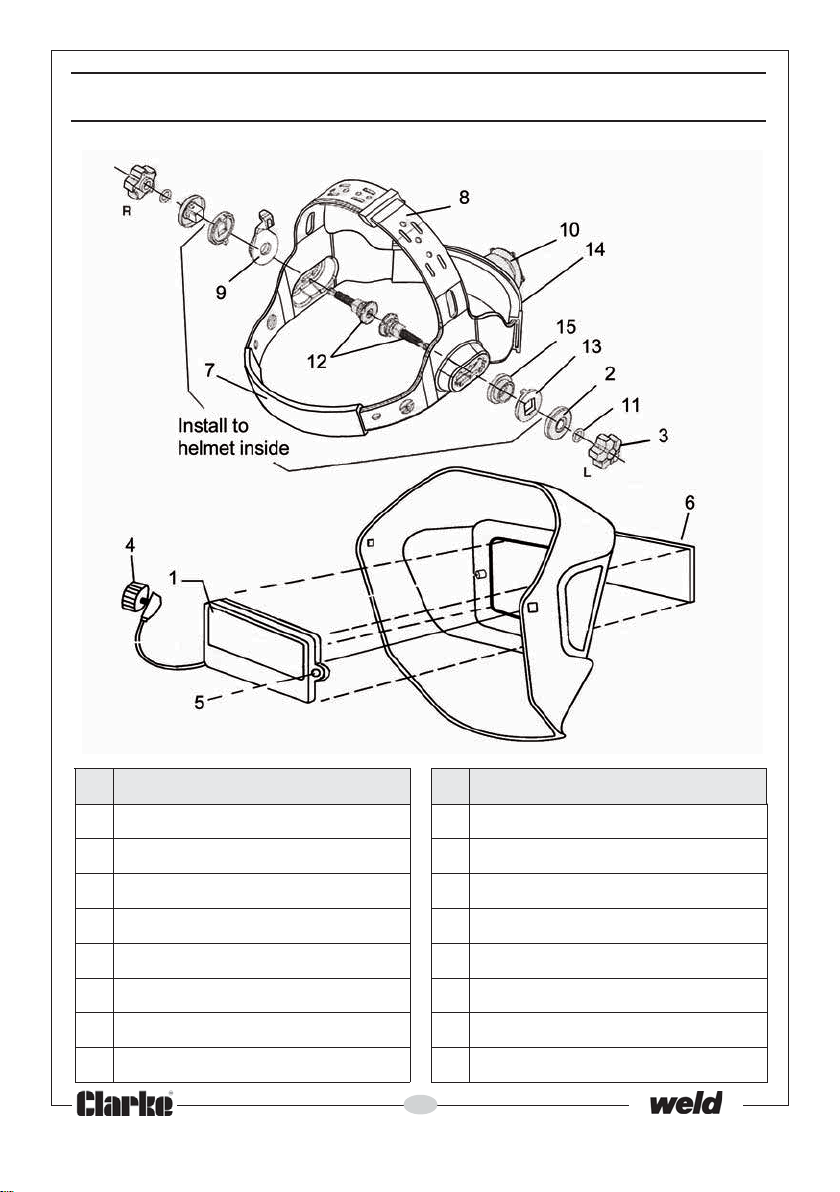
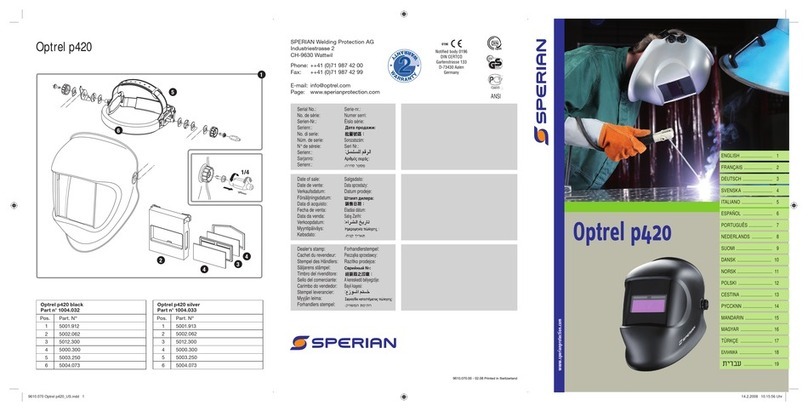
2. The top headband can be adjusted by bending the strap and positioning
the peg in the appropriate hole.
3. When the thumbscrews (3) are tight, the angle of tilt can be quickly and
repeatably adjusted using the adjusting tab (9), by placing it on the
chosen peg on the headband.
USING THE HEADSHIELD
1. Remove the protective film from both sides of the cartridge (1).
• The window will be set to Light DIN 4 state, and you will be able to see the
workpiece. The lens will automatically darken when an arc is struck.
2. Test the lens by striking an arc on the workpiece for the first time. Check
also that the outer screen and lens are clean and clear at all times.
3. Change the shade of setting as required using the shade adjustment knob
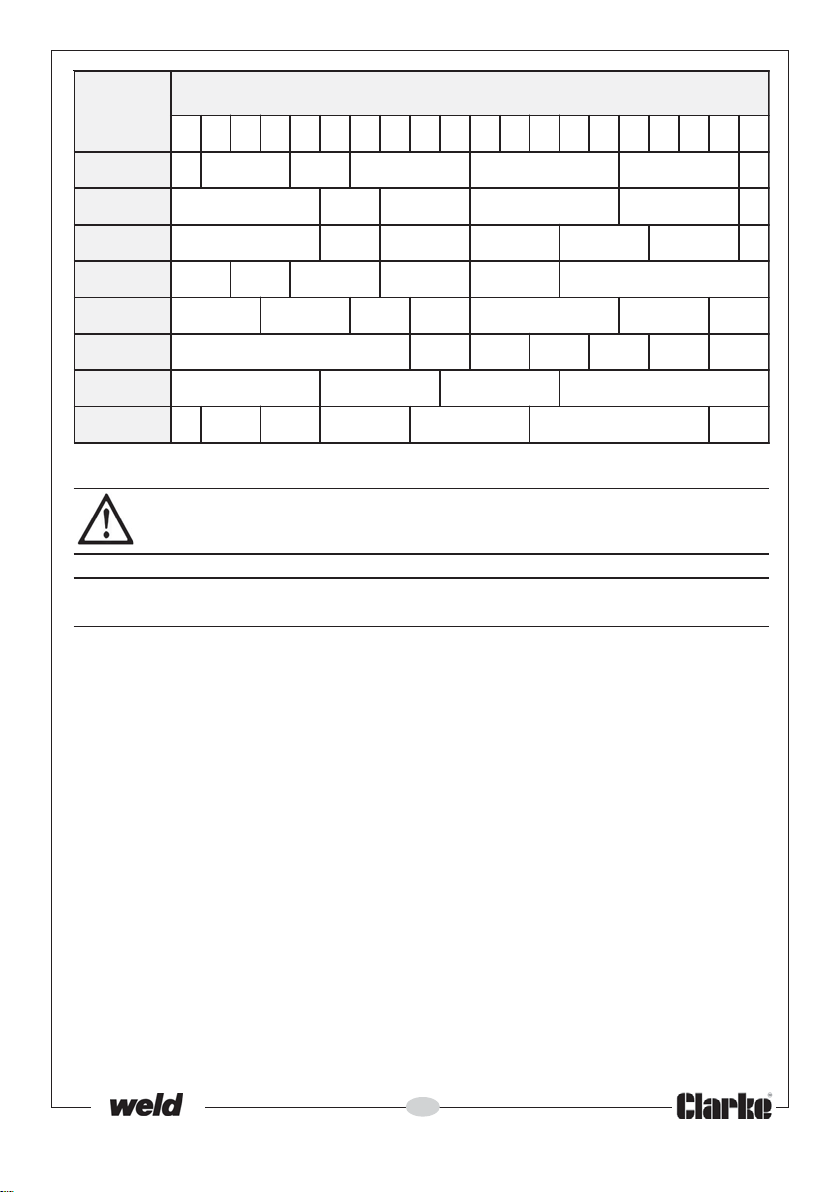
(4). Refer to the table opposite.
4. When the helmet is not used for 15 minutes, the power will automatically
shut off. There is no OFF switch.
SELECT THE SHADE SETTING
On striking an arc, the light created
will activate the solar cell and the
window will automatically darken to
a preset level. The lithium battery will
provide the necessary energy to
operate the head shield when there
is no arc light. Because the cartridge
assembly is a sealed unit, the battery
cannot be replaced. You can adjust
this shade level using the shade knob
(4) on the side of the headshield,
corresponding to the type of welding
process.
• There are five levels available;
9, 10, 11, 12 and 13. Check the
table to determine which value
you should select.
1. Set the shade selector (4) to the
required setting.
2. During the welding operation the
lens will automatically darken to
the pre-set shade. On removal of the arc, the lens will return to the light
state.
3. Adjust the ‘Sensitivity’ and ‘Delay Time’ as desired by using the adjustment
knob.