manuals.online logo
Brands
  1. Home
  2. •
  3. Brands
  4. •
  5. Cotytech
  6. •
  7. TV Mount
  8. •
  9. Cotytech DM-C3SA5 User manual

Cotytech DM-C3SA5 User manual

Other Cotytech TV Mount manuals

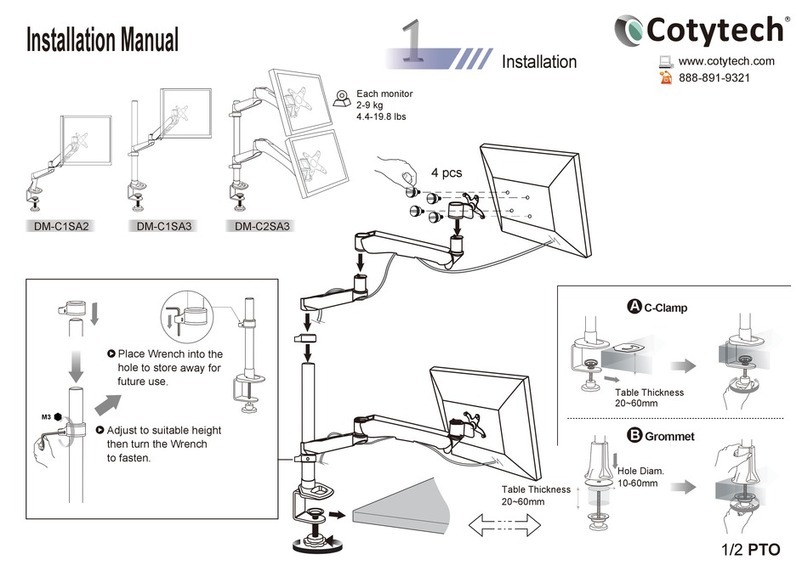
Cotytech DM-C1SA2 User manual

Cotytech

Cotytech DM-C1SA2 User manual

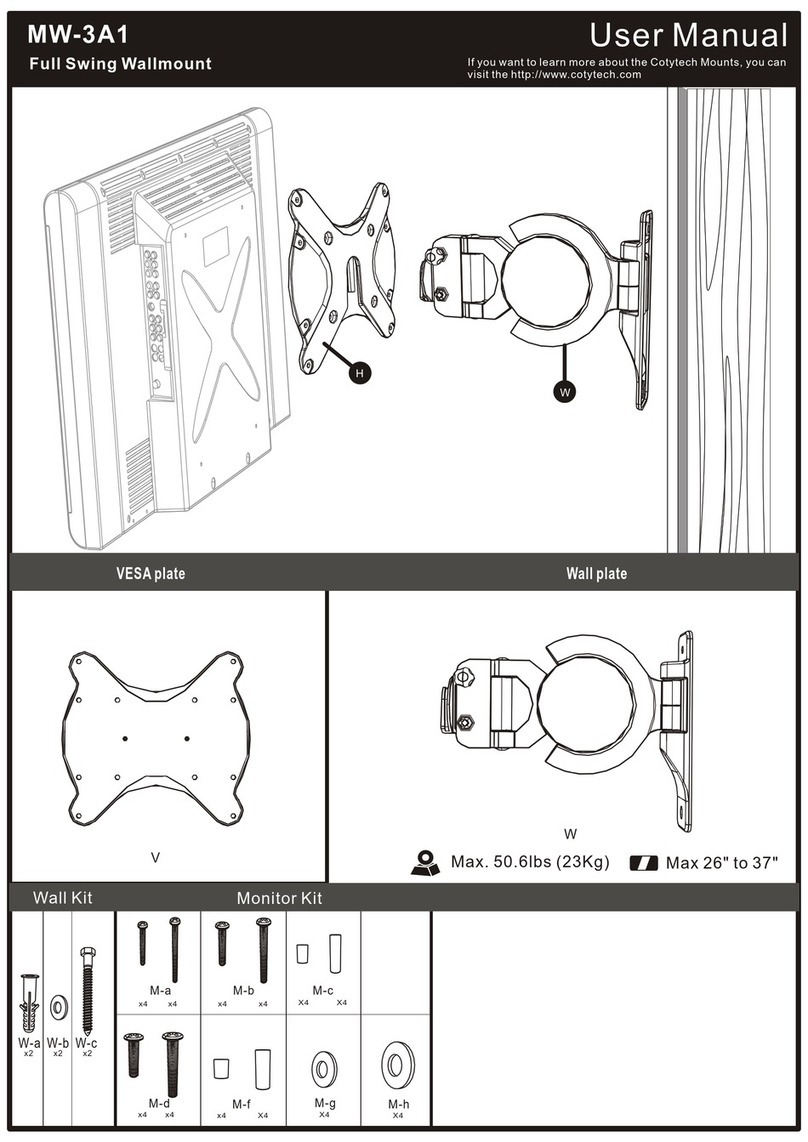
Cotytech MW-3A1 User manual

Cotytech

Cotytech MW-3A1 User manual

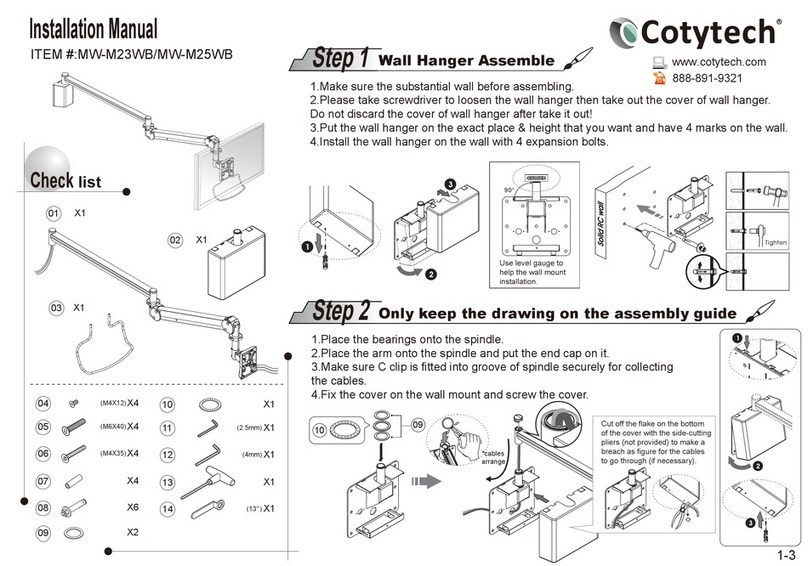
Cotytech MW-M23WB User manual

Cotytech

Cotytech MW-M23WB User manual

Popular TV Mount manuals by other brands

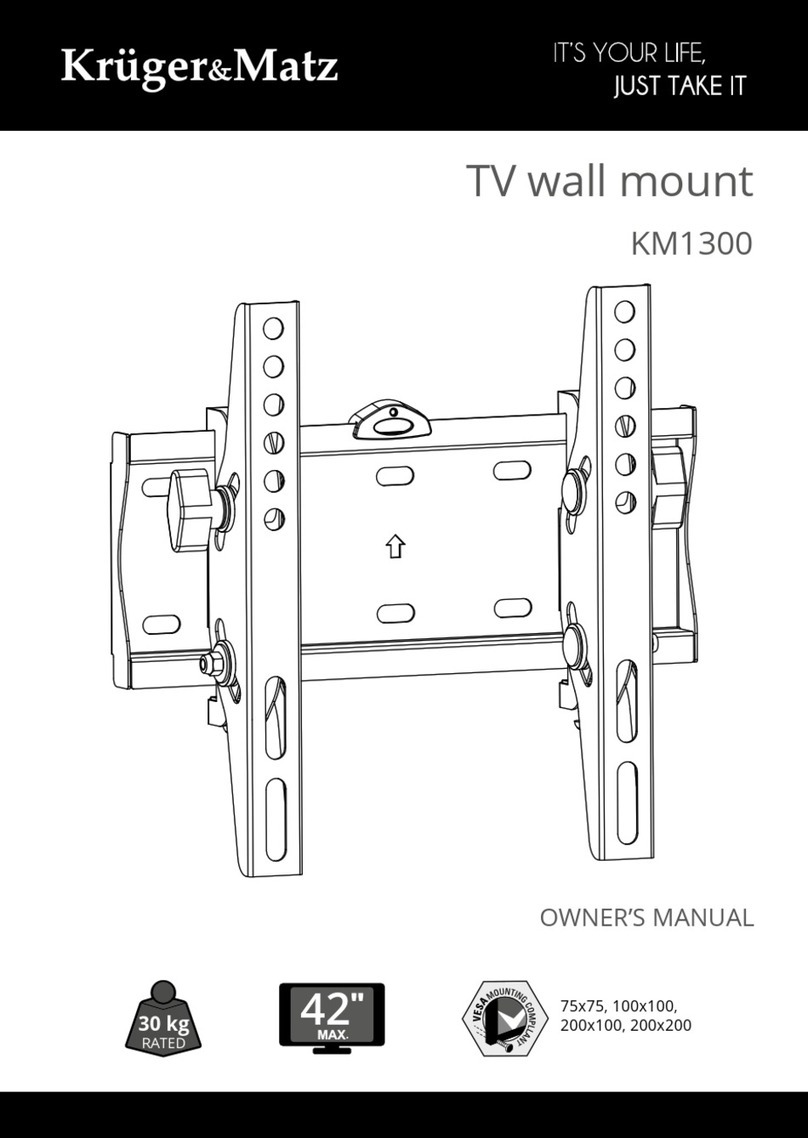
Krüger & Matz KM1300 owner's manual

Krüger & Matz

Krüger & Matz KM1300 owner's manual

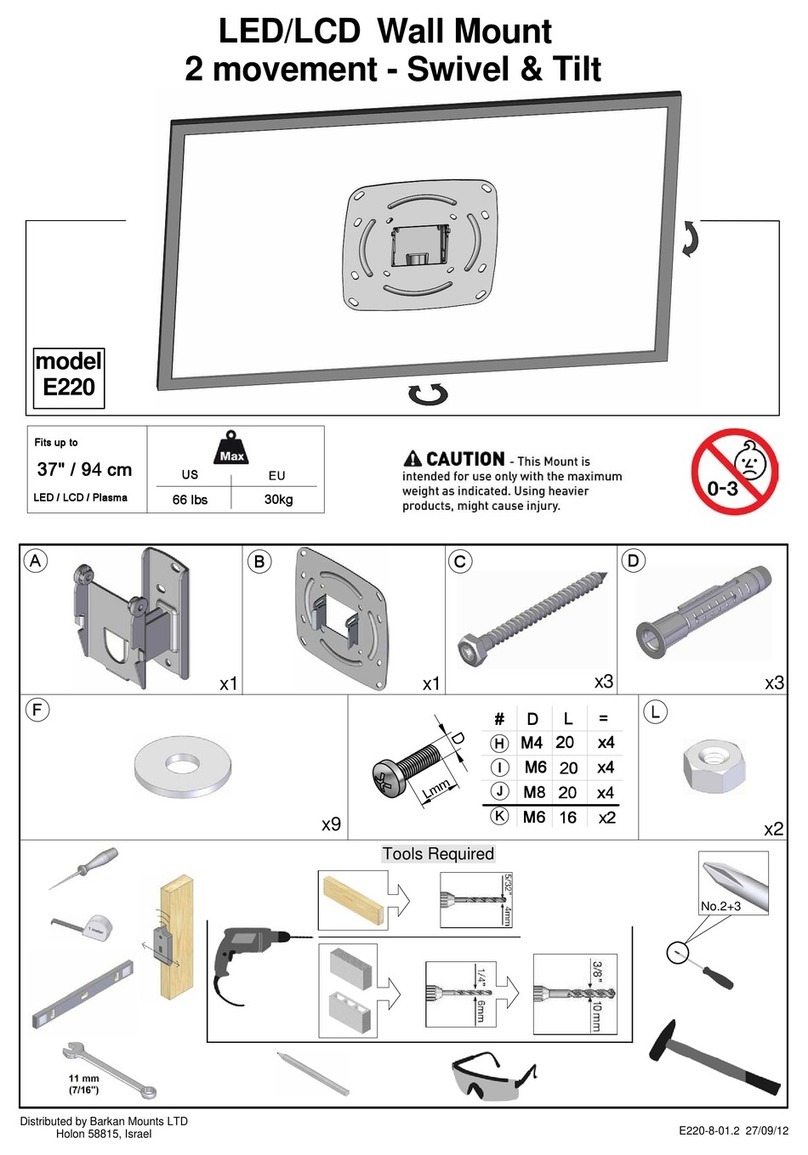
Barkan E220 manual

Barkan

Barkan E220 manual

Bauhn ACTVB-1120 installation guide

Bauhn

Bauhn ACTVB-1120 installation guide

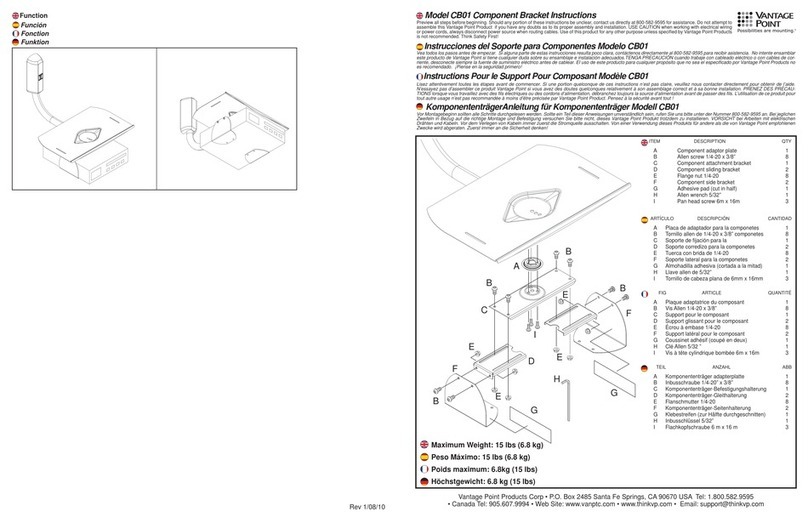
Vantage Point Products CB01 instructions

Vantage Point Products

Vantage Point Products CB01 instructions

Ergotron Neo Flex Cantilever UHD user guide

Ergotron

Ergotron Neo Flex Cantilever UHD user guide

ECG LD 174203 instruction manual

ECG

ECG LD 174203 instruction manual

StarTech.com FPCEILBTB user manual

StarTech.com

StarTech.com FPCEILBTB user manual

VonHaus 05/038 instruction manual

VonHaus

VonHaus 05/038 instruction manual

Techlink ECHO TV manual

Techlink

Techlink ECHO TV manual

Sandstrom SSTVMC12X instruction manual

Sandstrom

Sandstrom SSTVMC12X instruction manual

Kanto RCAD590 user manual

Kanto

Kanto RCAD590 user manual

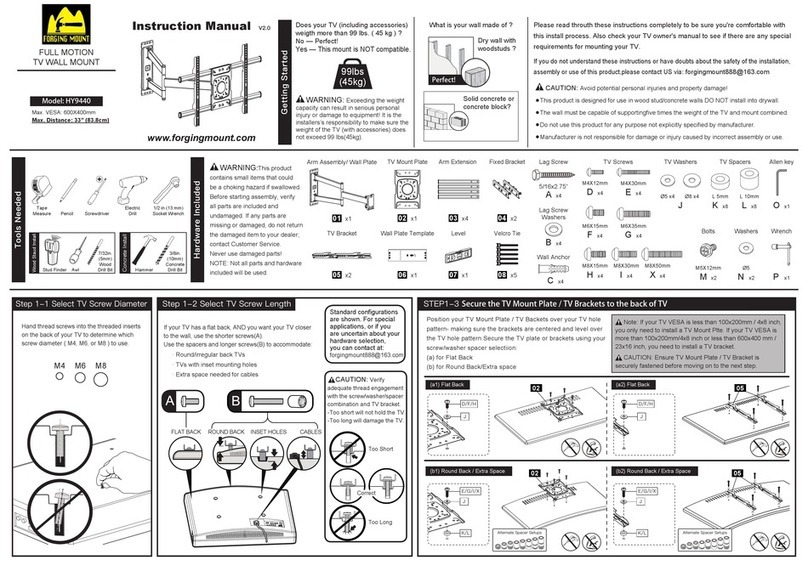
Forging Mount HY9440 instruction manual

Forging Mount

Forging Mount HY9440 instruction manual

ICW SCACC18 installation instructions

ICW

ICW SCACC18 installation instructions

LG WM-L640V owner's manual

LG

LG WM-L640V owner's manual

Gembird WM-65ST-01 user manual

Gembird

Gembird WM-65ST-01 user manual

ERARD FiTUP XXL 035320 quick start guide

ERARD

ERARD FiTUP XXL 035320 quick start guide

PEERLESS PLCK-1 Installation and assembly

PEERLESS

PEERLESS PLCK-1 Installation and assembly

GEM GEM GP001 instructions

GEM

GEM GEM GP001 instructions

manuals.online logo
manuals.online logoBrands
  • About & Mission
  • Contact us
  • Privacy Policy
  • Terms and Conditions

Copyright 2025 Manuals.Online. All Rights Reserved.

1/2 PTO
Table Thickness
20~60mm
Table Thickness
20~60mm
Hole Diam.
10-60mm
M3
Adjust to suitable
height then turn the
Wrench to fasten.
4 pcs
Installation
Adjust to suitable height
then turn the Wrench
to fasten.
Place Wrench into the
hole to store away for
future use.
Modle #: DM-C3SA5
Each monitor
2-9 kg
4.4-19.8 lbs
Monitor ≤19"
Monitor ≤23"
Monitor ≤30"
65.6"
1665mm
21.9"
555mm
27.6"
700mm
55.1"
1400mm
Installation Manual
www.cotytech.com
888-891-9321
DM-C3SA5M
2/2
Warning!
Stored Energy Hazard: The arm mechanism is under tension
and will moveup rapidly by itself, as soon as attached monitor
is removed. For this reason, DO NOT remove monitor unless
the arm has been pulled to full and highest position! Failure to
follow this instruction may result inserious personal injury
and/or equipment damage!
Increase Tension- Turn clockwise;
Decrease Tension-Turn
counterclockwise
If monitor does not stay in place or
movement is stiff, please use wrench
to increase or decrease tension until
movements are smooth.
90°
105
˚
Important!
Before installing monitor onto the arms, please double check the net weight
of monitor. The mount spring mechanism is set at default for weight range of
2.5kgs – 4.5kgs. For any weight out of this range, either less than 2.5kgs or
more than 4.5kgs, please use M6 wrench for tension adjustments. Be sure to
pull the spring arm to the utmost upright position BEFORE making the adjustments.
Use M3 wrench to
tighten or loosen.
Adjustment
12
3
360˚
360˚ 180˚
3D View
360˚
360˚
180˚
Top View
10.6"
(270mm)
5.5"
(140 mm)
6.2"
(158mm)
27.1"
(688mm)
1-888-891-9321001-951-427-3238
If you want to learn more about Cotytech Mounts, you may visit
http://www.cotytech.com or call
Lift to the highest position.
1
+To Increase Loading -Turn counterclockwise
- To Decrease Loading -Turn clockwise
2