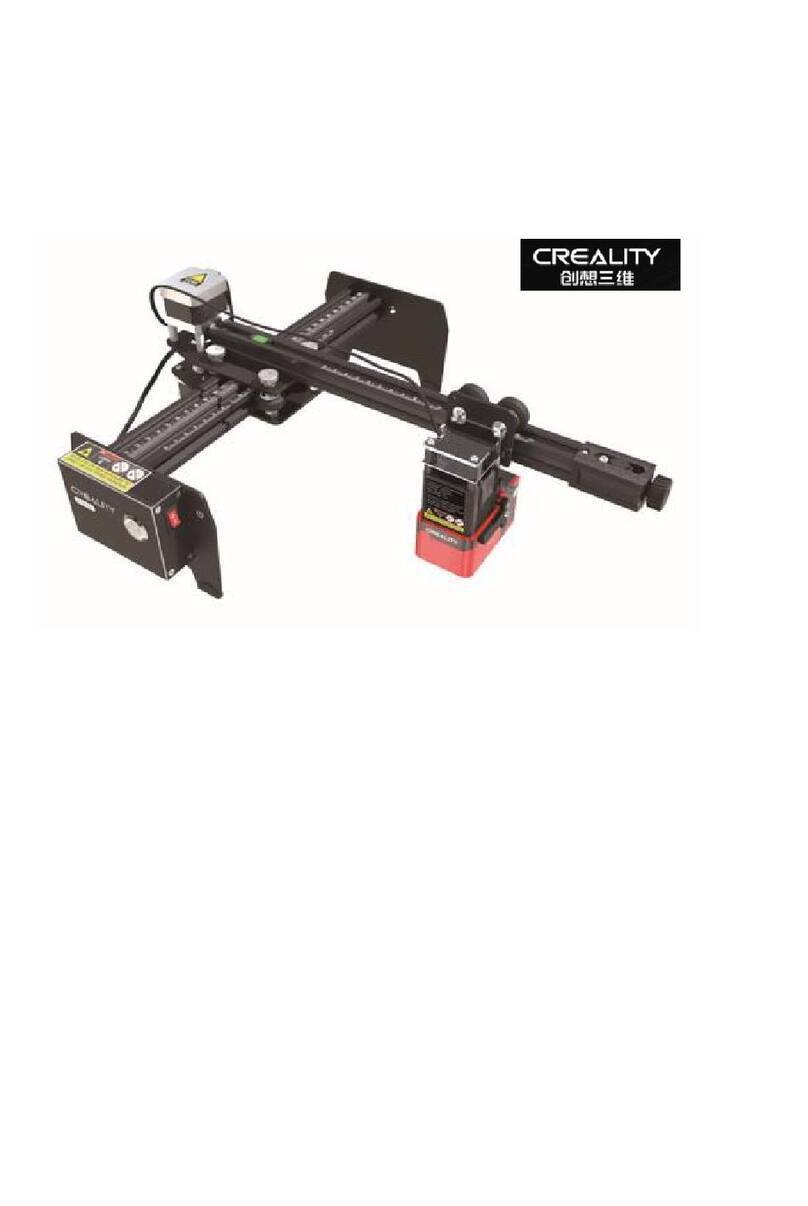
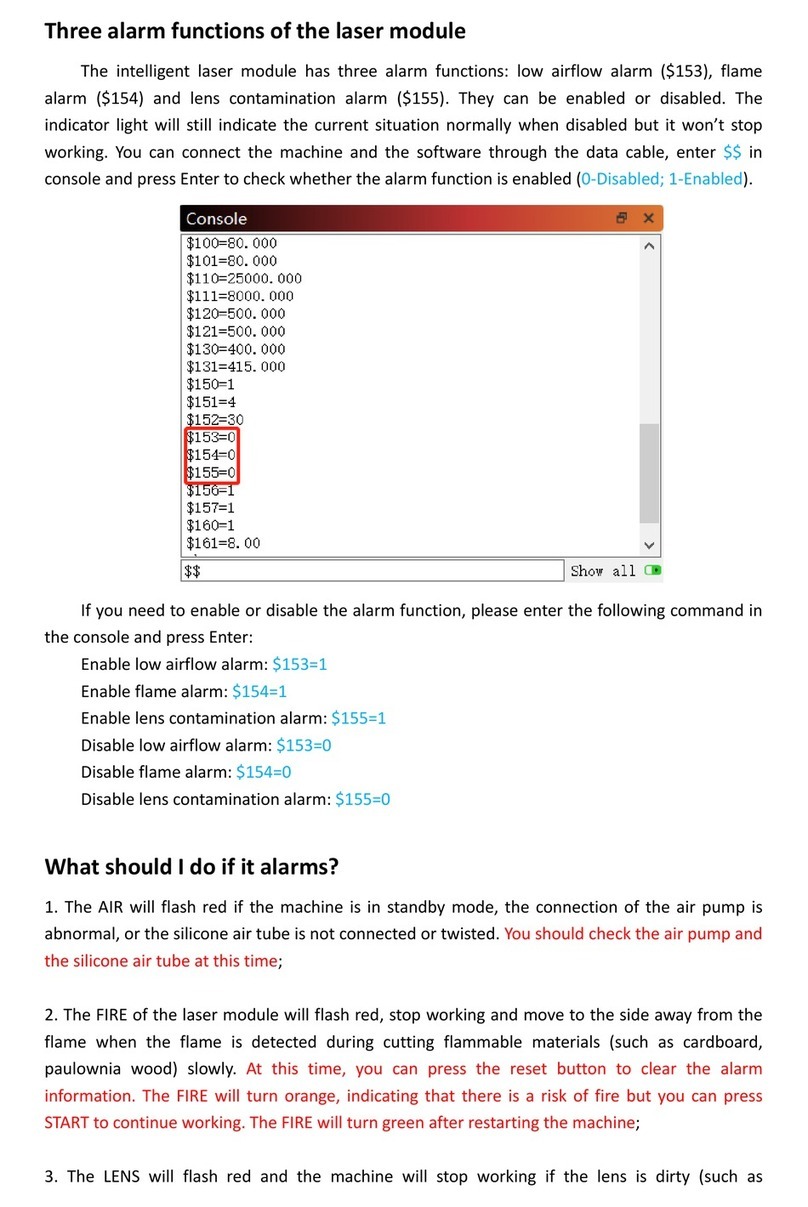
Creality LD-006 User manual

3D打印机使用说明书
LD-006
3D Printer User Manual
V1.0

Notes
Assemble the 3D Printer
Use the 3D Printer
使用须知
B
C
Level the Platform
调平
Load Resin
Release Film Instructions
Content 目录
组装 3D 打印机
使用 3D 打印机
装料
离型膜包装说明
Start Printing
首次打印
Clean the Resin Vat
料盘清理
尊敬的创想三维用户:
感谢您选择、使用创想三维的产品。为了您使用方便,请您在使用之前仔细阅读
该说明书,并严格按照说明书的指示进行操作。
创想三维团队时刻准备为您提供优质的服务。在使用过程中无论遇到什么问题,
请按照说明书结尾所提供的电话、邮箱与我们进行联系。
为了您能够更好地体验我们的产品,您还可以从以下方式获取设备操作知识:
随机使用说明:你可以在U盘内找到相关使用说明及视频。
创想三维官网:www.cxsw3d.com 您可以登陆创想三维官网寻找相关软硬件、联
系方式、设备操作、设备保养等信息。
Dear Consumers,
Thank you for choosing our products. For the best experience, please read the
instructions before operating the Printer. Our teams will always be ready to render you
the best services. Please contact us via the phone number or e-mail address provided
at the end when you encounter any problem with the Printer.
For a better experience in using our product, you can also learn how to use the Printer
in the following ways:
View the accompanied instructions and videos in the U disk.
Visit our official website www.creality.com to find relevant software/hardware
information, contact details and operation and maintenance instructions.
A

NOTES 使用须知
1. Do not use the printer any way other than described herein in order to avoid personal injury or property damage.
2. Do not place the printer near any heat source or flammable or explosive objects. We suggest placing it in a well-ventilated, low-dust environment.
3. Do not expose the printer to violent vibration or any unstable environment, as this may cause poor print quality.
4. Please use recommended resin to in case damage of machine.
5. Do not use any other power cable except the one supplied. Always use a grounded three-prong power outlet.
6. Please do not open the plastic cover during usage, otherwise the printing will be interrupted.
7. Do not wear cotton gloves when operating the printer. Such cloths may become tangled in the printers moving parts leading to burns, possible bodily
injury, or printer damage.
8. Please wait a moment after the print is finished. And please wear gloves to take out the model by tools.
9. Clean the printer frequently. Always turn the power off when cleaning, and wipe with a dry cloth to remove dust, adhered printing plastics or any other
material off the frame, guide rails, or wheels. Use glass cleaner or isopropyl alcohol to clean the print surface.
10. Children under 10 years should not use the printer without supervision.
11. Tips:Do not plug or unplug the power cord when power on.
12. Users should comply with the laws and regulations of the corresponding countries and regions where the equipment is located (used), abide by professional ethics,
pay attention to safety obligations, and strictly prohibit the use of our products or equipment for any illegal purposes. Creality will not be responsible
for any violators' legal liability under any circustance.
1、请勿尝试任何使用说明中没有描述的方法来使用本机,避免造成的意外人身伤害和财产损失;
2、请勿将本机放置在易燃易爆物品或高热源附近,请将本机放置在通风、阴凉、少尘的环境内;
3、请勿将打印机放置在振动较大或者其他不稳定的环境内,机器晃动会影响打印机打印质量;
4、建议使用厂家推荐耗材,以免造成机器损坏;
5、请勿在安装过程中使用其他产品电源线代替,请使用本机附带的电源线,电源插头需接插在带有地线的三孔插座;
6、请勿在打印机工作时打开打印机面盖,以免影响打印;
7、请勿在操作打印机时戴棉手套,以防可动部件对人身部件造成卷入挤压和切割伤害;
8、在打印完毕后稍等片刻,带上手套后再取下打印平台,借助工具将平台上的模型取下,清理时请勿直接用手触摸;
9、常做产品维护,定期在断电的情况下,用干布对打印机做机身清洁,拭去灰尘和粘结的打印材料、导轨上的异物;
10、年龄在10岁以下的儿童,请勿在没有人员监督的情况下使用本机,以免造成人身伤害;
11、温馨提示:请勿带电插拔电线;
12、使用者应遵守设备所在地(使用地)相应国家、地区法律法规,恪守职业道德,注意安全义务,严禁将我司的产品或设备使用在任何非法用途上。
如有违反者所应承担的相关法律责任我司概不负责。
1

2
Equipment Introduction
设备简介
Leveling screw
调平螺丝
Buliding platform
成型平台
Thumb screw
胶头手拧螺丝
料盘
Resin vat
Air filter
空气过滤器
Touch screen
显示屏
Limit sensor conductor
限位感应片
1 9
Power switch
电源开关
5
6
7
8
2USB port
USB接口
Power socket
电源插座
10
3
4
1
9
2
3
4
5
6
8
7
10

Equipment Parameters
设备参数
Model | 型号 LD-006
3840*2400 | 50μm
0.01mm-0.1mm(layer thickness | 即层厚)
1-4S/ layer | 即每层打印时间
Common rigid photosensitive resin, Standard resin, High elasticity, High hardness,
High toughness, Dental model resin.
普通刚性光敏树脂、标准树脂、弹性树脂、高硬度、高韧性树脂、牙模树脂
UV integrated lamp bead (wavelength 405nm)| 紫外线集成灯珠(波长405nm)
Windows XP and above systems | Windows XP 以上系统
250W
192*120*250mm (length*width * height) | 192*120*250mm(长*宽*高)
325*290*500mm
430*400*600mm
Z-axis precision | Z轴精度
Print speed | 打印速度
Special filaments | 专用耗材
Light source configuration | 光源配置
Operation system | 操作系统
U disk | U盘Print method | 打印方式
X/Y-axis resolution | X、Y分辨率
Nominal power | 额定功率
Print size | 成型尺寸
Machine size | 设备尺寸
Package size | 包装尺寸
13.5KGMachine weight | 机器重量
17.5KGGross weight | 机器毛重
4.3inch | 4.3英寸Display screen | 显示屏幕
English | 中文
Software language | 中英切换
Basic Parameters 基本参数
3
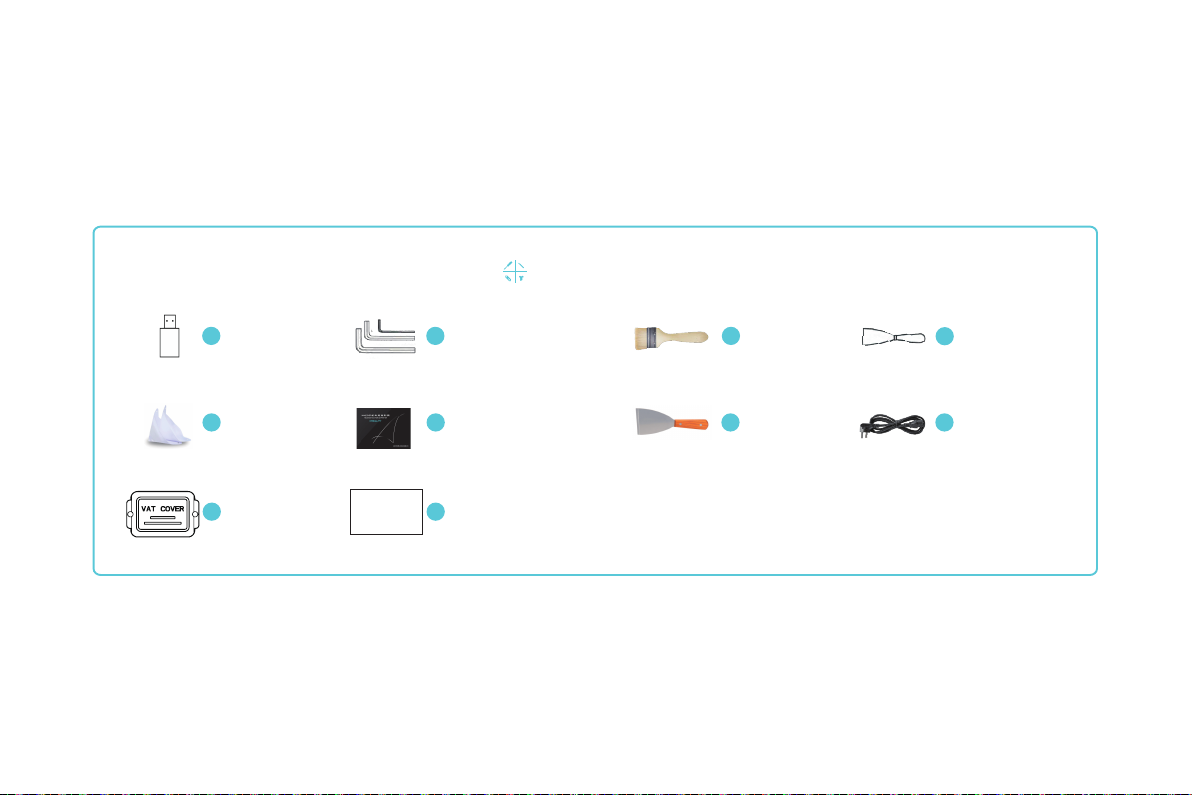
Screwdrivers x 1set
螺丝刀工具包
Tool list 工具包清单
Package Content
零部件清单
U disk x 1
U盘
Plastic blade x 1
塑胶铲刀
Metal blade x 1
金属铲刀
Release film x 1
离型膜
1
5
4
8
3
7
Brush x 1
油漆刷
2
6
纸漏斗
Resin filter x 4 Power cord x 1
电源线
9Vat cover x 1
料槽防尘盖
Tips: the above accessories are for reference only, in kind prevail! 注意:以上配件仅供参考,请以实物为准!
10 Calibration card x 1
校准卡片
Calibration Card
校准卡片
4
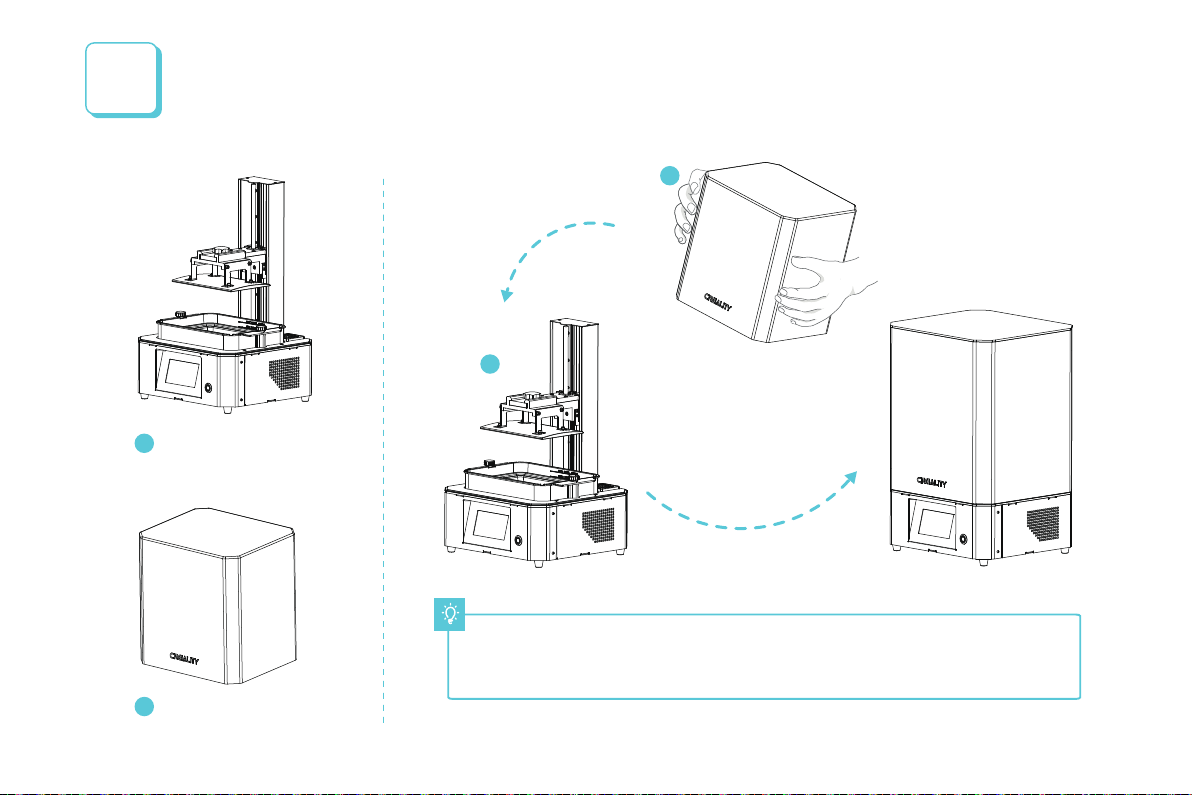
Note: Put the plastic cover on the machine body and the installation is completed.
注意:上盖嵌入主机即安装完成。
Assemble the 3D Printer
组装3D打印机
x 1
Plastic cover|上盖
2
x 1Machine body |主机
1
1
2
1
5

2界面信息
Interface Information
123
45
Home Up Down
Stop Back
123
45
返回原点 上升 下降
停止 返回
Note: The UI information is only for reference, the actual UI may be different.
注意:界面仅供参考,实际以UI为准。
工具
Tools
10mm
0.10mm 1.00mm 10.00mm
1.00mm 10.00mm
Z :
① ② ③
④ ⑤
① ② ③
④ ⑤
0.10mm
6

界面信息
Interface Information
Note: The UI information is only for reference, the actual UI may be different.
注意:界面仅供参考,实际以UI为准。
系统
System
004c0026-554d5002-20363643-17f
V4.3.17_LCDMI/3840x2400/F2.18
004c0026-554d5002-20363643-17f
V4.3.17_LCDMI/3840x2400/F2.18
LD-006
LD-006
7
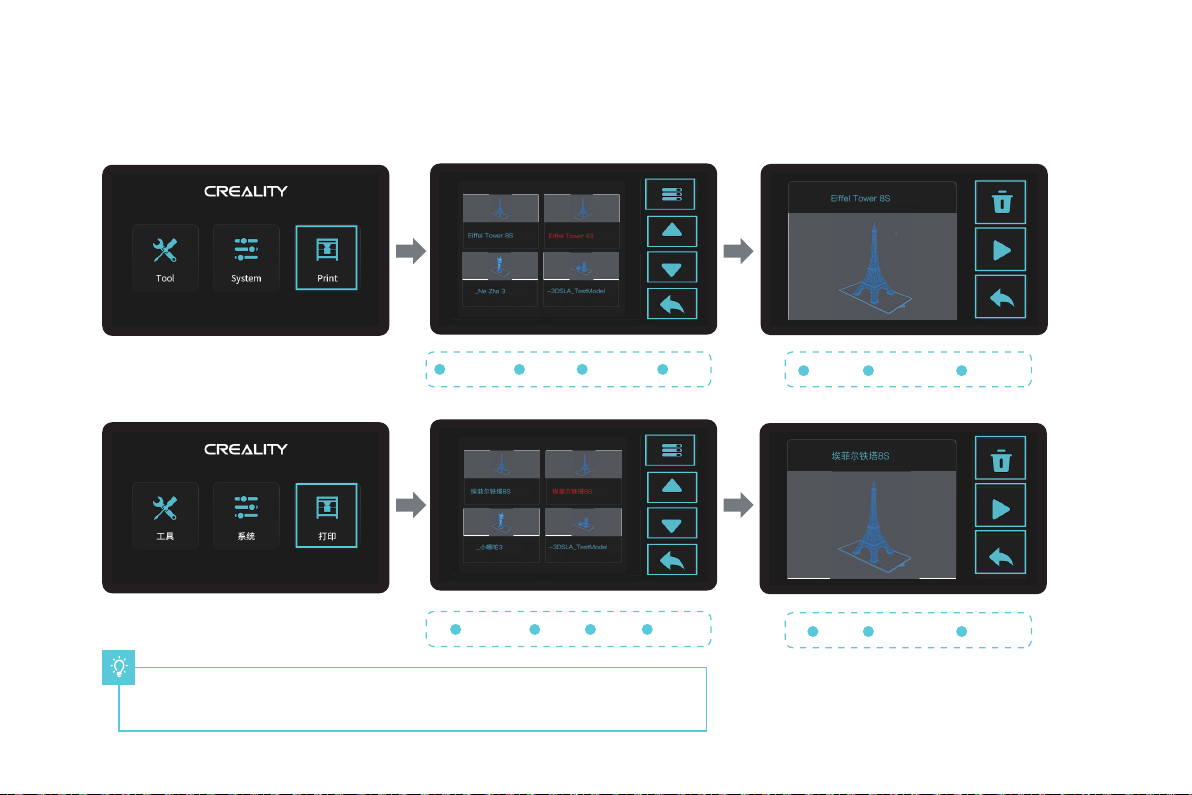
刷新文件
1上翻
2下翻
3返回
4
Refresh file
1Turn up
2Turn down
3 4
删除
1打印/停止
2返回
3
Delete
1 2 3
Note: The UI information is only for reference, the actual UI may be different.
注意:界面仅供参考,实际以UI为准。
Print/stop BackBack
界面信息
Interface Information
打印
Print
.ctb
.ctb
①
②
③
①
②
③
.ctb
.ctb .ctb
.ctb
②
①
③
④
②
①
③
④
.ctb
.ctb .ctb
.ctb
8
Other manuals for LD-006
1
Table of contents
Other Creality Printer manuals