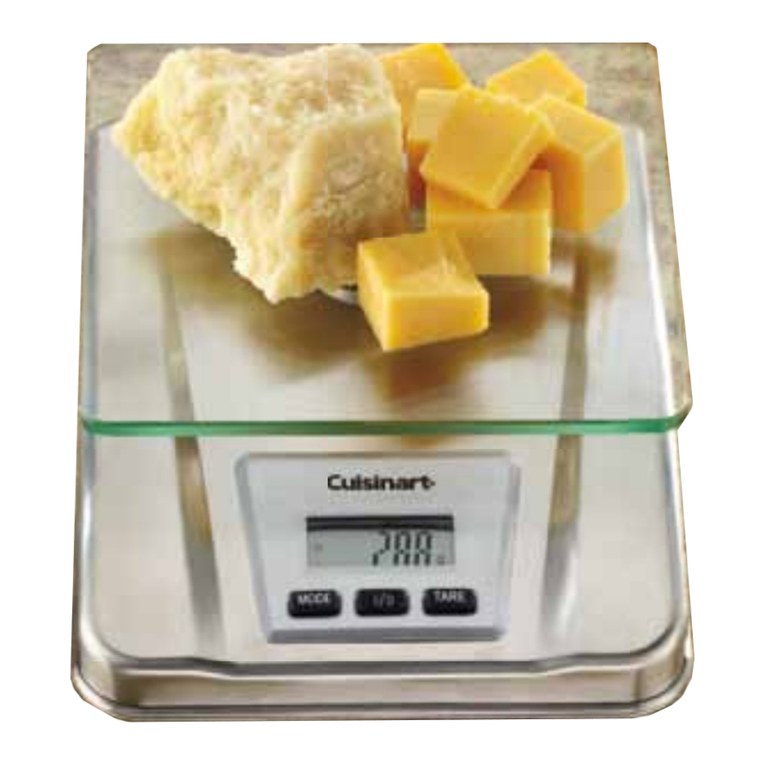
KITCHEN SCALES INSTRUCTION MANUAL
2. Press the |/O button on the front panel. Wait until “0” appears
on the display screen.
3. To tare, press the TARE button. “0” will appear. Place the
ingredient into the bowl.
The weight of the added ingredient appears.
ADD AND WEIGH FEATURE
If you want to reach a desired weight (i.e., 300g our) – you can use
the add and weigh procedure.
1. Place your scale on a stable, level surface.
2. Press the |/O button. Wait until “0” appears on the display.
3. Place an empty bowl to hold the ingredients on the scale.
4. Zero out the weight of the empty bowl by pressing the TARE
button. Wait until “0” appears on the scale. This will ensure
that the weight of the empty bowl is subtracted from the total
weight of the bowl and ingredients.
5. You are now ready to weigh your rst ingredient. Place the
ingredient into the bowl until the desired weight appears on
the display.
6. You are now ready to weigh the next ingredient(s). Place
additional ingredient in the bowl until the desired weight
appears on the display.
NOTE: If you want to view the weight of individual ingredients
as they are added to the bowl, then tare each time you add a new
ingredient.
AUTOMATIC SWITCH OFF
To conserve battery power, the scale automatically shuts off if
left unused for approximately one minute. To turn the scale off
manually press the |/O button.
DISPLAY MESSAGES
The Cuisinart
®
Kitchen Scale provides the following display
messages to simplify operation.
Displays when you switch the scale on. Wait until “0” appears
to begin weighing.
Displays when you reset the scale to zero while using the TARE
function. Wait until “0” appears to begin weighing
Displays when the scale is ready for use.
Displays when scale is overloaded. Remove excess weight
from the scale.
CLEANING AND MAINTENANCE
INSTRUCTIONS
Treating your scale with care will ensure proper use and years of
excellent service. Wipe down the scale surface and touchpad buttons
with a damp cloth. Do not put any water or dishwashing soap
directly over the electronic parts of the scale as this may cause the
scale to malfunction or weigh ingredients improperly. Display your
scale on the countertop along with your other Cuisinart
®
products,
store in a cabinet, or on a kitchen shelf.
ESSENTIAL PRECAUTIONS
1. Do not immerse in water or place under running tap water.
2. Do not put hot objects on scale.
3. Do not use abrasive cleaners.
4. Do not store anything on scale.
3-YEAR LIMITED WARRANTY
We warrant that this Cuisinart product will be free of defects in material or workmanship
under normal home use for 3 years from the date of original purchase.
This warranty covers manufacturer’s defects including mechanical and electrical defects. It
does not cover damage from consumer abuse, unauthorized repairs or modications, theft,
misuse, or damage due to transportation or environmental conditions. Products with removed
or altered identication numbers will not be covered.
This warranty is not available to retailers or other commercial purchasers or owners.
If your Cuisinart scale should prove to be defective within the warranty period, we will repair
it or replace it if necessary.
For warranty purposes, please register your product online at www.cuisinart.ca to facilitate
verication of the date of original purchase and keep your original receipt for the duration of
the limited warranty.
This warranty excludes damage caused by accident, misuse or abuse, including damage caused
by overheating, and it does not apply to scratches, stains, discolouration or other damage to
external or internal surfaces that does not impair the functional utility of the product. This
warranty also expressly excludes all incidental or consequential damages.
If the scale should become defective within the warranty period, do not return the scale to
the store. Please contact our Customer Service Centre:
Toll-free phone number: 1-800-472-7606
Address: Cuisinart Canada
Email:
Model
100 Conair Parkway
Woodbridge, Ont. L4H 0L2
Consumer_Canada@Conair.com
KS-56C
To facilitate the speed and accuracy of your return, please enclose:
- $10.00 for shipping and handling of the product (cheque or money order)
- Return address and phone number
- Description of the product defect
- Product date code*/copy of original proof of purchase
- Any other information pertinent to the product’s return
* Product date code can be found on the underside of the base of the product. The product date code
is a 4 or 5 digit number. Example, 90630 would designate year, month & day (2009, June 30th).
Note: We recommend you use a traceable, insured delivery service for added protection.
Cuisinart will not be held responsible for in-transit damage or for packages that are not
delivered to us.
To order replacement parts or accessories, call our Customer Service Centre at 1-800-472-7606.
For more information, please visit our website at www.cuisinart.ca
©2012 Cuisinart Canada
100 Conair Parkway, Woodbridge, Ont. L4H 0L2
Printed in China 12CC134276
*Any trademarks or service marks of third parties used herein are
the trademarks or service marks of their respective owners.
IB-11149-CAN