Daewoo 531X User manual

DAEWOO ELECTRONICS CO., LTD.
http ://svc.dwe.co.kr
Service Manual
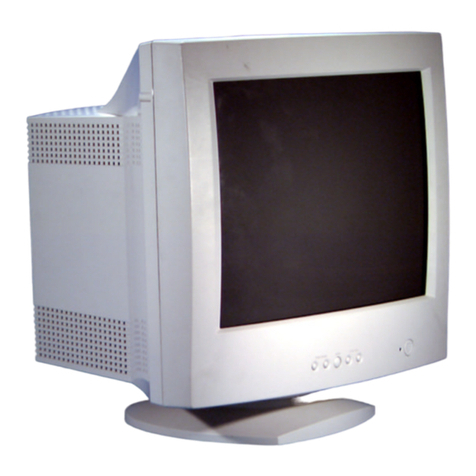
XGA COLOR MONITOR
Model : 531X
September, 2000

CONTENTS
SAFETY PRECAUTIONS 1
GENERAL SAFETY INFORMATION 2
SERVICING PRECAUTIONS 3
TECHNICAL INFORMATION 6
GENERAL INFORMATION 7
PIN CONNECTOR 8
CAUTIONS FOR ADJUSTMENT AND REPAIR 8
OPERATION AND ADJUSTMENT 9
ALIGNMENT PROCEDURE 12
TROUBLESHOOTING HINTS 15
BLOCK DIAGRAM 29
PCB LAYOUT 30
SCHEMATIC DIAGRAM 33
EXPLODED VIEW DIAGRAM 37
INFORMATION OF PART DESCRIPTION 38
ELECTRICAL PARTS LIST 39

1
SAFETY PRECAUTIONS
◆Safety Check
Care should be taken while servicing this analog color display because of the high voltages used in the deflection
circuits. These voltages are exposed in such areas as the associated flyback and yoke circuits.
◆Fire & Shock Hazard
• Insert an isolation transformer between the analog color display and AC power line before servicing the
chassis.
• When servicing, pay close attention to the original lead dress especially in the high voltage circuit area;
if a short circuit is found, replace all parts which have been overheated as a result of the short circuit.
• All the protective devices must be reinstalled per original design.
• Soldering must be inspected for possible cold solder points, frayed leads, damaged insulation, solder
splashes or sharp solder points. Be certain to remove all foreign materials.
◆Implosion Protection
Picture tube in this monitor employs integral implosion protection system, but care should be taken to
avoid damage and scratching during installation.
Only use same type replacement picture tubes.
◆X-Ray
IMPORTANT SAFETY NOTICE: There are special components used in this analog color display,
which are important for safety. These parts are shaded on the
schematic diagram and on the replacement parts list. It is essential
that these critical parts should be replaced with manufacturer’s
specified parts to prevent X-Ray, shock, fire or other hazards. Do
not modify the original design without getting written permission
from DAEWOO ELECTRONICS CO. or this will void the original
parts and labor warranty.
CAUTION: No modifications of any circuits should be attempted. Service work should be performed
only after you are thoroughly familiar with all of the following safety checks and servicing
guidelines.
WARNING: The only potential source of X-Ray is the picture tube. However when the high voltage
circuitry is operating properly, there is no possibility of an X-Ray problem. The basic
precaution which must be exercised is to keep the high voltage at the following factory
recommended level.
NOTE: It is important to use an accurate, periodically, calibrated high voltage meter.
• To measure the high voltage, use a high-impedance high-voltage meter.
Connect(-) to chassis and (+) to the CRT anode button.
• Turn the Contrast & Brightness Control fully counterclockwise.
• Measure the high voltage. The high voltage meter should indicate the following factory
recommended levels.
• If the upper meter indication exceeds the maximum level, immediate service is required to
prevent the possibility of premature component failure.
• To prevent X-Ray possibility, it is essential to use the specified picture tube.
• The normal high voltage is 25.5KV or below and must not exceed 29KV at zero beam current
at rated voltage.

2
Warning: This product includes critical mechanical and electrical parts which are essential for x ray
protection. For continued safety, replace critical components that are indicated in the service
manual with exact replacement parts given in the parts list.
Operating high voltage with this product is 29Kv at minimum brightness. Refer to service
manual for measurement procedures and proper service adjustments.
GENERAL SAFETY INFORMATION
◆Terms in the manual
CAUTION Statements identify conditions or practices that could result in damage to the equipment or
other property.
WARNING Statements identify conditions or practices that could result in personal injury or loss of
life.
◆Terms as marked on equipment
CAUTION Statements indicate a personal injury hazard not immediately accessible as one reads the
marking or a hazard which is properly included on the equipment itself.
WARNING Statements are clearly concerning indicated personal injury hazards.
◆Symbols in the manual
The symbols indicate where applicable cautionary or other information is to be found.
◆Symbols as marked on equipment
Protective GROUND terminal
◆High Voltage Warning And Critical Component Warning Label
The following warning label is on the CRT PWB shield case inside the unit.

3
SERVICING PRECAUTIONS
◆General Servicing Precautions
1. Always unplug the AC power cord from the AC power source before:
a. Removing or reinstalling any component, circuit board, module, or any other instrument assembly.
b. Disconnecting or reconnecting any electrical plug or other electrical connection.
c. Connecting a test substitute in parallel with an electrolytic capacitor in the instrument.
d. Discharging the picture tube anode.
2. Test high voltage only by measuring it with an appropriate high voltage meter or other voltage
measuring device (DVM, FETVOM. etc.) equipped with a suitable high voltage probe. Do not test high
voltage by “drawing an arc”.
3. Discharge the picture tube anode only by: (a) first connecting one end of an insulated clip lead to the
degaussing or line grounding system shield at the point where the picture tube socket ground lead is
connected, and then (b) touching the other end of the insulated clip lead to the picture tube anode
button, using an insulating handle to avoid personal contact with high voltage.
4. Do not any spray chemicals on or near this instrument, or any of its assemblies.
5. Unless otherwise specified in this service manual, only clean electrical contacts by applying the
following mixture to the contacts with a pipe cleaner, cotton-tipped stick, or comparable nonabrasive
applicator: 10% (by volume) Aceton and 90% (by volume) isopropyl alchohol (90%-99% strength).
6. Do not damage any plug/socket B+ voltage interlocks with which instruments covered by this service
manual might be equipped.
7. Do not apply AC power to this instrument and/or any other of its electrical assemblies unless all the
solid-state device heat sinks are correctly installed.
8. Always connect the test instrument ground lead to the appropriate instrument chassis ground before
connecting the test instrument positive lead. Always remove the test instrument ground lead last.
9. Only use the test fixtures specified in this service manual with this instrument.
CAUTION: Before servicing instruments covered by this service manual, its supplements, and
addendum, please read and follow the SAFETY PRECAUTIONS of this manual.
NOTE: If unforeseen circumstances create conflict between the following servicing precautions and any
of the safety precautions on page 1 of this manual, always follow the safety precautions.
Remember: Safety First.
CAUTION: A wrong part substitution or incorrect polarity installation of electrolytic capacitors
may result in a explosion.
CAUTION: This is a flammable mixture. Unless specified in this service manual, lubrication of contacts is
not required.
CAUTION: Do not connect the test fixture ground strap to any heatsink in this instrument.

4
◆ Electrostatically Sensitive (ES) Devices
Some semiconductor (solid state) devices can be damaged easily by static electricity.
Such components are commonly called Electrostatically Sensitive (ES) Devices.
The typical examples of ES devices are integrated circuits, some field-effect transistors, and
semiconductor “chip” components. The following techniques should be used to help reduce the incidence
of component damage caused by static electricity.
1. Immediately before handling any semiconductor component or semiconductor-equipped assembly,
wipe off any electrostatic charge on your body by touching any known earth ground. Alternatively,
obtain and wear a commercially available discharging wrist strap device which should be removed for
potential shock reasons prior to applying power to the unit under testing conditions.
2. After removing the electrical assembly equipped with ES devices, place the assembly on a conductive
surface such as aluminum foil to prevent electrostatic charge buildup or exposure to the assembly.
3. Only use a grounded-tip soldering iron to solder or unsolder ES devices.
4. Only use an anti-static type solder removal device. Some solder removal devices not classified as “anti-
static” can generate enough electrical charges to damage ES devices.
5.
Do not use freon-propelled chemicals. These can generate enough electrical charges to damage ES devices.
6. Do not remove a replacement ES device from its protective package until immediately before you are
ready to install it. (Most replacement ES devices are packaged with leads electrically shorted together
by conductive foam, aluminum foil, or comparable conductive material).
7. Immediately before removing the protective material from the leads of replacement ES devices, touch
the protective material to the chassis or circuit assembly into which the device will be installed.
8. Minimize bodily movements when handling unpackaged replacement ES devices. (Otherwise harmful
motion such as the brushing together clothes fabric or the lifting your foot from a carpeted floor can
generate enough static electricity to damage ES devices).
◆ General Soldering Guidelines
1. Use a grounded-tip, low-wattage soldering iron with appropriate tip size and shape that will maintain
tip temperature between a 550°F-660°F (288°C-316°C) range.
2. Use an appropriate gauge of RMA resin-core solder composed of 60 parts tin/40 parts lead.
3. Keep the soldering iron tip clean.
4. Throughly clean the surface to be soldered. Use a small wire-bristle (0.5 inch or 1.25cm) brush with a
metal handle. Do not use freon-propelled spray-on cleaners.
5. Use the following soldering technique:
a. Allow the soldering iron tip to reach normal temperature (550°F to 660°F or 288°C to 316°C)
b. Hold the soldering iron tip and solder strand against the component lead until the solder melts.
c. Quickly move the soldering iron tip to the junction of the component lead and the printed circuit foil,
and hold it there until the solder flows onto and around both the component lead and the foil.
d.
Closely inspect the solder area and remove any excess or splashed solder with a small wire-bristle brush.
CAUTION:
Be sure that no power is applied to the chassis or circuit, and observe all other safety
precautions.
CAUTION: Work quickly to avoid overheating the circuit board printed foil.


5
FIGURE 1. USE SOLDERING IRON TO PRY LEADS
◆ IC Removal/Replacement
Some utilized chassis circuit boards have slotted (oblong) holes through which the IC leads are inserted
and then bent flat against the circuit foil. When holes are slotted, the following technique should be used

to remove and replace the IC. When working with boards using the familiar round hole, use the standard

technique as outlined in paragraphs 5 on the page under the title of general soldering guidelines.
◆ Removal
1. Desolder and straighten each IC lead in one operation by gently prying up on the lead with the
soldering iron tip as the solder melts.
2. Draw away the melted solder with an anti-static suction-type solder removal device (or with
desoldering braid before removing the IC.
◆ Replacement
1. Carefully insert the replacement IC in the circuit board.
2. Carefully bend each IC lead against the circuit foil pad and solder it.
3. Clean the soldered areas with a small wire-bristle brush. (lt is not necessary to reapply acrylic coating
to the area).
◆ “Small-Signal” Discrete Transistor Removal/Replacement
1. Remove the defective transistor by clipping its leads as close as possible to the component body.
2. Bend the ends of each of three leads remaining on the circuit board into a “U” shape.
3. Bend the replacement transistor leads into a “U” shape.
4. Connect the replacement transistor leads to the corresponding leads extending from the circuit board
and crimp the “U” with long nose pliers to ensure metal-to-metal contact, then solder each connection.

6
◆ Power IC, Transistor or Devices Removal/Replacement
1. Heat and remove all solders from the device leads.
2. Remove the heatsink mounting screw (if applicable).
3. Carefully remove the device from the circuit board.
4. Insert new device in circuit board.
5. Solder each device lead and then clip off excess lead.
6. Replace heatsink.
◆ Diode Removal/Replacement
1. Remove defective diode by clipping its leads as close as possible to diode body.
2. Bend the two remaining leads perpendicularly to the circuit board.
3. Observing diode polarity, wrap each lead out of the new diode around the corresponding lead on the
circuit board.
4. Securely crimp each connection and solder it.
5. Inspect the solder joints of the two “original” leads on the circuit board copper side. If they are not
shiny, reheat them and apply additional solder if necessary.
TECHNICAL INFORMATION
CDT Size 15-inch
Diagonal visible image area 14-inch
Dot Pitch 0.28 mm
Synchronization Horizontal 30 - 54 KHz
Vertical 50 - 160 Hz
Plug and Play DDC1/2B/CI
Power Saving EPA, VESA DPMS, Nutek Compliant
Power Source 100-240 Vac, 50/60Hz (Free Voltage)
Power Consumption 70W
Dimension-W x H x D 360 x 377 x 389mm
(set with stand)
Weight-unpacked(lbs/Kg) 25.4/11.5
Operating Temperature 10 ~ 40°C /50 ~ 104°F

This color monitor automatically scans all horizontal frequencies from 30KHz to 54KHz, and all vertical frequencies from
50Hz to 160Hz. This color monitor supports IBM PC, PC/XT, PC/AT, personal System/2 (PS/2), Apple Macintosh, and
compatible users crisp text and vivid color graphics display when using the following graphics adapters : (VGA, 8514/A,
Super VGA, VESA and XGA and Apple Macintosh Video Card). And so, this color monitor has a maximum horizontal
resolution of 1024 dots and a maximum vertical resolution of 768 lines for superior clarity of display.
By accepting analog signal inputs which level is zero to 0.7 Volts. This color monitor can display and unlimited palette of
colors depending on the graphics adapter and software being used.
◆ Abbreviations
7
GENERAL INFORMATION
ADJ Adjustment
AFC Automatic Frequency Control
CRT Cathode Ray Tube
Def Deflection
D.Y Deflection Yoke
FBT Flyback Transformer
H.SYNC Horizontal Synchronization
OSC Oscillator
P.S.U Power Supply Unit
PWA Printed Circuit Board Wiring Assembly
R.G.B Red, Green, Blue
V.Sync Vertical Synchronization

8
Pin Signal
1 Red
2 Green
3 Blue
4 GND
5 GND
6 GND - Red
7 GND - Green
8 GND - Blue
9 +5Vdc
10 GND - H.Sync
11 GND - V.Sync
12 Bi-directional Data (SDA)
13 Horizontal Sync
14 Vertical Sync (VCLK)
15 Data Clock (SCL)
• Degaussing is always required when adjusting purity or convergence.
• The white balance adjustment has been done by a color analyzer in factroy. The adjustment procedure,
described in the service manual is made by a visual check.
• Allow 20 minutes warm-up time for the display before checking or adjusting only electrical
specification or function.
• Reform the leadwire after any repair work.
◆ Caution For Servicing
• In case of servicing or replacing CRT, high voltage sometimes remains in the anode of the CRT. Completely
discharge high voltage before servicing or replacing CRT to prevent a shock to the serviceman.
Arrangement of 15-pin D-sub connector
PIN CONNECTOR
CAUTIONS FOR ADJUSTMENT AND REPAIR
1
6
15
10
This manual suits for next models
1
Table of contents
Other Daewoo Monitor manuals

Daewoo
Daewoo 531B User manual

Daewoo
Daewoo DPP-42A2(GDBD) User manual

Daewoo
Daewoo DPP-4270NHS User manual

Daewoo
Daewoo DPC-7200N User manual

Daewoo
Daewoo DLP32B1 User manual

Daewoo
Daewoo 720D User manual

Daewoo
Daewoo Lucoms LXC-540X User manual

Daewoo
Daewoo 529B User manual

Daewoo
Daewoo 719B User manual

Daewoo
Daewoo 523B User manual

Daewoo
Daewoo Lucoms C940DF User manual

Daewoo
Daewoo HL510S Service manual

Daewoo
Daewoo HL711S User manual

Daewoo
Daewoo L523SC User manual

Daewoo
Daewoo L700C User manual

Daewoo
Daewoo L500B User manual

Daewoo
Daewoo HL720S User manual

Daewoo
Daewoo DPP-42A2(GMBD) User manual

Daewoo
Daewoo DSP-5014LX User manual

Daewoo
Daewoo L710SC User manual