Daewoo DP-42SP User manual

2
This Owner’s Manual presents safety precautions and how to use the product.
After reading it thoroughly, use the product safely.
Keep this manual where the user can see it easily.
Failure to comply with warnings and cautions for the safe use of electric
appliances may cause fire or human injury.
• 106cm (42”)super-wide, 8.0cm Ultra Slim Wall-mounting Monitor
DAEWOO PLASMA opens a new era Monitor era with advanced plasma technology – 8cm ultra slim Monitor.
Light weight of only 30kg allows installation in a narrow space.
• DVD Direct Connection / Outstanding Picture Quality Digital
Broadcasts Receive (SD Grade)
DVD can be directly connected to the unit so that you can view clear digital images. You can enjoy even
higher quality images. by connecting digital broadcasting receiver with which digital broadcasts can be
viewed.
•
PC Direct Connection
PC can be connected to the PDP without a separate device, and can be used as a monitor so that the
effect of presentation gets maximized, making it more popular in various events and exhibitions.
•
PDP Monitor with Minimized Noise
Although the PDP Monitor had an outstanding picture quality, there was a problem with the noise caused
by the cooling fan until now. The DAEWOO PLASMA does not use a cooling fan any more, since it
adopts a self air circulation method with excellent heat transfer, eliminating the fan noise.
•
160 Wide-Angle Viewing Area
•
Flat Panel with No Distortion and Colour Blurring
Since Plasma Monitor has no problems such as distortion, blurring, flickering unlike existing CRT type,
you can enjoy Home Theatre Quality Pictures.
•
Various Video Control
- 11 Languages OSD - 20 Step screen zooming function - Full-screen still function
- Various aspect ratio (16:9, Panorama, Normal, Enlarge LB, Enlarge LBS)
•
Accepts Worldwide: VGA, SVGA, XGA, UXGA.
•
Unlimited Voltage Restriction(100-240V~ 50/60Hz)
Features
Features

FCC RF INTERFERENCE ST
FCC RF INTERFERENCE STA
ATEMENT
TEMENT
NOTE :
This equipment has been tested and found to comply with the limits for a
Class B digital device, pursuant to Part 15 of the FCC Rules. These limits
are designed to provide reasonable protection against harmful
interference in a residential installation.
This equipment generates, uses and can radiate radio frequency energy
and, if not installed and used in accordance with the instructions, may
cause harmful interference to radio communications. However, there is no
guarantee that interference will not occur in a particular installation.
If this equipment does cause harmful interference to radio or television
reception which can be determined by turning the equipment off and on,
the user is encouraged to try to correct the interference by one or more of
the following measures.
- Reorient or relocate the receiving antenna.
- Increase the separation between the equipment and receiver.
- Connect the equipment into an outlet on a circuit different from that to
which the receiver is connected.
- Consult the dealer or an experienced radio, TV technical for help.
- Only shielded interface cable should be used.
Finally, any changes or modifications to the equipment by the user not
expressly approved by the guarantee or manufacturer could void the
users authority to operate such equipment,

Always obey all
safety messages.
•All the safety and
operating
instructions should
be read before the
product is operated.
If anything strange
happens, unplug
this product from
the wall outlet.
•Do not disassemble
or replace any parts
of the monitor.
Refer to a qualified
service personnel
for repair.
Safety Precautions
4
WARNING
You can be killed
or seriously
injured if you do
not follow
instructions.
During a lightning storm, or when it is left
unattended and unused for a long period
of time, unplug it from the wall outlet.
It can result in fire.
When unplugging your monitor, always
grip plug firmly and pull straight out from
the receptacle.
It can result in fire or electric shock due to a
damaged power cord.
This product must be properly grounded.
• Improper grounding may cause malfunction or
electric shock.
• When proper grounding is not possible, install
circuit breaker.
• Do not ground to gas pipe, water pipe, lightning
rod, and telephone line.
During a lightning storm, unplug the
monitor from the wall outlet, and do not
touch the antenna.
It can cause fire or electric shock.
Power
Installation
Do not use this product in the
neighborhood of a bath or shower.
It can result in electric shock or fire.
Do not place this monitor on an unstable
cart, stand, or table
It may cause the product and cart to overturn,
damaging equipment or causing possible injury.

5
While Using Monitor
Do not open the cover (or back)
because high voltage is present
within the monitor’s enclosure.
It may cause electric shock.
Never push objects of any kind into
this product through openings at the
back of the monitor.
It may cause fire or electric shock.
No objects filled with liquids, such as
vases, shall be placed on the monitor.
Spilled liquids may cause electric shock or
fire.
Do not allow children to play or hang
on the monitor.
These actions may tip it over, causing
personal injury.
Do not place a candle or a lighted
cigarette on the monitor.
If these fall into the inside of the monitor, it
may cause a fire or explosion.
Do not disassemble batteries, and
do not allow children to swallow
them.
Heavy metal may contaminate environment,
and can be harmful or detrimental to human
health. (If children swallow the batteries, go
to the hospital and consult with a doctor.)
Do not spray water to the monitor or
wipe with damp cloth.
It may cause electric shock or fire.
Unplug the monitor from the wall
outlet when smoke or a strange
smell occurs, then refer servicing to
your a service personnel.
If continued to be used, it may cause fire or
electric shock.

Always obey all
safety messages.
• All the safety and
operating instructions
should be read before
the product is
operated.
Safety Precautions
6
Power
Installation
CAUTION
You can be injured
or this product or
any other of your
property can be
damaged if you
don’t follow
instructions.
When moving your monitor, remove the
power plug, antenna, and cables, and let
at least two people move it by more than
two people..
Failure to follow this instruction can result in
electric shock or personal injury.
Do not touch the power plug with wet
hands when plugging or unplugging.
It can result in a risk of electric shock.
Do not install the product where it will be exposed to
the direct sunlight, and the product should not be
near heat sources such as radiators, stoves, etc.
It may cause malfunction.
Do not install where there is oil, smog,
moist, and dust
It may cause malfunction.
For proper ventilation, separate the product
from the wall, and keep a distance of more
than 10cm.
Due to the increase of temperature inside the
Monitor, it may cause fire.
Do not place the monitor where
ventilation is not ensured.
Due to the increase of temperature inside the
Monitor, it may cause fire.
If you wish to install this product on the
wall or ceiling, refer to a professional.
Failure to do so may cause damage to the
products and injury to human.
When using an outside antenna system, do not
install it in the vicinity of overhead power lines.
When antenna touches such power lines, it may
cause electric shock.

77
During Use
CAUTION
You can be injured or this
product or any other of your
property can be damaged if
you do not follow
instructions.
Do not wipe the monitor using a
cloth damped with chemicals
(benzene, thinner, etc.).
Monitor appearance may be marred.
(Unplug the power plug and wipe with soft
cloth.)
Do not place any object or cover on
the monitor.
In an event of improper ventilation, the
monitor will be overheated causing fire.
Do not place heavy objects or heat
sources on the power cord.
It may damage the power cord, causing fire
or electric shock.
When watching the TV, the distance
between the Monitor screen and your
eye should be as 5~7 times far as the
diagonal distance of the Monitor.
Watching the TV for a long time may hurt
your eye sight.
When cleaning of the inside of the
monitor is required, consult to the
qualified service personnel.
When the monitor is not cleaned for a long
period of time, dust in it may cause fire or
malfunction.
When the monitor is placed on a cart
or table, the front side of the Monitor
should not project outward.
Unbalance may cause the monitor to drop,
resulting in personal injury or equipment
malfunction and damage.
Do not grip speakers when moving
the monitor attached with speakers.
When moving the monitor while gripping the
speakers, the speakers may be fallen away
from the monitor due to its weight, causing
personal injury.

8
INPUT
SELECT POWER
DISPLAY
ZOOM
-
PICTURE
MODESCREEN
MODE
FREEZE
MUTE
SOUND
MODESLEEP
ZOOM+
MENU
VOLVOL
Remote Control
1UNIT
Batteries (AAA)
2UNITS
PC(15pin) Cable
1UNIT
A/V Cable
2UNITS
Audio Cable
1UNIT
Note
Check to be sure that the following items are
packed with your Monitor.
You require a scart to A/V cable in the U,K.
Checking Accessories
Supplied Accessories
AC Cable 1 UNIT

9
Note
The following items are optional accessories.
Refer purchasing optional accessories from
Daewoo Electronics Local Dealer or the dealer
from where you purchased the unit.
Optional Accessories
DSP-SP20/SP21/SP22
-
Speaker Main Unit
Dimension : 100(W) x 628(H) 83(D)mm
-
Including Speaker Stand
Dimension : 170(W) x 729(H) x 194(D)mm
-
Audio Amplifier : 8W + 8W
-
Impedance : 8Ω
-
Weight : 7.5kg
DSP-ST20/ST21/ST22
- Dimension : 667(W) x 238(H) x 320(D)mm
-
Weight : 7kg
DSP-HG10
-
Variable Angles :
0O
, 10
O
, 15
O
, 20
O
Speaker Main Unit
-
Dimension : 601(W) x 592(H) x 35(D)mm
Including Stand
-
Weight : 4.5kg.
Wall Mounting Unit
Table Top Stand
Speakers


11
4•Safety Precautions
12 •Panel Controls
13 •Remote control
PREPARATION
BASICS
14 •Installation Instructions
15 •Connecting Speaker to PDP
CONNECTION
16 •Connecting PC
APPLICATION
20 •Selecting Auto Picture Mode
22 •
Adjusting Screen Size
24 •Adjusting Screen Position and Size
26 •Enlarging Screen Size
28 •Watching a Still Image
29 •Adjusting Auto Sound Mode
30 •Customizing Sound Mode
32 •
Selecting MENU Background Screen and Languages
44 •Setting Sleep Timer
MISCELLANY
35 •Before Requesting Service
36 •SPECIFICATIONS
CONTENTS
This manual suits for next models
2
Table of contents
Other Daewoo Monitor manuals
Daewoo
Daewoo DT- 4280NH User manual

Daewoo
Daewoo 901D User manual
Daewoo
Daewoo HL900S Service manual
Daewoo
Daewoo Lucoms C940DF User manual
Daewoo
Daewoo L520BAV User manual
Daewoo
Daewoo L520B User manual
Daewoo
Daewoo 719B User manual
Daewoo
Daewoo 712D User manual
Daewoo
Daewoo LuComs CML-710 User manual

Daewoo
Daewoo DSP-4280GM User manual
Daewoo
Daewoo 103FH User manual

Daewoo
Daewoo L500B1 User manual

Daewoo
Daewoo L510B1 User manual
Daewoo
Daewoo HL720S User manual

Daewoo
Daewoo L750 User manual
Daewoo
Daewoo 531X User manual

Daewoo
Daewoo 526X User manual

Daewoo
Daewoo OSDPC78001 User manual
Daewoo
Daewoo Lucoms LXC-540X User manual
Daewoo
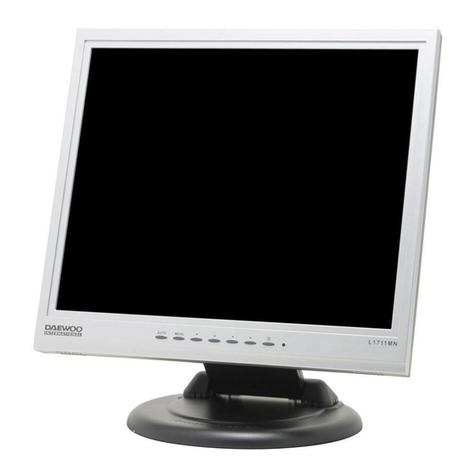
Daewoo L1711MN User manual