manuals.online logo
Brands
  1. Home
  2. •
  3. Brands
  4. •
  5. Dan's Comp
  6. •
  7. Bicycle Accessories
  8. •
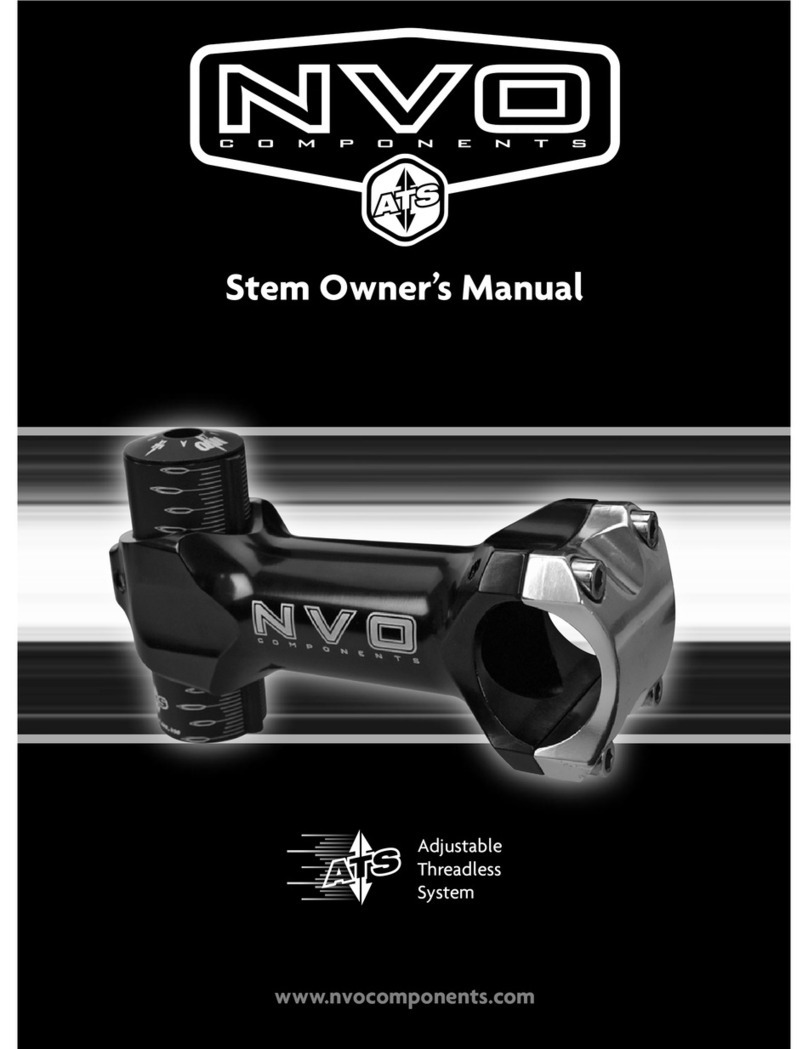
  9. Dan's Comp Odyssey Elementary Stem User manual

Dan's Comp Odyssey Elementary Stem User manual

Other Dan's Comp Bicycle Accessories manuals

Dan's Comp Top Load Stem User manual

Dan's Comp

Dan's Comp Top Load Stem User manual

Dan's Comp Front Load Stem User manual

Dan's Comp

Dan's Comp Front Load Stem User manual

Popular Bicycle Accessories manuals by other brands

Galeo Galeo user guide

Galeo

Galeo Galeo user guide

Shimano DURA-ACE FC-R9100 Dealer's manual

Shimano

Shimano DURA-ACE FC-R9100 Dealer's manual

BAFANG BT C01.340.UART Customer's manual

BAFANG

BAFANG BT C01.340.UART Customer's manual

Minshine T154 Series manual

Minshine

Minshine T154 Series manual

Cateye TRIPLE SHOT PRO HL-EL830RC instruction manual

Cateye

Cateye TRIPLE SHOT PRO HL-EL830RC instruction manual

Navad Trail 200 Quick manual guide

Navad

Navad Trail 200 Quick manual guide

Specialized Elite CylcoComputer user manual

Specialized

Specialized Elite CylcoComputer user manual

Sigma BC 16.16 manual

Sigma

Sigma BC 16.16 manual

Playcore Dero Setbacks installation instructions

Playcore

Playcore Dero Setbacks installation instructions

VDO Cyclecomputing x3dw instruction manual

VDO Cyclecomputing

VDO Cyclecomputing x3dw instruction manual

Cateye RAPID X2 manual

Cateye

Cateye RAPID X2 manual

buratti meccanica Clorofilla Trail Use and maintenance manual

buratti meccanica

buratti meccanica Clorofilla Trail Use and maintenance manual

Shimano SG-8R20 Service instructions

Shimano

Shimano SG-8R20 Service instructions

BOB YAK owner's manual

BOB

BOB YAK owner's manual

APLIC 303303/20190717TW012 user manual

APLIC

APLIC 303303/20190717TW012 user manual

Polini HI-SPEED E-BIKE quick start guide

Polini

Polini HI-SPEED E-BIKE quick start guide

SRAM AXS BlipBox user manual

SRAM

SRAM AXS BlipBox user manual

Shimano FD-RX810 Dealer's manual

Shimano

Shimano FD-RX810 Dealer's manual

manuals.online logo
manuals.online logoBrands
  • About & Mission
  • Contact us
  • Privacy Policy
  • Terms and Conditions

Copyright 2025 Manuals.Online. All Rights Reserved.

Odyssey Elementary Stem Installation
These instructions are to be used as a guide only. Improperly installed parts may lead to severe injury or harm. We strongly recommend that
a properly trained bike mechanic handle all installations, adjustments and repairs on your bike. As always...Ride Safe!
AMain.com Inc. 1-844-970-4269 www.danscomp.com
Page 1
Tools Needed
•Grease
•Allen Wrenches
•Open/Closed end wrench
•Adjustable wrench
Note: Tools needed will vary depending on the style of headset
compression cap and bolt being used.
Removing the Handlebars
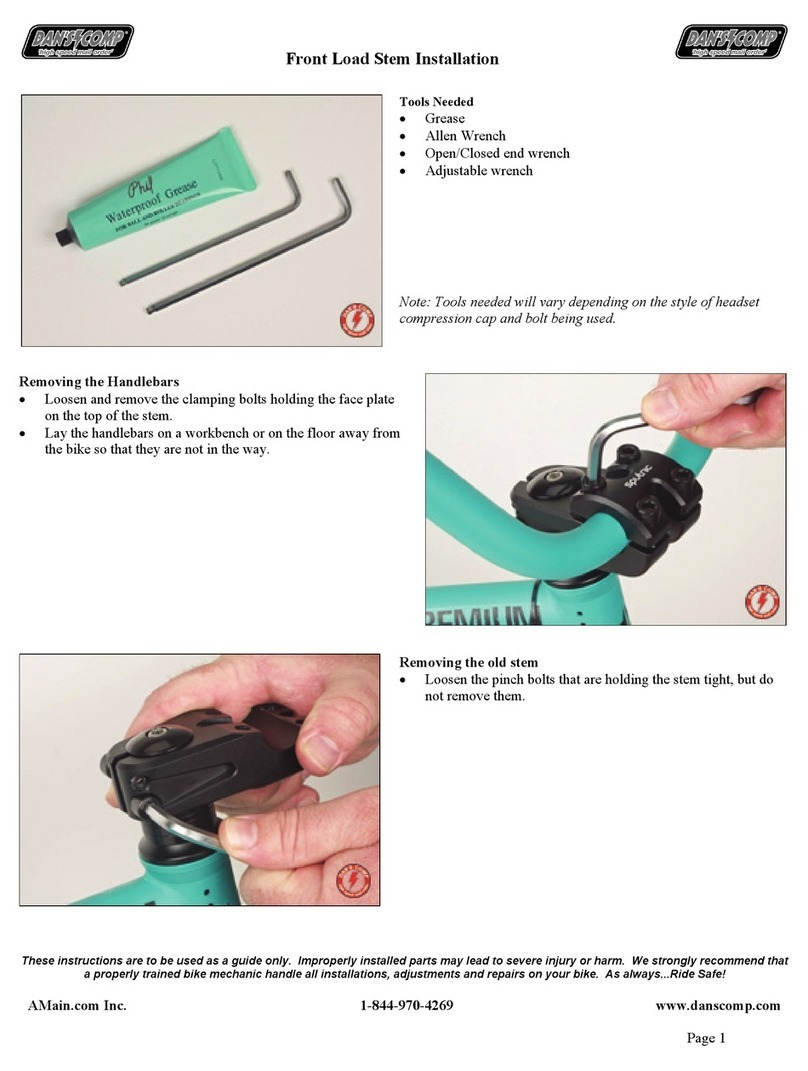
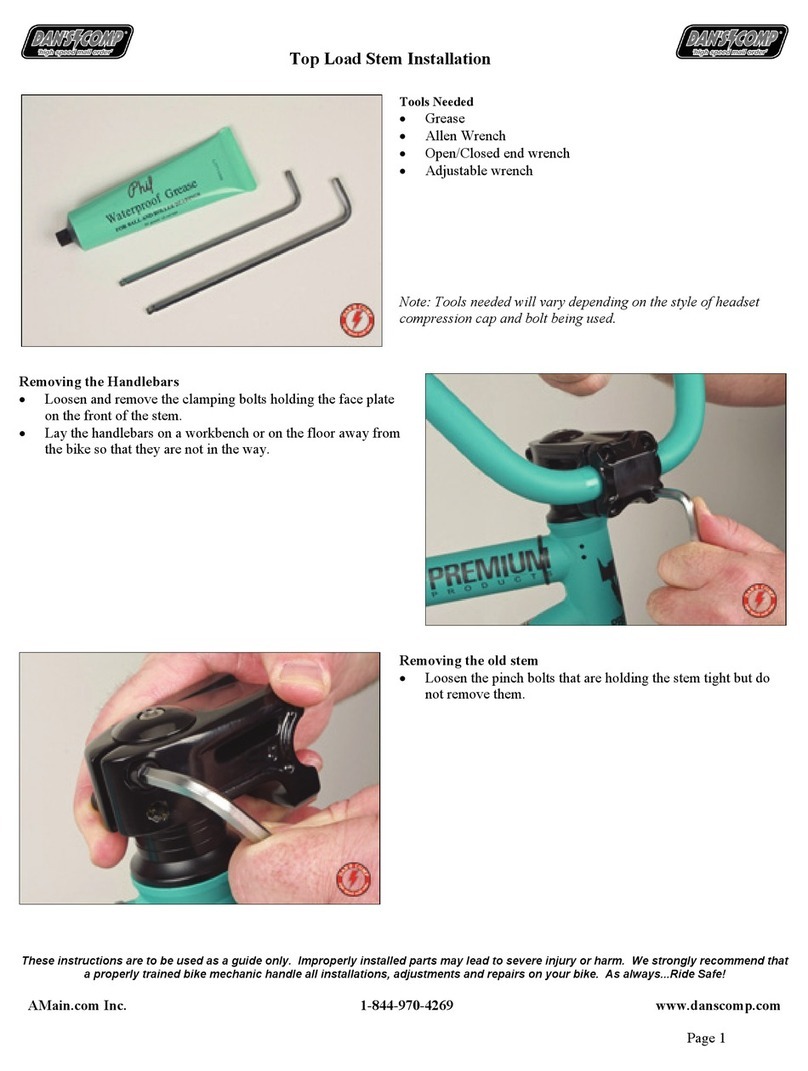
•Loosen and remove the clamping bolts holding the face plate
on the top or front of the stem.
•Remove the handlebars.
Removing the old stem
•Loosen the pinch bolts that are holding the stem tight but do
not remove them.
Odyssey Elementary Stem Installation
These instructions are to be used as a guide only. Improperly installed parts may lead to severe injury or harm. We strongly recommend that
a properly trained bike mechanic handle all installations, adjustments and repairs on your bike. As always...Ride Safe!
AMain.com Inc. 1-844-970-4269 www.danscomp.com
Page 2
•Loosen and remove the headset compression bolt and cap.
Note: Headset compression bolts and caps vary. Some styles
require an allen wrench, some require a ratchet and some require a
closed/open end wrench or an adjustable wrench.
•Slide the old stem upwards to remove it from the fork steerer
tube.
Lightly grease the contact areas marked with arrows.
1. Lock bolt and washer
2. Handlebar wedge
3. Lock bolt wedge
4. Threaded wedge
5. Steerer tube wedge
For this installation, we are using the Odyssey Elementary V3.
Odyssey Elementary Stem Installation
These instructions are to be used as a guide only. Improperly installed parts may lead to severe injury or harm. We strongly recommend that
a properly trained bike mechanic handle all installations, adjustments and repairs on your bike. As always...Ride Safe!
AMain.com Inc. 1-844-970-4269 www.danscomp.com
Page 3
Installing the Wedges
•Slide the handlebar into the stem body.
•With the curved surface facing down, slide the handlebar
wedge into the stem body and place it on the handlebars.
•Thread the lock bolt into the threaded wedge.
•With the grooved surfaces facing up and down, slide the
wedges into the stem body and place it on top of the handlebar
wedge. It does not matter which side the lock bolt is on.
•With the curved surface facing up, slide the steerer tube wedge
into the stem body and place it on the wedges.
Installing the new stem
•Slide the stem down onto the fork steerer tube. You may need
to loosen the lock bolt to allow the stem to slide all of the way
down.
Odyssey Elementary Stem Installation
These instructions are to be used as a guide only. Improperly installed parts may lead to severe injury or harm. We strongly recommend that
a properly trained bike mechanic handle all installations, adjustments and repairs on your bike. As always...Ride Safe!
AMain.com Inc. 1-844-970-4269 www.danscomp.com
Page 4
Add or remove headset spacers
•Line up the stem along side of the steerer tube.
•You should have approximately ¼ of an inch from the top of
the fork steerer tube and the top of the stem opening.
•If you have more than a ¼ of an inch, if possible, remove one
or more of the extra headset spacers.
•If you have less than a ¼ of an inch, add one or more headset
spacers.
Note: Headset spacers come in various sizes.
Installing the compression bolt/cap
•Thread the headset compression bolt and cap back into the top
of the fork steerer tube.
•Tighten the compression bolt so that the headset cap makes
contact with the top to the stem.
Adjusting the headset
•Spin the forks and stem to determine how much the headset
needs to be adjusted.
•If the headset has play in it, you’ll need to tighten the
compression bolt/cap. If the headset is too hard to spin, you’ll
need to loosen the compression bolt/cap. You may need to spin
them a few times until you have it adjusted.
•Slightly tighten the pinch bolts but do not fully tighten them
yet.
Note: Do not over-tighten the compression bolt/cap! You can
damage the fork and/or the headset bearings.

Odyssey Elementary Stem Installation
These instructions are to be used as a guide only. Improperly installed parts may lead to severe injury or harm. We strongly recommend that
a properly trained bike mechanic handle all installations, adjustments and repairs on your bike. As always...Ride Safe!
AMain.com Inc. 1-844-970-4269 www.danscomp.com
Page 5
Aligning the Stem
•Looking down over the handlebars and stem, align the stem
with the front tire. The stem should be parallel to the tire.
•Use the knurling (the rough area) on the handlebars to help
center them in the stem.
•Slightly tighten the lock bolt.
Aligning the Handlebars
•Looking from the side of the bike, align the handlebars with the
forks. The handlebars should be parallel with the fork legs.
•Fully tighten the lock bolt.