manuals.online logo
Brands
  1. Home
  2. •
  3. Brands
  4. •
  5. Danfoss
  6. •
  7. Thermostat
  8. •
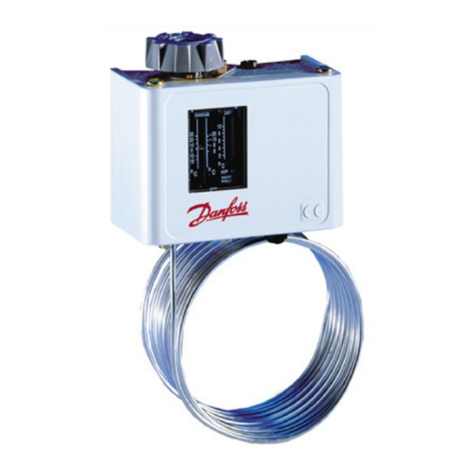
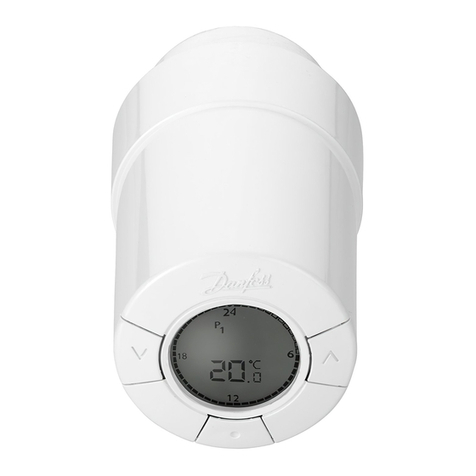
  9. Danfoss 060L2150 User manual

Danfoss 060L2150 User manual

This manual suits for next models

3

Other Danfoss Thermostat manuals

Danfoss living connect User manual

Danfoss

Danfoss living connect User manual

Danfoss ECL Comfort 310, A367 User manual

Danfoss

Danfoss ECL Comfort 310, A367 User manual

Danfoss DEVIreg Touch User manual

Danfoss

Danfoss DEVIreg Touch User manual

Danfoss ECtemp 330 User manual

Danfoss

Danfoss ECtemp 330 User manual

Danfoss BasicPlus2 WT-D User manual

Danfoss

Danfoss BasicPlus2 WT-D User manual

Danfoss DEVIreg 132 User manual

Danfoss

Danfoss DEVIreg 132 User manual

Danfoss DEVIreg Opti User manual

Danfoss

Danfoss DEVIreg Opti User manual

Danfoss TP5001 series User manual

Danfoss

Danfoss TP5001 series User manual

Danfoss BasicPlus2 WT-DM User manual

Danfoss

Danfoss BasicPlus2 WT-DM User manual

Danfoss 100064 User manual

Danfoss

Danfoss 100064 User manual

Danfoss RT2-RF User manual

Danfoss

Danfoss RT2-RF User manual

Danfoss ECL Comfort 310 User manual

Danfoss

Danfoss ECL Comfort 310 User manual

Danfoss TP5001 series User manual

Danfoss

Danfoss TP5001 series User manual

Danfoss TP5001M User manual

Danfoss

Danfoss TP5001M User manual

Danfoss DEVIreg Smart User manual

Danfoss

Danfoss DEVIreg Smart User manual

Danfoss TP5001 series User manual

Danfoss

Danfoss TP5001 series User manual

Danfoss RET1001M User manual

Danfoss

Danfoss RET1001M User manual

Danfoss ECL Comfort 310, A333 User manual

Danfoss

Danfoss ECL Comfort 310, A333 User manual

Danfoss ECtemp Touch User manual

Danfoss

Danfoss ECtemp Touch User manual

Danfoss 140F1143 User manual

Danfoss

Danfoss 140F1143 User manual

Danfoss DEVIreg Touch User manual

Danfoss

Danfoss DEVIreg Touch User manual

Danfoss RET2000B-RF User manual

Danfoss

Danfoss RET2000B-RF User manual

Danfoss Icon Master User manual

Danfoss

Danfoss Icon Master User manual

Danfoss 088L5133 User manual

Danfoss

Danfoss 088L5133 User manual

Popular Thermostat manuals by other brands

Full Gauge TIC-17C product manual

Full Gauge

Full Gauge TIC-17C product manual

Imit Chronomix S manual

Imit

Imit Chronomix S manual

ChiliTec ST-35 ana instruction manual

ChiliTec

ChiliTec ST-35 ana instruction manual

Salus VS05 Installer's/user's manual

Salus

Salus VS05 Installer's/user's manual

Azel D-500 user guide

Azel

Azel D-500 user guide

Honeywell Chronotherm III owner's manual

Honeywell

Honeywell Chronotherm III owner's manual

Charmeg MP-R user manual

Charmeg

Charmeg MP-R user manual

dixell WING XW40LS Installing and operating instructions

dixell

dixell WING XW40LS Installing and operating instructions

Network Thermostat NetX X7C-WIFI Installation and programming manual

Network Thermostat

Network Thermostat NetX X7C-WIFI Installation and programming manual

Radio Thermostat CT80 Operation guide

Radio Thermostat

Radio Thermostat CT80 Operation guide

HAI Omnistat RC-120 installation manual

HAI

HAI Omnistat RC-120 installation manual

Lennox iComfort E30 Installation and setup guide

Lennox

Lennox iComfort E30 Installation and setup guide

Lux Products PSD011Ba Installation and operating instructions

Lux Products

Lux Products PSD011Ba Installation and operating instructions

Computherm Q20 operating instructions

Computherm

Computherm Q20 operating instructions

Heatmiser neoStat user manual

Heatmiser

Heatmiser neoStat user manual

Mars HEAT CONTROLLER IR Wireless Thermostat user manual

Mars

Mars HEAT CONTROLLER IR Wireless Thermostat user manual

LUX LP0511D user manual

LUX

LUX LP0511D user manual

Saswell SAS920XWHB-7-S-RF User manual and warranty card

Saswell

Saswell SAS920XWHB-7-S-RF User manual and warranty card

manuals.online logo
manuals.online logoBrands
  • About & Mission
  • Contact us
  • Privacy Policy
  • Terms and Conditions

Copyright 2025 Manuals.Online. All Rights Reserved.

060R9771
060R9771
© Danfoss | DCS (az) | 2018.10
4
3
2
5
6
M
I
N
Scale Plate
Cover
Mounting Hole
Capillary Tube
Conduit Rubber
Grounding Screw
Terminal Screw
DIFF.
Di. Adjusting
Knob
1.7
0.63 0.59
0.14
0.27
4.48
2.4
0.19
0.55
2.12
Danfoss
060L2101
0.88
remote bulb air coil/room sensor
Danfoss
060L2107
remote bulb air coil/room sensor
Danfoss
060L2107
Installation Guide
Thermostat
Type KPU 19
DKRCC.PI.CA0.F2.22 | 1
Application
KPU 19 thermostats are used for
temperature regulation in refrigeration,
freezing, air conditioning, ventilating
and heating systems.
KPU 19 thermostats are fitted with
Single-Pole Double-Throw (SPDT)
or Single-Pole Single-Throw (SPST)
contact system.
The standard KPU 19 enclosure is rated
NEMA ~ 1.
NEMA ~ 1 is obtained when the
thermostat is mounted on a flat surface
with all unused holes covered.
Remote bulb Air coil/room sensor
Thermostat bulb types
Type
Regulating
range Differential Bulb size Capillary
tube length
Max. bulb
temperature
Ambient
temperature Contact
type
Reset
type Code no.
[°F] ∆T [°F] [in.] [in.] [°F] [°F]
KPU 19 -30 –80 3.6 –12.6 3/8x 4 1/2120 140 -31 –140 SPDT Auto. 060L2150
KPU 19 -30 –80 3.6 –12.6 3/8x 4 1/280 140 -31 –140 SPST (close
on temp. rise) Auto. 060L2151
KPU 19 -30 –80 3.6 –12.6 - Air coil /
Room sensor 140 -31 –140 SPDT Auto. 060L2152
Product specification
Dimensions [in.]
Important
The KPU 19 thermostat is designed
only for use as a temperature
regulating operating control. It is
the responsibility of the installer
to verify that other necessary
safety controls are installed and
functioning properly as intended
by the original equipment
manufacturer or system design.
© Danfoss | DCS (az) | 2018.10
A
B
Danf
oss
060L2110
DKRCC.PI.CA0.F2.22 | 2
Wiring Note Caution
Important
Do not dent or deform the bulb of the
thermostat, as doing so could damage
the bulb and cause charge
leakage.
Do not turn any other screws except
screws on the scale plate, on the micro
switch knob and on the terminal block.
Installation
Select an accessible location, where
the thermostat will not be subject
to damage. Mount the KPU 19 on a
bracket or on a completely flat surface.
Mounting on an uneven surface may
cause incorrect thermostat operation.
Use only the mounting holes provided
at the back of the metal housing.
The KPU 19 thermostat and the
sensing bulb can be mounted in any
position.
The sensing element is filled in with
liquid expansion type charging with
no limitations in terms of temperature
at switch body (TS), temperature at
sensing bulb (TB) or temperature at
capillary tube (TC). KPU 19 can operate
in all following conditions:
TS > TB; TS < TB, TS = TB.
Taking into consideration time
constant of the thermostat it is
recommended to install KPU 19 where
temperature is not changing rapidly.
Fast changes of the measured
temperature will cause thermostat
measurements lags behind actual
temperature changes in the
application. Make sure to keep
temperature variable acceleration
within 3 minutes per 1.8 °F at liquid, or
within 18 minutes per 1.8 °F at air. KPU
should be installed in a place in which
harmful environmental conditions like
radiation from sun, lamps or radiator is
minimalized.
Cooling due to the extensive air flow
might affect thermostat performance
as well.
It is recommended to install the
thermostat at a place where vibration
is 1G or less.
Do not make additional holes.
Locking mounting holes must be
fastened at position A as shown in
diagram to the right.
Fastening at position “B” may result
in housing deformation and KPU 19
malfunction.
Voltage [V]
Amps [A]
P.F.
cos Ø
A C
120 240
Resistive load 1 0.5 ~ 16 0.5 ~ 8
Inductive
load
Full load
Amps 0.75 0.5 ~ 16 0.5 ~ 8
Locked
rotor Amps 0.45 96 48
Do not remove cover while power
is supplied as it may cause electrical
shock.
To avoid the possibility of electric
shock and damage to equipment,
disconnect the power supply before
any wiring connections are made.
Never touch current conducting (LIVE)
parts with your fingers or with tools.
Electrical wires should be connected
through the conduit rubber or
alternatively by conduit boss.
All wiring should conform to the
National Electrical Code and to
applicable local regulations.
Use only copper wire.
Use only the terminal screws furnished
in the terminal block.
Do not exceed tightening torque of
10 lb. in. (1.18 Nm).
Do not exceed the thermostat’s
specified electrical ratings.
Do not use impact driver(shock driver).
The terminal block as well as
grounding screw are accessible after
removing the front cover.
General recommendations for
capillary tube and bulb installation:
1. Protect the capillary tube from
damage due to vibration.
a) When the thermostat unit is
mounted directly on the compressor,
the capillary tube must be secured to
the compressor so that both vibrate
together.
b) For mounting otherwise, form
surplus capillary tube into a loose
loop and secure the loop to the base
on which the thermostat is mounted.
2. Leave a little slack in the capillary
tube to help dampen vibration.
3. Avoid sharp bends (with the radius
of 1/2" or less) and bending the capillary
tube at the same point several times,
as these actions can weaken the
material and increase the likelihood of
the tube cracking.
4. Bending of the capillary tube within
1.75" from soldering point with bulb is
not allowed.
5. Form and locate the capillary tube
away from sharp or abrasive objects
that might damage it.
6. For thermostats with room sensor
coils, make sure that placement allows
free airflow around the coil and bulb.
At the same time, ensure that the bulb
is not exposed to drafts from doors, or
to heat radiated from the evaporator
surface. Make sure that the bulb does
not come into contact with a wall
surface. Never mount the thermostat
directly on a cold wall. Instead, mount
the unit on an insulating plate.
7. KPU 19 sensing bulb is made of
copper, copper alloy, silver solder – do
not use it for media which are harmful
for these materials.
Pilot duty: 125 VA; 120/240 V AC

© Danfoss | DCS (az) | 2018.10
h
For Cooling Unit
Contact function
Power Source
Cooling
Unit
For Heating Unit
Power Source
Heating
Unit
For both cooling and
Heating with Manual
Changeover Switch
Cooling
Unit
Manual
Changeover
Switch
Heating
Unit
SPDT
Example for application and wiring
Power Source
HL C

HC
L
h
HL C
h
HL C
h
Arrow marking indicates a direction of switch action.
Danfoss
060L2103
Contact function
Arrow marking indicates a direction of switch action.
HC
HC
h
h
SPST For Cooling Unit
Power Source
Cooling
Unit
Example for application and wiring
Danfoss
060L2104
4
3
2
5
6
M
I
N
LOAD
cut-out on temperature decrease
~LINE
4
3
2
5
6
M
I
N
LOAD
cut-out on temperature increase
~LINE
Danfoss
060L2108
4
3
2
5
6
M
I
N
LOAD
cut-out on temperature decrease
~LINE
4
3
2
5
6
M
I
N
LOAD
cut-out on temperature increase
~LINE
Danfoss
060L2108
2
DIFF. ADJUSTING KNOB
TEMP. DIFFERENTIAL
TEMP. DIFFERENTIAL
(°F)
14.4
12.6
10.8
9.0
7.2
5.4
3.6
1.8
MIN. 34
56
Danfoss
060L2109
DKRCC.PI.CA0.F2.22 | 3
Wiring options For Cooling Unit For Heating Unit
Note
Adjust the thermostat to settings
specified by the manufacturer of the
controlled equipment. When checking
thermostat operation, or operating the
controlled equipment, do not exceed
the manufacturer’s temperature
ratings for the controlled equipment
or for any of its components. To avoid
inaccurate thermostat operation, do
not adjust the KPU’s pointers beyond
the highest or lowest indicator marks
on the scale plate.
Scale is indicative only. For accurate
setting please use thermometer.
Adjustment Determination of differential
© Danfoss | DCS (az) | 2018.10
4
3
2
5
6
M
I
N
Indictator
Scale Plate
Di. Indicator
DIFF.
Di. Adjusting
Knob
Danfoss
060L2106
decreasing
Dierential
Set point
Temp. rising
increasing
Contact
Action
C-L OFF
C-H ON
C-L ON
C-H OFF
Danfoss
060L2105
41 ºF 50 ºF
DKRCC.PI.CA0.F2.22 | 4
Setting example (SPDT type)
Set at 41 °F for temp. decrease and
50 °F for temp. increase.
Upper Switch Point (USP): 50 °F
Lower Switch Point (LSP): 41 °F
1. Set at 41 °F
Turn the scale plate to match indicator
pointer with the required value (verify
with the thermometer)
2. Set at 50 °F
Calculate the differential between USP
and LSP (Differential = USP – LSP;
50 °F - 41 °F = 9 °F ).
Find the proper Differential
Adjusting Knob position from the
characteristic presented on the graph
"Determination of differential ".
The same characteristics is shown on
the back side of the KPU 19 cover.
Differential of 9 °F is equivalent to the
indication 4 set on the Differential
Adjustment Knob.
3. After setting, install the cover and
supply power supply for checking
the actual switching points. Adjust
the setting if necessary as scales are
indicative only.
Enclosed accessories:
• Sensor clamp for bulb fastening.
• Blinding sticker to cover the hole
after dial knob removal. Blinding
sticker can be used only once.
• Hand knob for adjustment.
Fig. 2Fig. 1
Note
Scale values are indicative only. It is
often necessary to use a thermometer
when setting working points.