3User's Manual | AL102
Table of Contents
Copyright........................................................................................................................................ 2
Trademarks....................................................................................................................................2
FCC and DOC Statement on Class B........................................................................................... 2
Notice:............................................................................................................................................2
About this Manual.........................................................................................................................4
Warranty ........................................................................................................................................ 4
Static Electricity Precautions ....................................................................................................... 4
Safety Measures ...........................................................................................................................4
About the Package........................................................................................................................5
Optional Items............................................................................................................................... 5
Before Using the System Board................................................................................................... 5
Chapter 1 - Introduction................................................................................................................6
Specifications ......................................................................................................................... 6
Features .................................................................................................................................. 7
Chapter 2 - Hardware Installation................................................................................................8
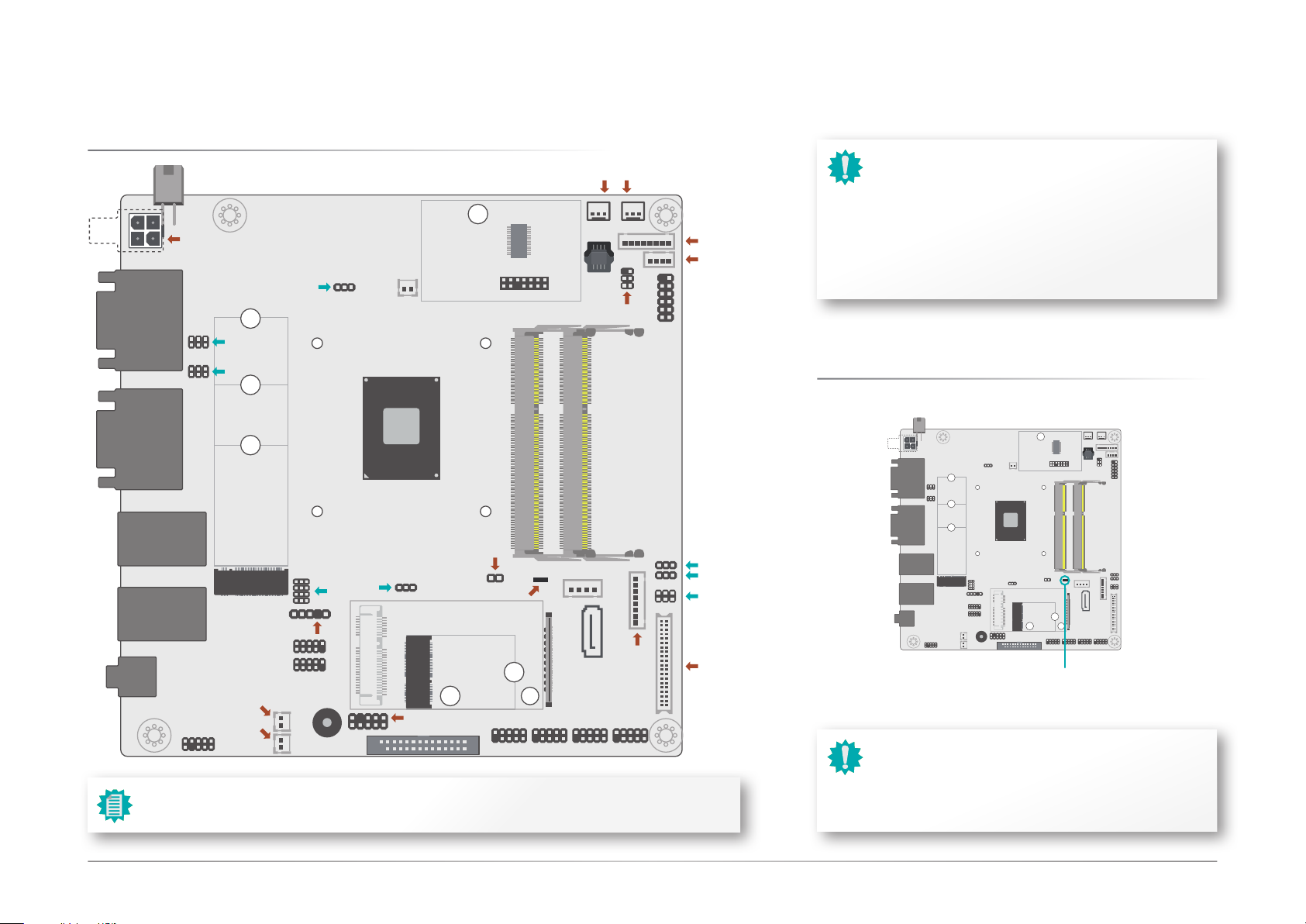
Board Layout........................................................................................................................... 8
Standby Power LED................................................................................................................8
System Memory ..................................................................................................................... 9
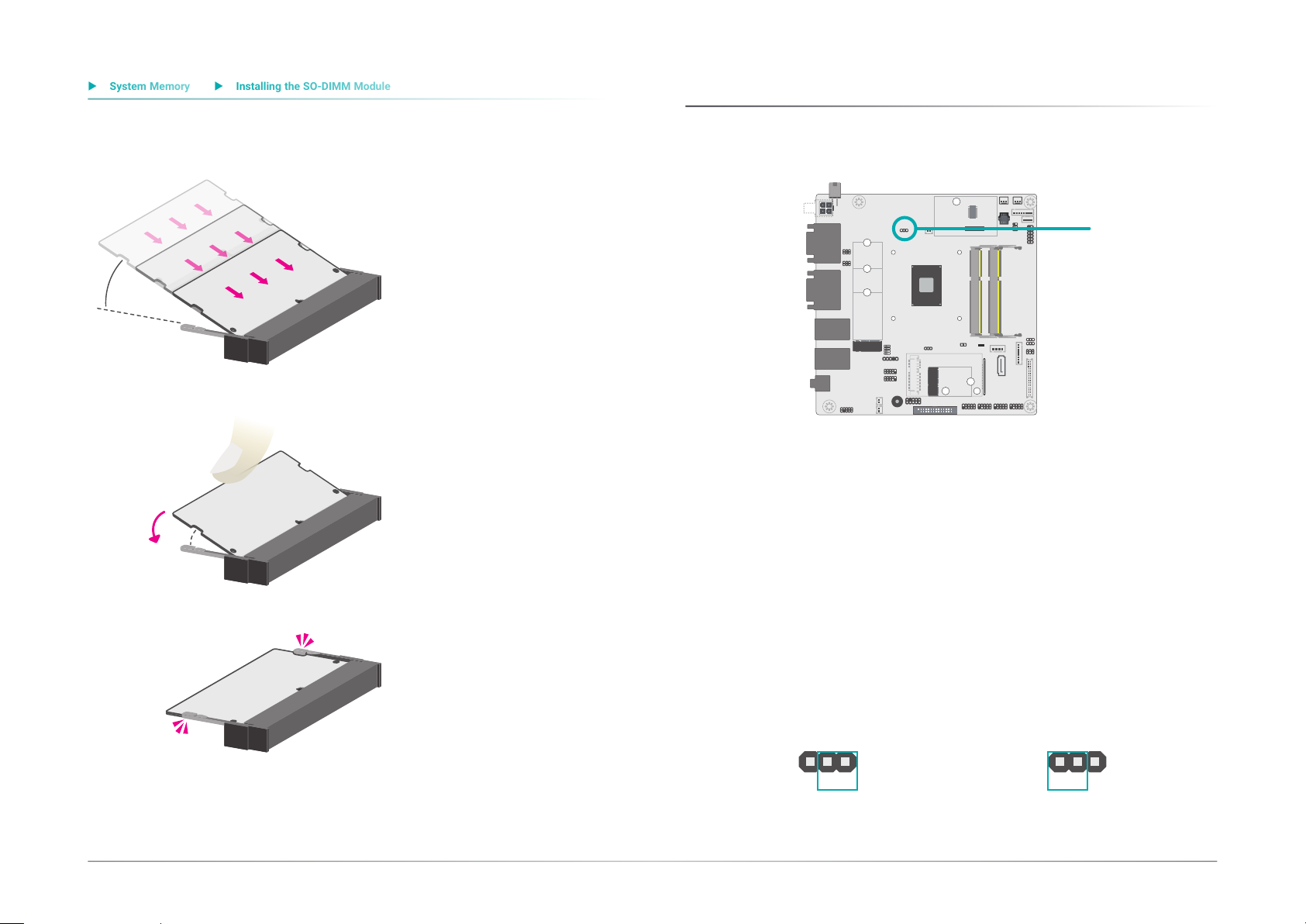
Installing the SO-DIMM Module ..................................................................................... 9
Jumper Settings ...................................................................................................................10
Clear CMOS....................................................................................................................10
COM1 & COM2 RS232 Power Select ...........................................................................11
M.2 M Key Signal Select ...............................................................................................11
LCD/Inverter Power Select ...........................................................................................12
Backlight Brightness Select..........................................................................................12
Panel Power Select .......................................................................................................13
KB/MS Power Select .....................................................................................................13
Rear I/O Ports.......................................................................................................................15
12V DC In .......................................................................................................................15
Graphics Display............................................................................................................16
RJ45 LAN Ports .............................................................................................................16
USB Ports .......................................................................................................................17
Audio...............................................................................................................................17
COM (Serial) Ports ........................................................................................................18
Internal I/O Connectors .......................................................................................................19
USB Ports .......................................................................................................................19
Front Panel.....................................................................................................................19
Power..............................................................................................................................20
SATA (Serial ATA) Connectors......................................................................................20
Speaker...........................................................................................................................21
Digital I/O .......................................................................................................................21
Cooling Fan Connectors................................................................................................22
Front Audio.....................................................................................................................22
LPC .................................................................................................................................23
External COM port Module ...........................................................................................23
Expansion Slots .............................................................................................................24
Installing the M.2 Module .............................................................................................24
Installing the Mini PCIe Module ...................................................................................25
Battery ............................................................................................................................26
LVDS Panel.....................................................................................................................27
eDP .................................................................................................................................28
LPT..................................................................................................................................29
Chassis Intrusion...........................................................................................................29
KB/MS ............................................................................................................................30
COM Ports......................................................................................................................30
Chapter 3 - BIOS Setup...............................................................................................................31
Overview ...............................................................................................................................31
Main.......................................................................................................................................30
Advanced .............................................................................................................................30
ACPI Configuration........................................................................................................31
CPU Configuration.........................................................................................................32
Video Configuration.......................................................................................................32
Audio Configuration.......................................................................................................33
SATA Configuration .......................................................................................................33
PCI Express Configuration............................................................................................34
Console Redirection ......................................................................................................35
SIO NUVOTON6116D.....................................................................................................37
Security .................................................................................................................................38
Boot .......................................................................................................................................39
Exit.........................................................................................................................................40
Updating the BIOS................................................................................................................40
Notice: BIOS SPI ROM..........................................................................................................40
Chapter 4 - Supported Software ................................................................................................41
Auto-run Menu......................................................................................................................41
Intel Chipset Software Installation Utility...........................................................................41
Intel HD Graphics Drivers ...................................................................................................42
Realtek Audio Drivers...........................................................................................................43
Realtek LAN Driver ..............................................................................................................44
Intel Serial IO Drivers ...........................................................................................................44
Adobe Acrobat Reader 9.3 ..................................................................................................46
Intel Trusted Execution Engine Drivers...............................................................................47