manuals.online logo
Brands
  1. Home
  2. •
  3. Brands
  4. •
  5. DoorKing
  6. •
  7. Automatic Barrier
  8. •
  9. DoorKing 1601-235 User manual

DoorKing 1601-235 User manual

Other DoorKing Automatic Barrier manuals

DoorKing 1602-162 User manual

DoorKing

DoorKing 1602-162 User manual

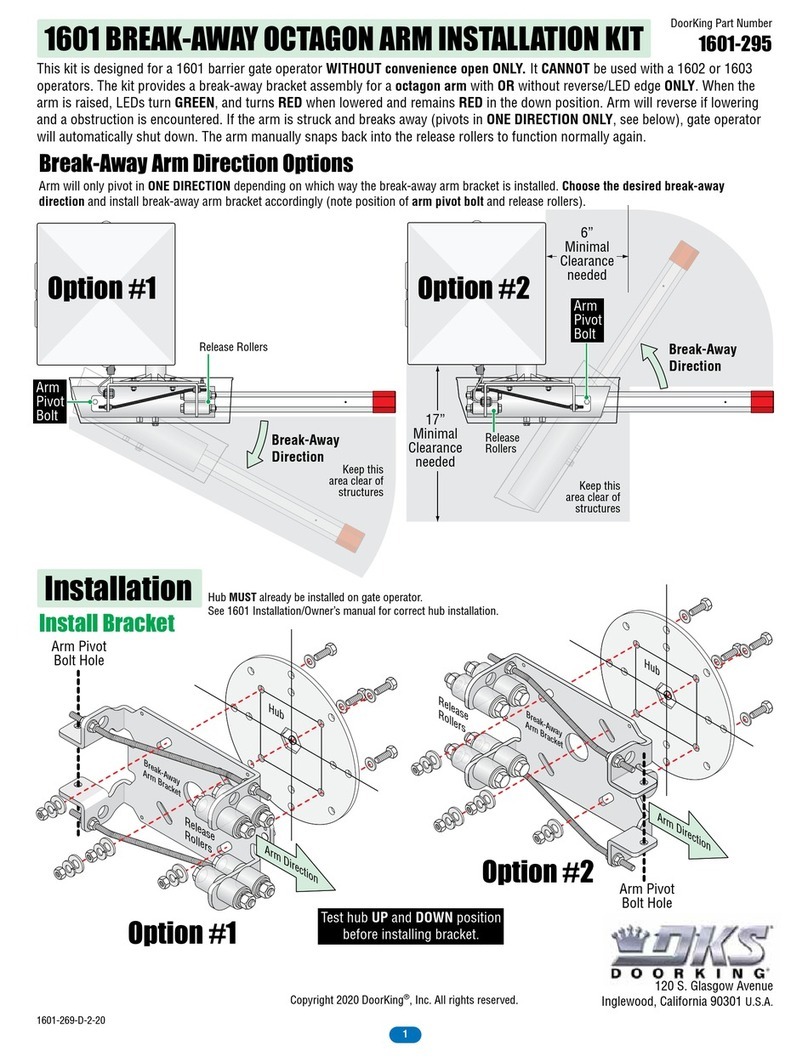
DoorKing 1601-295 User manual

DoorKing

DoorKing 1601-295 User manual

DoorKing 1620 Series User manual

DoorKing

DoorKing 1620 Series User manual

Popular Automatic Barrier manuals by other brands
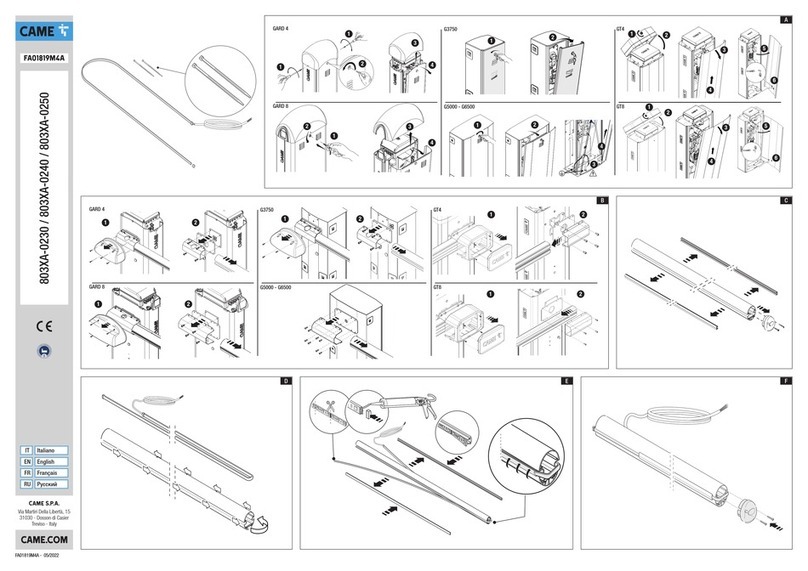
CAME 803XA-0230 quick start guide

CAME

CAME 803XA-0230 quick start guide

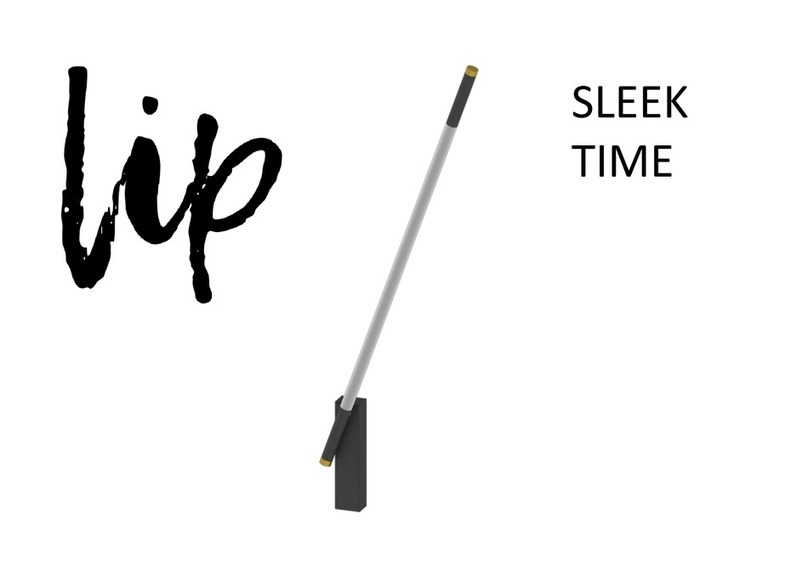
Lip SLEEK TIME Assembly instructions

Lip

Lip SLEEK TIME Assembly instructions

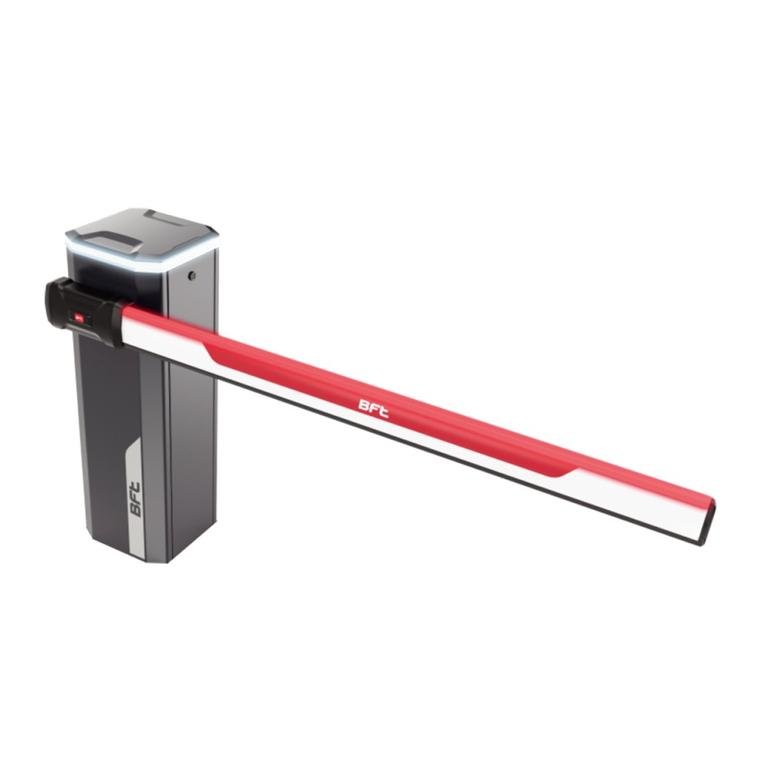
BFT Maxima Ultra 36 Installation and user manual

BFT

BFT Maxima Ultra 36 Installation and user manual

CAME G4001 installation manual

CAME

CAME G4001 installation manual

BFT MOOVI 130 Installation and user manual

BFT

BFT MOOVI 130 Installation and user manual

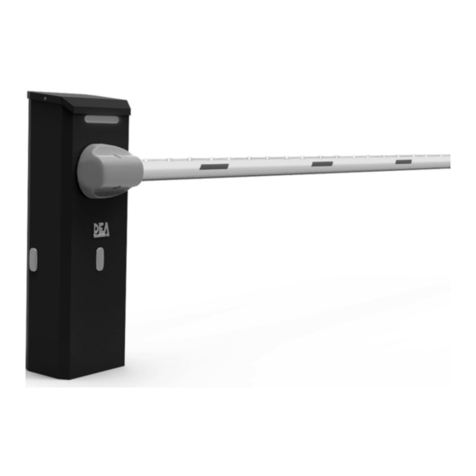
Dea STOPNET/N/L-F Operating instructions and warnings

Dea

Dea STOPNET/N/L-F Operating instructions and warnings

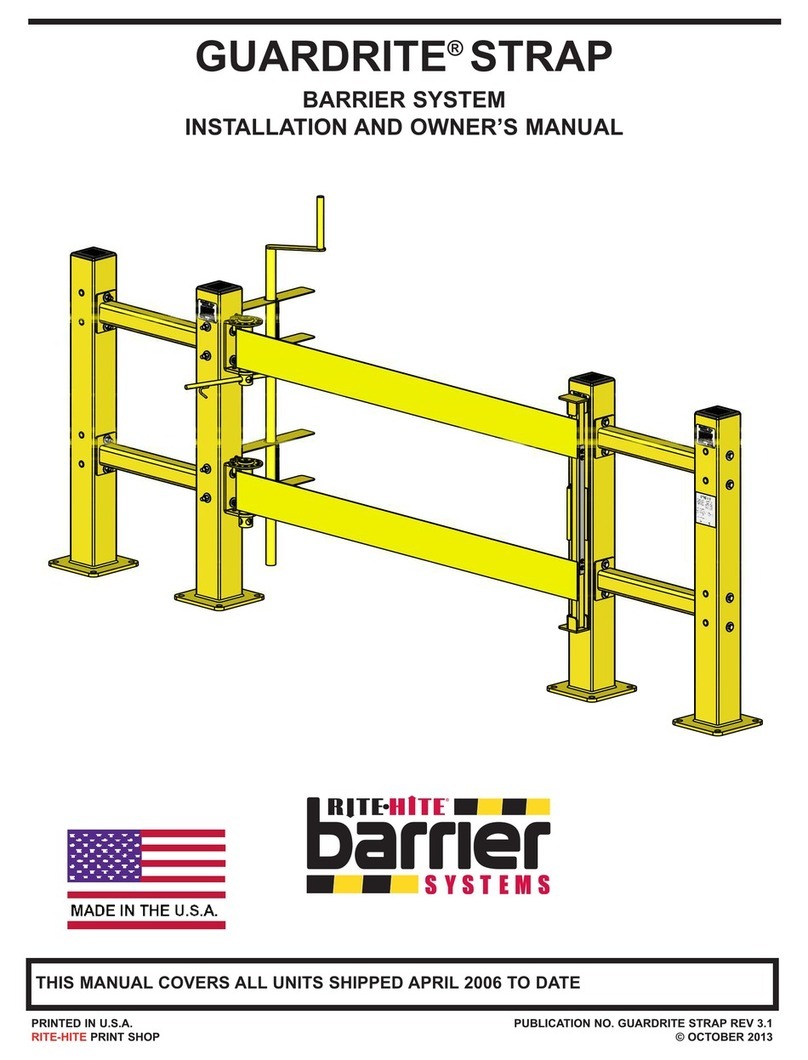
RITE-HITE GUARDRITE STRAP Installation and owner's manual

RITE-HITE

RITE-HITE GUARDRITE STRAP Installation and owner's manual

ZKTeco PB3000 Series installation guide
ZKTeco

ZKTeco PB3000 Series installation guide

CAME G2080EZC Installation and operation manual

CAME

CAME G2080EZC Installation and operation manual

RITE-HITE Dok-Guardian LD Installation/Service/Owner's Manual
RITE-HITE

RITE-HITE Dok-Guardian LD Installation/Service/Owner's Manual

CAME GARD PX Brushless installation manual
CAME

CAME GARD PX Brushless installation manual

Bauer XPASS B 275/800C L Instructions for installation, use and maintenance

Bauer

Bauer XPASS B 275/800C L Instructions for installation, use and maintenance

Keyautomation ALT6K Series Instructions and warnings for installation and use

Keyautomation

Keyautomation ALT6K Series Instructions and warnings for installation and use

ZKTeco BGM1000 Series user manual

ZKTeco

ZKTeco BGM1000 Series user manual

BFT MOOVI 130/KIT BARR 130 Installation and user manual
BFT

BFT MOOVI 130/KIT BARR 130 Installation and user manual

FERN360 FGES-VB T Series user manual

FERN360

FERN360 FGES-VB T Series user manual
Aprimatic PARK 30 PLUS Instructions for installation, use and maintenance

Aprimatic

Aprimatic PARK 30 PLUS Instructions for installation, use and maintenance

BFT MAXIMA ULTRA 36 EX4 Instructions for installation, use and maintenance

BFT

BFT MAXIMA ULTRA 36 EX4 Instructions for installation, use and maintenance
manuals.online logo
manuals.online logoBrands
  • About & Mission
  • Contact us
  • Privacy Policy
  • Terms and Conditions

Copyright 2025 Manuals.Online. All Rights Reserved.

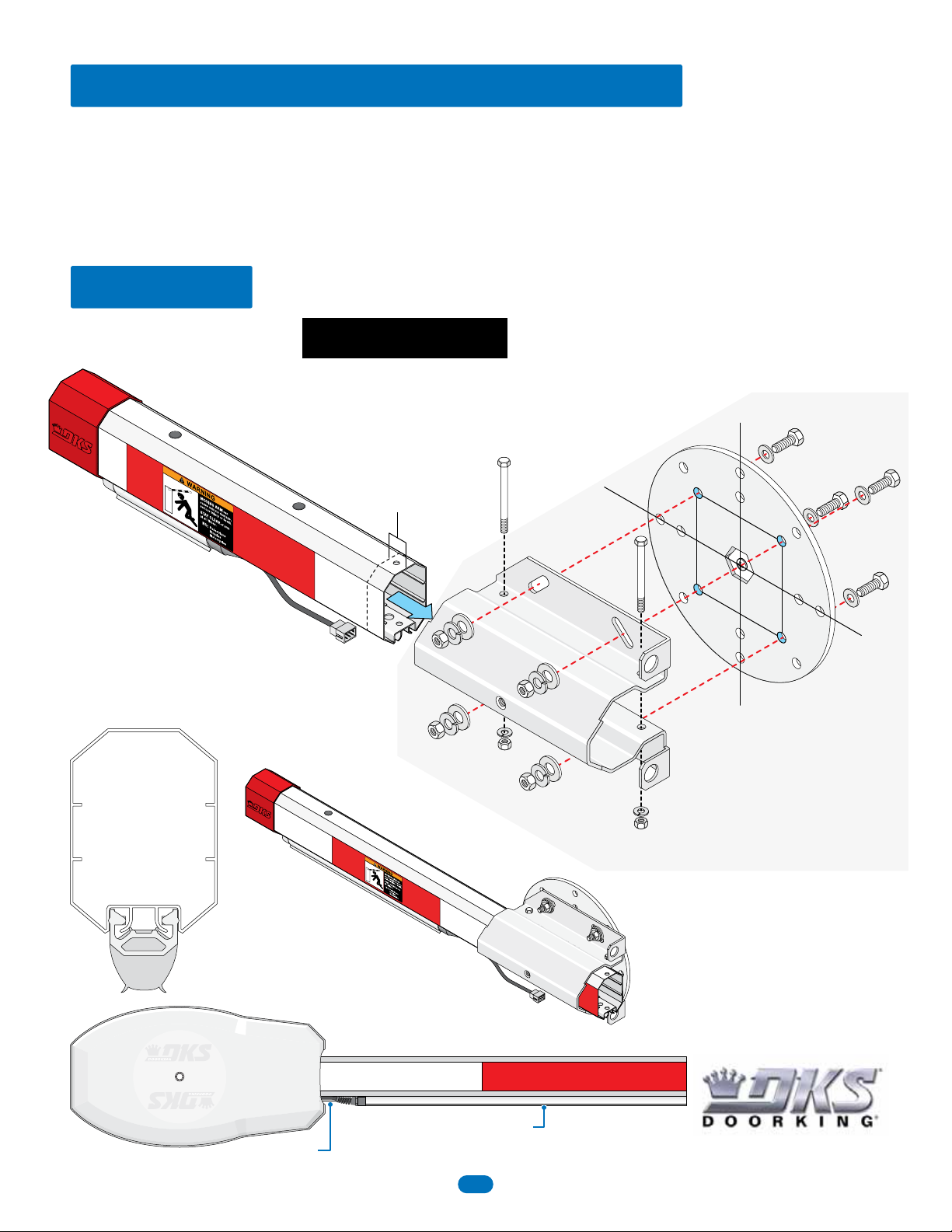
Test hub UP and DOWN position
before installing bracket.
Arm and Reverse Edge Note:
Arm (sold separately) has already been assembled when
using 2-piece arm. See page 5 for more information.
Reverse edge with/without LEDs (sold separately) has already
been installed on arm. See page 6 for more information.
Install Bracket
OCTAGON ARM REVERSE/LED EDGE INSTALLATION
Installation
DoorKing Part Number
1601-235
Octagon Arm Hardware Kit
DoorKing Part Number
1601-242
Arm Hardware Kit
This kit is designed for a 1601 barrier gate operator WITHOUT convenience open OR 1603 auto-spikes barrier operator.It CANNOT
be used with a 1602 operator. The kit provides a reversing edge with OR /without Red/Green LEDs for a octagon arm. When the arm
is raised, LEDs turn GREEN, and turns RED when lowered and remains RED in the down position. Arm will reverse if lowering and a
obstruction is encountered.
Note: DO NOT operate arm with a malfunctioning reverse edge.
Allow arm to protrude
about 1” past the end
of arm bracket. Make
sure arm cover fits
over arm.
When installing a octagon
arm ONLY.
Arm Bracket
Hub
Arm
Reverse Edge
Drawings NOT to scale
Copyright 2020 DoorKing®, Inc. All rights reserved.
120 S. Glasgow Avenue
Inglewood, California 90301 U.S.A.
Hub MUST already be installed on gate operator.
See 1601 Installation/Owner’s manual for correct hub installation.
Octagon Arm
Optional Reverse/LED Edge
Spacer
Optional Reverse/LED Edge
Spacer
Cover
1
1601-268-E-6-20
Run Wire Harness (1601-345)
Choose which side of the operator the arm is mounted on, remove knock-out and run wire harness accordingly as shown.
Cable
Grip
Cable
Grip
Cable
Grip
Knock-Out
Knock-Out
Far Side
Option
Near
Side
Option
Note for Older Operators:
A 5/8” hole will have to be
drilled in the operator
cabinet approximately
where Knock-Out is
shown. Make sure 5/8”
hole is clear of all internal
components.
Note for Older Covers:
See page 4.
Use bottom hole on arm bracket to secure cable grip.
Plug in reverse edge.
Arm Cover
Wire Harness Secured
to Top of Cabinet for
FAR side option
Included Adhesive
Zip Ties
Install Arm Cover
IMPORTANT: Wire harness MUST
remain clear of the rotating arm and
the arm cover to avoid wire chaffing.
DO NOT operate arm with a
malfunctioning reverse edge.
Use supplied adhesive
zip tie to secure harness
to bottom of bracket.
Wiring:
See page 3.
IMPORTANT: Allow slack in the
wire harness between the cable
grips of at least 13” or more
for the rotating arm.
IMPORTANT: Allow slack in the
wire harness between the cable
grips of at least 13” or more
for the rotating arm.
Note: Spacer
MUST be in
position when
installing a
reverse edge.
See page 6.
2
1601-268-E-6-20
REVERSE
SENSITIVITY
TIME
DELAY
POWER
1
ON
2 3 4 5 6 7 81
ON
2 3 4 5 6 7 8
NC NO
UP
LOOP
DOWN
LOOP
12345678910 11 12 13 14
SW 1
SW 2
ON
OFF
AC POWER
AUTO
DOWN
UP
NONCC
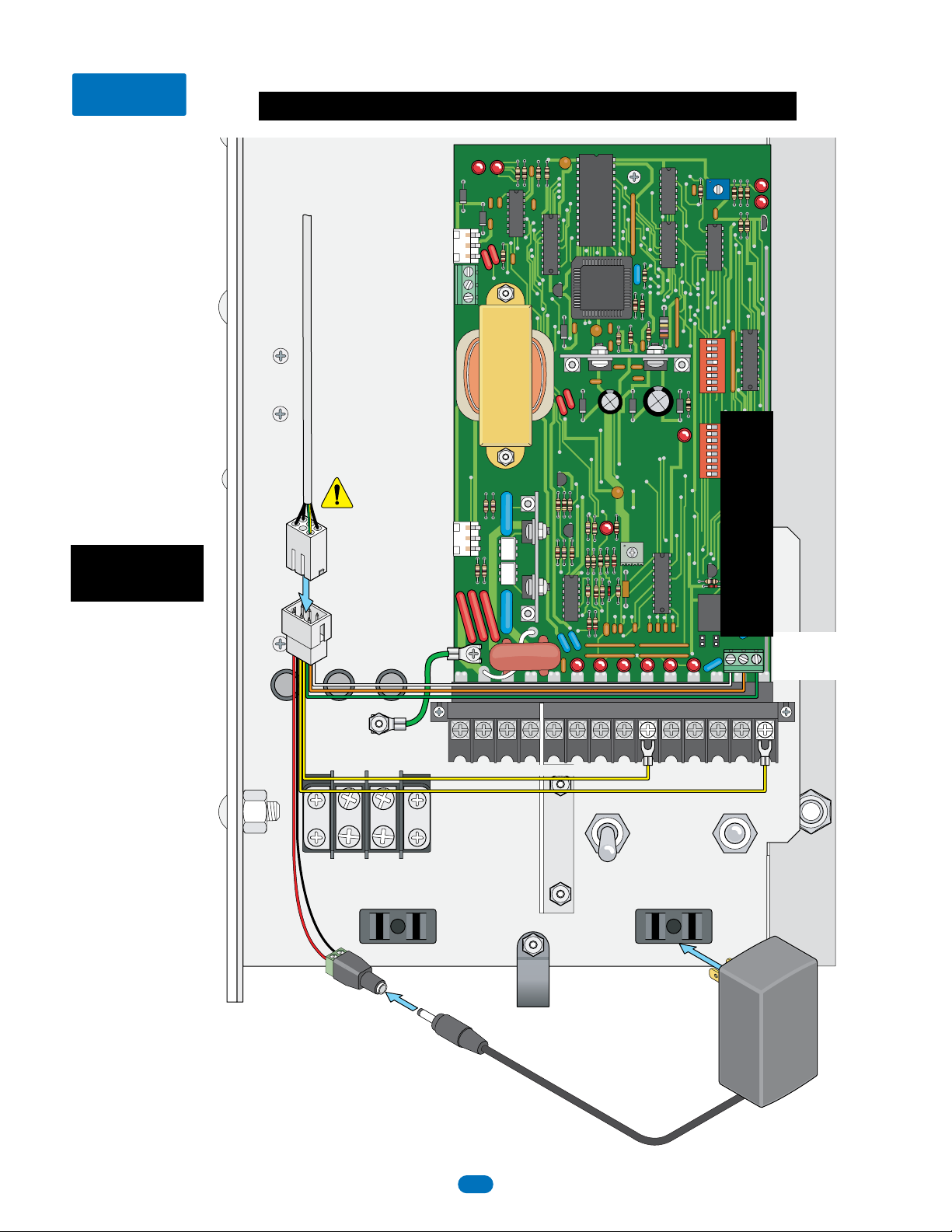
Wiring
Power
Transformer
Terminal 14 -
Yellow Reverse Edge
Red+
Black-
(1601-345)
Transformer Plug
C - Common - WHITE Wire
NC - Close - ORANGE Wire (Red LED)
NO - Open - GREEN Wire (Green LED)
Keep wire
harness
clear of
all moving
parts.
MAKE SURE ALL POWER IS TURNED OFF TO OPERATOR!
Arm Relay
Contacts
Terminal 9 - Yellow Reverse Edge
1601 operators WITH
convenience open
CANNOT be USED.
3
1601-268-E-6-20
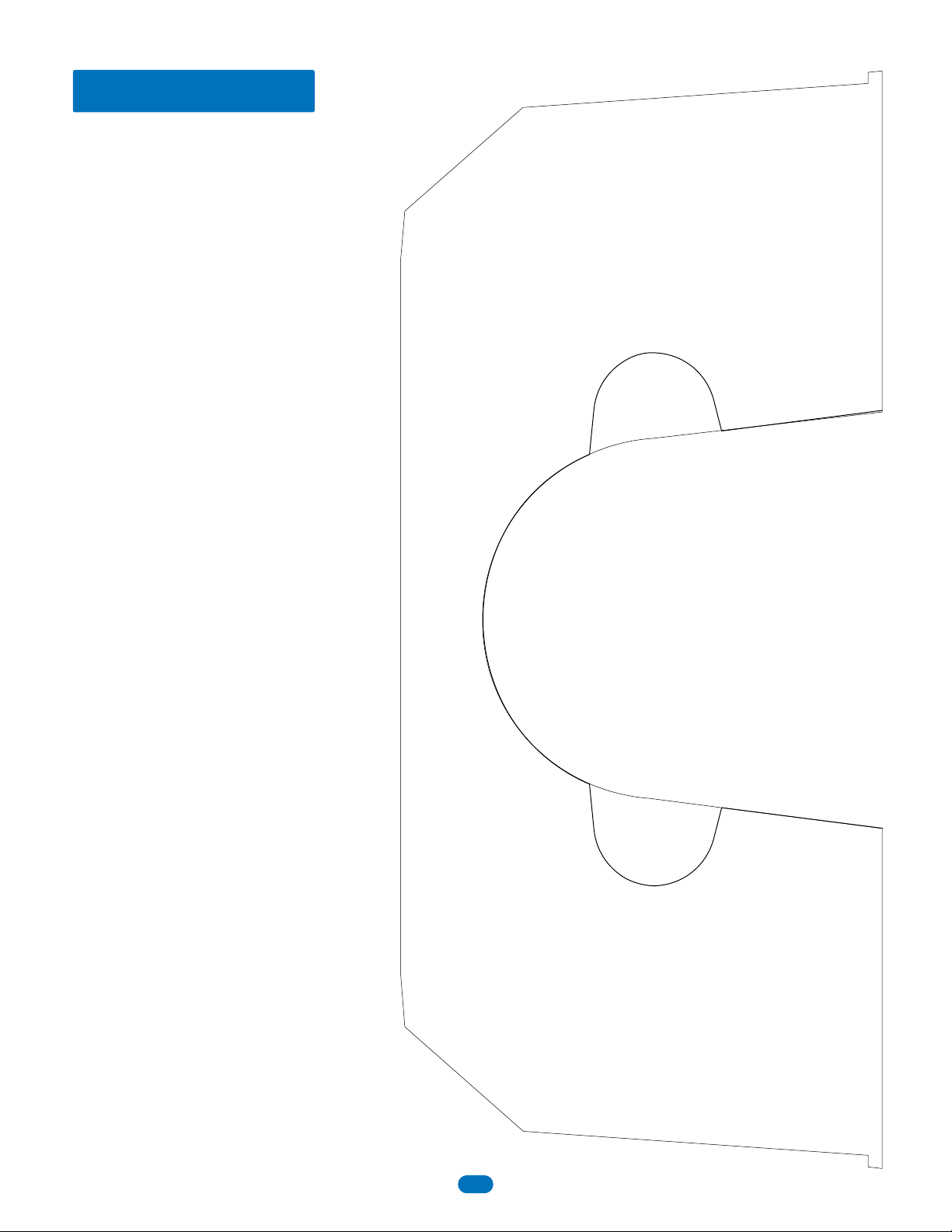
Older Arm Cover
X
X
Older arm cover will need to have the reverse edge
cut out of the existing cover. Only one side of the
cover will need to be cut out depending on which
side of the operator the arm is mounted on. Use
this template as a guide to remove material from
the cover.
4
1601-268-E-6-20
14 FT 2-PIECE OCTAGON ARM ASSEMBLY
Assemble Arm
DoorKing Part Number
1601-567
14 Ft 2-Piece Octagon Arm Kit
This kit is designed for use on a 1601 or 1603 barrier gate operators ONLY. It has 2-7 ft arm sections
that assemble into a 14 ft arm.
Install End Cap
Push a screwdriver through the hole in cap to
release spring while pushing cap on. Keep pushing
cap on until a “CLICK” is heard, locking it in place.
Copyright 2019 DoorKing®, Inc. All rights reserved.
120 S. Glasgow Avenue
Inglewood, California 90301 U.S.A.
7 Ft Arm Section with Coupler installed 7 Ft Arm Section
Coupler
Drawing NOT to scale
Pre-drilled Hole
Self-tapping screw
Self-tapping screw
Slide section of the arm on coupler and secure with screws.
Note: Holes are pre-drilled in the arm section , but not in the coupler.
5
1601-268-E-6-20
REVERSE EDGE / RED GREEN LED INSTALLATION DoorKing Part Numbers
8080-080
Reverse Edge
8080-096
Reverse Edge + Red/Green LED
This kit is designed to install on a 14 ft aluminum octagon arm for a 1601 barrier gate operator or
a 1603 auto spikes operator. It CANNOT be used with a 1602 operator.
Note: DO NOT operate arm with a malfunctioning reverse edge.
120 S. Glasgow Avenue
Inglewood, California 90301 U.S.A.
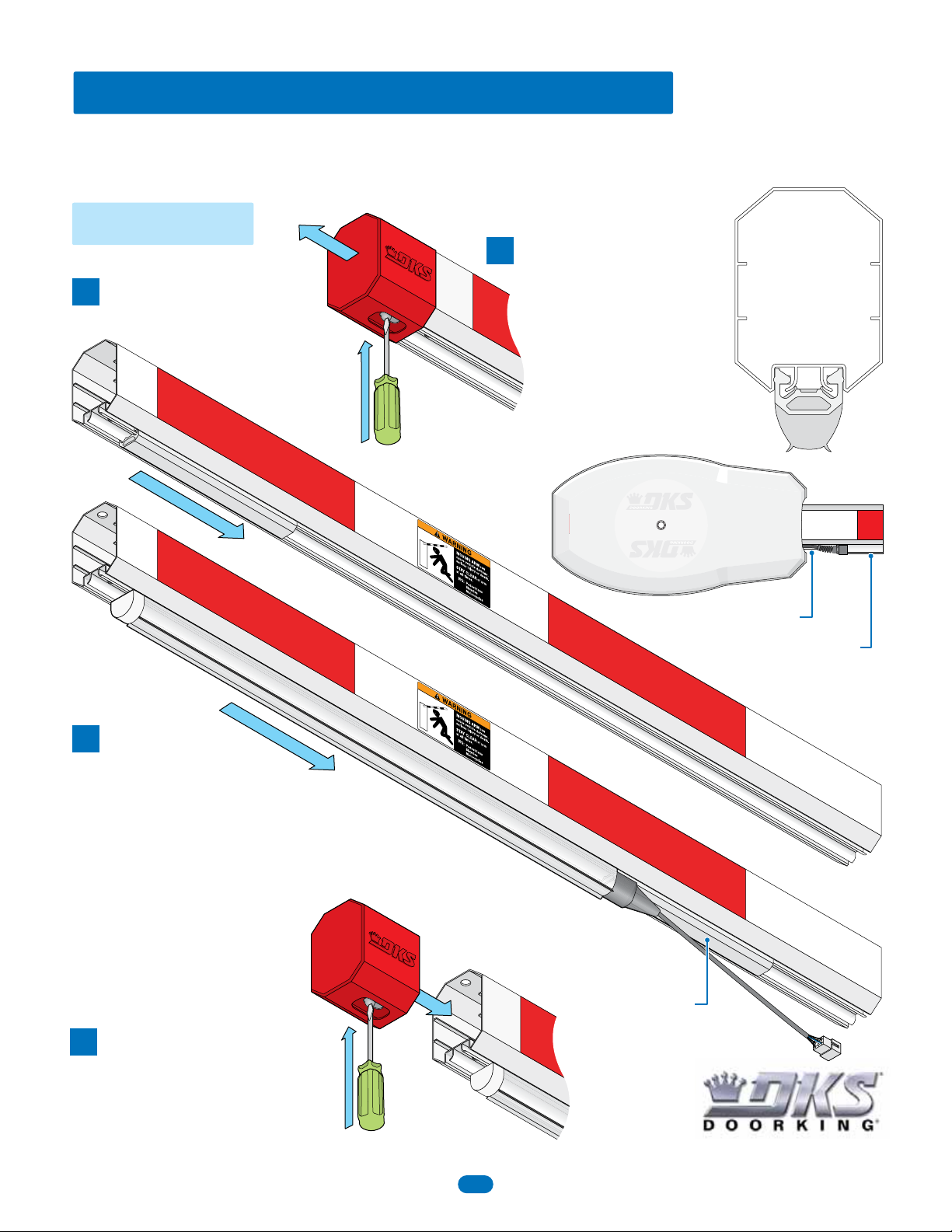
Installation
Push a screwdriver through the hole in cap to release
spring while pushing cap on. Keep pushing cap on
until a “CLICK” is heard which locks it in place.
Tip: Liquid soap will help
reverse edge slide on easier.
Note: Spacer
MUST be in
position.
Reinstall End Cap
Slide on Edge
3
Tip: Liquid soap will help
spacer slide on easier.
Slide on Spacer
2
3
Octagon Arm
Reverse/LED Edge
Reverse/LED Edge
Spacer
Spacer
Remove End Cap
Push a screwdriver through hole
in bottom of end cap to release
spring while pulling cap off.
1
Cover
10” RubberSpacer
6
1601-268-E-6-20
120 S. Glasgow Avenue
Inglewood, California 90301 U.S.A.
RUBBER BUMPER INSTALLATION
Installation
DoorKing Part Number
8080-089
This rubber bumper is designed to install on a 14 ft aluminum octagon arm (not included) for a 1601 barrier gate operator or a
1603 auto spikes operator. It CANNOT be used with a 1602 operator.
Push a screwdriver through the hole in cap to release
spring while pushing cap on. Keep pushing cap on
until a “CLICK” is heard which locks it in place.
Reinstall End Cap
Tip: Liquid soap will help rubber bumper
slide on easier.
Slide on Rubber Bumper
2
3
Octagon Arm
Rubber Bumper
Rubber Bumper
3” Trim End
3” Trim End
Remove End Cap
Push a screwdriver through hole in bottom of end cap
to release spring while pulling cap off.
3” trim end MUST side
on as shown.
1
Cover
The 3” trim end MUST side on first and the end
fits into the cover, see cover illustration.
7
1601-268-E-6-20