manuals.online logo
Brands
  1. Home
  2. •
  3. Brands
  4. •
  5. DYNACO
  6. •
  7. Amplifier
  8. •
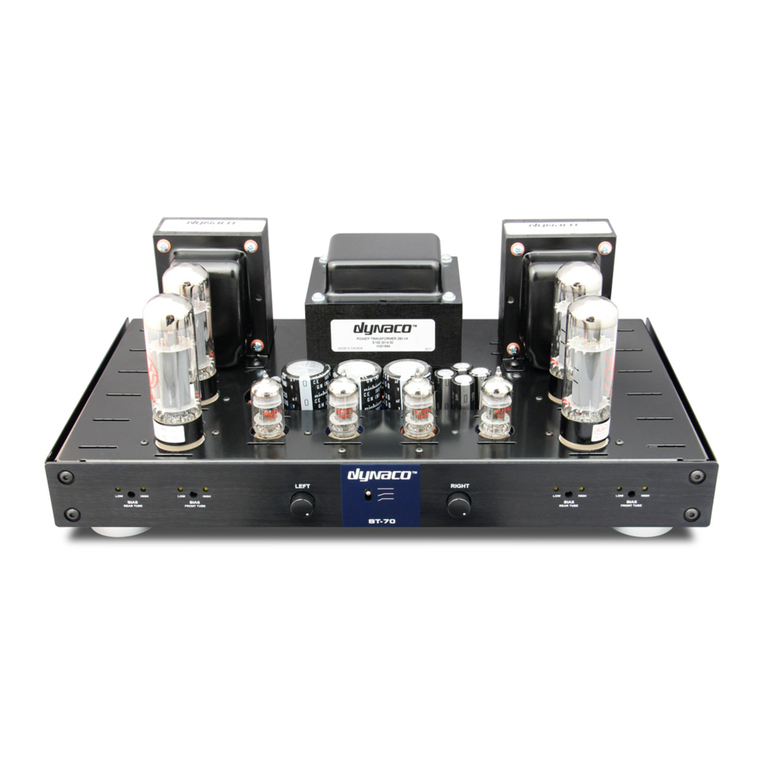
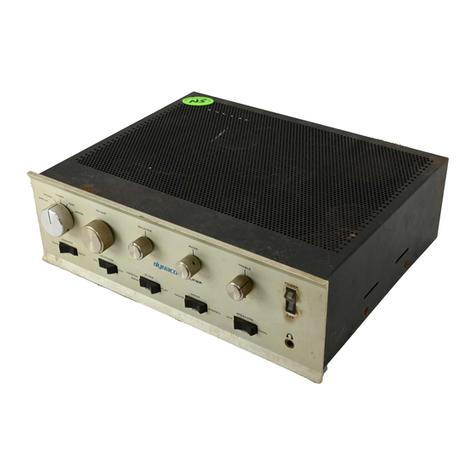
  9. DYNACO Stereo 70 User manual

DYNACO Stereo 70 User manual

Other manuals for Stereo 70

3

Other DYNACO Amplifier manuals

DYNACO Dynakit ST35 Installation instructions

DYNACO

DYNACO Dynakit ST35 Installation instructions

DYNACO SCA-80 User manual

DYNACO

DYNACO SCA-80 User manual

DYNACO PAS-4 User manual

DYNACO

DYNACO PAS-4 User manual

DYNACO Stereo 120 User manual

DYNACO

DYNACO Stereo 120 User manual

DYNACO PWRAMP80 User manual

DYNACO

DYNACO PWRAMP80 User manual

DYNACO MARK VI Installation instructions

DYNACO

DYNACO MARK VI Installation instructions

DYNACO ST-70 User manual

DYNACO

DYNACO ST-70 User manual

DYNACO Stereo 70 User manual

DYNACO

DYNACO Stereo 70 User manual

DYNACO PAT-4 User manual

DYNACO

DYNACO PAT-4 User manual

DYNACO Stereo 80 User manual

DYNACO

DYNACO Stereo 80 User manual

DYNACO Stereo 70 User manual

DYNACO

DYNACO Stereo 70 User manual

DYNACO PAT-5 User manual

DYNACO

DYNACO PAT-5 User manual

DYNACO PAS-4 User manual

DYNACO

DYNACO PAS-4 User manual

DYNACO Stereo 120 Use and care manual

DYNACO

DYNACO Stereo 120 Use and care manual

DYNACO Stereo 70 Assembly instructions

DYNACO

DYNACO Stereo 70 Assembly instructions

DYNACO Stereo 120 Use and care manual

DYNACO

DYNACO Stereo 120 Use and care manual

DYNACO PAT-4 User manual

DYNACO

DYNACO PAT-4 User manual

DYNACO ST-70 User manual

DYNACO

DYNACO ST-70 User manual

DYNACO st416 Quick start guide

DYNACO

DYNACO st416 Quick start guide

DYNACO PAS-2 User manual

DYNACO

DYNACO PAS-2 User manual

DYNACO SCA-80 User manual

DYNACO

DYNACO SCA-80 User manual

DYNACO Stereo 400 User manual

DYNACO

DYNACO Stereo 400 User manual

DYNACO PAT-4 User manual

DYNACO

DYNACO PAT-4 User manual

Popular Amplifier manuals by other brands

Magnat Audio EDITION FOUR Owner's manual/warranty document

Magnat Audio

Magnat Audio EDITION FOUR Owner's manual/warranty document

Inter-m PA-2000A Operation manual

Inter-m

Inter-m PA-2000A Operation manual

Yamaha TX6n owner's manual

Yamaha

Yamaha TX6n owner's manual

Peavey TNT 150 user guide

Peavey

Peavey TNT 150 user guide

Bosch LBB 1903/10 Installation and user instructions

Bosch

Bosch LBB 1903/10 Installation and user instructions

Avocent Emerge DA1200D Installer/user guide

Avocent

Avocent Emerge DA1200D Installer/user guide

Redgum RGi35 operating instructions

Redgum

Redgum RGi35 operating instructions

Cambridge Audio AXA25 user manual

Cambridge Audio

Cambridge Audio AXA25 user manual

Alpine MRP-M200 owner's manual

Alpine

Alpine MRP-M200 owner's manual

Technical Pro H1502UrBT user manual

Technical Pro

Technical Pro H1502UrBT user manual

FMS EMGZ307 operating manual

FMS

FMS EMGZ307 operating manual

Racal Instruments 5601 user manual

Racal Instruments

Racal Instruments 5601 user manual

Valcom V-1094A Technical specifications

Valcom

Valcom V-1094A Technical specifications

Cambridge Audio 851D user manual

Cambridge Audio

Cambridge Audio 851D user manual

QSC 3800 Specifications

QSC

QSC 3800 Specifications

NAD C300 owner's manual

NAD

NAD C300 owner's manual

Rotel RMB-1077 owner's manual

Rotel

Rotel RMB-1077 owner's manual

Peavey Monitor 300 Series operating guide

Peavey

Peavey Monitor 300 Series operating guide

manuals.online logo
manuals.online logoBrands
  • About & Mission
  • Contact us
  • Privacy Policy
  • Terms and Conditions

Copyright 2025 Manuals.Online. All Rights Reserved.

Dynaco Stereo 70 Power Amplifier
Restoration Manual
Detailed Procedure & Guide
Page 1 R0 4-03
1
I. Introduction
This document provides a step by step instruction for rebuilding and restoring the Dynaco
Stereo-70 power amplifier. It discusses most of the typical and a few atypical problems
that may be encountered with the restoration of the vintage Dynaco Stereo-70 power
amplifier and provides the solution needed to resolve these problems. Most of these
problems are age related and therefore any unit that has not been in service for over six
months should be subjected to the Post Storage Start Up Procedure (Addendum 2). If
your goal is to repair a problem with your Stereo-70 (such as hum, noise, fuse tripping,
etc.) you should review our Stereo 70 Troubleshooting Repair Guide available at our
website.
The most problematic components in the Dynaco power amplifiers are (in order of
severity) the Quad electrolytic capacitor, selenium rectifier, output tube sockets, output
tubes, and driver pc board. Of those, it is mandatory to replace the first three since if not
defective they are certain to be soon. In particular, the original Quad electrolytic
capacitor, encountering 21st century mains voltages, is operating at or near its design
limits and accordingly is simply unreliable. This is the main reason that we do not
recommend replacing it with another having the same ratings but rather one of the
aftermarket modules that extend the operating voltage and also moderately increase the
energy storage capacity. CAE offers two capacitor modules that meet these objectives
and additionally include a complete new bias circuit (that also replaces the selenium
rectifier). This is essentially a completely new power supply with higher ratings and
energy capacity.
The second most problematic component is the output tube sockets which corrode and
lose conductivity over time. These failures can be very costly since contact failures will
zero bias the output tubes causing the tube to conduct maximum current (you may have
seen the glowing red elements) dramatically shortening the life of the tube (if not
destroying it altogether). Unfortunately the degree of cleaning necessary to remove the
oxidation also removes the nickel plating (preferable to gold) thereby rendering the
cleaning process short lived. The solution is inexpensive - replace the sockets completely
using ceramic based sockets. This is a very worthwhile investment easily paying for itself
considering the cost of premium replacement tubes.
Finally the original Dynaco pc driver board is subject to failure not due to limitations of
the components (although the tube sockets are questionable) but rather due to the
substrate material of the board itself. The majority of the original boards were made from
an inexpensive and common consumer electronics composite phenolic base material. It is
prone to moisture absorption and retention and with the varying temperatures
encountered inside the Stereo-70, has expanded and contracted to the extent that the pc
foil either has or is about to delaminate. This material also becomes coated with grime
that is impossible to remove without harming the board. The symptoms of a defective
drive module are noises, popping and crackling of your amplifier. We realize that many
Dynaco Stereo 70 Power Amplifier
Restoration Manual
Detailed Procedure & Guide
Page 2 R0 4-03
2
of you wish to preserve the exact sound of your amplifier and to meet that goal we have
available an identical pc module replacement using mil-sped fiberglass composite (CAE
# ASM-3R). Additionally for those wishing to retain the midrange of the original Stereo-
70 but extend those midrange qualities to the bass and high frequencies (the stock amp’s
bass is loose and uncontrolled and its high frequencies are muted in comparison to the
midrange) we offer our all triode upgrade module (CAE# ASM-3U). The price is the
same for either module.
At the end of this document you will find restoration packs that address either the
restoration or the upgrade alternatives. Each pack includes the Quad capacitor
replacement module, ceramic tube sockets, Mil-Spec Teflon wire, and one of the driver
modules. Also included are the various hardware specified in this document. We also
have available replacement tubes as needed. Finally, we also provide this restoration
service in our lab. The price depends upon the option you select and therefore we suggest
that you contact us (www.dynaco-doctor.com) to discuss your situation and your options
accordingly.
A. Tools & Documents Required - Before you begin you must have a few basic tools
on hand – these items are essential for a successful restoration. Additionally, you
should have available associated documentation. Please obtain the items as follows:
•RCA shorting plugs (Fabricate using Radio Shack # 274-339)
•Digital Voltmeter (Inexpensive Model from Radio Shack or Equivalent)
•Tools, Soldering Iron & Soldering Tools, and general DIY guidelines (See the CAE
Tech Note @ THE DIY Bible: - Kit Builders Guide
•Wire Jumpers with Alligator Clips (Radio Shack # 270-180)
•100 ohm 2 Watt resistor (not a critical value, any value near 100 ohms will be fine)
•100K ohm 3 to 5 Watt resistor
•20 fuses rated at 1Amps, Slo-Blo (not larger nor smaller)
•3 fuses rated at 3 Amp, Slo-Blo
•Original Dynaco Stereo-70 Owners / Assembly Manual – (Full manual available at
our web site Stereo-70 Original Dynaco Owners Manual (full)
•Quad capacitor / power supply replacement module documents (available from the
CAE website @ ASM-S7U-B Documentation
•Restoration or Upgrade Driver Module documents (available from the CAE website
@ ASM-3R Restoration Module Documentation or ASM-3U Upgrade Documentation
B. Your Safety
In this document, I hope to provide you with some methods and techniques that will
guide you to resurrect a long term out of service Stereo 70 or a unit that has begun to
show the effects of age and restore it to better than new operation. It is absolutely critical
that you are certain that you have the skills to safely operate the tools recommended and
that you always remember that you will be working with lethal voltages. In particular, the
Dynaco Stereo 70 Power Amplifier
Restoration Manual
Detailed Procedure & Guide
Page 3 R0 4-03
3
electrolytic capacitors will continue to store and present even after you have removed the
power and disconnected the line cord. Once again, always assume that lethal voltages are
present and work accordingly. That means never place yourself in a position to be the
conductor between the circuit and ground (let the jumper become the more direct current
path).
II. Stereo 70 Overview :
Although not mandatory, it will be very helpful for you to understand the operation of
your Stereo 70 and the three principal functional sections and how they interact. The next
section discusses each section briefly.
Tube power amplifiers are relatively simple devices and consist three main sections:
1) The Power Supply – The power supply consists of
a. The line cord,
b. Fuse & Fuse Holder
c. Power switch,
d. Power transformer,
e. Rectifier (tube is stock, modified may be diodes) & Tube Socket
f. Choke,
g. Filter capacitor (the Quad electrolytic “can”), and
h. Bias supply. The Bias supply consists of the rectifier diode (in the original
it was a selenium “stack”), filter capacitors (2), fixed resistors (2), and bias
pots (2, one for each channel).
Because the power supply is common to both channels, symptoms that effect both
channels (dead amp, fuse tripping, hum in both channels, weak power in both
channels, etc.) is usually the result of a problem in the power supply.
2) The Output Stage – There are two output stages, one for each channel. Each
output stage consists of :
a. the output transformer,
b. output tubes (2 per channel), and
c. cathode bias resistor (the original value was 15.6 ohms and had the
appearance of a white ceramic tubular device connected to pins 1 & 8 of
both output tubes).
d. The output tube sockets should also be considered a “component” in the
output stage – they have a higher incidence of failure than the typical
mechanical component due to the constant high temperature exposure.
That’s it – really simple. It is important for you to know that the output stage
tubes are meant to conduct a little “bias” current when the amp is idle. This bias
current is controlled by placing a negative voltage at the control grid (pin 5 of the
EL34 output tubes). Note - if this negative voltage were to disappear, the control
Dynaco Stereo 70 Power Amplifier
Restoration Manual
Detailed Procedure & Guide
Page 4 R0 4-03
4
grid will fall to zero volts and at this point the tubes will conduct way too much
current causing the familiar glowing red plate elements (from the heat).
Eventually the fuse will trip or, if too late, the tubes will be destroyed. The
negative voltage needed to keep the tubes conducting the desired current is
produced in the bias supply (located in the power supply section) and is delivered
to the control grid (pin 5) via the tube socket. Therefore should the tube socket
corrode or otherwise fail to connect to the tube control grid pin (5), the voltage
appearing at the control grid (pin 5) will fall to zero causing the tube to conduct
excessive (and destructive) current. You may want to think of the negative control
grid voltage as the adjustable safety valve. Because each tube differs from unit to
unit, it is necessary to make this voltage variable and user adjustable. This
adjustment is made via the BIAS ADJUSTMENT pots (located on the amp
between the rectifier tube and Quad filter capacitor). As the user adjusts the
voltage on the control grid, the current flowing through the tube (from plate to
cathode) flows into the Cathode Bias Resistor (the 15.6 ohm resistor discussed
above) causing a voltage drop to appear across this resistor (via ohms law). The
user then measures the voltage across the resistor as an indicator of the current
flowing through the tube (via ohms law Voltage = Current X Resistance). Since
the current flowing through each tube should be about 50mA, and since both
tubes (in one channel) have their cathode current flowing through a single
common Bias Resistor, the total current through the bias resistor will total 2X
50mA, or 100mA. By Ohms law, 100mA X 15.6 ohms = 1.56 Volts (DC) – and
this is the Bias Voltage specified by Dynaco. Failures in the output section usually
manifest themselves as bias difficulties (too much or too little) usually the result
of problems in the bias supply, weak or shorted tubes, defective tube sockets
(loose or corroded terminals), or (rarely) defective output transformers.
3) The Driver Amplifier & Phase Splitter – This is perhaps the most complex part
of the Stereo 70 power amplifier. It is the 7” X 4 “ (approximate) PC board
located in the front center of the amp between the two pairs of output tubes. It
houses two identical channels each consisting of a 7199 signal tube and associated
resistors and signal capacitors. The 7199 contains two sections – the pentode
section (where the input signal from your preamp is initially amplified), and a
triode section where the signal is split into two equal, but out of phase signals (out
of phase means that one signal is the mirror image of the other). For push pull
amplifiers (like the Stereo 70) it is necessary to deliver two out of phase signals to
the output section. Failures in the driver section usually manifest themselves as
differences in channel level, distortion, buzzes, crackles, hissing, or other
disharmonious sounds. Most often the problem appears in only in one channel.
The signal from the driver board circuit is sent to each of the four output tubes
(individually) via a coupling capacitor (0.1uF). Note that the voltage on the driver
side of the coupling capacitor is at hundreds of volts (positive) and the voltage at
the output tube side of the coupling capacitor is at the output tube control grid’s
(pin 5) negative voltage. If the capacitor becomes only moderately leaky, current

Dynaco Stereo 70 Power Amplifier
Restoration Manual
Detailed Procedure & Guide
Page 5 R0 4-03
5
will flow into the bias circuit of the output stage and as a result it will be
impossible to bias the output tube correctly. This is an uncommon failure however
it is worth mentioning since it is in concert with our discussion in the output
section.
Frankly, the driver stage is one of the two sections of the Stereo 70 that was not
designed with longevity in mind. The board material is phonelic (really pressed
paper) that absorbs moisture and does not hold up well to the typical heat / cool
cycles present inside the Stereo 70. The solder traces are very thin and the pads

are small and combined with the inferior board material the adhesion is marginal.
This makes the removal and replacement of components very difficult usually


causing board damage. Therefore we strongly recommend replacing the driver
section should the diagnosis point towards the driver board. In fact, it is
recommended that the driver board be replaced irrespective of the analysis to
dramatically improve reliability and performance.
III. Restoration Process
A. Preparation
1) You will first remove the top and bottom covers by removing the 4 (6 on some
units) located on the right and left sides of the amplifier. Both covers should be
free to be released.
2) Next, remove the tubes (4X output tubes, 2X driver tubes, 1X GZ-34 rectifier
tube) and label each to their respective positions if you are planning on retaining
the original tubes.
3) Using a 2” paintbrush and a vacuum cleaner hose gently dislodge and vacuum all
dust and dirt from the topside and underside of the amplifier. Be careful to get
into the small crevices under the transformers.
4) Before we proceed, it is important to confirm the operation of the power and
output transformers since you may want to reconsider the value of the project
should and of the transformers be defective. If you amplifier has been in service
before you began, it is fair to assume that the transformers are functional and
therefore you may omit the transformer tests and move to the next phase. The
transformer tests are described under Addendum 1: Testing the Stereo-70
Transformers.
B. Disassembly
During the disassembly, there are some components that will be retained and reused
while others will be discarded. Obtain a small box to hold the hardware and parts that
will be reused. When identified as retained, carefully de-solder all leads and wire
remnants, thoroughly clean the leads of all remaining solder and store them in a safe
Dynaco Stereo 70 Power Amplifier
Restoration Manual
Detailed Procedure & Guide
Page 6 R0 4-03
6
place for later reuse. You may simply cut the leads on those components that are
identified as discarded. You may find that the 3 transformer leads are worn and
discolored – if this is the case, using Figure 1 and the data from the original Stereo-70
manual, be certain to label each lead for identification later. Your most valuable tools
in this section will be a clean quality soldering station and Edsyn de-soldering tool.
Let’s begin with the items you will be retaining:
1) De-solder the line cord from the fuse post and power switch. Use the Edsyn
Desoldering tool to clear as much solder as possible from the connections. You
can now remove the line cord and rubber grommet. If necessary you may have to
cut and re-strip these connections for reuse.
2) De-solder the black wire from the power transformer connected to the remaining
center lug of the fuse holder. Remove and store the fuse holder.
3) De-solder the remaining black wire from the power transformer connected to the
power switch and remove the power switch. Remove the power switch for reuse.
4) De-solder the four left output transformer wires (yellow, orange, brown, black)
from the left speaker connector. De-solder the remaining black wires connected to
the outer terminals of the left speaker connector. Clean and remove the speaker
connector for reuse.
5) Repeat step 4 for the right speaker connector.
6) On terminal #1 (no symbol) of the Quad electrolytic capacitor de-solder the two
red wires going to the output transformers and the one choke lead.
7) On terminal #2 (round symbol) of the Quad electrolytic capacitor disconnect the
other choke lead. You may cut the remaining wire connected to this lug that
connects to pin 8 of the rectifier tube.
8) Cut the two remaining wires connected to the terminals #3 (square symbol) and
#4 (triangle symbol) of the quad electrolytic capacitor (they connect to the
Dynaco pc board). The resistors connected to these terminals may remain. Finally,
de-solder and remove all of the wires connected to the ground lugs of the quad
electrolytic capacitor. Depending upon how your amplifier was originally
assembled, it is possible that the mounting lugs have been soldered to the chassis.
If this is the case, you should thoroughly heat each lug until the solder freely
flows and then while molten use the Edsyn solder sucker to remove all of the
solder. It may be necessary to re-apply new solder and repeat this in order to
thoroughly clean the solder. After you have removed all of the solder on the
mounting lugs, use gas pliers to rotate each lug so that its surface is perpendicular
to a line radiating from the center of the quad cap to remove the capacitor. If you
are planning on keeping the original appearance of your Stereo-70 you should
retain this capacitor - otherwise it may be discarded.
9) Carefully de-solder the three terminals (five wires) connected to the left bias
potentiometer (immediately to the left of the original selenium rectifier). Be sure
to clean all of the wire and solder remnants from this control. Remove and store
the potentiometer.
10) Repeat step 9 for the right bias potentiometer.
Dynaco Stereo 70 Power Amplifier
Restoration Manual
Detailed Procedure & Guide
Page 7 R0 4-03
7
11) De-solder the power transformer lead (Red / Yellow) connected to system ground
lug located immediately to the left of the Quad capacitor. You may cut any
remaining wires connected to these lugs and then remove and discard.
12) Next, examine the dual RCA input connector. If it is cracked or worn or you plan
to replace it, you may cut the wires to all four posts and discard. Alternatively if it
is clean and re-useable, carefully de-solder and clean each post and store.
13) Immediately to the left of the input connector you will find the stereo-mono
switch. De-solder and clean its lugs and store for reuse.
14) The two 8 pin octal sockets located on the front of the amplifier will be retained
however we will only be using them for bias adjustment purposes. Therefore you
may cut all of the wires except pin 8. De-solder and clean pin 8 on both sockets.
Remove both and store for reuse.
15) Locate the 7 pin terminal strip immediately to the left of the power transformer
(below the left output transformer). De-solder completely terminals 5, 6, & 7 (See
Figure 1). These terminals mount a 3 leaded ceramic (small flat circular) capacitor
and two power transformer leads (Green/Yellow and Brown/Yellow). Carefully
remove the ceramic capacitor and clean the solder on its leads. You may cut the
remaining wires and components connected to pins 1 through 4 connected to this
terminal strip.
16) Locate Left Output tube socket associated with V2 (left side nearest the center).
De-solder the wires connected to pins 2, 3, 4 & 7. This will free all of the power
and output transformer leads for the left channel. Using your ohmmeter, measure
the resistance of the 15.6 ohm bias set resistor connected from V2/pins 1&8 and
ground. If it is not open carefully de-solder it, clean its leads and store for reuse.
17) Repeat step 16 at V7 on the right channel.
18) De-solder the power transformer Red/ Black Stripe lead connected to the
selenium rectifier. Cut the remaining wire connected to the other selenium
rectifier terminal and remove and discard the selenium rectifier.
19) De-solder all of the wires connected to the rectifier socket (V1). The socket will
be replaced but the four power transformer wires (2X yellow and 2X red) will be
reused. Remove and discard the tube rectifier socket.
20) Next, you may remove the three transformers. Begin with the power transformer
and next remove the two output transformers. The power transformer is held in
place with 8-32 nuts on posts originating from the transformer. There are also
wire hold-down clamps. Be sure you keep all of this hardware.
21) Once you remove the three transformers, you should now have access to the
hardware securing the choke and seven lug terminal strip. Remove and store the
choke. Remove and discard the 7 pin terminal strip.
22) The remainder of the parts mounted on the chassis may be now removed. Since
the will not be retained they may be discarded. You may want to keep all of the
mounting hardware for spares. If you will be retaining the original Dynaco driver
pc board (not recommended) you can de-solder the wires connected to the 23
terminals associated with this board.
Dynaco Stereo 70 Power Amplifier
Restoration Manual
Detailed Procedure & Guide
Page 8 R0 4-03
8
III. Cleaning & Preparation
Before you begin the steps to reassemble and restore you amplifier you will probably
want to clean and prep your chassis and the transformers for reuse.
Depending upon the condition of your chassis, it may require moderate or extensive
cleaning and if sufficiently pitted, resurfacing. The extent of your effort depends not only
on the condition of your chassis but also your expectation regarding its appearance. In
either case, its electrical and audible performance will not be impacted regardless of how
you approach the physical restoration of the chassis. We have restored many Dynaco
power amplifiers and always begin by cleaning the amplifier chassis in a strong solution
of dishwater detergent (Dawn) with a mild addition of ammonia (not too strong as it may
lift the printing). Using a soft nylon brush (and toothbrush) we remove much of the
surface dirt and oxidation. I advise against abrasive pads like scotchbrite that can scratch
and dull the finish. After the amplifier is completely dry we follow this with automobile
chrome cleaner to remove another layer of imbedded dirt and even some rust. Again, be
careful to not get too aggressive as you may harm the lettering. For those of you that
don’t care about retaining the original Dynaco lettering, you can use more aggressive
cleaning solutions to remove all surface rust. You can always try your method initially on
the inside of the chassis to sample the effect. It should be noted that many builders like
the satin metal look that can be achieved using scotchbrite in a controlled moderately
aggressive manner. Finally you may wish to investigate local metal finishing houses that
will re-chrome your chassis for a nominal fee.
Next you will want to clean the transformers. You will obtain very good results using
common window cleaner. Be careful to not get any liquid inside the transformer end bells
or on the metal laminations. If your end bells are sufficiently tarnished you should
remove them and have them painted using high temperature automotive paint.
Many of the early transformer leads used cloth insulation. This insulation when subjected
over time to the environment under the Stereo-70 chassis may have become very hard
and brittle and will crack once moved. I suggest using 1/8” heat shrink tubing to re-
insulate each of the effected leads. Be sure to slide the heat shrink all the way down to the
full length of the lead and above all be certain to label each lead with its original color
code identity.
After you have cleaned and prepared your chassis and transformer you will begin to re-
assemble your amplifier.
Dynaco Stereo 70 Power Amplifier
Restoration Manual
Detailed Procedure & Guide
Page 9 R0 4-03
9
IV. Reassembly
You will begin to reassemble your Stereo 70 by installing the new tube sockets, and most
of the hardware. To ease the wiring the transformers will be installed as late as possible
thereby making orientation of the amplifier easier.
A. Initial Hardware Installation (Refer to Figure 1)
1. Begin by install the four new ceramic output tube sockets. Orient each socket
such that the location notch that identifies pins 1&8 is pointing away from the
center of the amplifier. You will also need to install a ground lug between the
chassis on the tube socket on the outer hole of both V7 and V2 (nearest pins
1&8).
2. Install the two bias adjust potentiometers and orient so that their three terminal are
facing towards up (towards the pc board cutout).
3. Next, install the new ceramic rectifier tube socket (V1). Orient its location tab
(pins 1&8) so that it is facing towards the center of the amplifier.
4. Next, install a 4 lug terminal strip (3 free with 1 ground) at the location originally
occupied by the selenium rectifier (the hole between the two bias potentiometers).
Orient it so that it is parallel to the side of the amplifier and that the two free lugs
are towards the front of the amplifier while the single free lug is towards the rear
of the amplifier.
5. Next, install a 3 pin terminal strip (free - ground - free) at the original location of
the original ground lugs (immediately to the left of the Quad electrolytic
capacitor). Orient the terminal strip it easily clears the two bias potentiometers.
You may need to rotate it so that it not perfectly parallel to either the front or the
side of the amplifier. It is important that it will clear the right bias potentiometer
and the Quad electrolytic capacitor (not yet installed). Secure it firmly since this
will become your central ground point.
6. Install the choke in its original location and orientation.
7. Install the new (or cleaned) Dual RCA input connector in its original location.
This mounts from the inside of the chassis. Be sure to place the original phenolic
insulator between the assembly and the inside of the chassis.
8. Install the original Stereo-Mono switch on the front panel of the amplifier,
9. Install the two 8 pin octal sockets on the front panel of the amplifier. Both should
have their location tab (pins 1&8) pointing towards the left.
10. Install the two speaker connectors on the rear panel of the amplifier. These mount
from the outside of the amplifier with the tabs orientated so that they are nearest
the amplifier surface.
11. Install the original fuse holder.
12. Install the original power switch and orient so that the outer terminal is located
nearest the amplifier chassis surface.
13. Install the Quad capacitor replacement module in the area originally occupied by
the 7 pin terminal strip. Be certain to follow the instructions for preparation as
Dynaco Stereo 70 Power Amplifier
Restoration Manual
Detailed Procedure & Guide
Page 10 R0 4-03
10
outlined in the documentation for the ASM-S7U-B module (available from
www.dynaco-doctor.com).
14. Finally install the original power and output transformers. Be certain to place the
left output transformer (the one with the longest red lead in the correct location).
B. Initial Wiring - Using Figure 2 as your guide, make the following connections (using
only 20 or 22 ga Teflon insulated wire):
15. Starting on the left channel, solder a loop of ¾’ solid bare wire (you can use an
old component lead) from pin 1 to pin 8 of V3. Do the same for V2.
16. Next connect a 3” black wire from pin 8 of V3 to pin 1 of V2. Locate the 15.6
ohm power resistor originally removed from your amplifier and connect one end
to pin 8 of V3. Solder the other end of the 15.6 resistor to the ground lug near V2.
17. Finally connect a 4.5”black wire to pin 1 of V3. The other end will be connected
to pin 8 of the front panel left octal socket. Solder securely these four tube pins
(V3 pins 1 & 8 and V2 pins 1 & 8).
18. Next, connect a 3” black wire from pin 2 of V2 to pin 2 of V3. Next, connect a 7”
black wire to pin 2 of V3. Solder securely pin 2 of V3.
19. Next, connect a 3” black wire from pin 7 of V2 to pin 7 of V3. Next, connect a 7”
white wire to pin 7 of V3. Solder securely pin 7 of V3. Orient the 7” white wire
from this step and the 7” black wire from the previous step towards to front of the
amplifier and slightly twist together throughout their entire length. This pair will
eventually terminate on the new driver board and therefore should be oriented
towards the front inner edge of the amplifier.
20. Connect a 4” white wire to pin 5 of V3.
21. Connect a 4” white wire to pin 5 of V2.
22. Locate the left output transformer blue/white and green/white leads. Lightly twist
together and orient along the left outside edge of your amplifier. Trim to length
and connect the green/white lead to V2/pin4. Next connect the blue/white lead to
V2/pin3.
23. Locate the left output transformer blue and green leads. Lightly twist together and
orient along the left outside edge of your amplifier. Trim to length and connect
the green/white lead to V3/pin4. Next connect the blue/white lead to V3/pin3.
24. Locate the power transformer two green leads (these are quite heave gauge).
Lightly twist together and orient along the surface of the chassis towards the left
aiming at V2. Trim to length and connect one of the wires to V2/pin 7 and the
remaining green wire to V2/pin 2. You may want to orient these wires so that they
approach V2 from the left.
OK – the left channel output tube connections are completed. We will now perform
the same steps for the right channel:
25. Solder a loop of ¾’ solid bare wire (you can use an old component lead) from pin
1 to pin 8 of V6. Do the same for V7.