This marking shown on the product or its literature,
indicates that it should not be disposed with other
household wastes at the end of its working life. To
prevent possible harm to the environment or human
health from uncontrolled waste disposal, please
separate this from other types of wastes and recycle it responsibly
to promote the sustainable reuse of material resources. Household
users should contact either the retailer where they purchased this
product, or their local government oce, for details of where and
how they can take this item for environmentally safe recycling.
Business users should contact their supplier and check the terms
and conditions of the purchase contract. This product should not
be mixed with other commercial wastes for disposal.
Package Contents
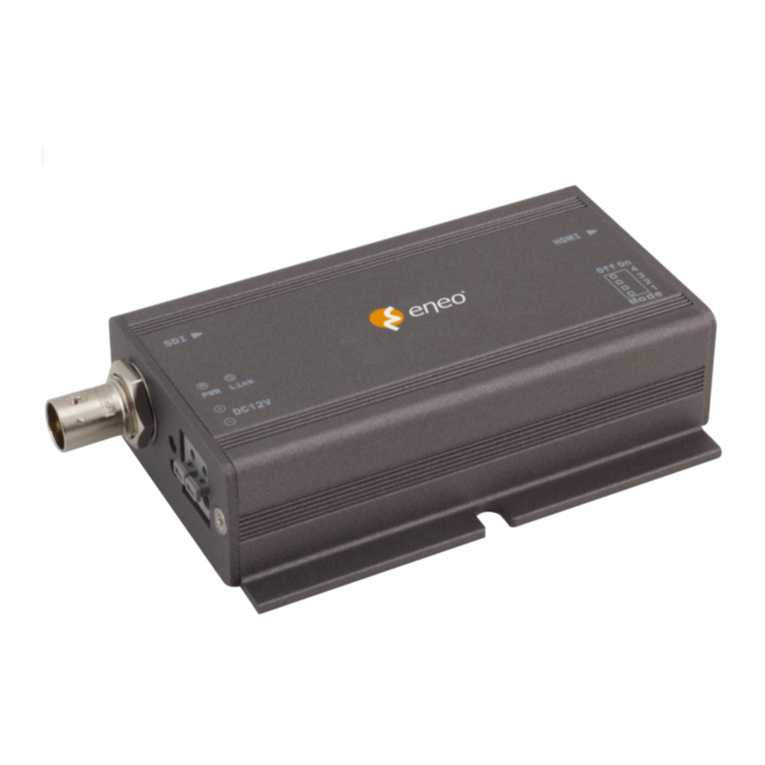
• Distributor HD-SDI
• Manual
• Power supply
• Mounting accessories
Key Features
• HD-SDI re-clocking 1 in 4 out distribution amplier
• Provides automatic input cable re-clocking and equali-
zation up to 400 meters.
• Support SDI (SMPTE 259M), HD-SDI (SMPTE 292M), and
3G-SDI (SMPTE 424M).
• HD signal distance up to 400 meters.
• Perfect for long range HD-SDI distribution application.
Panel View
LED Indication:
GREEN
ON Power ON
OFF Power OFF
BLUE
ON SDI signal input
OFF No SDI signal input
Installation View
Coaxial 1.5Gbps 200 m (max.) Coaxial 1.5Gbps 200 m (max.)
Safety instructions
General safety instructions
• Before switching on and operating the system, rst read this
safety advice and the operating instructions.
• Keep the operating instructions in a safe place for later use.
• Installation, commissioning and maintenance of the system
may only be carried out by authorised individuals and in
accordance with the installation instructions - ensuring that
all applicable standards and guidelines are followed.
• Protect the devices from water penetration and humidity,
since these can cause lasting damage.
• Should moisture nevertheless enter the system, under no
circumstance switch on the devices under these conditions,
instead send them for examination to an authorised special-
ist workshop.
• The system must never be used outside of the technical
specications, since this can destroy it.
• The device must be protected from excesses of heat, dust,
humidity and vibration.
• When separating the system from the voltage supply, only
ever use the plug to pull out the cable. Never pull directly on
the cable itself.
• Lay the connecting cables carefully and check that they are
not mechanically stressed, kinked or damaged and that no
humidity can penetrate into them.
• In the event of a malfunction, please inform your supplier.
• Maintenance and repairs may only be carried out by author-
ised specialist personnel.
• The system must be isolated from the power supply before
opening the housing.
• The device may only be opened by qualied service person-
nel. Unauthorised access invalidates any warranty claim.
• Connection cables should always be exchanged through
VIDEOR E. Hartig GmbH.
• Use only original spare parts and accessories from VIDEOR E.
Hartig GmbH.
• The housing should only be cleaned using a mild domestic
cleaning agent. Never use solvents or petrol as these can
permanently damage the surface.
• During installation, it is essential to ensure that the seals pro-
vided are correctly installed and that they are not displaced
during installation. Damaged seals must not be installed and
will invalidate any warranty.
• The installer is responsible for the maintenance of the
enclosure as per the technical data, e.g. by sealing the cable
outlets with silicone.
• Wire end ferrules should be used when shortening the
exible connection cables.
• The devices may only be operated in the temperature
range indicated in the data sheet and within the dened air
humidity range.
Class A device note
This is a Class A device. This device can cause malfunctions
in the living area; in such an event, the operator may need to
take appropriate measures to compensate for these.
WEEE (Waste Electronical & Electronic Equipment)
Correct Disposal of This Product (Applicable in the European
Union and other European countries with separate collection
systems).
Sold exclusively through specialised dealers.
eneo® is a registered trademark of
VIDEOR E. Hartig GmbH.
Subject to technical modications.
VIDEOR E. Hartig GmbH
Carl-Zeiss-Straße 8 • 63322 Rödermark,
Deutschland
Tel. +49 (0) 6074 / 888-0
Fax +49 (0) 6074 / 888-100
www.videor.com
www.eneo-security.com
© Copyright by VIDEOR E. Hartig GmbH 06/2016
Installation Guide
Distributor HD-SDI
HAM-4DC1004M0A