manuals.online logo
Brands
  1. Home
  2. •
  3. Brands
  4. •
  5. Enjoy Birds More
  6. •
  7. Cell Phone
  8. •
  9. Enjoy Birds More W30C User manual

Enjoy Birds More W30C User manual

Popular Cell Phone manuals by other brands

Nokia 6700 classic user guide

Nokia

Nokia 6700 classic user guide

LG L34C user guide

LG

LG L34C user guide

Ericsson T60d manual

Ericsson

Ericsson T60d manual

Zte Score M user manual

Zte

Zte Score M user manual

Sony Xperia Z1 Compact Startup guide

Sony

Sony Xperia Z1 Compact Startup guide

AT AT-Q5 user manual

AT

AT AT-Q5 user manual

Vingtor ACM-M-A-V2 Installation/configuration

Vingtor

Vingtor ACM-M-A-V2 Installation/configuration

Olitech EasyFlip 2 Quick setup guide

Olitech

Olitech EasyFlip 2 Quick setup guide

Zte Atrium Z793C user manual

Zte

Zte Atrium Z793C user manual

Alcatel IDEAL manual

Alcatel

Alcatel IDEAL manual

Zte BLADE A520 quick start guide

Zte

Zte BLADE A520 quick start guide

switel M222 user manual

switel

switel M222 user manual

LG LG-P503 user guide

LG

LG LG-P503 user guide

LG F2410 user guide

LG

LG F2410 user guide

Argom E500 manual

Argom

Argom E500 manual

Hisense U30 user manual

Hisense

Hisense U30 user manual

Argom Tech E401 user manual

Argom Tech

Argom Tech E401 user manual

Nokia 3595 - Cell Phone - GSM Manual Del Usuario

Nokia

Nokia 3595 - Cell Phone - GSM Manual Del Usuario

manuals.online logo
manuals.online logoBrands
  • About & Mission
  • Contact us
  • Privacy Policy
  • Terms and Conditions

Copyright 2025 Manuals.Online. All Rights Reserved.

1
2
.............................................................................................................................4
................................................................................................5
.............................................................................................7
................................................................................................8
......................................................................................8
.................................................................................................9
.................................................................................................................9
.........................................................................................................................10
.............................................................................................11
...................................................................................................11
............................................................................................................................................12
...................................................................................................................................13
................................................................................................................................14
.................................................................................................................................15
...................................................................................................................................16
...........................................................................................................................16
............................................................................................................16
...................................................................................................................................17
..............................................................................................................................17
...............................................................................................................................17
.......................................................................................................................17
....................................................................................................................................17
...........................................................................................................................18
..............................................................................................................................19
..............................................................................................................................19
....................................................................................................................19
.....................................................................................................................20
.....................................................................................................................20
...............................................................................................................20
..........................................................................................................................21
...................................................................................................................................22

.....................................................................................................................22
3
................................................................................................................22
.............................................................................................................23
.............................................................................................................23
.....................................................................................................................23
...............................................................................................23
....................................................................................................24
4
Safety Precaution
This section includes some important notes for safety and effective
operation, Please read the safety precautions carefully to ensure the
correct use of your mobile phone.
1. If conditions permit, please stop the car to make/answer calls while
driving.
2. In some places with special requirements, such as hospitals or health
care places, please note restrictions on the use of mobile phone, and
turn off the mobile phone when required.
3. Do not switch on your mobile phone when it is prohibited to use
phones or when the phone may cause interference or danger.
4. Only qualified personnel are allowed to repair or disassemble the
mobile phone.
5. Do not carry your mobile phone in any area with risk of potential
explosion, such as gas, fuel stations or any places storing or
transferring chemicals.
6. Some electronic equipment may produce electromagnetic
interference or shield to the cell phone signal, such as electronic
vehicle system; if necessary, please consult the equipment's
manufacturer before using them.
7. Keep your mobile phone and its accessories away from young
children. Do not allow children to use your mobile phone without
guidance.
8. Avoid battery short-circuit, Do not dismantle or modify the battery, or
put the battery in any high-radiation or high temperature environment.
5
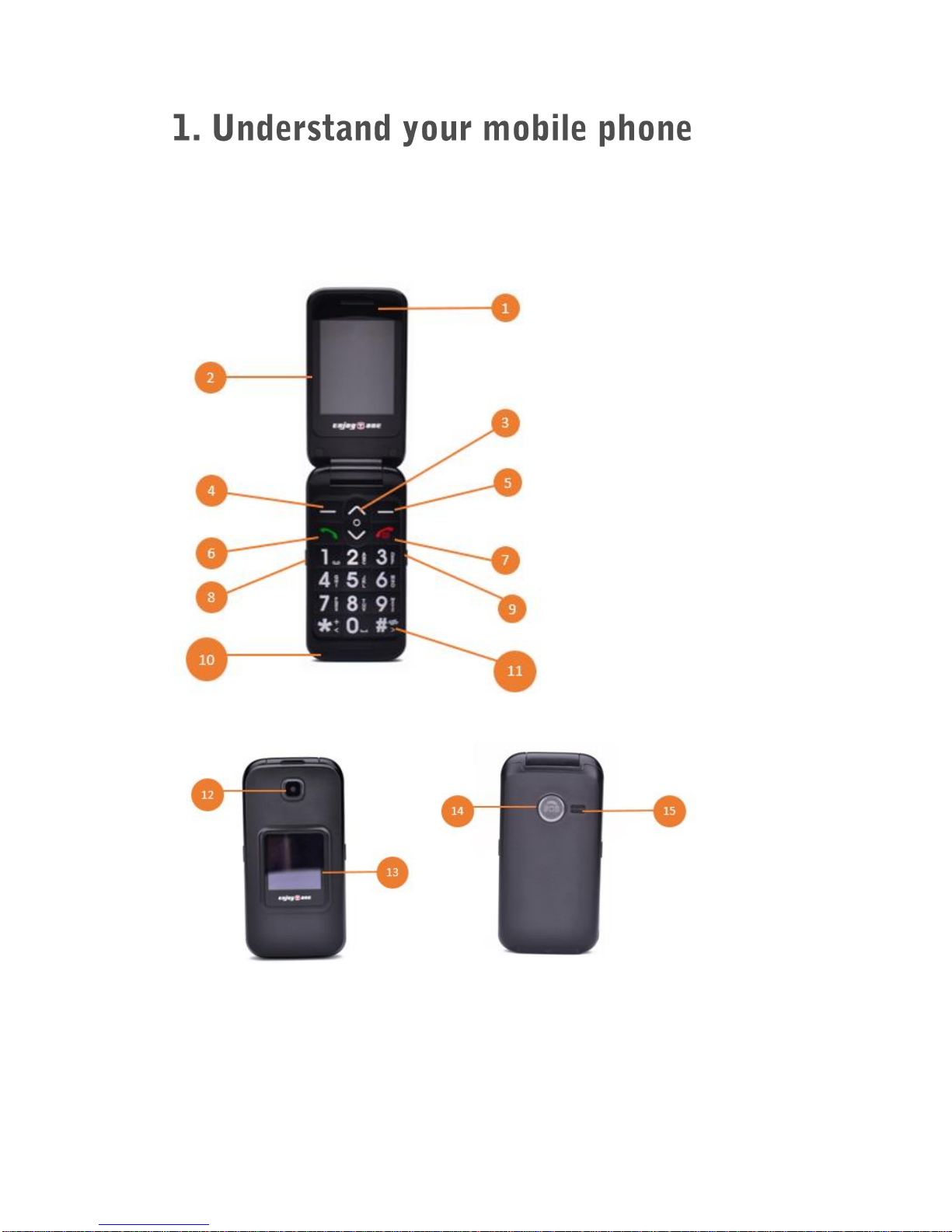
The phone has 18 keys, 2 side keys, 2 display screens; camera, SOS
button, built-in vibration motor, an earphone, a charger, USB cable and
an external memory card (T-FLASH card) slot.
6
1. Earpiece
2. Main screen
3. Arrow keys
4. Left selection key
5. Right selection key
6. Answer call
7. Power button/Abort call
8. Torch light button
9. FM radio button
10. Microphone
11. #/Silent mode/Input method
12. Camera
13. Secondary Screen
14. SOS Emergency Key
15. Loudspeaker
16. USB port/ Headphone port
17. Torch
7
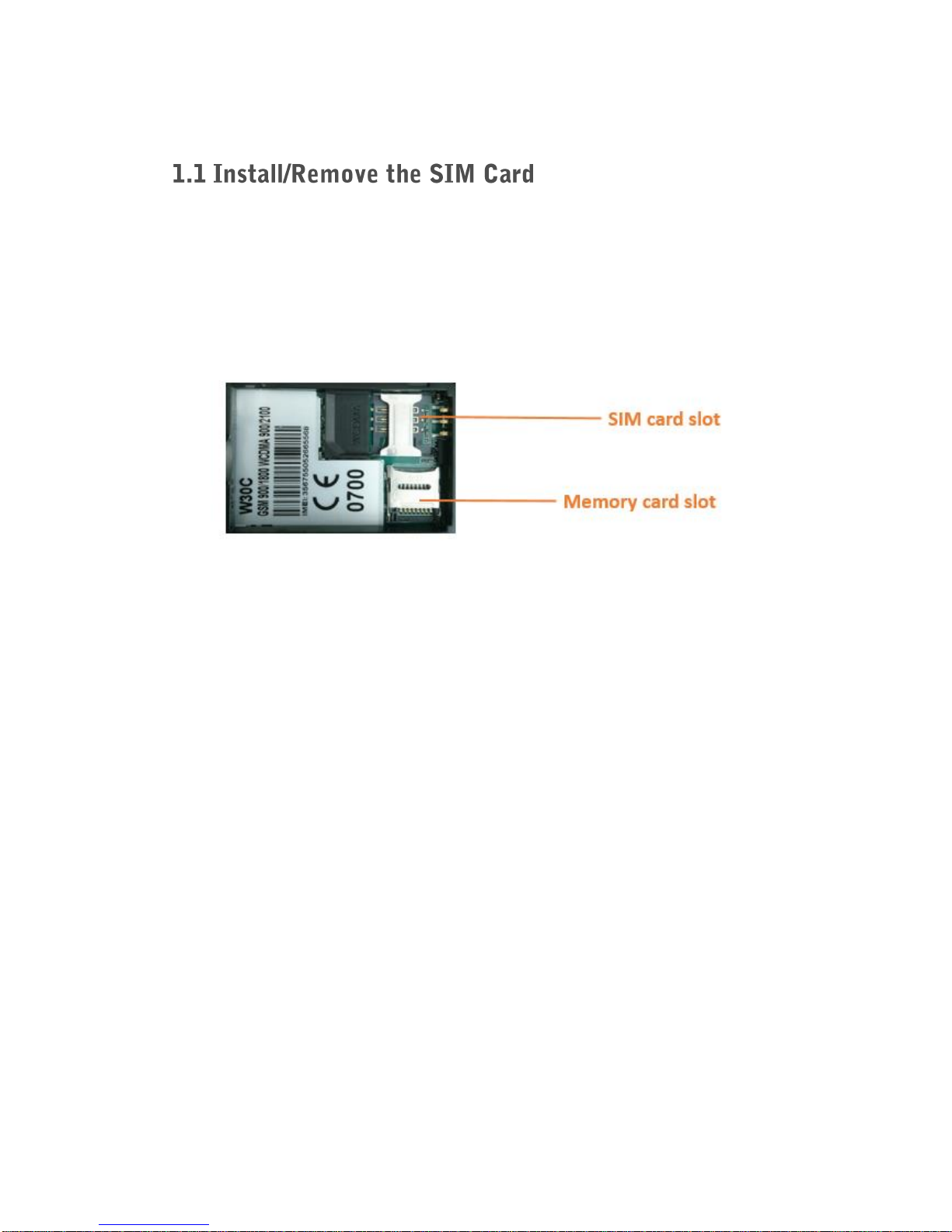
1. Remove the back cover and then remove the battery, if fitted.
2. Slide the SIM card into the slot shown, taking care to place it “circuit
side” down and align the notch on the card with the notch on the
receptacle.
8
1. Please note: Before removing the battery, please turn off your mobile
phone and unplug the charger. Use only qualified batteries.
2. Remove the battery cover. Put the battery in the battery slot with its 3
metal contacts pointing to the metal bolts of your mobile phone. Then
insert the battery cover.
1. If extra storage capacity is required, you can install a memory card.
This device uses micro SD or TF memory card.
2. Insert the memory card to the memory card slot.
9
Before charging: Make sure that the battery has been properly inserted.
New battery will achieve optimal performance after fully charging and
discharging several times. When the battery is exhausted, please
recharge it, excessive discharge can damage your battery. Please use
EnjoyTone chargers and cables. Unapproved equipment may cause
damage to the battery or device. If the battery is discharged deeply, the
battery indicator will appear a few minutes later.
1. Connect the USB cable that came with your mobile phone to the
charger.
2. Open the USB port cover. Connect the USB cable to the USB port of
your phone.
3. Insert the other end of the cable into the wall charger and insert into
an electrical socket.
4. When charging is complete, remove the cable from the device and
then remove the wall charger.
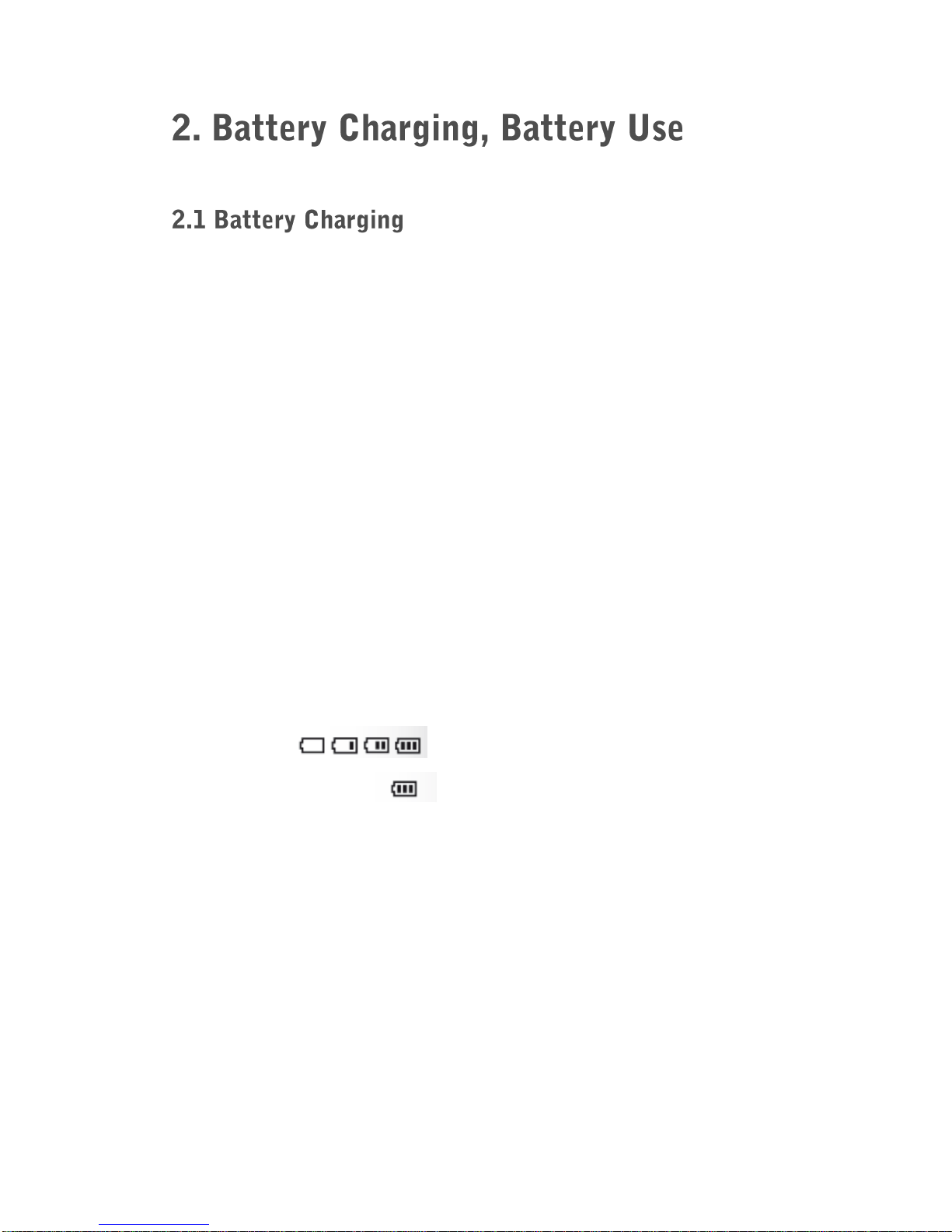
Charging:
Charging finished: